


HDFS操作
- 如何hdfs上传文件时候,保留访问和修改时间,所有权和权限
hdfs dfs -put [-f] [-p] <localsrc> ... <dst>
-p是为了保留属性 (意思就是执行上传命令后继续保持原有的属性)
hdfs dfs -put -p /opt/data/bigdata.txt(linux路径) /user/data/putdata(hdfs路径)

- 如何hdfs上传文件时候,更改访问和修改时间,所有权和权限
修改所有权和权限的语法
hdfs dfs -chown newowner:newgroup /hdfs/path/to/destination/file
(新用户:新用户组) (目标文件hdfs路径)
hdfs dfs -chmod 755 /hdfs/path/to/destination/file
(更改文件权限755权限) (目标文件hdfs路径)
hadoop fs -cp /gli/file1/finish.txt /
或者
hdfs dfs -cp /gli/file1/finish.txt /
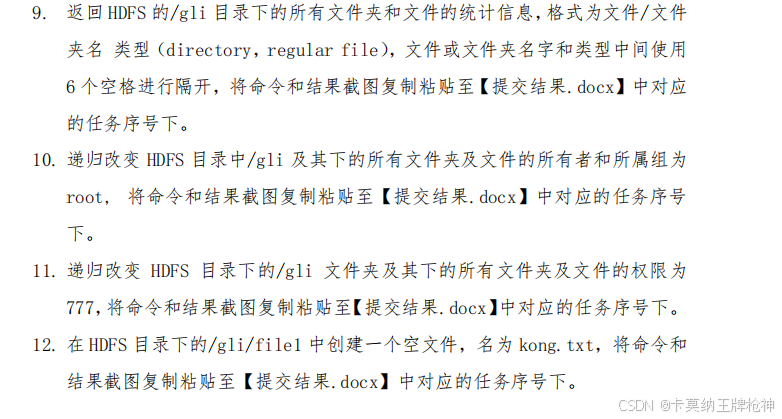
9.hdfs dfs -ls /gli
10.hdfs dfs -chown -R root:root /gli
11.hdfs dfs -chmod -R 777 /gli
12.hdfs dfs -touchz /gli/file1/kong.txt
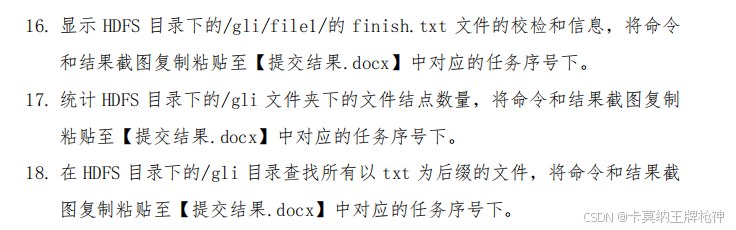
14.
hdfs dfs -cat /gli/file1/one.txt /gli/file1/two.txt | hdfs dfs -put - /gli/file1/new.txt
hdfs dfs -get /gli/file1/new.txt /opt/data/
cat /opt/data/new.txt
15.
hdfs dfsadmin -report
16.
hdfs dfs -checksum /gli/file1/finish.txt
17.
hdfs dfs -du -R /gli
18.
hdfs dfs -ls /gli | grep '\.txt$'





 扫一扫
扫一扫


 1633
1633

 被折叠的 条评论
为什么被折叠?
被折叠的 条评论
为什么被折叠?
 到【灌水乐园】发言





