


 本文介绍如何在Visual Studio 2012中配置并访问中国的Azure存储服务。步骤包括安装Azure SDK补丁,从Azure门户获取存储账户的访问密钥和端点,然后在VS2012中创建新的存储账户并输入这些信息。
Configure Visual Studio to access China Azure Storage:
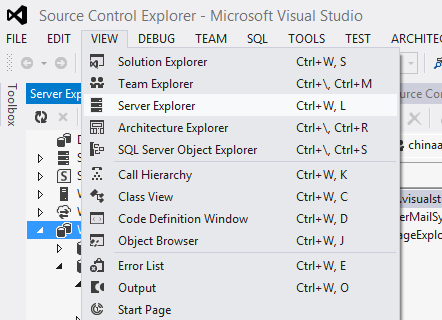
- Open Visual Studio 2012, Server Explorer. (Ensure you have installed patches for Azure, like Azure SDK)
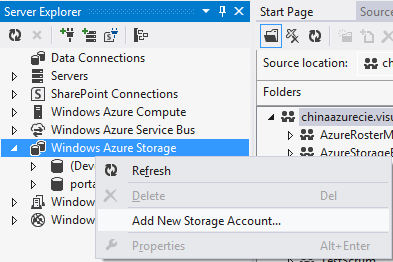
- Add new storage account
- Go "Dashborad" page of storage account from portal
- Find Access keys from dashborad
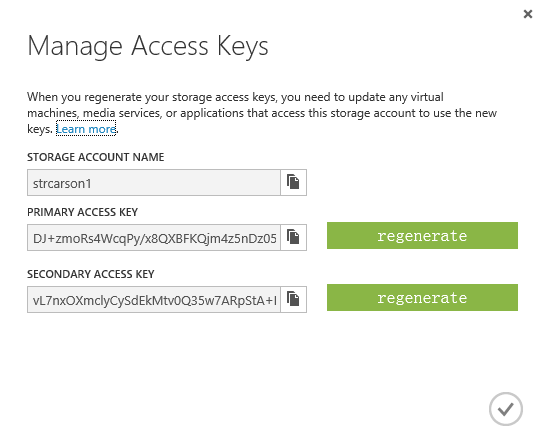
- Copy the strings to VS 2012 new window "Add New Storage Account"
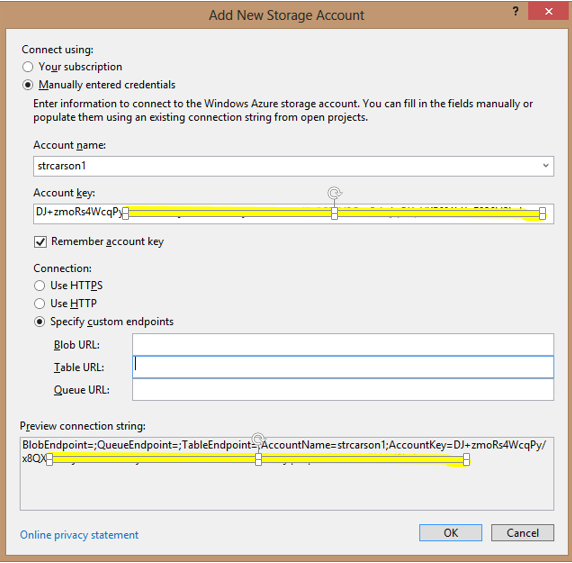
- Back to dashborad and find the endpoints and copy to the new windows as well.
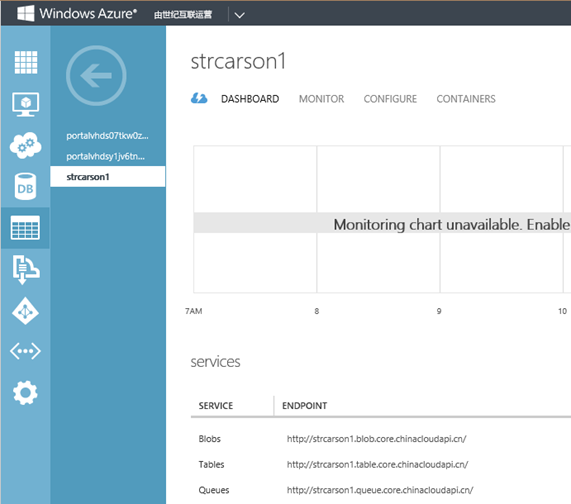
- Here you go:
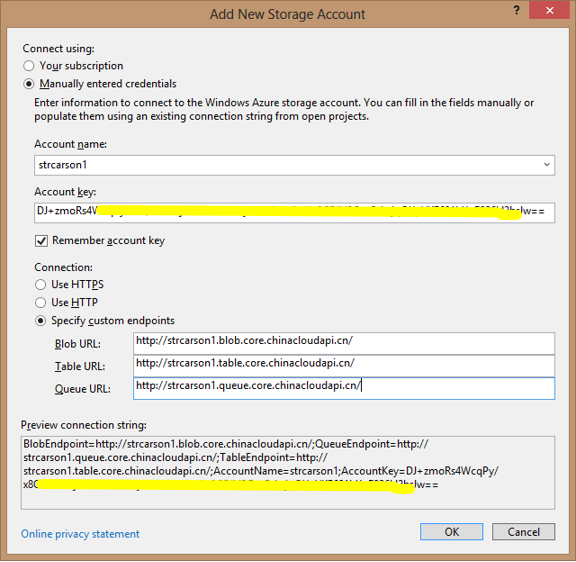
Finally the connection string will be like, you can also save the connection string into your cloud project configuration file:
BlobEndpoint=http://strcarson1.blob.core.chinacloudapi.cn/;
QueueEndpoint=http://strcarson1.queue.core.chinacloudapi.cn/;
TableEndpoint=http://strcarson1.table.core.chinacloudapi.cn/;
AccountName=strcarson1;
AccountKey=DJ+zmoRs4WcqPy/*obscuredstrings*/F026H2hrJw==





 扫一扫
扫一扫


 被折叠的 条评论
为什么被折叠?
被折叠的 条评论
为什么被折叠?
 到【灌水乐园】发言





