


引用:
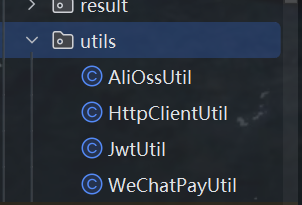
AliOssUtil
package com.sky.utils;

import com.aliyun.oss.ClientException;
import com.aliyun.oss.OSS;
import com.aliyun.oss.OSSClientBuilder;
import com.aliyun.oss.OSSException;
import lombok.AllArgsConstructor;
import lombok.Data;
import lombok.extern.slf4j.Slf4j;
import java.io.ByteArrayInputStream;

@Data
@AllArgsConstructor
@Slf4j
public class AliOssUtil {

    private String endpoint;
    private String accessKeyId;
    private String accessKeySecret;
    private String bucketName;

    /**
     * 文件上传
     *
     * @param bytes
     * @param objectName
     * @return
     */
    public String upload(byte[] bytes, String objectName) {

        // 创建OSSClient实例。
        OSS ossClient = new OSSClientBuilder().build(endpoint, accessKeyId, accessKeySecret);

        try {
            // 创建PutObject请求。
            ossClient.putObject(bucketName, objectName, new ByteArrayInputStream(bytes));
        } catch (OSSException oe) {
            System.out.println("Caught an OSSException, which means your request made it to OSS, "
                    + "but was rejected with an error response for some reason.");
            System.out.println("Error Message:" + oe.getErrorMessage());
            System.out.println("Error Code:" + oe.getErrorCode());
            System.out.println("Request ID:" + oe.getRequestId());
            System.out.println("Host ID:" + oe.getHostId());
        } catch (ClientException ce) {
            System.out.println("Caught an ClientException, which means the client encountered "
                    + "a serious internal problem while trying to communicate with OSS, "
                    + "such as not being able to access the network.");
            System.out.println("Error Message:" + ce.getMessage());
        } finally {
            if (ossClient != null) {
                ossClient.shutdown();
            }
        }

        //文件访问路径规则 https://BucketName.Endpoint/ObjectName
        StringBuilder stringBuilder = new StringBuilder("https://");
        stringBuilder
                .append(bucketName)
                .append(".")
                .append(endpoint)
                .append("/")
                .append(objectName);

        log.info("文件上传到:{}", stringBuilder.toString());

        return stringBuilder.toString();
    }
}
这个工具类用于将文件上传到 阿里云对象存储 OSS,核心功能是通过字节数组上传文件并返回访问 URL。
配置方法见:阿里云OSS文件上传工具类(Java)
HttpClientUtil
package com.sky.utils;

import com.alibaba.fastjson.JSONObject;
import org.apache.http.NameValuePair;
import org.apache.http.client.config.RequestConfig;
import org.apache.http.client.entity.UrlEncodedFormEntity;
import org.apache.http.client.methods.CloseableHttpResponse;
import org.apache.http.client.methods.HttpGet;
import org.apache.http.client.methods.HttpPost;
import org.apache.http.client.utils.URIBuilder;
import org.apache.http.entity.StringEntity;
import org.apache.http.impl.client.CloseableHttpClient;
import org.apache.http.impl.client.HttpClients;
import org.apache.http.message.BasicNameValuePair;
import org.apache.http.util.EntityUtils;

import java.io.IOException;
import java.net.URI;
import java.util.ArrayList;
import java.util.List;
import java.util.Map;

/**
 * Http工具类
 */
public class HttpClientUtil {

    static final  int TIMEOUT_MSEC = 5 * 1000;// 全局超时时间5秒

    /**
     * 发送GET方式请求
     * @param url
     * @param paramMap
     * @return
     */
    public static String doGet(String url,Map<String,String> paramMap){
        // 创建Httpclient对象
        CloseableHttpClient httpClient = HttpClients.createDefault();

        String result = "";
        CloseableHttpResponse response = null;

        try{
            // 构建带参数的URL
            URIBuilder builder = new URIBuilder(url);
            if(paramMap != null){
                for (String key : paramMap.keySet()) {
                    builder.addParameter(key,paramMap.get(key));
                }
            }
            URI uri = builder.build();

            //创建GET请求
            HttpGet httpGet = new HttpGet(uri);

            //发送请求
            response = httpClient.execute(httpGet);

            //判断响应状态
            // 只处理200状态码的响应
            if(response.getStatusLine().getStatusCode() == 200){
                result = EntityUtils.toString(response.getEntity(),"UTF-8");
            }
        }catch (Exception e){
            e.printStackTrace();
        }finally {
            try {
                response.close();
                httpClient.close();
            } catch (IOException e) {
                e.printStackTrace();
            }
        }

        return result;
    }

    /**
     * 发送POST方式请求
     * @param url
     * @param paramMap
     * @return
     * @throws IOException
     */
    public static String doPost(String url, Map<String, String> paramMap) throws IOException {
        // 创建Httpclient对象
        CloseableHttpClient httpClient = HttpClients.createDefault();
        CloseableHttpResponse response = null;
        String resultString = "";

        try {
            // 创建Http Post请求
            HttpPost httpPost = new HttpPost(url);

            // 创建参数列表
            // 转换参数为表单格式
            if (paramMap != null) {
                List<NameValuePair> paramList = new ArrayList();
                for (Map.Entry<String, String> param : paramMap.entrySet()) {
                    paramList.add(new BasicNameValuePair(param.getKey(), param.getValue()));
                }
                // 模拟表单
                UrlEncodedFormEntity entity = new UrlEncodedFormEntity(paramList);
                httpPost.setEntity(entity);
            }

            httpPost.setConfig(builderRequestConfig());

            // 执行http请求
            response = httpClient.execute(httpPost);

            resultString = EntityUtils.toString(response.getEntity(), "UTF-8");
        } catch (Exception e) {
            throw e;
        } finally {
            try {
                response.close();
            } catch (IOException e) {
                e.printStackTrace();
            }
        }

        return resultString;
    }

    /**
     * 发送POST方式请求
     * @param url
     * @param paramMap
     * @return
     * @throws IOException
     */
    public static String doPost4Json(String url, Map<String, String> paramMap) throws IOException {
        // 创建Httpclient对象
        CloseableHttpClient httpClient = HttpClients.createDefault();
        CloseableHttpResponse response = null;
        String resultString = "";

        try {
            // 创建Http Post请求
            HttpPost httpPost = new HttpPost(url);

            if (paramMap != null) {
                //构造json格式数据
                // 构建JSON请求体
                JSONObject jsonObject = new JSONObject();
                for (Map.Entry<String, String> param : paramMap.entrySet()) {
                    jsonObject.put(param.getKey(),param.getValue());
                }
                StringEntity entity = new StringEntity(jsonObject.toString(),"utf-8");
                //设置请求编码
                entity.setContentEncoding("utf-8");
                //设置数据类型
                entity.setContentType("application/json");
                httpPost.setEntity(entity);
            }

            httpPost.setConfig(builderRequestConfig());

            // 执行http请求
            response = httpClient.execute(httpPost);

            resultString = EntityUtils.toString(response.getEntity(), "UTF-8");
        } catch (Exception e) {
            throw e;
        } finally {
            try {
                response.close();
            } catch (IOException e) {
                e.printStackTrace();
            }
        }

        return resultString;
    }
    private static RequestConfig builderRequestConfig() {
        return RequestConfig.custom()
                .setConnectTimeout(TIMEOUT_MSEC)// 连接超时
                .setConnectionRequestTimeout(TIMEOUT_MSEC)// 请求超时
                .setSocketTimeout(TIMEOUT_MSEC).build();  // 数据传输超时
    }

}
SpringBoot整合HttpClient 发送get/post请求的Java工具类utils
使用方法:
1、先导包
2、三个方法复制粘贴到工具类即可完成
		<dependency>
            <groupId>org.apache.httpcomponents</groupId>
            <artifactId>httpclient</artifactId>
            <version>4.5.13</version>
        </dependency>
/**
     * 发起HTTP GET请求方法。
     *
     * @param url        请求的URL地址。
     * @param params     请求的参数,以Map的形式提供,其中key是参数名称,value是参数值。
     * @param headParams 请求的头部参数,以Map的形式提供,其中key是头部名称,value是头部值。
     * @return           返回HTTP请求的响应结果字符串。
     * @throws BusinessException 当URL为空时抛出,表示参数错误。
     */
    public static String doHttpGet(String url, Map<String, String> params, Map<String, String> headParams) {
        if (url == null) {
            throw new BusinessException(ErrorCode.PARAMS_ERROR, "url为空");
        }
        String result = null;
        // 创建HTTP客户端
        CloseableHttpClient httpClient = HttpClients.createDefault();
        // 用于存放接口返回结果
        CloseableHttpResponse response = null;
        String paramStr = null;
        try {
            // 构建请求参数列表
            List<BasicNameValuePair> paramsList = new ArrayList<>();
            if (params != null) {
                for (Map.Entry<String, String> entry : params.entrySet()) {
                    paramsList.add(new BasicNameValuePair(entry.getKey(), entry.getValue()));
                }
                // 将参数列表转换为字符串形式,用于拼接到URL后
                paramStr = EntityUtils.toString(new UrlEncodedFormEntity(paramsList));
            }

            // 拼接参数到URL
            StringBuffer sb = new StringBuffer();
            sb.append(url);
            if (paramStr != null && !paramStr.isEmpty()) {
                sb.append("?");
                sb.append(paramStr);
            }

            // 创建HTTP GET请求
            HttpGet httpGet = new HttpGet(sb.toString());
            // 设置请求和传输超时时间
            RequestConfig requestConfig = RequestConfig.custom().setSocketTimeout(2000).setConnectTimeout(2000).build();
            httpGet.setConfig(requestConfig);

            // 添加请求头信息
            if (headParams != null) {
                for (Map.Entry<String, String> entry : headParams.entrySet()) {
                    httpGet.addHeader(entry.getKey(), entry.getValue());
                }
            }

            // 执行请求并获取响应
            response = httpClient.execute(httpGet);
            // 获取响应状态码
            int statusCode = response.getStatusLine().getStatusCode();
            // 判断响应状态码是否为200(OK)
            if (HttpStatus.SC_OK != statusCode) {
                // 如果不是200,终止请求并抛出异常
                httpGet.abort();
                throw new RuntimeException("HttpClient, error status code: " + statusCode);
            }
            // 将响应内容转换为字符串
            HttpEntity entity = response.getEntity();
            if (null != entity) {
                result = EntityUtils.toString(entity);
            }
            // 关闭实体资源
            EntityUtils.consume(entity);
        } catch (UnsupportedEncodingException e) {
            e.printStackTrace();
        } catch (ClientProtocolException e) {
            e.printStackTrace();
        } catch (IOException e) {
            e.printStackTrace();
        } finally {
            // 关闭所有资源连接
            if (null != response) {
                try {
                    response.close();
                } catch (IOException e) {
                    e.printStackTrace();
                }
            }
            if (null != httpClient) {
                try {
                    httpClient.close();
                } catch (IOException e) {
                    e.printStackTrace();
                }
            }
        }
        // 返回结果
        return result;
    }
详见:HttpClient 发送请求的Java工具类utils
Map<String, String> paramMap详解在 HTTP 请求工具类中,
Map<String, String> paramMap是一个核心参数,用于动态传递请求参数。数据结构
Map<String, String> paramMap
键类型:
String→ 参数名称(如"username","page")值类型:
String→ 参数值(如"admin","1")典型实现:
HashMap<String, String>
Map<String, String> paramMap是一个简洁高效的 HTTP 参数传递方案:
标准化:统一 GET/POST 参数传递方式
灵活性:动态构建任意数量参数
兼容性:完美适配表单和 JSON 格式
易用性:Java 开发者熟悉的集合接口
JwtUtil
JWTUtil工具类如何构建
经过上面的学习,我们大概知道jwt是什么了,那么,就该了解它的使用方法了。
第一,流程
jwt是我们后端服务器生成的一段字符串,所以要有创建这一步骤。
当前端把jwt令牌传来时,我们要把它解析成可以理解的格式,所以也要有解析这一步骤。
过滤器的构建,是Spring MVC的内容,在此不介绍。
忽略过滤器的构建,我们只需要做两件事:创建jwt和解析jwt。
第二,创建jwt【负载根据需求自己设置】
由于jwt有3个部分,所以要分别构建头部、负载和签名。
代码基本固定,为:
public static String createJWT(String id){
	// 设定jwt的头部、负载,并进行签名和打包链接
	// jwt比较复杂,所以用builder构建
	JwtBuilder builder = Jwts.builder();
	// 设定头部的方法setHeadParam
	String res = builder.setHeaderParam("alg", "HS256")
	        .setHeaderParam("typ", "jwt")
	        // 设定负载的方法,claim
	        .claim("username","tom")
	        .claim("id", id)
	        .claim("permission", 0)
	        // 常用的一些负载,允许用内置方法设置
	        .setSubject("test_admin")
	        .setExpiration(new Date(System.currentTimeMillis()+ttlMillis))
	        // 签名方法,指定加密算法HS256,和密钥SECRET_KEY
	        .signWith(SignatureAlgorithm.HS256, SECRET_KEY)
	        // compact是将三个部分连接起来,并返回一个字符串。【3部分通过.号连接】
	        .compact();
	// 转化为字符串
	return res;
}
比如:
  /**
     * 生成jwt
     * 使用Hs256算法, 私匙使用固定秘钥
     *
     * @param secretKey jwt秘钥
     * @param ttlMillis jwt过期时间(毫秒)
     * @param claims    设置的信息
     * @return
     */
    public static String createJWT(String secretKey, long ttlMillis, Map<String, Object> claims) {
        // 指定签名的时候使用的签名算法,也就是header那部分
        SignatureAlgorithm signatureAlgorithm = SignatureAlgorithm.HS256;

        // 生成JWT的时间
        long expMillis = System.currentTimeMillis() + ttlMillis;
        Date exp = new Date(expMillis);

        // 设置jwt的body
        JwtBuilder builder = Jwts.builder()
                // 如果有私有声明,一定要先设置这个自己创建的私有的声明,这个是给builder的claim赋值,一旦写在标准的声明赋值之后,就是覆盖了那些标准的声明的
                .setClaims(claims)
                // 设置签名使用的签名算法和签名使用的秘钥
                .signWith(signatureAlgorithm, secretKey.getBytes(StandardCharsets.UTF_8))
                // 设置过期时间
                .setExpiration(exp);

        return builder.compact();
    }
第三,解析JWT令牌
由于签名用于确保信息有效,头部是配置信息,所以对于业务逻辑,最关键的是负载payload。
在jwt机制中,payload采用Claims类存储。
Claims类:一个数据类,本质就是一个Map结构。
通过key,得到value。
由于JWTUtil类只创建、解析jwt,而不进行其它的业务逻辑,所以应该把Claims传递给其它方法处理。
当然,为了方便,我们可以将Claims的数据拿出来,存储在一个Map中,再交给其它方法处理。
固定的代码为
public static Claims parseJWT(String jwt){
    // 创建JWTPaser实例
    JwtParser jwtParser = Jwts.parser();
    // 按照密钥、jwt令牌解密
    Jws<Claims> claimsJws = jwtParser.setSigningKey(SECRET_KEY).parseClaimsJws(jwt);
    // claims类有一个Map,存储一对一的数据
    Claims claims = claimsJws.getBody();

    // 返回给上级处理
    return claims;
}
或
    /**
     * Token解密
     *
     * @param secretKey jwt秘钥 此秘钥一定要保留好在服务端, 不能暴露出去, 否则sign就可以被伪造, 如果对接多个客户端建议改造成多个
     * @param token     加密后的token
     * @return
     */
    public static Claims parseJWT(String secretKey, String token) {
        // 得到DefaultJwtParser
        Claims claims = Jwts.parser()
                // 设置签名的秘钥
                .setSigningKey(secretKey.getBytes(StandardCharsets.UTF_8))
                // 设置需要解析的jwt
                .parseClaimsJws(token).getBody();
        return claims;
    }
WechatPayUtil
package com.sky.utils;

import com.alibaba.fastjson.JSON;
import com.alibaba.fastjson.JSONObject;
import com.sky.properties.WeChatProperties;
import com.wechat.pay.contrib.apache.httpclient.WechatPayHttpClientBuilder;
import com.wechat.pay.contrib.apache.httpclient.util.PemUtil;
import org.apache.commons.lang.RandomStringUtils;
import org.apache.http.HttpHeaders;
import org.apache.http.client.methods.CloseableHttpResponse;
import org.apache.http.client.methods.HttpGet;
import org.apache.http.client.methods.HttpPost;
import org.apache.http.entity.ContentType;
import org.apache.http.entity.StringEntity;
import org.apache.http.impl.client.CloseableHttpClient;
import org.apache.http.util.EntityUtils;
import org.springframework.beans.factory.annotation.Autowired;
import org.springframework.stereotype.Component;

import java.io.File;
import java.io.FileInputStream;
import java.io.FileNotFoundException;
import java.math.BigDecimal;
import java.security.PrivateKey;
import java.security.Signature;
import java.security.cert.X509Certificate;
import java.util.ArrayList;
import java.util.Arrays;
import java.util.Base64;
import java.util.List;

/**
 * 微信支付工具类
 */
@Component
public class WeChatPayUtil {

    //微信支付下单接口地址
    public static final String JSAPI = "https://api.mch.weixin.qq.com/v3/pay/transactions/jsapi";

    //申请退款接口地址
    public static final String REFUNDS = "https://api.mch.weixin.qq.com/v3/refund/domestic/refunds";

    @Autowired
    private WeChatProperties weChatProperties;

    /**
     * 获取调用微信接口的客户端工具对象
     *
     * @return
     */
    private CloseableHttpClient getClient() {
        PrivateKey merchantPrivateKey = null;
        try {
            //merchantPrivateKey商户API私钥,如何加载商户API私钥请看常见问题
            merchantPrivateKey = PemUtil.loadPrivateKey(new FileInputStream(new File(weChatProperties.getPrivateKeyFilePath())));
            //加载平台证书文件
            X509Certificate x509Certificate = PemUtil.loadCertificate(new FileInputStream(new File(weChatProperties.getWeChatPayCertFilePath())));
            //wechatPayCertificates微信支付平台证书列表。你也可以使用后面章节提到的“定时更新平台证书功能”,而不需要关心平台证书的来龙去脉
            List<X509Certificate> wechatPayCertificates = Arrays.asList(x509Certificate);

            WechatPayHttpClientBuilder builder = WechatPayHttpClientBuilder.create()
                    .withMerchant(weChatProperties.getMchid(), weChatProperties.getMchSerialNo(), merchantPrivateKey)
                    .withWechatPay(wechatPayCertificates);

            // 通过WechatPayHttpClientBuilder构造的HttpClient,会自动的处理签名和验签
            CloseableHttpClient httpClient = builder.build();
            return httpClient;
        } catch (FileNotFoundException e) {
            e.printStackTrace();
            return null;
        }
    }

    /**
     * 发送post方式请求
     *
     * @param url
     * @param body
     * @return
     */
    private String post(String url, String body) throws Exception {
        CloseableHttpClient httpClient = getClient();

        HttpPost httpPost = new HttpPost(url);
        httpPost.addHeader(HttpHeaders.ACCEPT, ContentType.APPLICATION_JSON.toString());
        httpPost.addHeader(HttpHeaders.CONTENT_TYPE, ContentType.APPLICATION_JSON.toString());
        httpPost.addHeader("Wechatpay-Serial", weChatProperties.getMchSerialNo());
        httpPost.setEntity(new StringEntity(body, "UTF-8"));

        CloseableHttpResponse response = httpClient.execute(httpPost);
        try {
            String bodyAsString = EntityUtils.toString(response.getEntity());
            return bodyAsString;
        } finally {
            httpClient.close();
            response.close();
        }
    }

    /**
     * 发送get方式请求
     *
     * @param url
     * @return
     */
    private String get(String url) throws Exception {
        CloseableHttpClient httpClient = getClient();

        HttpGet httpGet = new HttpGet(url);
        httpGet.addHeader(HttpHeaders.ACCEPT, ContentType.APPLICATION_JSON.toString());
        httpGet.addHeader(HttpHeaders.CONTENT_TYPE, ContentType.APPLICATION_JSON.toString());
        httpGet.addHeader("Wechatpay-Serial", weChatProperties.getMchSerialNo());

        CloseableHttpResponse response = httpClient.execute(httpGet);
        try {
            String bodyAsString = EntityUtils.toString(response.getEntity());
            return bodyAsString;
        } finally {
            httpClient.close();
            response.close();
        }
    }

    /**
     * jsapi下单
     *
     * @param orderNum    商户订单号
     * @param total       总金额
     * @param description 商品描述
     * @param openid      微信用户的openid
     * @return
     */
    private String jsapi(String orderNum, BigDecimal total, String description, String openid) throws Exception {
        JSONObject jsonObject = new JSONObject();
        jsonObject.put("appid", weChatProperties.getAppid());
        jsonObject.put("mchid", weChatProperties.getMchid());
        jsonObject.put("description", description);
        jsonObject.put("out_trade_no", orderNum);
        jsonObject.put("notify_url", weChatProperties.getNotifyUrl());

        JSONObject amount = new JSONObject();
        amount.put("total", total.multiply(new BigDecimal(100)).setScale(2, BigDecimal.ROUND_HALF_UP).intValue());
        amount.put("currency", "CNY");

        jsonObject.put("amount", amount);

        JSONObject payer = new JSONObject();
        payer.put("openid", openid);

        jsonObject.put("payer", payer);

        String body = jsonObject.toJSONString();
        return post(JSAPI, body);
    }

    /**
     * 小程序支付
     *
     * @param orderNum    商户订单号
     * @param total       金额,单位 元
     * @param description 商品描述
     * @param openid      微信用户的openid
     * @return
     */
    public JSONObject pay(String orderNum, BigDecimal total, String description, String openid) throws Exception {
        //统一下单,生成预支付交易单
        String bodyAsString = jsapi(orderNum, total, description, openid);
        //解析返回结果
        JSONObject jsonObject = JSON.parseObject(bodyAsString);
        System.out.println(jsonObject);

        String prepayId = jsonObject.getString("prepay_id");
        if (prepayId != null) {
            String timeStamp = String.valueOf(System.currentTimeMillis() / 1000);
            String nonceStr = RandomStringUtils.randomNumeric(32);
            ArrayList<Object> list = new ArrayList<>();
            list.add(weChatProperties.getAppid());
            list.add(timeStamp);
            list.add(nonceStr);
            list.add("prepay_id=" + prepayId);
            //二次签名,调起支付需要重新签名
            StringBuilder stringBuilder = new StringBuilder();
            for (Object o : list) {
                stringBuilder.append(o).append("\n");
            }
            String signMessage = stringBuilder.toString();
            byte[] message = signMessage.getBytes();

            Signature signature = Signature.getInstance("SHA256withRSA");
            signature.initSign(PemUtil.loadPrivateKey(new FileInputStream(new File(weChatProperties.getPrivateKeyFilePath()))));
            signature.update(message);
            String packageSign = Base64.getEncoder().encodeToString(signature.sign());

            //构造数据给微信小程序,用于调起微信支付
            JSONObject jo = new JSONObject();
            jo.put("timeStamp", timeStamp);
            jo.put("nonceStr", nonceStr);
            jo.put("package", "prepay_id=" + prepayId);
            jo.put("signType", "RSA");
            jo.put("paySign", packageSign);

            return jo;
        }
        return jsonObject;
    }

    /**
     * 申请退款
     *
     * @param outTradeNo    商户订单号
     * @param outRefundNo   商户退款单号
     * @param refund        退款金额
     * @param total         原订单金额
     * @return
     */
    public String refund(String outTradeNo, String outRefundNo, BigDecimal refund, BigDecimal total) throws Exception {
        JSONObject jsonObject = new JSONObject();
        jsonObject.put("out_trade_no", outTradeNo);
        jsonObject.put("out_refund_no", outRefundNo);

        JSONObject amount = new JSONObject();
        amount.put("refund", refund.multiply(new BigDecimal(100)).setScale(2, BigDecimal.ROUND_HALF_UP).intValue());
        amount.put("total", total.multiply(new BigDecimal(100)).setScale(2, BigDecimal.ROUND_HALF_UP).intValue());
        amount.put("currency", "CNY");

        jsonObject.put("amount", amount);
        jsonObject.put("notify_url", weChatProperties.getRefundNotifyUrl());

        String body = jsonObject.toJSONString();

        //调用申请退款接口
        return post(REFUNDS, body);
    }
}
基于JSAPI微信支付工具类实现
1. 微信支付工具类WeChatPayUtil 实现代码
public class WeChatPayUtil {

    //微信支付下单接口地址
    public static final String JSAPI = "https://api.mch.weixin.qq.com/v3/pay/transactions/jsapi";

    //申请退款接口地址
    public static final String REFUNDS = "https://api.mch.weixin.qq.com/v3/refund/domestic/refunds";

    @Autowired
    private WeChatProperties weChatProperties;

    /**
     * 获取调用微信接口的客户端工具对象
     *
     * @return
     */
    private CloseableHttpClient getClient() {
        PrivateKey merchantPrivateKey = null;
        try {
            //merchantPrivateKey商户API私钥
            merchantPrivateKey = PemUtil.loadPrivateKey(new FileInputStream(new File(weChatProperties.getPrivateKeyFilePath())));
            //加载平台证书文件
            X509Certificate x509Certificate = PemUtil.loadCertificate(new FileInputStream(new File(weChatProperties.getWeChatPayCertFilePath())));
            //wechatPayCertificates微信支付平台证书列表平台证书功能”
            List<X509Certificate> wechatPayCertificates = Arrays.asList(x509Certificate);

            WechatPayHttpClientBuilder builder = WechatPayHttpClientBuilder.create()
                    .withMerchant(weChatProperties.getMchid(), weChatProperties.getMchSerialNo(), merchantPrivateKey)
                    .withWechatPay(wechatPayCertificates);

            // 通过WechatPayHttpClientBuilder构造的HttpClient,会自动的处理签名和验签
            CloseableHttpClient httpClient = builder.build();
            return httpClient;
        } catch (FileNotFoundException e) {
            e.printStackTrace();
            return null;
        }
    }

    /**
     * 发送post方式请求
     * @param url
     * @param body
     * @return
     */
    private String post(String url, String body) throws Exception {
        CloseableHttpClient httpClient = getClient();

        HttpPost httpPost = new HttpPost(url);
        httpPost.addHeader(HttpHeaders.ACCEPT, ContentType.APPLICATION_JSON.toString());
        httpPost.addHeader(HttpHeaders.CONTENT_TYPE, ContentType.APPLICATION_JSON.toString());
        httpPost.addHeader("Wechatpay-Serial", weChatProperties.getMchSerialNo());
        httpPost.setEntity(new StringEntity(body, "UTF-8"));

        CloseableHttpResponse response = httpClient.execute(httpPost);
        try {
            String bodyAsString = EntityUtils.toString(response.getEntity());
            return bodyAsString;
        } finally {
            httpClient.close();
            response.close();
        }
    }

    /**
     * 发送get方式请求
     *
     * @param url
     * @return
     */
    private String get(String url) throws Exception {
        CloseableHttpClient httpClient = getClient();

        HttpGet httpGet = new HttpGet(url);
        httpGet.addHeader(HttpHeaders.ACCEPT, ContentType.APPLICATION_JSON.toString());
        httpGet.addHeader(HttpHeaders.CONTENT_TYPE, ContentType.APPLICATION_JSON.toString());
        httpGet.addHeader("Wechatpay-Serial", weChatProperties.getMchSerialNo());

        CloseableHttpResponse response = httpClient.execute(httpGet);
        try {
            String bodyAsString = EntityUtils.toString(response.getEntity());
            return bodyAsString;
        } finally {
            httpClient.close();
            response.close();
        }
    }

    /**
     * jsapi下单
     *
     * @param orderNum    商户订单号
     * @param total       总金额
     * @param description 商品描述
     * @param openid      微信用户的openid
     * @return
     */
    private String jsapi(String orderNum, BigDecimal total, String description, String openid) throws Exception {
        JSONObject jsonObject = new JSONObject();
        jsonObject.put("appid", weChatProperties.getAppid());
        jsonObject.put("mchid", weChatProperties.getMchid());
        jsonObject.put("description", description);
        jsonObject.put("out_trade_no", orderNum);
        jsonObject.put("notify_url", weChatProperties.getNotifyUrl());

        JSONObject amount = new JSONObject();
        amount.put("total", total.multiply(new BigDecimal(100)).setScale(2, BigDecimal.ROUND_HALF_UP).intValue());
        amount.put("currency", "CNY");

        jsonObject.put("amount", amount);

        JSONObject payer = new JSONObject();
        payer.put("openid", openid);

        jsonObject.put("payer", payer);

        String body = jsonObject.toJSONString();
        return post(JSAPI, body);
    }

    /**
     * 小程序支付
     * @param orderNum    商户订单号
     * @param total       金额,单位 元
     * @param description 商品描述
     * @param openid      微信用户的openid
     * @return
     */
    public JSONObject pay(String orderNum, BigDecimal total, String description, String openid) throws Exception {
        //统一下单,生成预支付交易单
        String bodyAsString = jsapi(orderNum, total, description, openid);
        //解析返回结果
        JSONObject jsonObject = JSON.parseObject(bodyAsString);
        System.out.println(jsonObject);

        String prepayId = jsonObject.getString("prepay_id");
        if (prepayId != null) {
            String timeStamp = String.valueOf(System.currentTimeMillis() / 1000);
            String nonceStr = RandomStringUtils.randomNumeric(32);
            ArrayList<Object> list = new ArrayList<>();
            list.add(weChatProperties.getAppid());
            list.add(timeStamp);
            list.add(nonceStr);
            list.add("prepay_id=" + prepayId);
            //二次签名,调起支付需要重新签名
            StringBuilder stringBuilder = new StringBuilder();
            for (Object o : list) {
                stringBuilder.append(o).append("\n");
            }
            String signMessage = stringBuilder.toString();
            byte[] message = signMessage.getBytes();

            Signature signature = Signature.getInstance("SHA256withRSA");
            signature.initSign(PemUtil.loadPrivateKey(new FileInputStream(new File(weChatProperties.getPrivateKeyFilePath()))));
            signature.update(message);
            String packageSign = Base64.getEncoder().encodeToString(signature.sign());

            //构造数据给微信小程序,用于调起微信支付
            JSONObject jo = new JSONObject();
            jo.put("timeStamp", timeStamp);
            jo.put("nonceStr", nonceStr);
            jo.put("package", "prepay_id=" + prepayId);
            jo.put("signType", "RSA");
            jo.put("paySign", packageSign);

            return jo;
        }
        return jsonObject;
    }

    /**
     * 申请退款
     * @param outTradeNo    商户订单号
     * @param outRefundNo   商户退款单号
     * @param refund        退款金额
     * @param total         原订单金额
     * @return
     */
    public String refund(String outTradeNo, String outRefundNo, BigDecimal refund, BigDecimal total) throws Exception {
        JSONObject jsonObject = new JSONObject();
        jsonObject.put("out_trade_no", outTradeNo);
        jsonObject.put("out_refund_no", outRefundNo);

        JSONObject amount = new JSONObject();
        amount.put("refund", refund.multiply(new BigDecimal(100)).setScale(2, BigDecimal.ROUND_HALF_UP).intValue());
        amount.put("total", total.multiply(new BigDecimal(100)).setScale(2, BigDecimal.ROUND_HALF_UP).intValue());
        amount.put("currency", "CNY");

        jsonObject.put("amount", amount);
        jsonObject.put("notify_url", weChatProperties.getRefundNotifyUrl());

        String body = jsonObject.toJSONString();

        //调用申请退款接口
        return post(REFUNDS, body);
    }
}
2. 微信支付配置类
ublic class WeChatProperties {

    private String appid; //小程序的appid
    private String secret; //小程序的秘钥
    private String mchid; //商户号
    private String mchSerialNo; //商户API证书的证书序列号
    private String privateKeyFilePath; //商户私钥文件
    private String apiV3Key; //证书解密的密钥
    private String weChatPayCertFilePath; //平台证书
    private String notifyUrl; //支付成功的回调地址
    private String refundNotifyUrl; //退款成功的回调地址

}






 扫一扫
扫一扫


 1322
1322

 被折叠的 条评论
为什么被折叠?
被折叠的 条评论
为什么被折叠?
 到【灌水乐园】发言





