



 本文详细介绍了Spring Cloud中bootstrap.properties的加载过程。首先,需要添加spring-cloud-context依赖来启用加载。BootstrapApplicationListener监听ApplicationEnvironmentPreparedEvent事件,处理配置加载。在bootstrapServiceContext函数中,创建了一个新的应用上下文作为Spring Boot的父容器,并设置了spring.config.name为bootstrap。这样,在后续的配置加载过程中,会优先加载bootstrap配置。最后,配置文件的加载顺序为:application-dev > application > bootstrap,其中默认属性源被放置在最后,确保了配置的层级优先级。
一、bootstrap.properties其实是属于spring-cloud的一个环境配置,示例如下
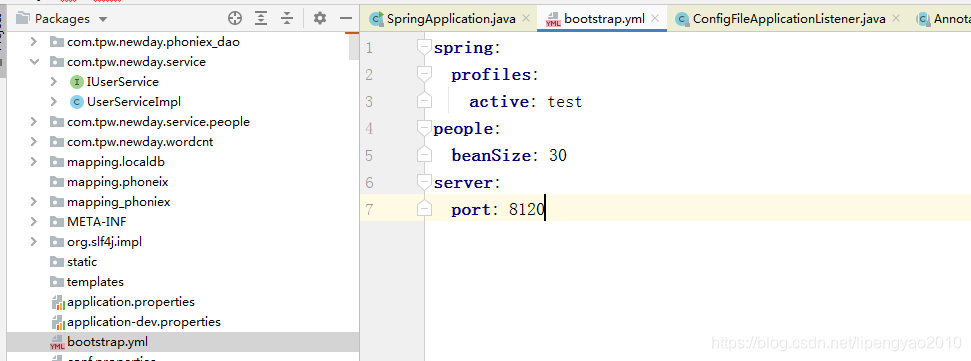
需要添加MAVEN包,否则不会加载bootStrap.properties。
<dependency>
    <groupId>org.springframework.cloud</groupId>
    <artifactId>spring-cloud-context</artifactId>
    <version>2.0.1.RELEASE</version>
</dependency>
二、bootstrap.properties文件加载是由org.springframework.cloud.bootstrap.
BootstrapApplicationListener在收到ApplicationEnvironmentPreparedEvent event进行处理的。
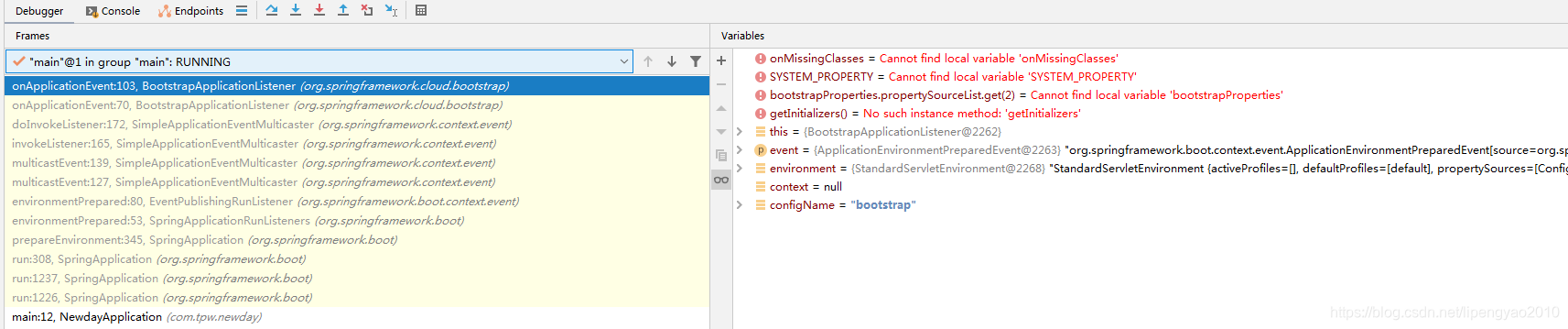
	public void onApplicationEvent(ApplicationEnvironmentPreparedEvent event) {
		ConfigurableEnvironment environment = event.getEnvironment();
		if (!environment.getProperty("spring.cloud.bootstrap.enabled", Boolean.class,
				true)) {
			return;
		}
		// don't listen to events in a bootstrap context
		if (environment.getPropertySources().contains(BOOTSTRAP_PROPERTY_SOURCE_NAME)) {
			return;
		}
		ConfigurableApplicationContext context = null;
		String configName = environment
				.resolvePlaceholders("${spring.cloud.bootstrap.name:bootstrap}");
		if (context == null) {
			context = bootstrapServiceContext(environment, event.getSpringApplication(),
					configName);
		}
		apply(context, event.getSpringApplication(), environment);
	}
三、在bootstrapServiceContext函数中会设置环境变量属性spring.config.name为bootStrap,然后会创建一个web-application-type为NULL的注解application,这个容器为springcloud生成的容器,到时会作为springboot的父容器,BEAN对象可以共享。application创建成功后,会合并属性对象。
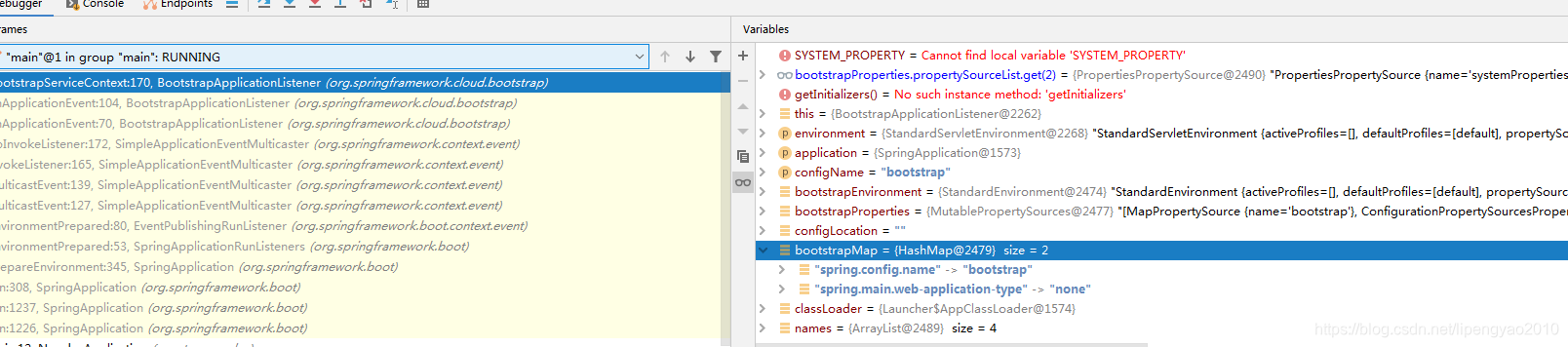
private ConfigurableApplicationContext bootstrapServiceContext(
			ConfigurableEnvironment environment, final SpringApplication application,
			String configName) {
		StandardEnvironment bootstrapEnvironment = new StandardEnvironment();
		MutablePropertySources bootstrapProperties = bootstrapEnvironment
				.getPropertySources();
		for (PropertySource<?> source : bootstrapProperties) {
			bootstrapProperties.remove(source.getName());
		}
		String configLocation = environment
				.resolvePlaceholders("${spring.cloud.bootstrap.location:}");
		Map<String, Object> bootstrapMap = new HashMap<>();
		bootstrapMap.put("spring.config.name", configName);
		// if an app (or test) uses spring.main.web-application-type=reactive, bootstrap will fail
		// force the environment to use none, because if though it is set below in the builder
		// the environment overrides it
		bootstrapMap.put("spring.main.web-application-type", "none");
		if (StringUtils.hasText(configLocation)) {
			bootstrapMap.put("spring.config.location", configLocation);
		}
		bootstrapProperties.addFirst(
				new MapPropertySource(BOOTSTRAP_PROPERTY_SOURCE_NAME, bootstrapMap));
		for (PropertySource<?> source : environment.getPropertySources()) {
			if (source instanceof StubPropertySource) {
				continue;
			}
			bootstrapProperties.addLast(source);
		}
		ClassLoader classLoader = Thread.currentThread().getContextClassLoader();
		// Use names and ensure unique to protect against duplicates
		List<String> names = new ArrayList<>(SpringFactoriesLoader
				.loadFactoryNames(BootstrapConfiguration.class, classLoader));
		for (String name : StringUtils.commaDelimitedListToStringArray(
				environment.getProperty("spring.cloud.bootstrap.sources", ""))) {
			names.add(name);
		}
		// TODO: is it possible or sensible to share a ResourceLoader?
		SpringApplicationBuilder builder = new SpringApplicationBuilder()
				.profiles(environment.getActiveProfiles()).bannerMode(Mode.OFF)
				.environment(bootstrapEnvironment)
				// Don't use the default properties in this builder
				.registerShutdownHook(false).logStartupInfo(false)
				.web(WebApplicationType.NONE);
		if (environment.getPropertySources().contains("refreshArgs")) {
			// If we are doing a context refresh, really we only want to refresh the
			// Environment, and there are some toxic listeners (like the
			// LoggingApplicationListener) that affect global static state, so we need a
			// way to switch those off.
			builder.application()
					.setListeners(filterListeners(builder.application().getListeners()));
		}
		List<Class<?>> sources = new ArrayList<>();
		for (String name : names) {
			Class<?> cls = ClassUtils.resolveClassName(name, null);
			try {
				cls.getDeclaredAnnotations();
			}
			catch (Exception e) {
				continue;
			}
			sources.add(cls);
		}
		AnnotationAwareOrderComparator.sort(sources);
		builder.sources(sources.toArray(new Class[sources.size()]));
		final ConfigurableApplicationContext context = builder.run();
		// gh-214 using spring.application.name=bootstrap to set the context id via
		// `ContextIdApplicationContextInitializer` prevents apps from getting the actual
		// spring.application.name
		// during the bootstrap phase.
		context.setId("bootstrap");
		// Make the bootstrap context a parent of the app context
		addAncestorInitializer(application, context);
		// It only has properties in it now that we don't want in the parent so remove
		// it (and it will be added back later)
		bootstrapProperties.remove(BOOTSTRAP_PROPERTY_SOURCE_NAME);
		mergeDefaultProperties(environment.getPropertySources(), bootstrapProperties);
		return context;
	}
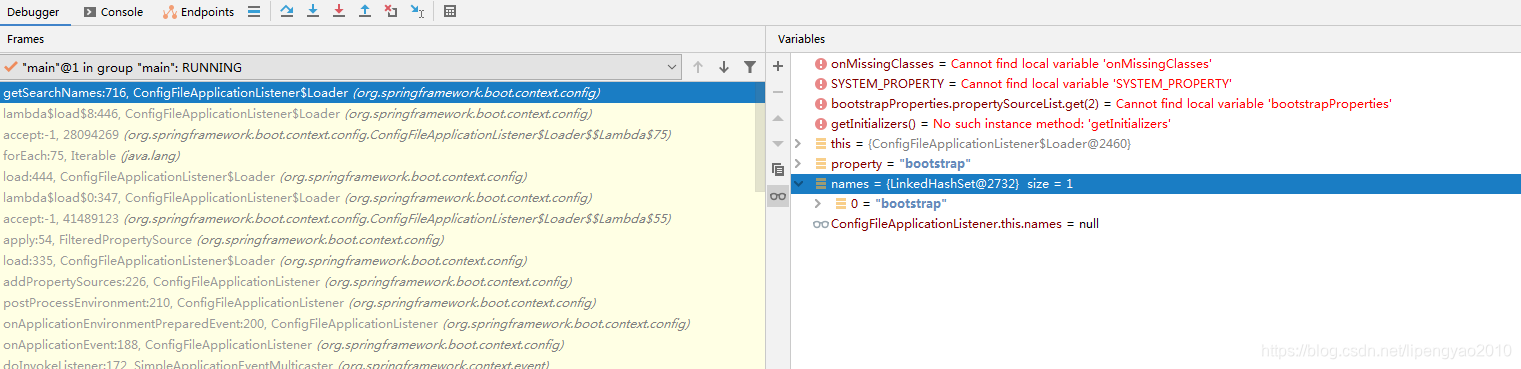
四、由于第三步创建了springcloud的SpringApplication,然后又调用了builder.run,所以会在新的APPLICATION中再次启动RUN流程,会再次prepareEnviment进行预处理环境,所以会再次触发
ApplicationEnvironmentPreparedEvent,接下来会通知到org.springframework.boot.context.config.ConfigFileApplicationListener.onApplicationEvent,由于上面第三步已经把spring.config.name修改为bootStrap,所以会先读取bootStrap.yaml的配置,跟之前搜索加载application.properties原理一致。

五、在springcloud的应用启动完毕后,我们可以看到环境对象的资源属性列表会添加一个属性。ExtendedDefaultPropertySource {name='defaultProperties'}为BootstrapApplicationListener中的内部属性类。
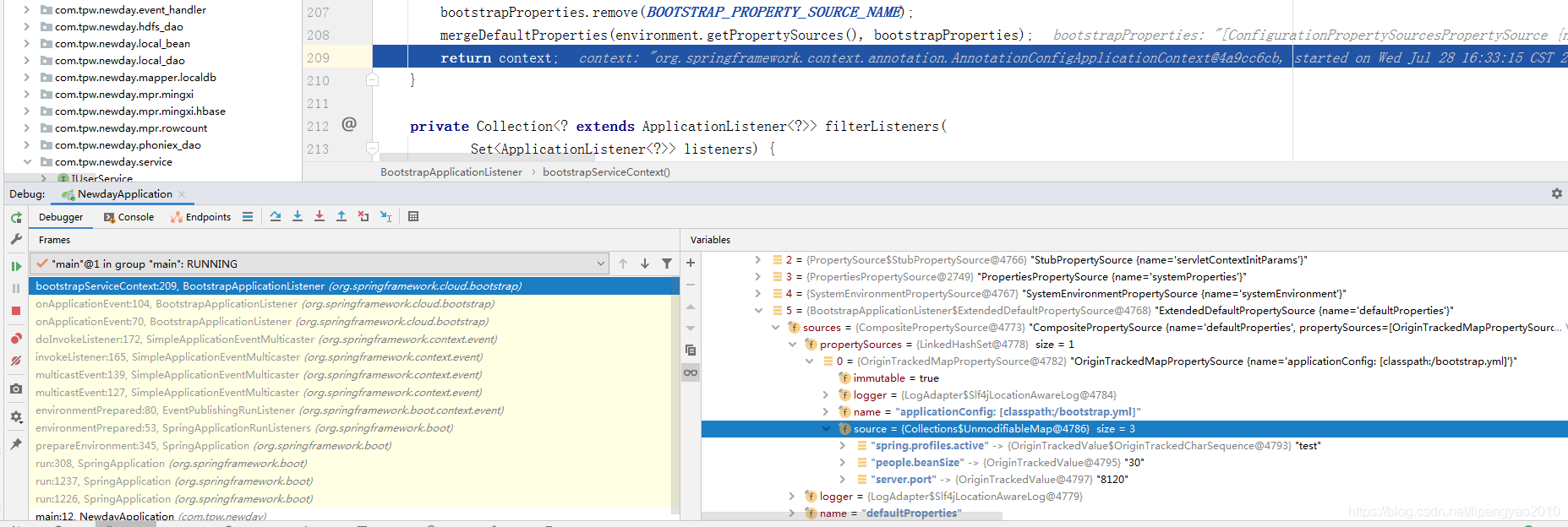
六、接下来继续springboot的ApplicationEnvironmentPreparedEvent广播到下一个listener,接下来会由springboot的这个事件通知到org.springframework.boot.context.config.ConfigFileApplicationListener.onApplicationEvent,这时会去搜索加载application.properties,application-dev.properties,这个前面讲过了,不再复述。
七、当所有的配置文件加载完毕时,我们看下环境对象中的所有属性资源列表
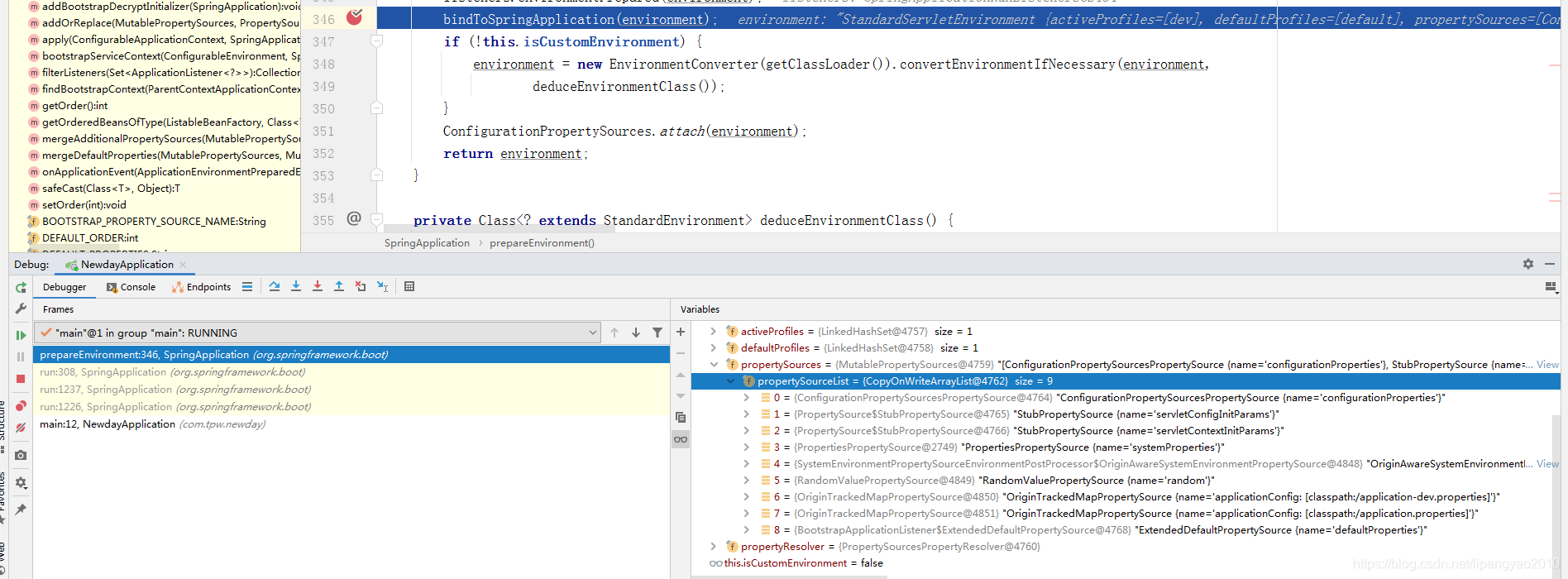
可以看到bootStrap的资源放在最后。从这里可以看到配置文件的优先级。application-dev>application>bootStrap.





 扫一扫
扫一扫


 6259
6259

 被折叠的 条评论
为什么被折叠?
被折叠的 条评论
为什么被折叠?
 到【灌水乐园】发言





