





 本文介绍了如何在MySQL中更新root用户的密码,包括使用password()函数更新authentication_string字段的方法,以及当忘记密码时如何通过配置文件绕过密码验证来重置。
先登录mysql的root用户
mysql -uroot -p你的密码
status;查看版本信息
我的mysql版本是5.7,
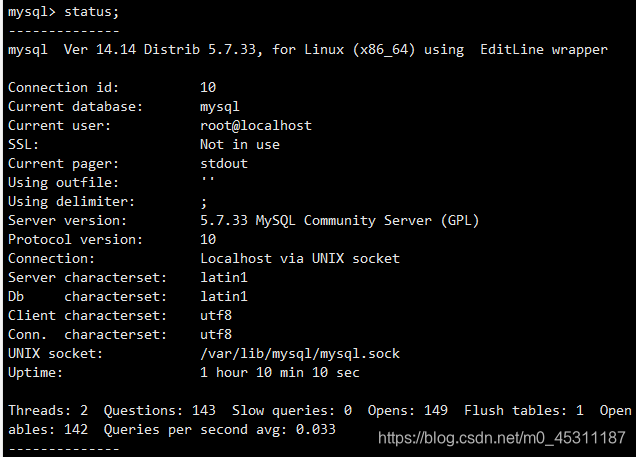
先use mysql;
再查看user表,发现老版本的password字段已经改名成了authentication_string


更改user表中的authentication_string字段。
update user set authentication_string=password(‘你的密码’) where user = ‘root’;
此处的password()函数应该是加密作用,编了下码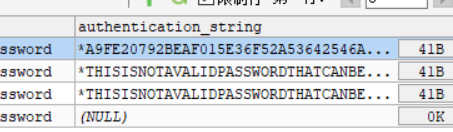

刷新权限并退出。
flush privileges;

如果是老版本的话就在mysql数据库下执行这个命令即可
UPDATE user SET Password = password ( 'new-password' ) WHERE User = 'root' ;
如果忘了密码的话
修改配置文件,忽略密码,并重启服务。
[root@localhost ~]# vim /etc/my.cnf
[mysqld]
skip-grant-tables
[root@localhost ~]# systemctl restart mysqld
然后直接登录
mysql -uroot -p
再切换到mysql库,执行上面的命令就行了。至于你是新老版本可以用status查看,或者直接看user表。





 扫一扫
扫一扫


 1098
1098


 到【灌水乐园】发言




