



 本文详细介绍了如何在Angular项目中实现模块化与组件化的开发流程,包括创建项目、自定义模块、组件的导出及使用等关键步骤,帮助开发者更有效地管理和组织项目。
模块化,组件化,更加方便项目的管理,开发
1 创建新的项目.
2 创建自定义模块
命令:ng g module [pah/modulename]
3 同理,可以在自定义模块下创建模块,包括根模块以及其他普通模块
命令:ng g component [path/componentname]
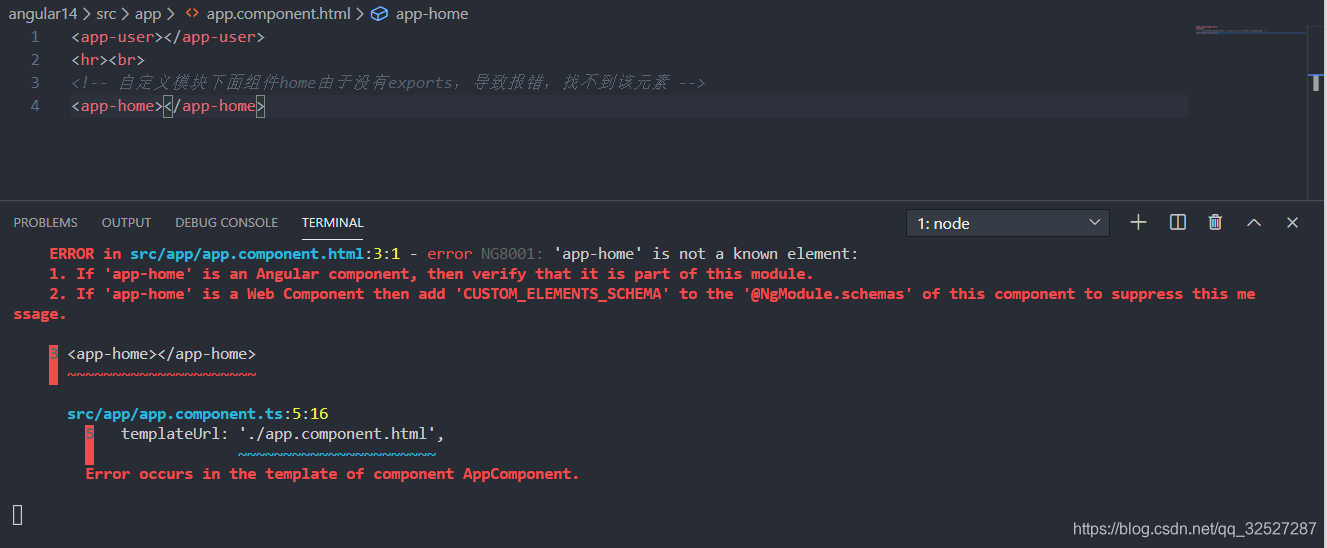
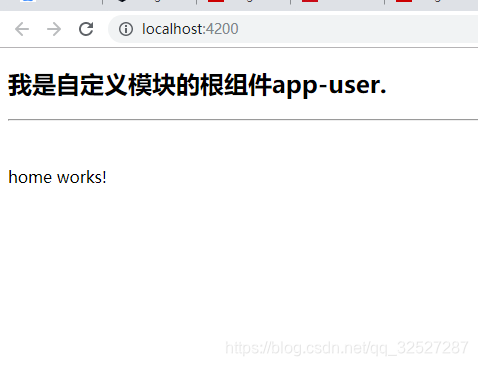
4 在user.module.ts中exports组件,外部模块才能使用
import { NgModule } from '@angular/core';
import { CommonModule } from '@angular/common';
import { HomeComponent } from './components/home/home.component';
import { UserComponent } from './user.component';


@NgModule({
  declarations: [HomeComponent, UserComponent],
  imports: [
    CommonModule
  ],
  // 自定义模块的组件需要暴露出去才能使用
  exports:[UserComponent]
})

export class UserModule { }
如果没有exports组件:
导出之后:
5 在app.module.ts中导入自定义模块
import { BrowserModule } from '@angular/platform-browser';
import { NgModule } from '@angular/core';

import { AppRoutingModule } from './app-routing.module';
import { AppComponent } from './app.component';

// 和上面的核心模块样,使用自定义模块需要先import,同时放入@NgModule()中
import { UserModule } from "./modules/user/user.module";

@NgModule({
  declarations: [
    AppComponent,
  ],
  imports: [
    BrowserModule,
    AppRoutingModule,
    // 此处需要添加
    UserModule
  ],
  providers: [],
  bootstrap: [AppComponent]
})
export class AppModule { }
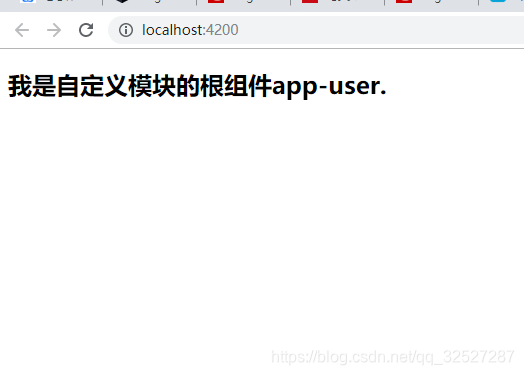
6 例如在app.components.html中直接使用
<app-user></app-user>
效果





 扫一扫
扫一扫


 1637
1637

 被折叠的 条评论
为什么被折叠?
被折叠的 条评论
为什么被折叠?
 到【灌水乐园】发言





