



 本文介绍了在使用axios时遇到的跨域问题及其解决方案。通过修改request.js文件中的baseURL,并在devServer配置中设置代理,将'/api'请求指向本地后端服务'http://127.0.0.1:8180',成功解决了跨域障碍。配置包括pathRewrite以移除'/api'前缀,启用changeOrigin以允许跨域,并开启debug日志级别。
万事开头难。。。。
刚开始使用的时候被跨域问题困扰了好久。下面是我的解决方案。
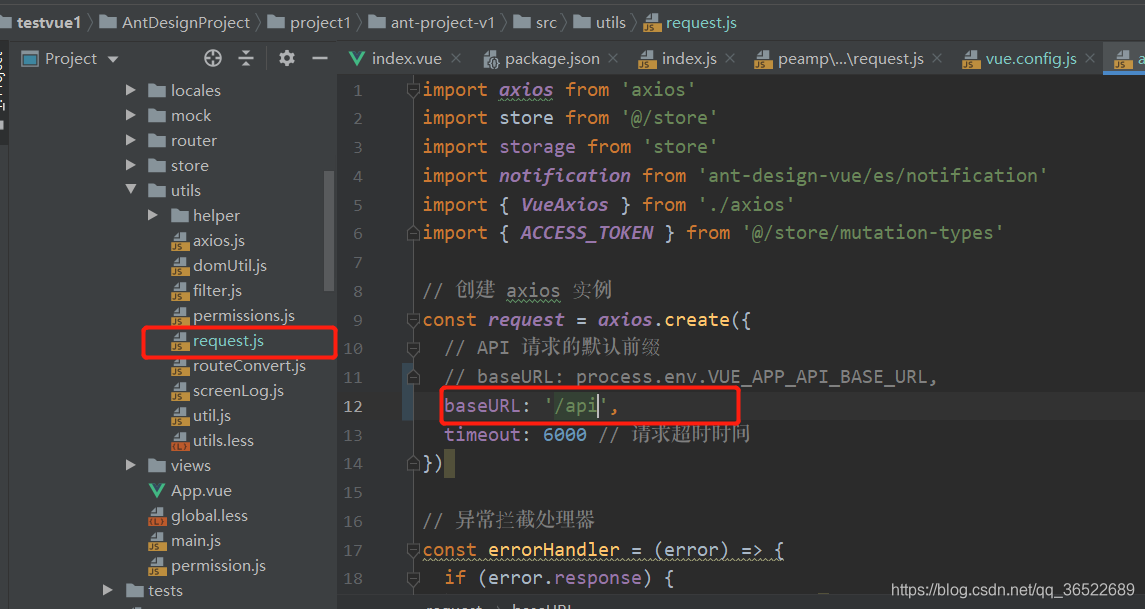
- 在request.js 文件中修改 创建axios的baseURL为/api
- 找到如下文件,配置代码
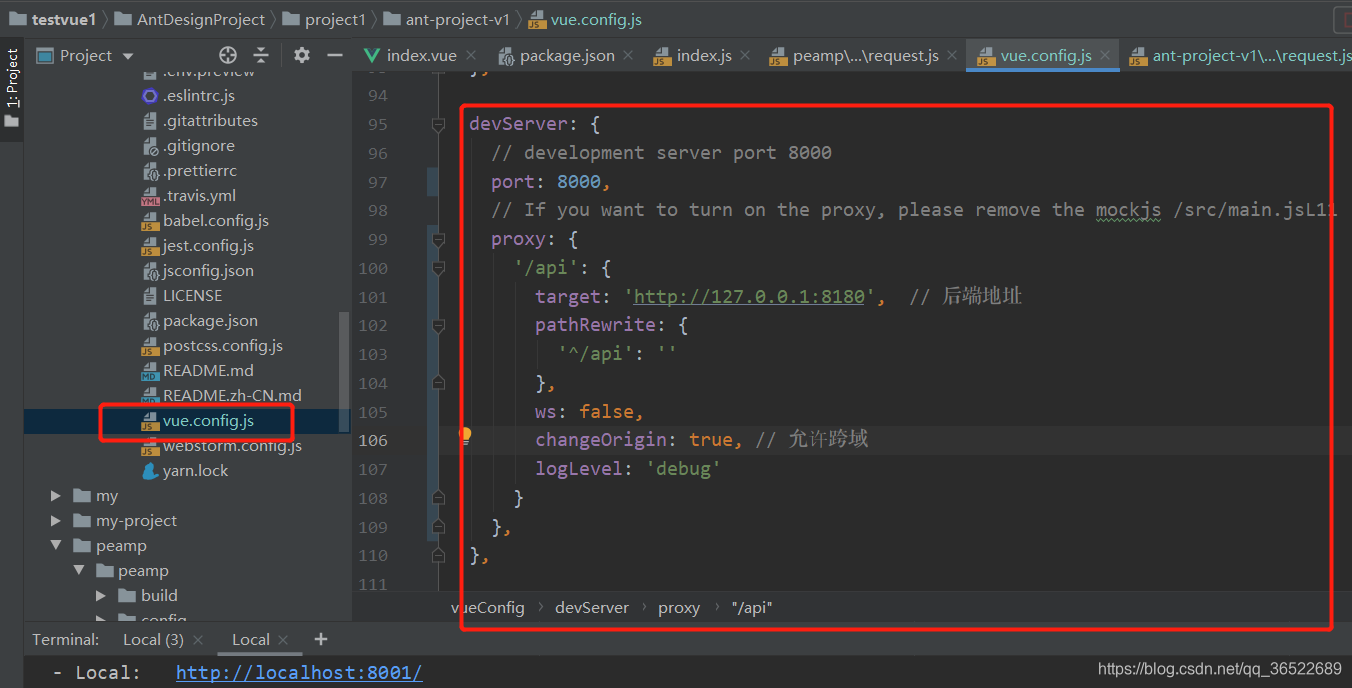
  devServer: {
    // development server port 8000
    port: 8000,
    // If you want to turn on the proxy, please remove the mockjs /src/main.jsL11
    proxy: {
      '/api': {
        target: 'http://127.0.0.1:8180',  // 后端地址
        pathRewrite: {
          '^/api': ''
        },
        ws: false,
        changeOrigin: true, // 允许跨域
        logLevel: 'debug'
      }
    },
  },
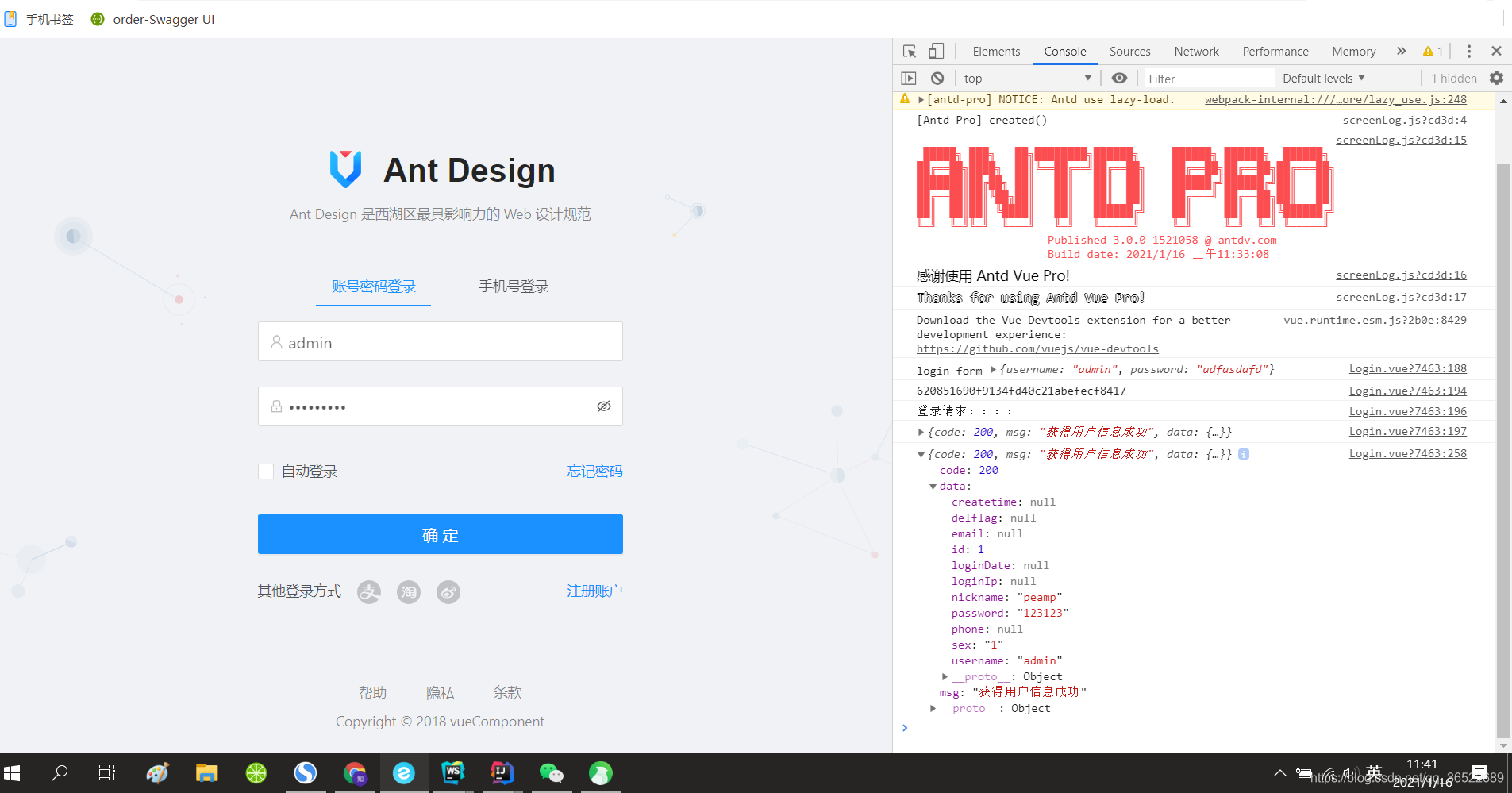
结果:成功!





 扫一扫
扫一扫


 1475
1475

 被折叠的 条评论
为什么被折叠?
被折叠的 条评论
为什么被折叠?
 到【灌水乐园】发言





