





 本文介绍了Vue中Element UI的Backtop组件在实际应用中的使用,强调了target对象应设置为内容滚动的外部容器,该容器高度需100%填充屏幕。通过示例代码展示具体实现。
前言
官网里面这个Backtop 回到顶部组件使用写的很简单,就这样
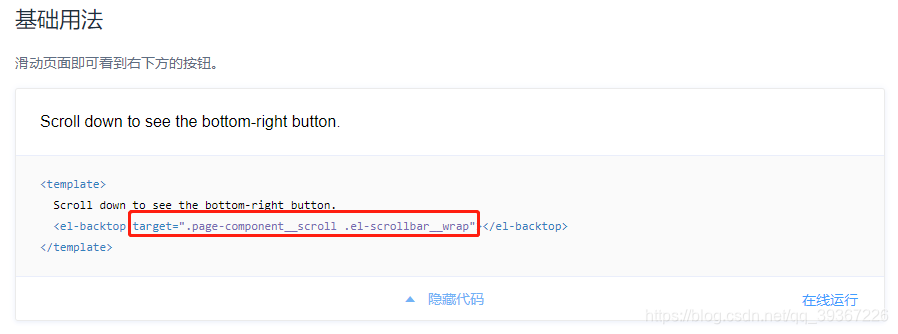
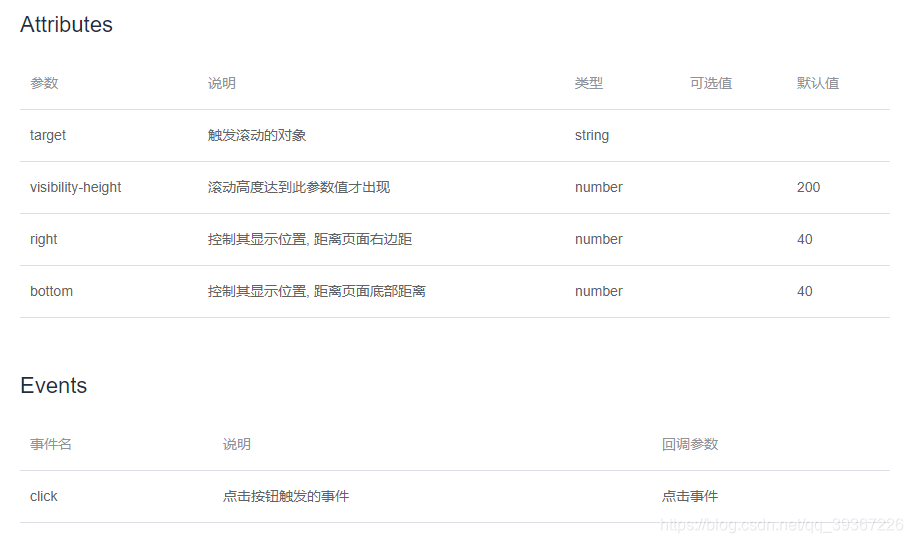
我们实际上使用这个组件,target对象是内容滚动的外部容器,并且这个容器的高度是100%是撑满整个屏幕的,写了个具体demo例子如下:
<template>
  <!-- 外部容器 -->
  <div class="back-top-container">
    <!-- 实际滚动内容 -->
    <div v-for="(item,i) in 150" :key="i">这是文本{{ i }}</div>
    <!-- Backtop 回到顶部组件 -->
    <el-backtop target=".back-top-container" :bottom="100">
      <div
        style="{
        height: 100%;
        width: 100%;
        background-color: #f2f5f6;
        box-shadow: 0 0 6px rgba(0,0,0, .12);
        text-align: center;
        line-height: 40px;
        color: #1989fa;
        margin-right:100px;
      }"
      >
        UP
      </div>
    </el-backtop>
  </div>
</template>
<style lang="scss" scoped>
.back-top-container {
  position: absolute;
  top: 0;
  bottom: 0;
  left: 0;
  right: 0;
  overflow: auto;
}
</style>
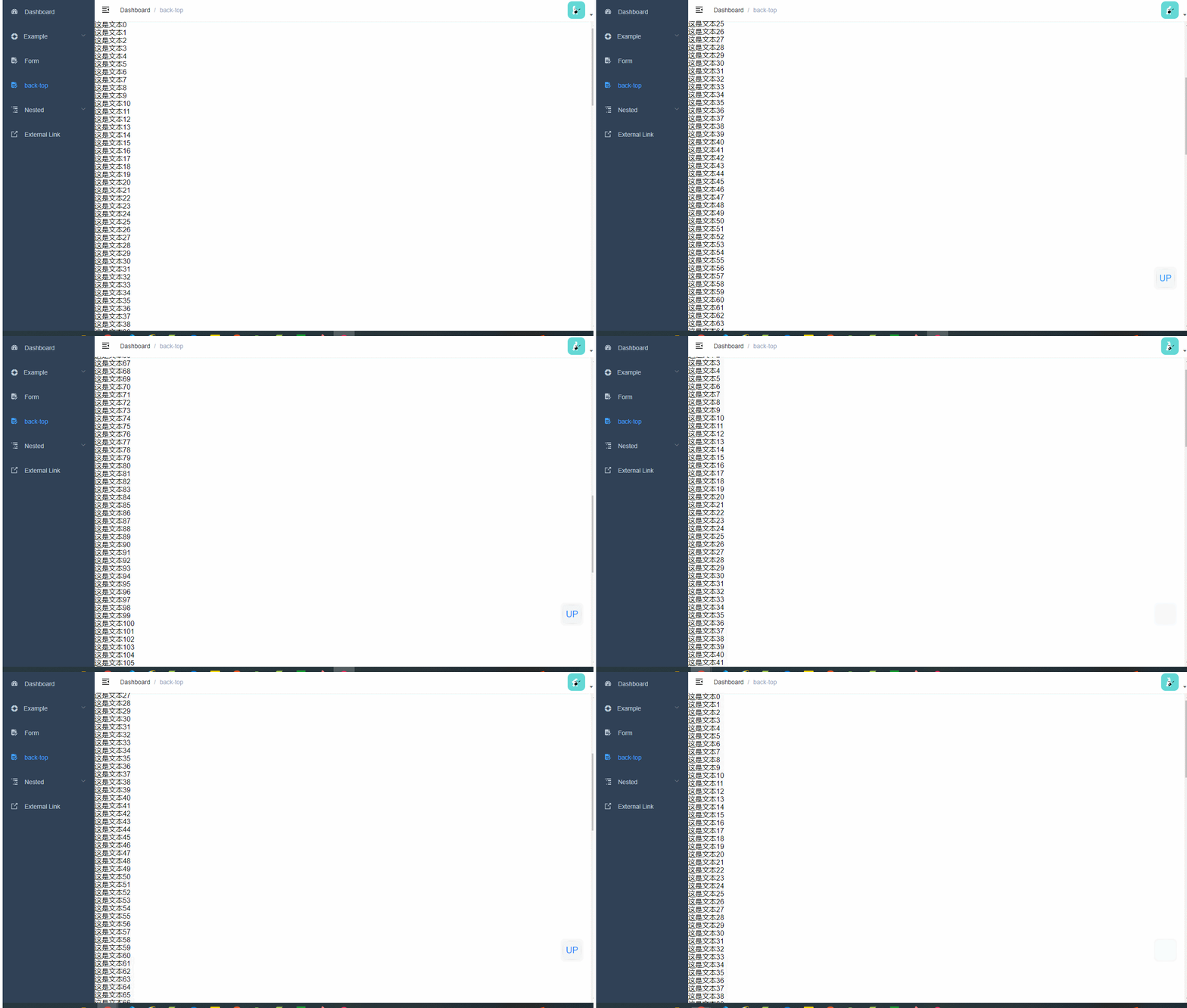
效果图





 扫一扫
扫一扫


 3038
3038

 被折叠的 条评论
为什么被折叠?
被折叠的 条评论
为什么被折叠?
 到【灌水乐园】发言





