


 本文介绍了如何在微信小程序开发中实现版本升级功能,包括在`utils.js`中声明检查更新的方法,以及在`App.vue`的`onLaunch`生命周期钩子中调用该方法,确保用户打开小程序时能接收到版本更新提示。
在点击小程序发布的时候选择,版本升级 选项
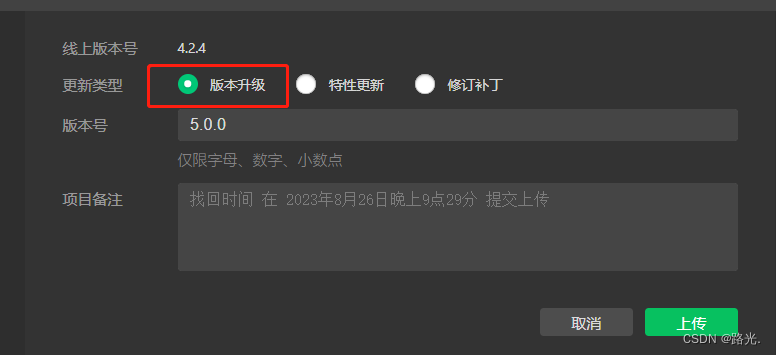
之前用户使用过的再打开小程序页面就会弹出升级弹窗modal
在utils.js中声明版本更新方法
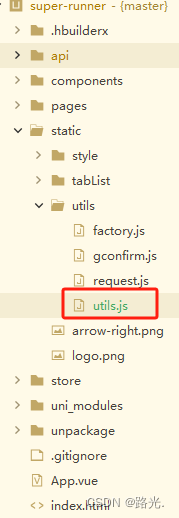
// static/utils/index.js

export function checkUpdateVersion() {
  //创建 UpdateManager 实例
  const updateManager = uni.getUpdateManager();
  //检测版本更新
  updateManager.onCheckForUpdate(function(res) {
    // 请求完新版本信息的回调
    if (res.hasUpdate) {
      //监听小程序有版本更新事件
      updateManager.onUpdateReady(function() {
        uni.showModal({
          title: '更新提示',
          content: '新版本已经准备好,是否重启应用?',
          success(res) {
            if (res.confirm) {
              // 新的版本已经下载好,调用 applyUpdate 应用新版本并重启
              updateManager.applyUpdate();
            }
          }
        })
      })

      updateManager.onUpdateFailed(function() {
        // 新版本下载失败
        uni.showModal({
          title: '已经有新版本咯~',
          content: '请您删除当前小程序,到微信 “发现-小程序” 页,重新搜索打开呦~',
        })
      })
    }
  })
}
在App.vue调用更新方法,在onLaunch声明周期调用,版本更新
//App.vue
import {checkUpdateVersion} from './utils/index.js';
onLaunch: function() {
	checkUpdateVersion(); //版本更新
}






 扫一扫
扫一扫


 4133
4133

 被折叠的 条评论
为什么被折叠?
被折叠的 条评论
为什么被折叠?
 到【灌水乐园】发言





