 Uniapp实现多选下拉框方法



文章目录
前言
之前在使用Uniapp时,一直都是下拉框单选。今天某个项目需求需要使用Uniapp实现下拉框多选效果。由于Uniapp自身没有这个功能,因此只能在插件市场选择一个别人封装好的插件,我选择的是niceui-popup-select下拉选择器(支持多选)。可能是我下载的版本问题,实现效果不太满足我们的需求,因此对该插件源码进行修改调整。
一、效果展示
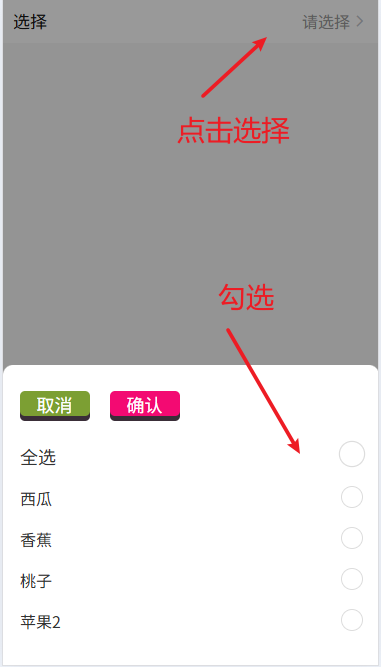
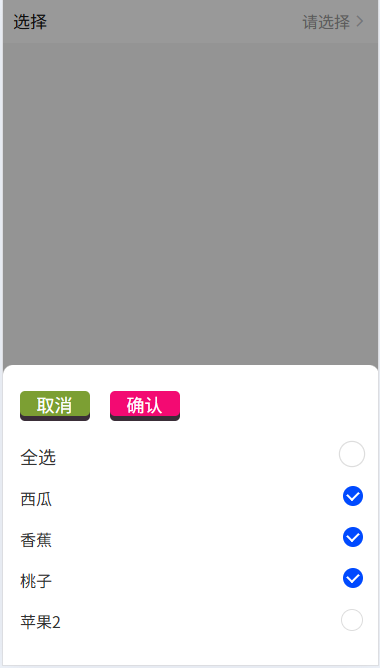
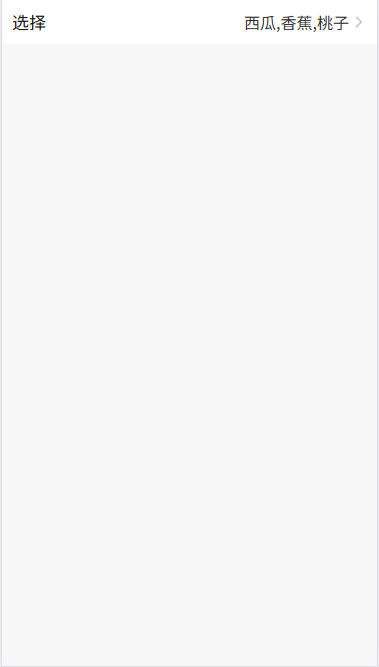
修改后支持动态配置下拉显示字段和选择完成后的显示列表效果
1.1 下拉效果图
1.2 下拉选择效果图
1.3 选择显示效果图
二、组件源码
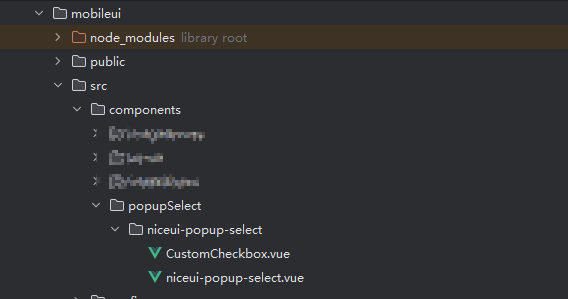
将核心组件代码CustomCheckbox.vue、niceui-popup-select.vue放到components文件下,如果没有components,可以按照图结构进行目录场景
2.1.CustomCheckbox.vue源码
<template>
<view class="custom-checkbox" :class="[{'is-checked': isChecked}]" @click="toggle" :style="[labelStyle]">
<input type="checkbox" :checked="isChecked" @change="onChange" />
<text class="checkmark" :style="[circleStyle]"></text>
<text class="serve-info">{
{label}}</text>
</view>
</template>
<script>
export default {
props: {
value: Boolean,
disabled: {
type: Boolean,
default: false
},
label:{
type:[String,Number],
default:''
},
fontSize:{
type:String,
default:''
},
color:{
type:String,
default:''
},
circleSize:{
type:String,
default:''
},
circleColor:{
type: String,
default:""
}
},
computed: {
isChecked: {
get() {
return this.value;
},
set(val) {
this.$emit('input', val);
}
},
labelStyle() {
let styles = {
}
if (this.fontSize) {
styles.fontSize = this.fontSize
}
if (this.color) {
styles.color = this.color
}
return styles;
},
circleStyle(){
let styles = {
}
if (this.circleSize) {
styles.transform = this.circleSize
}
if (this.circleColor) {
if(this.isChecked){
styles.backgroundColor = this.circleColor
}
}
return styles;
}
},
methods: {
toggle() {
if (!this.disabled) {
this.isChecked = !this.isChecked;
this.$emit('toggle', !this.isChecked);
}
},
onChange(event) {
this.$emit('change', event.target.checked);
}
}
};
</script>
<style scoped lang="scss">
.custom-checkbox {
display: flex;
align-items: center;
position: relative;
padding-left: 1rpx;
margin-bottom: 0rpx;
cursor: pointer;
font-size: 32rpx;
-webkit-user-select: none;
-moz-user-select: none;
-ms-user-select: none;
user-select: none;
margin: 35rpx 0;
}
.custom-checkbox input {
position: absolute;
opacity: 0;
cursor: pointer;
height: 0;
width: 0;
}
.checkmark {
position: absolute;
top:1rpx;
margin-bottom:0rpx;
right: 0;
height: 40rpx;
width: 40rpx;
/* background-color: #eee; */
border:solid 1rpx #ddd;
border-radius: 50% 最低0.47元/天 解锁文章






 扫一扫
扫一扫


 7347
7347

 被折叠的 条评论
为什么被折叠?
被折叠的 条评论
为什么被折叠?
 到【灌水乐园】发言





