





文章目录
CentOS7编译安装Nginx
一、前言
1.简介
nginx(“ engine x”)是一个 HTTP Web 服务器、反向代理、内容缓存、负载均衡器、TCP/UDP 代理服务器和邮件代理服务器
2.环境
Linux 发行版:CentOS-7-x86_64-DVD-2207-02.iso
Nginx 版本:nginx-1.28.0
nginx 官网:https://dbeaver.io/
nginx-download:https://nginx.org/en/download.html
nginx入门和使用实践:https://blog.csdn.net/u011424614/article/details/107051875
CentOS7切换镜像源和更新软件包:https://blog.csdn.net/u011424614/article/details/149867407
CentOS基础操作命令:https://blog.csdn.net/u011424614/article/details/94555916
CentOS对换home分区与root分区的存储空间:https://blog.csdn.net/u011424614/article/details/125853913
Dell R740安装CentOS:https://blog.csdn.net/u011424614/article/details/113306808
CentOS分区扩容:https://blog.csdn.net/u011424614/article/details/113275862
二、正文
1.更换镜像源
- 安装过程参考:《CentOS7切换镜像源和更新软件包》
2.安装依赖包
yum install -y pcre-devel zlib-devel openssl-devel
3.编译安装
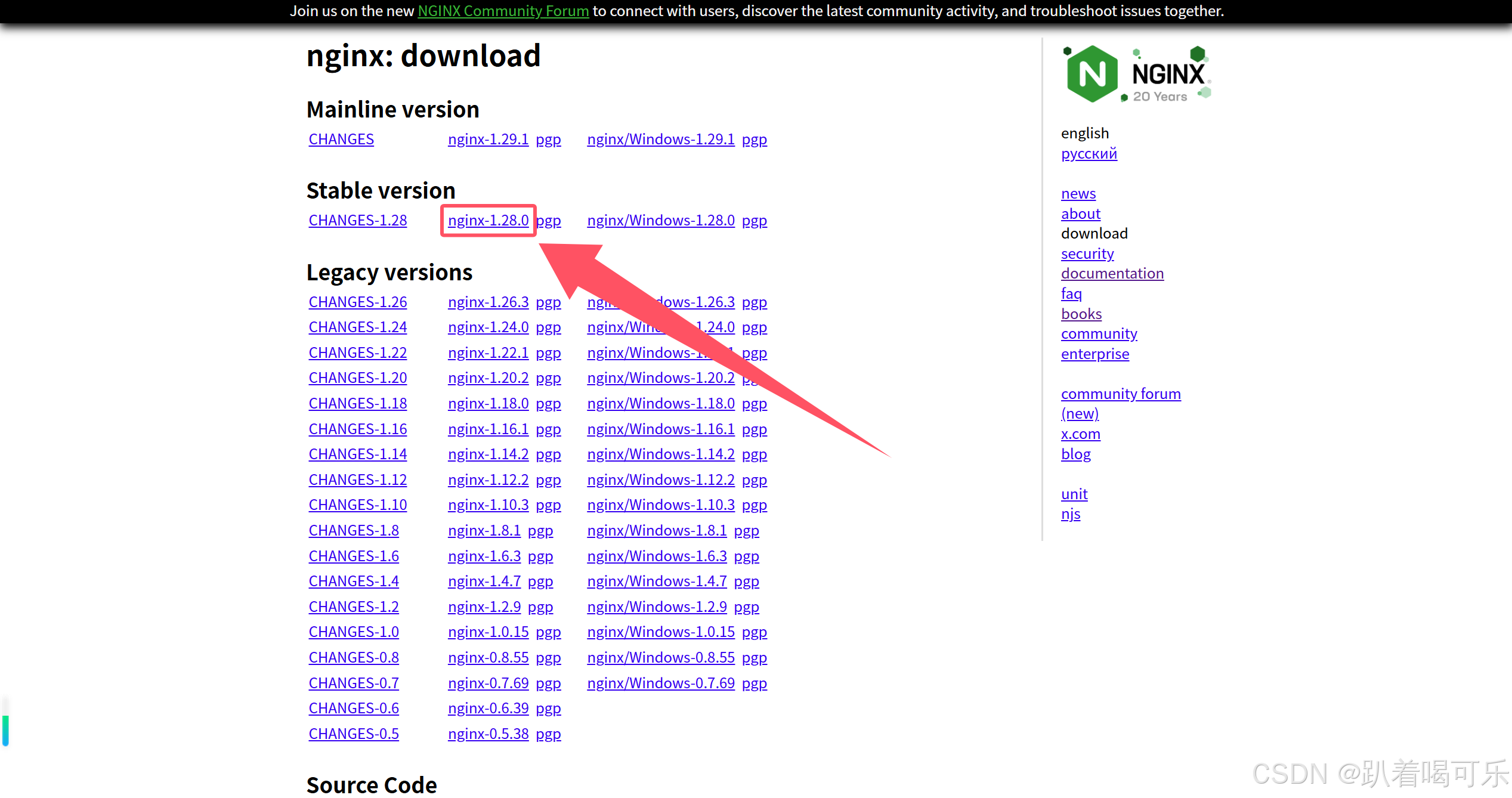
- 下载链接右击,可拷贝下载链接
# 创建下载目录,并进入目录
mkdir /opt/nginx && cd /opt/nginx

# 下载软件包,如果 wget 无法下载,可使用浏览器或迅雷下载
wget https://nginx.org/download/nginx-1.28.0.tar.gz

# 解压
tar -zxvf nginx-1.28.0.tar.gz

#创建安装目录,并进入源码目录
mkdir /opt/nginx/install && cd nginx-1.28.0/

# 配置安装路径,启用SSL和流模块
./configure --prefix=/opt/nginx/install --with-http_ssl_module --with-stream
# 编译安装
make && make install

# 进入安装目录的sbin
cd /opt/nginx/install/sbin
4.常用指令
- 启动和停止
# 启动 Nginx
./nginx
# 停止 Nginx(快速停止)
./nginx -s stop
# 优雅停止 Nginx(处理完当前请求后停止)
./nginx -s quit
# 重启 Nginx
./nginx -s reload
# 重新打开日志文件
./nginx -s reopen
- 配置管理
# 测试配置文件语法
./nginx -t
# 测试配置文件并显示详细信息
./nginx -T
# 指定配置文件启动,注意替换安装目录
./nginx -c /opt/nginx/install/conf/nginx.conf
# 显示版本信息
./nginx -v
- 进程管理
# 查看 Nginx 进程
ps aux | grep nginx
# 查看 Nginx 监听端口
netstat -tlnp | grep nginx
ss -tlnp | grep nginx
# 杀死所有 Nginx 进程
pkill nginx
- 日志(注意替换安装目录)
# 查看访问日志
tail -f /opt/nginx/install/logs/access.log
# 查看错误日志
tail -f /opt/nginx/install/logs/error.log
# 实时监控日志
tail -f /opt/nginx/install/logs/access.log  | grep "pattern"
5.常用模块
1)http模块
- 基础功能模块
--with-http_ssl_module          # SSL/TLS 加密支持
--with-http_v2_module           # HTTP/2 支持
--with-http_realip_module       # 获取真实客户端IP
--with-http_stub_status_module  # 状态监控统计
--with-http_gzip_static_module  # 预压缩文件传输
- 认证和安全模块
--with-http_auth_request_module # 请求认证
--with-http_secure_link_module  # 安全链接
--with-http_sub_module          # 字符串替换
--with-http_addition_module     # 内容添加
- 缓存和压缩模块
--with-http_gunzip_module       # gzip解压缩
--with-http_gzip_static_module  # 静态gzip文件
--with-http_slice_module        # 大文件分片
2)Stream 模块
- TCP/UDP代理
--with-stream                   # Stream核心模块
--with-stream_ssl_module        # Stream SSL支持
--with-stream_realip_module     # Stream真实IP获取
3)其他常用模块
--with-pcre                     # 正则表达式支持
--with-file-aio                 # 异步文件I/O
--with-threads                  # 线程池支持
--with-mail                     # 邮件代理模块
--with-mail_ssl_module          # 邮件SSL支持
4)第三方模块
--add-module=/path/to/module    # 添加第三方模块
--add-dynamic-module=/path/to/module  # 动态模块
5)示例
- 根据实际需求选择启用的模块,避免不必要的功能占用资源
./configure \
--prefix=/opt/nginx/install \
--with-http_ssl_module \
--with-http_v2_module \
--with-http_realip_module \
--with-http_stub_status_module \
--with-http_gzip_static_module \
--with-stream \
--with-stream_ssl_module \
--with-threads \
--with-file-aio






 扫一扫
扫一扫


 6361
6361

 被折叠的 条评论
为什么被折叠?
被折叠的 条评论
为什么被折叠?
 到【灌水乐园】发言





