


 本文详细介绍了如何在应用中使用对话框,包括如何构建对话框、设置透明层颜色、更新对话框内容以及配置对话框的位置等关键参数。
🔥 对话框介绍 🔥
Displays a Material dialog above the current contents of the app,
以安卓的样式覆盖在内容区域上的对话框,
with Material entrance and exit animations, modal barrier color, and modal
包含显示和关闭动画 , 对话框后面透明颜色 和对话框自身颜色,
barrier behavior (dialog is dismissible with a tap on the barrier).
以及对话框的一些属性 (例如: 点击可以关闭对话框)
🔥 builder 参数 🔥
This function takes a
builderwhich typically builds a [Dialog] widget.
showDialog 函数需要通过builder来构建我们需要的对话框 ,
Content below the dialog is dimmed with a [ModalBarrier].
位于内容区域和对话框中间的透明层使用ModalBarrier .
The widget returned by thebuilderdoes not share a context with the location thatshowDialogis originally called from.
调用函数showDialog 传递的Context 和 builder 函数返回的Context 不属于同一个上下文 .
Use a [StatefulBuilder] or a custom [StatefulWidget] if the dialog needs
to update dynamically.
如果需要更新对话框数据,请使用 StatefulBuilder 或自定义 StatefulWidget。
StatefulBuilder 刷新对话框
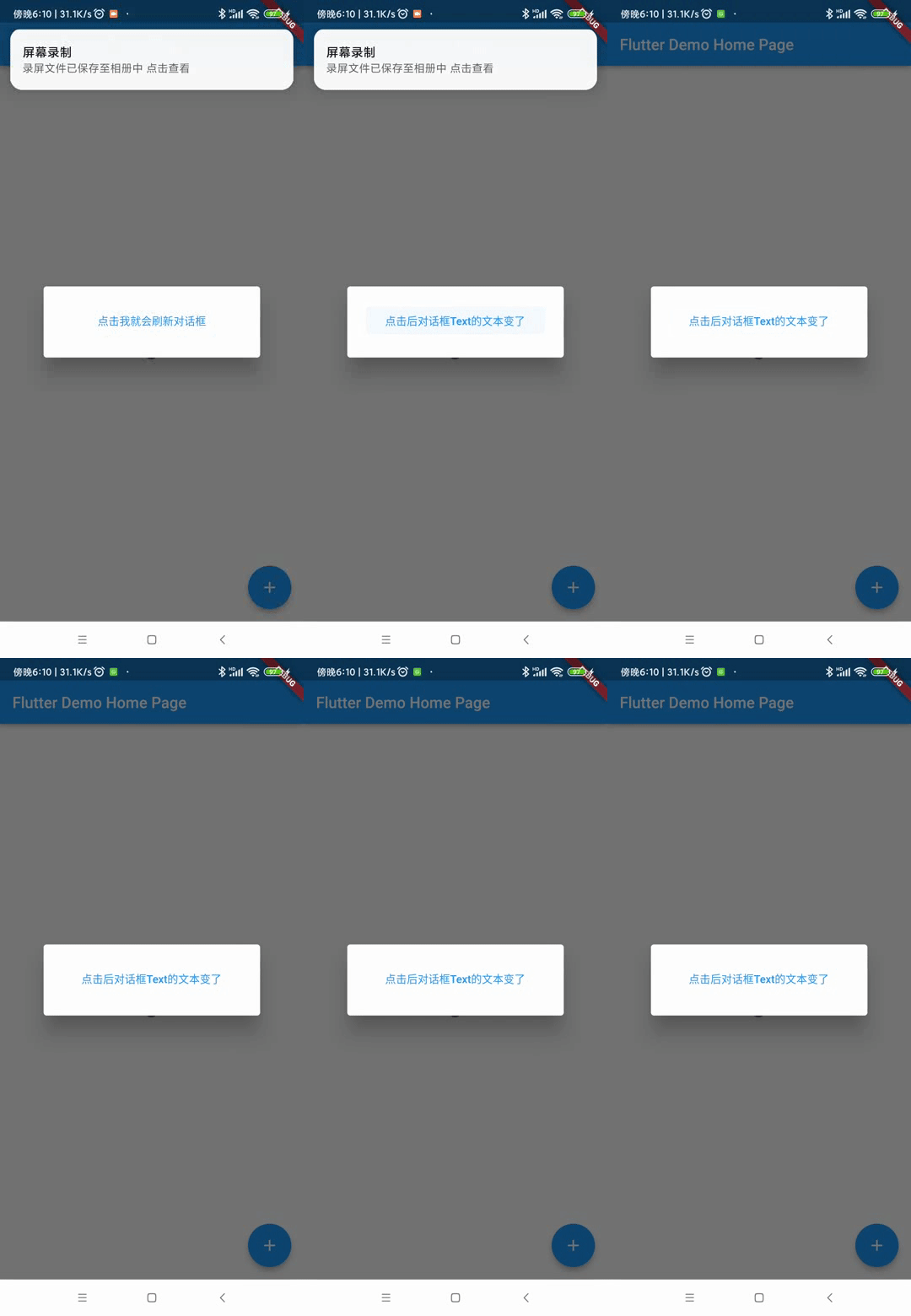
Future<void> _showMyDialog() async {
return showDialog<void>(
context: context,
barrierDismissible: false, // user must tap button!
builder: (BuildContext context) {
String changeTextValue = "点击我就会刷新对话框";
return AlertDialog(
content: StatefulBuilder(
builder: (BuildContext context, StateSetter setState) {
return TextButton(
onPressed: () {
setState((){
changeTextValue = "点击后对话框Text的文本变了";
}) 最低0.47元/天 解锁文章






 扫一扫
扫一扫


 1238
1238

 被折叠的 条评论
为什么被折叠?
被折叠的 条评论
为什么被折叠?
 到【灌水乐园】发言





