



以下是一个新的 Kivy 移动应用开发示例:简单的笔记应用。这个应用允许用户创建、查看和删除笔记。我们将使用 SQLite 数据库来存储笔记数据。
1. 安装依赖
确保已安装 Kivy:
pip3 install kivy
2. 代码实现
2.1 Python 代码
from kivy.app import App
from kivy.uix.boxlayout import BoxLayout
from kivy.uix.label import Label
from kivy.uix.textinput import TextInput
from kivy.uix.button import Button
from kivy.uix.scrollview import ScrollView
from kivy.uix.gridlayout import GridLayout
import sqlite3

class NotesApp(App):
    def build(self):
        # 初始化数据库
        self.init_db()

        # 主布局
        self.main_layout = BoxLayout(orientation='vertical', padding=10, spacing=10)

        # 输入框和添加按钮
        self.note_input = TextInput(hint_text='Enter your note', size_hint=(1, 0.1), multiline=False)
        add_button = Button(text='Add Note', size_hint=(1, 0.1))
        add_button.bind(on_press=self.add_note)

        # 笔记列表
        self.notes_layout = GridLayout(cols=1, spacing=10, size_hint_y=None)
        self.notes_layout.bind(minimum_height=self.notes_layout.setter('height'))

        # 滚动视图
        scroll_view = ScrollView(size_hint=(1, 0.8))
        scroll_view.add_widget(self.notes_layout)

        # 添加组件到主布局
        self.main_layout.add_widget(self.note_input)
        self.main_layout.add_widget(add_button)
        self.main_layout.add_widget(scroll_view)

        # 加载笔记
        self.load_notes()

        return self.main_layout

    def init_db(self):
        # 连接数据库
        self.conn = sqlite3.connect('notes.db')
        self.cursor = self.conn.cursor()
        self.cursor.execute('''
            CREATE TABLE IF NOT EXISTS notes (
                id INTEGER PRIMARY KEY AUTOINCREMENT,
                content TEXT NOT NULL
            )
        ''')
        self.conn.commit()

    def add_note(self, instance):
        note_content = self.note_input.text
        if note_content:
            # 插入笔记到数据库
            self.cursor.execute('INSERT INTO notes (content) VALUES (?)', (note_content,))
            self.conn.commit()

            # 清空输入框
            self.note_input.text = ''

            # 重新加载笔记
            self.load_notes()

    def load_notes(self):
        # 清空笔记列表
        self.notes_layout.clear_widgets()

        # 从数据库加载笔记
        self.cursor.execute('SELECT * FROM notes')
        notes = self.cursor.fetchall()

        for note in notes:
            note_id, content = note
            note_item = BoxLayout(orientation='horizontal', size_hint_y=None, height=40)
            note_label = Label(text=content, size_hint=(0.8, 1))
            delete_button = Button(text='Delete', size_hint=(0.2, 1))
            delete_button.bind(on_press=lambda btn, id=note_id: self.delete_note(id))

            note_item.add_widget(note_label)
            note_item.add_widget(delete_button)
            self.notes_layout.add_widget(note_item)

    def delete_note(self, note_id):
        # 从数据库删除笔记
        self.cursor.execute('DELETE FROM notes WHERE id = ?', (note_id,))
        self.conn.commit()

        # 重新加载笔记
        self.load_notes()

    def on_stop(self):
        # 关闭数据库连接
        self.conn.close()

if __name__ == '__main__':
    NotesApp().run()
3. 代码解析
3.1 数据库操作
- 使用 SQLite 数据库存储笔记数据。
init_db方法初始化数据库并创建notes表。add_note方法将新笔记插入数据库。load_notes方法从数据库加载笔记并显示。delete_note方法从数据库删除笔记。
3.2 布局结构
- 主布局:使用
BoxLayout垂直排列输入框、按钮和笔记列表。 - 笔记列表:使用
GridLayout显示笔记,每个笔记项包含一个标签和一个删除按钮。 - 滚动视图:使用
ScrollView包裹笔记列表,以支持滚动。
3.3 事件处理
- 使用
bind方法将按钮的点击事件与相应的函数绑定。
4. 运行应用
将代码保存为 notes_app.py,然后运行:
python3 notes_app.py
5. 移动端优化
5.1 触摸友好
- 确保按钮和输入框的大小适合触摸操作。
- 使用
size_hint和padding调整布局。
5.2 响应式布局
- 使用
size_hint和pos_hint实现自适应布局。 - 在
buildozer.spec中设置屏幕方向:orientation = portrait
5.3 性能优化
- 避免过多的部件和复杂的计算。
- 使用
Canvas绘制图形时,尽量减少更新频率。
6. 打包为移动应用
使用 Buildozer 将应用打包为 Android APK。
6.1 安装 Buildozer
pip3 install buildozer
6.2 初始化 Buildozer 项目
buildozer init
6.3 配置 buildozer.spec
编辑 buildozer.spec 文件,设置应用的基本信息:
[app]
title = Notes App
package.name = notesapp
package.domain = org.example
source.include_exts = py,png,jpg,kv,atlas
requirements = python3,kivy
orientation = portrait
6.4 打包 APK
buildozer -v android debug
6.5 安装和测试
将生成的 APK 文件传输到 Android 设备上并安装:
adb install bin/<app_name>-debug.apk
7. 扩展功能
- 笔记编辑:允许用户编辑已有的笔记。
- 分类标签:为笔记添加分类标签,方便管理。
- 数据备份:支持将笔记导出为文件或备份到云端。
8. 总结
- 这个示例展示了如何使用 Kivy 开发一个简单的笔记应用。
- 通过 SQLite 数据库实现数据的持久化存储。
- 使用
Buildozer可以将应用打包为 Android APK。
通过以上步骤,你可以快速上手 Kivy 移动应用开发,并创建功能丰富的应用。
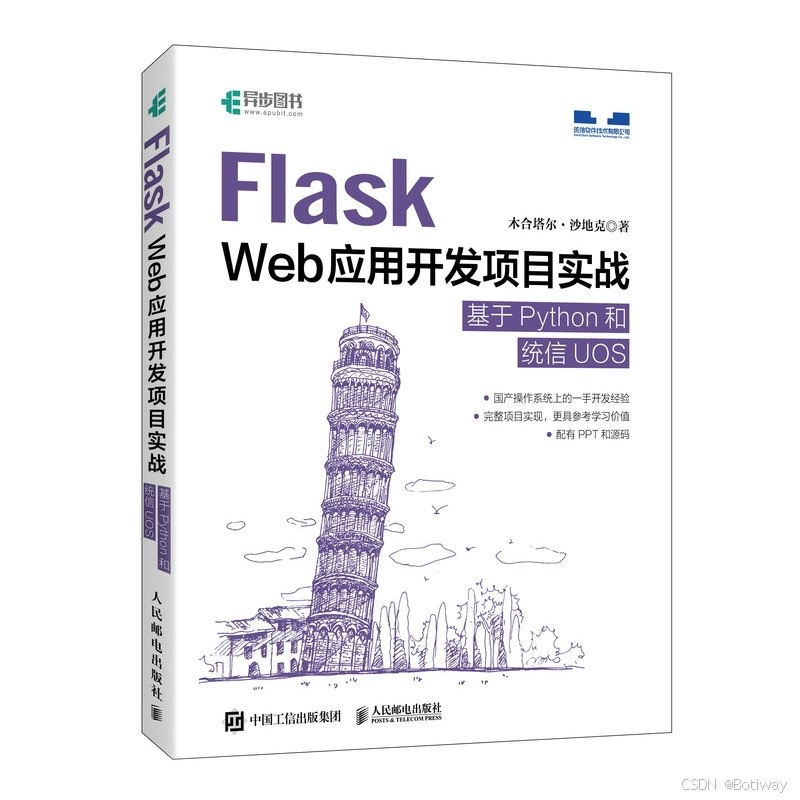
《Flask Web 应用开发项目实战 基于 Python 和统信 UOS》是一本由木合塔尔·沙地克所著,由人民邮电出版社于2024年出版的书籍。这本书通过一个完整的项目开发案例,系统介绍了在统信UOS操作系统上进行Flask Web应用开发的过程。它不仅详细分析了用户功能、管理功能、数据分析与可视化、数据库管理的代码实现,还介绍了搭建服务器的流程与模块化编程。





 扫一扫
扫一扫


 1万+
1万+

 被折叠的 条评论
为什么被折叠?
被折叠的 条评论
为什么被折叠?
 到【灌水乐园】发言





