



1.openid & unionid
openid是微信用户在不同类型的产品的身份ID。
- 微信用户访问公众号、小程序、移动应用、网站应用、小商店等都会有唯一的openid,但同一个微信用户访问不同的产品生成的openid也是不一样的。
- 例如,对于不同公众号,同一用户的openid不同;同理,对于不同的小程序,同一用户的openid也是不同的
unionid是微信用户在同一个开放平台下的产品的身份ID。
- 如果开发者拥有多个移动应用、网站应用、和公众账号(即公众号和小程序),可通过 UnionID 来区分用户的唯一性,因为只要是同一个微信开放平台账号下的移动应用、网站应用和公众账号,用户的 UnionID 是唯一的。即,同一用户,对同一个微信开放平台下的不同应用,UnionID是相同的。
一个新用户进入小程序一般都会
- 首先授权 “获取你的位置信息”
- 再次授权 “获取你的手机号码”
- 授权获取昵称和头像等并同意 “隐私政策”
wx.login({
  success (res) {
    if (res.code) {
      console.log(res.code)
    }
  }
})

GET https://api.weixin.qq.com/sns/jscode2session?appid=APPID&secret=SECRET&js_code=JSCODE&grant_type=authorization_code

{
    "session_key": "+BUf4Qr8POM2EVabQIOaZA==",
    "openid": "oDO_b5VRzLMKcAjDjk5Hc8I3NMmw"
}
2.获取系统信息
App.vue 小程序启动时获取系统的基本信息,常用于获取基本信息和屏幕适配
onLaunch(() => {
  console.log('App Launch')

  uni.getSystemInfo({
    success: (res) => {
      console.log('系统信息', res)
    },
  })
})


{
	appName: "点餐宝",
	appVersion: "1.0.0",
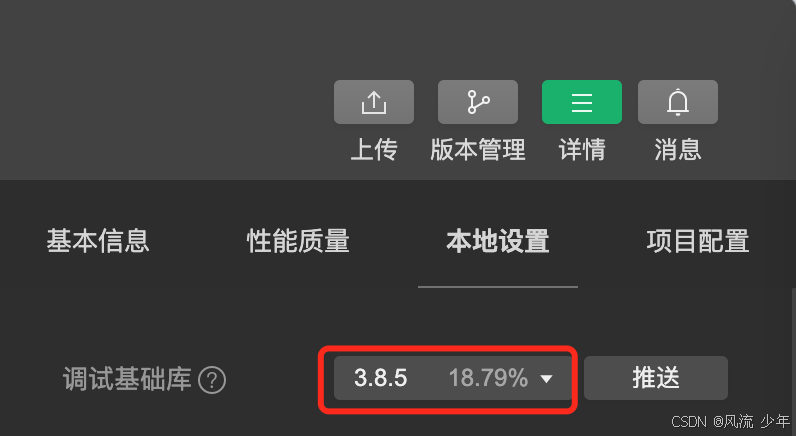
	SDKVersion: "3.8.4",
	deviceId: "174693590202252452",
	deviceModel: "iPhone X",
	osName: "ios",
	safeAreaInsets: {top: 44, left: 0, right: 0, bottom: 34},
	statusBarHeight: 44,
	windowHeight: 724
}
3.登录注册
<!-- 需要企业小程序并且微信账号添加到成员管理作为开发者 -->
<button open-type="getPhoneNumber" @tap="onGetphonenumber" class="button phone">
  <text class="icon icon-phone"></text>
  手机号快捷登录
</button>

<script setup lang="ts">
	 let code = ''
	 onLoad(async () => {
	   const res = await wx.login()
	   // 0d3z1K0w3Yc1234456j0ofn1z1K0g
	   code = res.code
	 })

	const onGetphonenumber: UniHelper.ButtonOnGetphonenumber = async (ev) => {
	  const encryptedData = ev.detail.encryptedData!
	  const iv = ev.detail.iv!

	  // 调用服务器接口获取用户的信息
	  const res = await postLoginWxMinAPI({ code, encryptedData, iv })
	  loginSuccess(res.result)
	}

	const loginSuccess = (profile: LoginResult) => {
	  const memberStore = useMemberStore()
	  memberStore.setProfile(profile)
	  uni.showToast({ icon: 'none', title: '登录成功' })

	  setTimeout(() => {
	    uni.switchTab({ url: '/pages/my/my' })
	  }, 500)
	}
</script>
4.打开设置
<button open-type="getPhoneNumber" @tap="onGetphonenumber" class="button phone">手机号快捷登录</button>

<button open-type="openSetting" hover-class="none" class="item arrow" >授权管理</button>

<button open-type="feedback" hover-class="none" class="item arrow" >问题反馈</button>

<button open-type="contact" hover-class="none" class="item arrow" >联系我们</button>
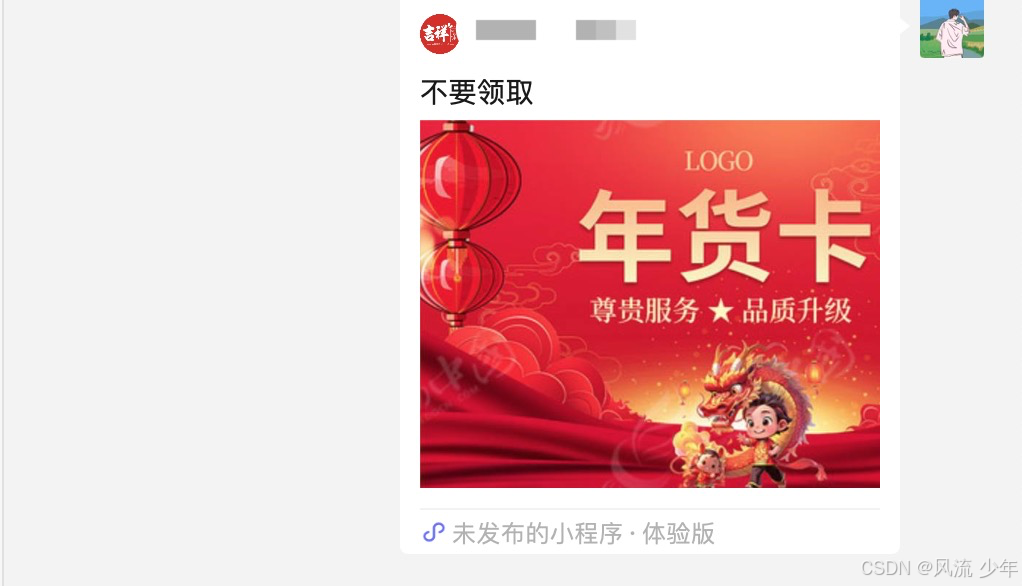
分享图文到微信好友,然后点击分享内容跳转到小程序(标题、图片)。
https://blog.csdn.net/m0_51429350/article/details/148010604
<button open-type="share" type="primary">分享给好友</button>
export default {
  onShareAppMessage(res) {
    return {
      title: '自定义标题',
      path: '/pages/index/index?id=123',
      imageUrl: '/static/share.png'
    };
  }
}

<!-- 分享到朋友圈 (基础库 2.11.3+) -->
<button open-type="shareTimeline" type="primary">分享到朋友圈</button>

export default {
  onShareTimeline() {
    return {
      title: '朋友圈分享标题',
      query: 'id=123',
      imageUrl: '/static/share.png'
    };
  }
}
5.获取用户设置
uni.getSetting({
  success(res) {
    // {scope.userLocation: true, scope.address: true, scope.invoice: true, scope.invoiceTitle: true, scope.userInfo: true}
    console.log(res.authSetting)
  },
})
6.打开文档
新开页面打开文档,支持格式:doc, xls, ppt, pdf, docx, xlsx, pptx。
在小程序中常用于打开协议。
// 下载文件资源到本地,客户端直接发起一个 HTTP GET 请求,返回文件的本地临时路径。
uni.downloadFile({
  url: 'https://www.gov.cn/zhengce/pdfFile/2023_PDF.pdf',
  success: function (res) {
    var filePath = res.tempFilePath
    uni.openDocument({
      filePath: filePath,
      showMenu: true,
      success: function (res) {
        console.log('打开文档成功')
      },
    })
  },
})
7.获取位置&地图
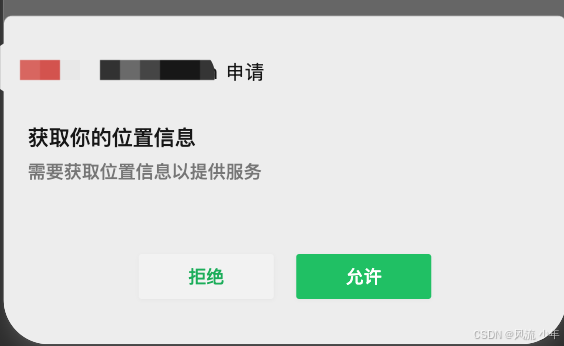
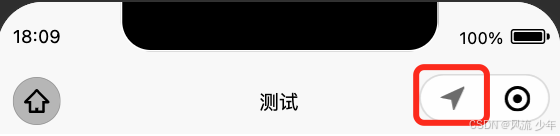
位置没有授权会自动弹出授权的弹出层,已经授权的就会在标题栏中提示定位(定位图标闪烁几下)
getLocation
在manifest.json中添加定位权限声明,不同平台要求不同。例如微信小程序需配置:
"mp-weixin": {
  "requiredPrivateInfos": ["getLocation"],
  "permission": {
    "scope.userLocation": {
      "desc": "需要获取位置信息以提供服务"
    }
  }
}
<script setup lang="ts">
const longitude = ref()
const latitude = ref()
const getLocation = () => {
  uni.getLocation({
  	// wgs84:国际标准GPS坐标(默认值)
  	// gcj02:国测局加密坐标(适用于国内地图服务如高德、腾讯地图)
    type: 'gcj02',
    success: (res) => {
      // 经度: 125.397 纬度: 35.2494
      console.log('经度:', res.longitude, '纬度:', res.latitude)
      longitude.value = longitude
      latitude.value = latitude
    },
    fail: (fail) => {
      // 引导用户授权或检查设备定位功能
      uni.showToast({ title: '请开启定位权限', icon: 'none' })
    },
  })
}
</script>

<template>
	<button @tap="getLocation" size="mini" type="primary">获取位置</button>
	<map :longitude="longitude" :latitude="latitude"></map>
</template>
如果发现用户没有授权(会弹框授权),可以主动弹框进行授权,授权失败引导用户打开权限。
const getLocation = () => {
  uni.authorize({
    scope: 'scope.userLocation',
    success: (success) => {
      uni.getLocation()
    },
    fail: (fail) => {
      // 用户之前选择不允许
      uni.openSetting({
        success: (settingRes) => {
          console.log(settingRes);
        }
      })
    },
  })
}
打开位置
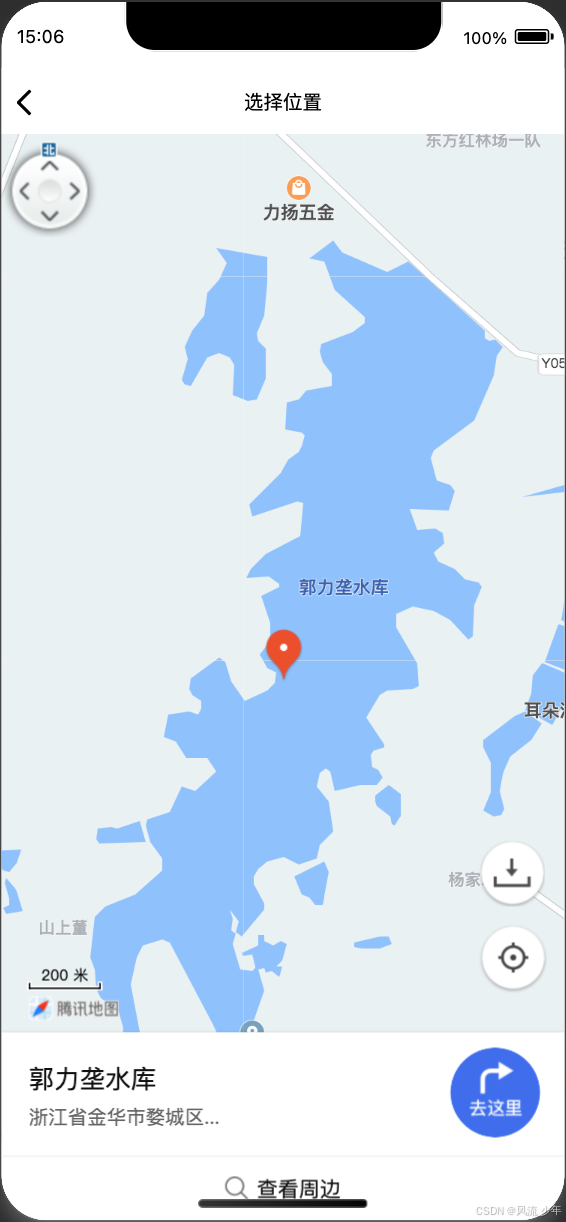
<button @tap="onOpenLocation" size="mini" type="primary">openLocation</button>

const onOpenLocation = () => {
  uni.openLocation({
    latitude: 29.074979, // 目标纬度(必填)
    longitude: 119.52142, // 目标经度(必填)
    name: '郭力垄水库', // 位置名称(可选)
    address: '浙江省金华市婺城区...', // 详细地址(可选)
    success: () => {
      console.log('地图打开成功')
    },
    fail: (err) => {
      console.error('失败:', err.errMsg) // 常见错误:用户取消/权限未开
    },
  })
}
chooseLocation
在manifest.json中添加定位权限声明,不同平台要求不同。例如微信小程序需配置:
"mp-weixin": {
  "requiredPrivateInfos": ["getLocation", "chooseLocation"],
  "permission": {
    "scope.userLocation": {
      "desc": "需要获取位置信息以提供服务"
    }
  }
}
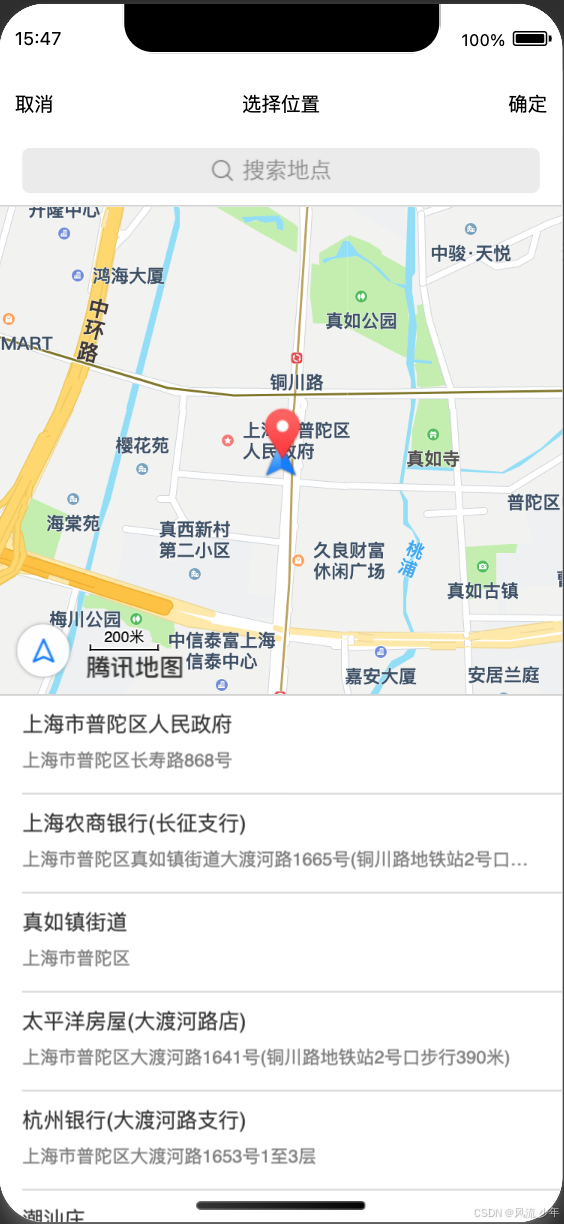
uni.chooseLocation({
  success: (res) => {
    // 121.397 31.2494 "上海市普陀区人民政府" "上海市普陀区长寿路868号"
    console.log(res.longitude, res.latitude, res.name, res.address)
  }
})
8.上传chooseMedia
上传头像示例。
uni.chooseMedia({
    count: 1,
    mediaType: ['image'],
    success: (res) => {
      const { tempFilePath } = res.tempFiles[0]
      uni.uploadFile({
        url: '/member/profile/avatar',
        name: 'file', // 后端数据字段名
        filePath: tempFilePath,
        success: (res) => {
          if (res.statusCode === 200) {
            const { avatar } = JSON.parse(res.data).result
            profile.value!.avatar = avatar
            memberStore.profile!.avatar = avatar
            uni.showToast({ icon: 'success', title: '更新成功' })
          } else {
            uni.showToast({ icon: 'error', title: '上传失败' })
          }
        },
      })
    },
  })
9.隐私
同意隐私协议
// agreePrivacyAuthorization	用户同意隐私协议按钮。用户点击一次此按钮后,所有已声明过的隐私接口可以正常调用。可通过 bindagreeprivacyauthorization 监听用户同意隐私协议事件。
<button open-type="agreePrivacyAuthorization" @agreeprivacyauthorization="handleAgree">
 同意隐私协议
</button>

const handleAgree = () => {
  uni.showToast({ title: '授权成功' })
}
/* manifest.json需配置__usePrivacyCheck__隐私检查 */
"mp-weixin" : {
  "__usePrivacyCheck__": true,
  "permission": {
    "scope.userLocation": {
      "desc": "需要获取位置信息"
    }
  }
}
判断是否已经授权隐私政策
wx.getPrivacySetting:获取用户是否已经授权隐私政策。
wx.openPrivacyContract:打开隐私协议(在手机上可以打开)
https://developers.weixin.qq.com/miniprogram/dev/framework/user-privacy/PrivacyAuthorize.html
const getPrivacySetting = () => {
  wx.getPrivacySetting({
    success: (res) => {
      console.log('是否需要授权', res.needAuthorization)
      if (res.needAuthorization) {
        // 需要弹出隐私协议
        console.log('打开微信隐私权限弹窗')

        // 打开隐私协议页面
		wx.openPrivacyContract({
		    success: () => {}, // 打开成功
		    fail: () => {}, // 打开失败
		    complete: () => {},
		})
      } else {
        console.log('用户已经同意过隐私协议,所以不需要再弹出隐私协议,也能调用隐私接口')
      }
    },
    fail: (err) => {},
    complete: (e) => {},
  })
}
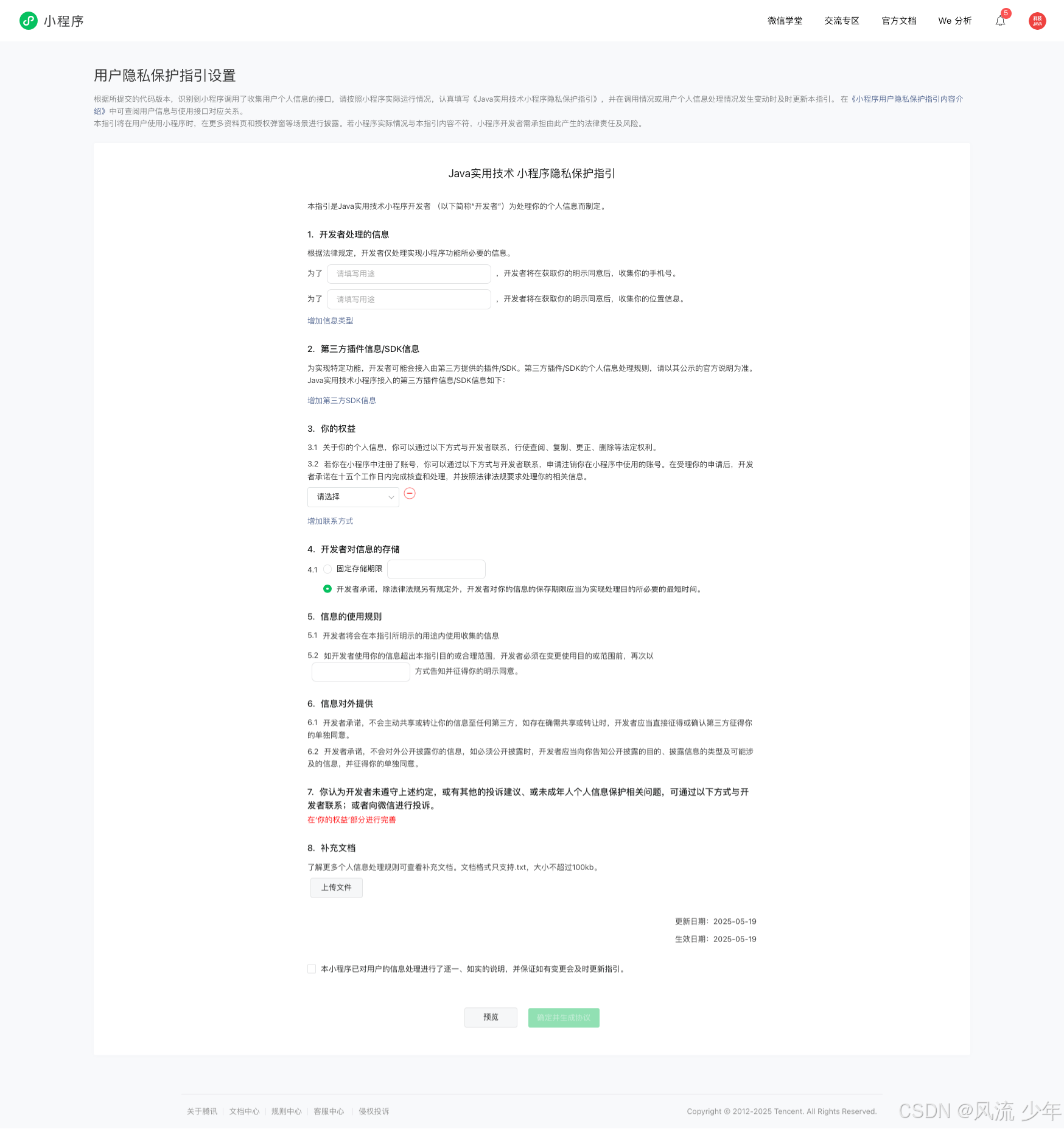
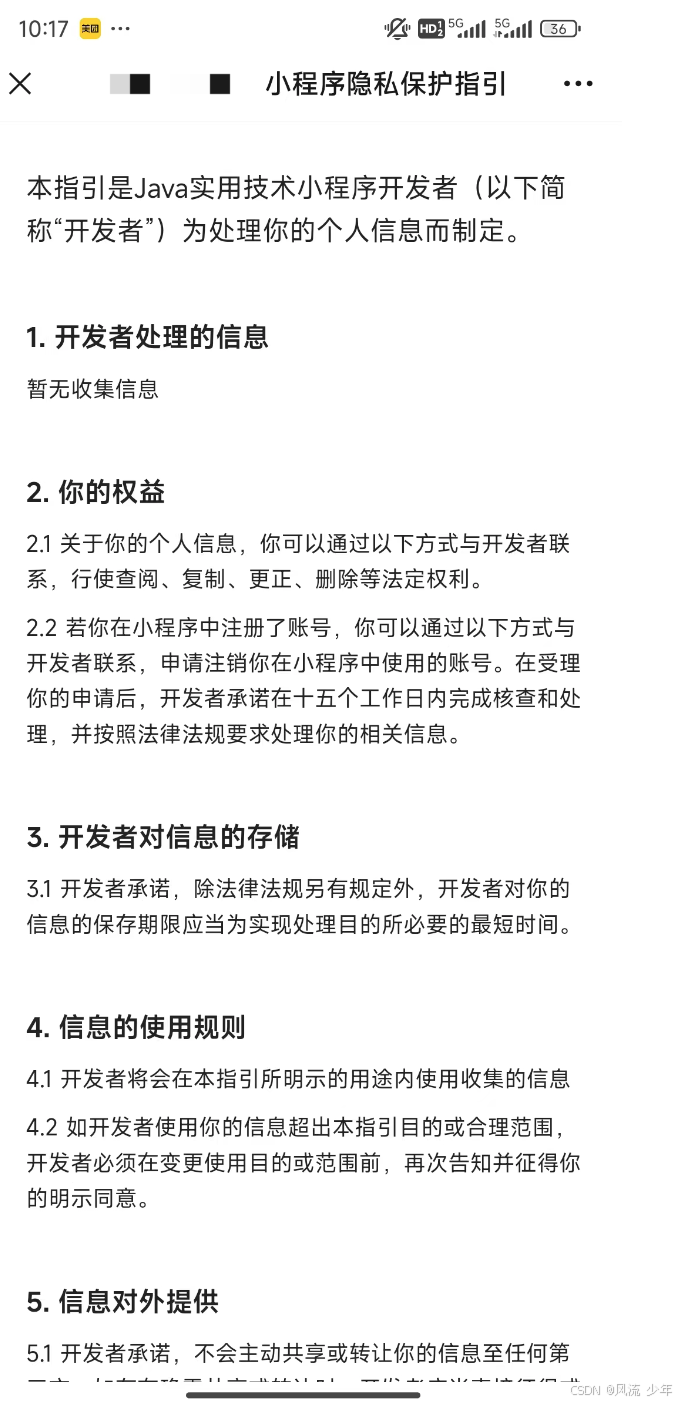
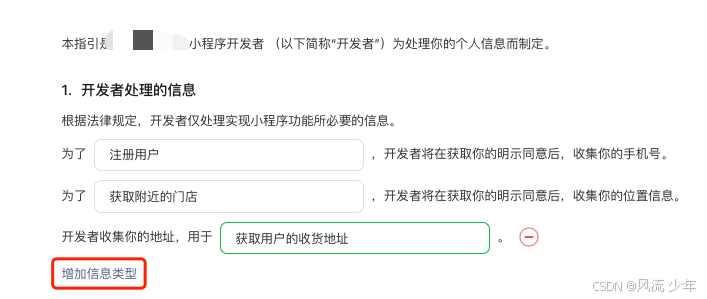
提交审核-用户隐私保护设置-点击完善(首次提交时完善,完善后可以更新)


10.服务通知
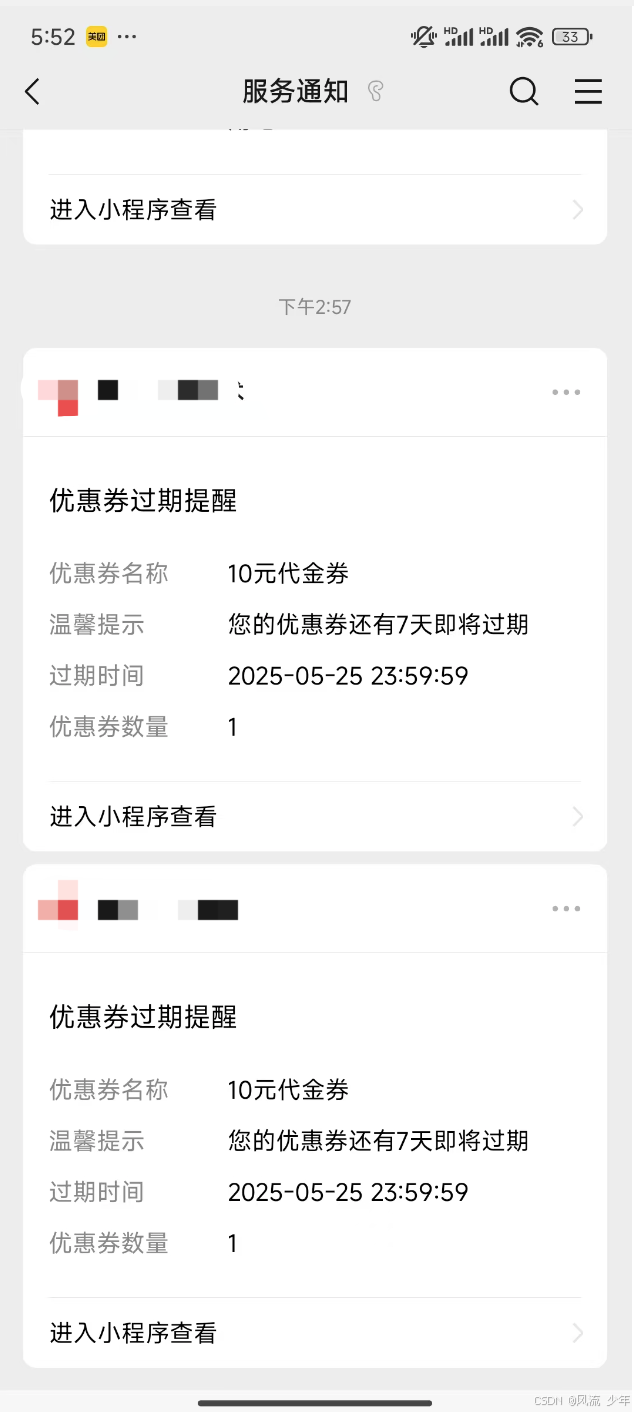
wx.requestSubscribeMessage() 用于授权弹框提醒,一次最多能授权3个,并且一般应用都是一次性订阅消息而不是长期订阅消息,即用户勾选 “总是保持以上选择,不再询问” 之后,下次订阅调用 wx.requestSubscribeMessage 不会弹窗,每调用一下就多一次接收消息的机会,次数用完了就会报错。
wx.requestSubscribeMessage({
  tmplIds: ['VpnNrdccxjRC8qkcKf2Uk8xpDBquv2nXg_m7Z7wESTE'],
  success(res) {
    console.log('优惠券过期提醒成功')
  },
  fail(err) {
    console.log(err)
  },
})
授权次数用完了就会发送失败。
POST https://api.weixin.qq.com/cgi-bin/message/subscribe/send

{
  "template_id": "VpnNrdccxjRC8qkcKf2Uk8xpDBquv2nXg_m7Z7wESTE",
  "page": "index?foo=bar",
  "touser": "oDO_b5VRzLMKcAjDjk5Hc8I3NMmw",
  "miniprogram_state":"developer",
  "lang":"zh_CN",
  "data": {
      "thing1": {
          "value": "10元代金券"
      },
      "thing2": {
          "value": "您的优惠券还有7天即将过期"
      },
      "time4": {
          "value": "2025-05-25 23:59:59"
      },
      "thing3": {
          "value": "1"
      }
  }
}


{
    "errcode": 43101,
    "errmsg": "user refuse to accept the msg rid: 682ad955-06b795bc-32ef0a19"
}
11.支付
https://developers.weixin.qq.com/miniprogram/dev/api/payment/wx.requestPayment.html
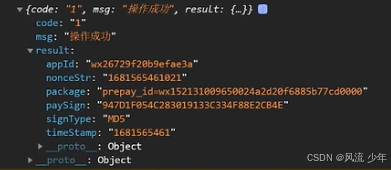
// 1. 根据订单id获取订单支付信息
// 2. 调用微信支付
wx.requestPayment({
  timeStamp: '',
  nonceStr: '',
  package: '',
  signType: 'MD5',
  paySign: '',
  success (res) { },
  fail (res) { }
})
12.打电话
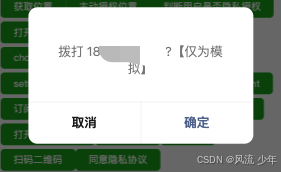
常用于打客服400电话。
uni.makePhoneCall({
  phoneNumber: '4001818818',
})
13.扫码二维码
常用于扫码点餐。
uni.scanCode({
  success: (res) => {
    console.log(res.result)
  }
})
14.打开其它
// 公众号文章
wx.openOfficialAccountArticle({
  url: 'https://mp.weixin.qq.com/s/AyGdwTfnJtyPbXkgCuQgxw',
  success: () => {
    console.log('success')
  },
  fail: (err) => {},
})
// 打开其它小程序
uni.navigateToMiniProgram({
  appId: 'wx469fxxxxxd5898f',
  path: '/pages/home/home',
  envVersion: 'release', // 有效值 develop(开发版),trial(体验版),release(正式版)
  extraData: {},
  success: () => {
    console.log('chenggg')
  },
  fail: (err) => {
    console.log(err)
  },
})
//跳转指定视频
wx.openChannelsActivity({
    finderUserName: 'sphy4Tsdadl8s8IW2', // 视频号的原始ID,替换为自己的
    feedId: 'export/UzFfAgtgekIEAQAAsadasdadXxY2CeQAAAAstQy6ubaLX4KHWvLEZgBPEiKEINWB_ErCEzNPgMJpqKjI7AHRWVWoXl_yDMrNs', // 视频号的视频ID,替换为自己的
    success(res) {
      console.log('拉起视频号成功', res);
    },
    fail(res) {
      console.log('拉起视频号失败', res);
    }
})
//跳转主页
wx.openChannelsUserProfile({
   finderUserName: "sphy4Tsdadl8s8IW2",// 视频号的原始ID,替换为自己的
})
// 打开视频号直播
wx.getChannelsLiveInfo({
  finderUserName: 'sphcyFGLoogPww4',
  success: (res) => {
    console.log(res)
    wx.openChannelsLive({
      finderUserName: 'sphcyFGLoogPww4',
      feedId: res.feedId,
      nonceId: res.nonceId,
    })
  },
  fail: (fail) => {
    console.log(fail)
  },
})
打开浏览器:有些功能是在html中实现的。
// 通过按钮打开浏览器,然后在html中js中实现一些功能
uni.navigateTo({
  url: '/pages/common/brower',
  success: () => {},
  fail: (err) => {},
})


pages/common/brower.vue
<template>
  <view>
    <web-view src="https://uniapp.dcloud.io/static/web-view.html"></web-view>
  </view>
</template>
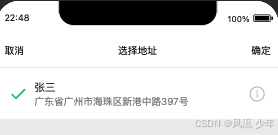
15.选择地址
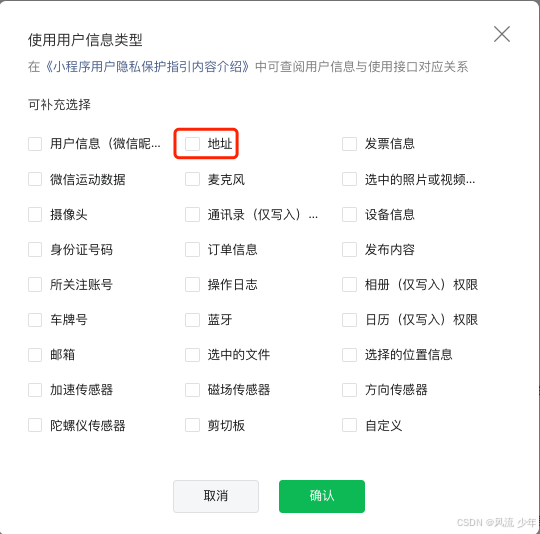
manifest.json在requiredPrivateInfos中增加“chooseAddress”。
"mp-weixin" : {
   "requiredPrivateInfos": ["getLocation", "chooseLocation", "chooseAddress"],
   "permission": {
     "scope.address": {
       "desc": "你的收货地址信息将用于商品寄送"
     }
   }
}
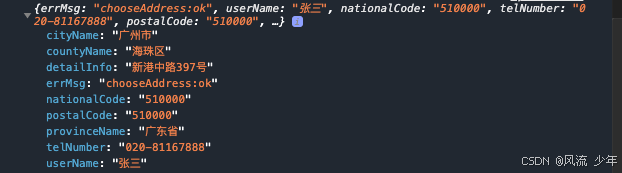
wx.chooseAddress({
    success: (res) => {
      console.log(res)
    },
    fail: (fail) => {
      console.log(fail)
    },
  })
16.版本更新
App.vue
onLaunch(() => {
  console.log('App Launch')
  const updateManager = wx.getUpdateManager()
  updateManager.onCheckForUpdate(function (e) {
    // 请求完新版本信息的回调
  })
  updateManager.onUpdateReady(function () {
    wx.showModal({
      title: '更新提示',
      content: '新版本已经准备好,是否马上重启小程序?',
      showCancel: false,
      success: function (t) {
        // 新的版本已经下载好,调用 applyUpdate 应用新版本并重启
        updateManager.applyUpdate()
      },
    })
  })
  updateManager.onUpdateFailed(function () {})
})
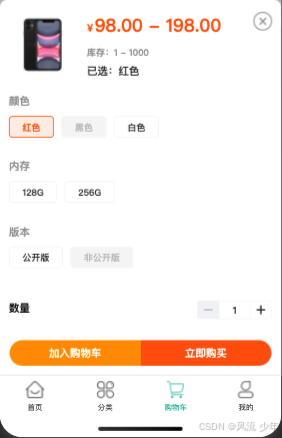
17.SKU数据结构
{
  "_id": "001",
  "name": "iphone11",
  "goods_thumb": "https://img14.360buyimg.com/n0/jfs/t1/59022/28/10293/141808/5d78088fEf6e7862d/68836f52ffaaad96.jpg",
  "spec_list": [
    {
      "name": "颜色",
      "list": [{ "name": "红色" }, { "name": "黑色" }, { "name": "白色" }]
    },
    {
      "name": "内存",
      "list": [{ "name": "128G" }, { "name": "256G" }]
    },
    {
      "name": "版本",
      "list": [{ "name": "公开版" }, { "name": "非公开版" }]
    }
  ],
  "sku_list": [
    {
      "_id": "001",
      "goods_id": "001",
      "goods_name": "iphone11",
      "image": "https://img14.360buyimg.com/n0/jfs/t1/79668/22/9987/159271/5d780915Ebf9bf3f4/6a1b2703a9ed8737.jpg",
      "price": 19800,
      "sku_name_arr": ["红色", "128G", "公开版"],
      "stock": 1000
    },
    {
      "_id": "002",
      "goods_id": "001",
      "goods_name": "iphone11",
      "image": "https://img14.360buyimg.com/n0/jfs/t1/52252/35/10516/124064/5d7808e0E46202391/7100f3733a1c1f00.jpg",
      "price": 9800,
      "sku_name_arr": ["白色", "256G", "公开版"],
      "stock": 100
    },
    {
      "_id": "003",
      "goods_id": "001",
      "goods_name": "iphone11",
      "image": "https://img14.360buyimg.com/n0/jfs/t1/79668/22/9987/159271/5d780915Ebf9bf3f4/6a1b2703a9ed8737.jpg",
      "price": 19800,
      "sku_name_arr": ["红色", "256G", "公开版"],
      "stock": 1
    }
  ]
}





 扫一扫
扫一扫


 1850
1850

 被折叠的 条评论
为什么被折叠?
被折叠的 条评论
为什么被折叠?
 到【灌水乐园】发言





