


 本文介绍如何在不同版本的Matlab中调整图例的字体大小和标记大小。针对R2014a及更早版本,通过获取图例子项句柄并修改属性实现;对于R2014b及以上版本,则使用了新的对象组织方式。
Matlab R2014a或更早版本
要增加字体大小:获取“text”类型的所有图例子项的句柄,并将其“Fontsize”属性设置为所需的值.
要增加标记大小:获取“line”类型的所有图例子项的句柄,并将其“Markersize”属性设置为所需的值.
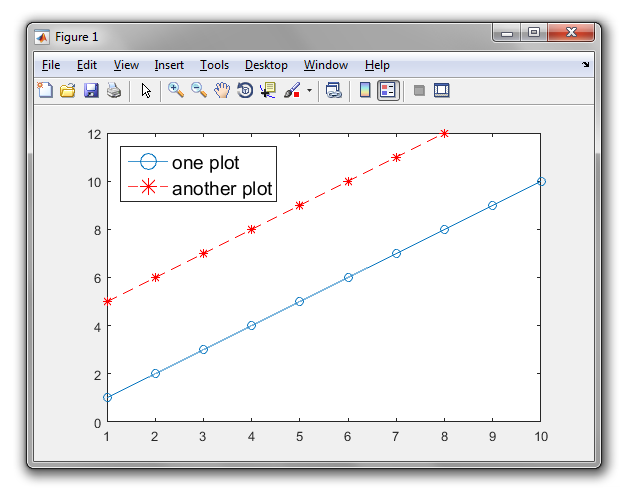
plot(1:10, 'o-');
hold on
plot(5:12, 'r*--'); %// example plots
h = legend('one plot', 'another plot', 'location', 'NorthWest'); %// example legend
ch = findobj(get(h,'children'), 'type', 'text'); %// children of legend of type text
set(ch, 'Fontsize', 14); %// set value as desired
ch = findobj(get(h,'children'), 'type', 'line'); %// children of legend of type line
set(ch, 'Markersize', 12); %// set value as desired
Matlab R2014b或更新版(HG2)
图例中元素的组织现在是不同的.以下作品:
plot(1:10, 'o-');
hold on
plot(5:12, 'r*--'); %// example plots
[~, objh] = legend({'one plot', 'another plot'}, 'location', 'NorthWest', 'Fontsize', 14);
%// set font size as desired
objhl = findobj(objh, 'type', 'line'); %// objects of legend of type line
set(objhl, 'Markersize', 12); %// set marker size as desired






 扫一扫
扫一扫


 710
710

 被折叠的 条评论
为什么被折叠?
被折叠的 条评论
为什么被折叠?
 到【灌水乐园】发言





