 Spring Boot整合Mybatis与Druid测试MySQL5.0数据量



 本文档介绍了如何在Spring Boot应用中整合Mybatis和Druid,进行MySQL5.0数据库的数据量测试。首先搭建本地虚拟机安装MySQL,接着通过Spring Boot、Durid和Mybatis进行单表数据量测试。文中详细展示了pom.xml配置,包括其他数据库的引用,并提供了 Druid数据源的配置、StatViewServlet和WebStatFilter的注册。最后,创建了Mapper和Service,通过jmeter压测10万条数据,观察数据库占用空间。
1 首先在 本地搭建一个虚拟机,安装mysql
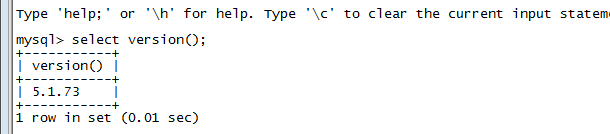
2 对mysql 单表数据量测试 这里使用spring boot 配合durid 和 mybatis 来搭建 ,下面会详细介绍
这里先 贴上 pom,因为前段时间 在对比 postgre,mongodb 等数据库,pom里面还有一些其他的引用,将就看吧。
xmlns:xsi="http://www.w3.org/2001/XMLSchema-instance"
xsi:schemaLocation="http://maven.apache.org/POM/4.0.0 http://maven.apache.org/xsd/maven-4.0.0.xsd">
4.0.0
com.zqm
eureka
1.0-SNAPSHOT
war
Demo project for Spring Boot
org.springframework.boot
spring-boot-starter-parent
1.4.3.RELEASE
UTF-8
UTF-8
1.8
com.datastax.cassandra
cassandra-driver-core
3.0.0
org.postgresql
postgresql
9.4.1212
org.springframework.boot
spring-boot-starter-web
org.springframework.boot
spring-boot-starter-thymeleaf
org.springframework.cloud
spring-cloud-starter-eureka-server
org.springframework.boot
spring-boot-devtools
true
org.springframework.boot
spring-boot-starter-jdbc
mysql
mysql-connector-java
runtime
org.springframework.boot
spring-boot-configuration-processor
true
org.springframework.boot
spring-boot-starter-data-mongodb
com.fasterxml.jackson.core
jackson-core
com.fasterxml.jackson.core
jackson-databind
com.fasterxml.jackson.datatype
jackson-datatype-joda
com.fasterxml.jackson.module
jackson-module-parameter-names
com.github.pagehelper
pagehelper-spring-boot-starter
1.1.2
org.springframework.boot
spring-boot-starter-data-jpa
org.springframework.boot
spring-boot-starter-data-redis
com.alibaba
druid-spring-boot-starter
1.1.6
com.alibaba
druid-spring-boot-starter
1.1.6
junit
junit
test
org.springframework
spring-test
4.3.12.RELEASE
test
 最低0.47元/天 解锁文章






 扫一扫
扫一扫


 3万+
3万+

 被折叠的 条评论
为什么被折叠?
被折叠的 条评论
为什么被折叠?
 到【灌水乐园】发言





