


 本文介绍了如何在Linux系统中配置Apache Web服务器,包括安装Apache,修改配置文件以设置ServerName,启动Web服务,并检查服务状态。通过创建并编辑index.html文件,实现了自定义Web服务的首页内容。
导读
编写index.html文件,自定义Apache Web服务的首页内容。
1. 安装Apache
[root@localhost ~]# yum install -y httpd
2. 修改/etc/httpd/conf/httpd.conf配置文件
[root@localhost ~]# vim /etc/httpd/conf/httpd.conf
在 vim 中,快速定位到 第 95行
命令模式下 输入 :95
修改为以下形式。记得去掉 # 号
ServerName 192.168.XX.XX:80
: wq 保存退出
3. 启动web服务
[root@localhost ~]# systemctl start httpd
[root@localhost ~]# netstat -ntl #确认80端口已启用
Active Internet connections (only servers)
Proto Recv-Q Send-Q Local Address Foreign Address State
tcp 0 0 0.0.0.0:22 0.0.0.0:* LISTEN
tcp 0 0 127.0.0.1:25 0.0.0.0:* LISTEN
tcp6 0 0 :::80 :::* LISTEN
tcp6 0 0 :::22 :::* LISTEN
tcp6 0 0 ::1:25 :::* LISTEN
4. 检查Apache Web服务是否正常
[root@localhost ~]# cd /var/www/html/
[root@localhost html]# ls
[root@localhost html]# iptables -F
[root@localhost html]# ifconfig
ens32: flags=4163 mtu 1500
inet 192.168.10.11 netmask 255.255.255.0 broadcast 192.168.10.255
inet6 fe80::20c:29ff:feda:182e prefixlen 64 scopeid 0x20 ether 00:0c:29:da:18:2e txqueuelen 1000 (Ethernet)
RX packets 930 bytes 77097 (75.2 KiB)
RX errors 0 dropped 0 overruns 0 frame 0
TX packets 575 bytes 77429 (75.6 KiB)
TX errors 0 dropped 0 overruns 0 carrier 0 collisions 0
lo: flags=73 mtu 65536
inet 127.0.0.1 netmask 255.0.0.0
inet6 ::1 prefixlen 128 scopeid 0x10
loop txqueuelen 1 (Local Loopback)
RX packets 88 bytes 7484 (7.3 KiB)
RX errors 0 dropped 0 overruns 0 frame 0
TX packets 88 bytes 7484 (7.3 KiB)
TX errors 0 dropped 0 overruns 0 carrier 0 collisions 0
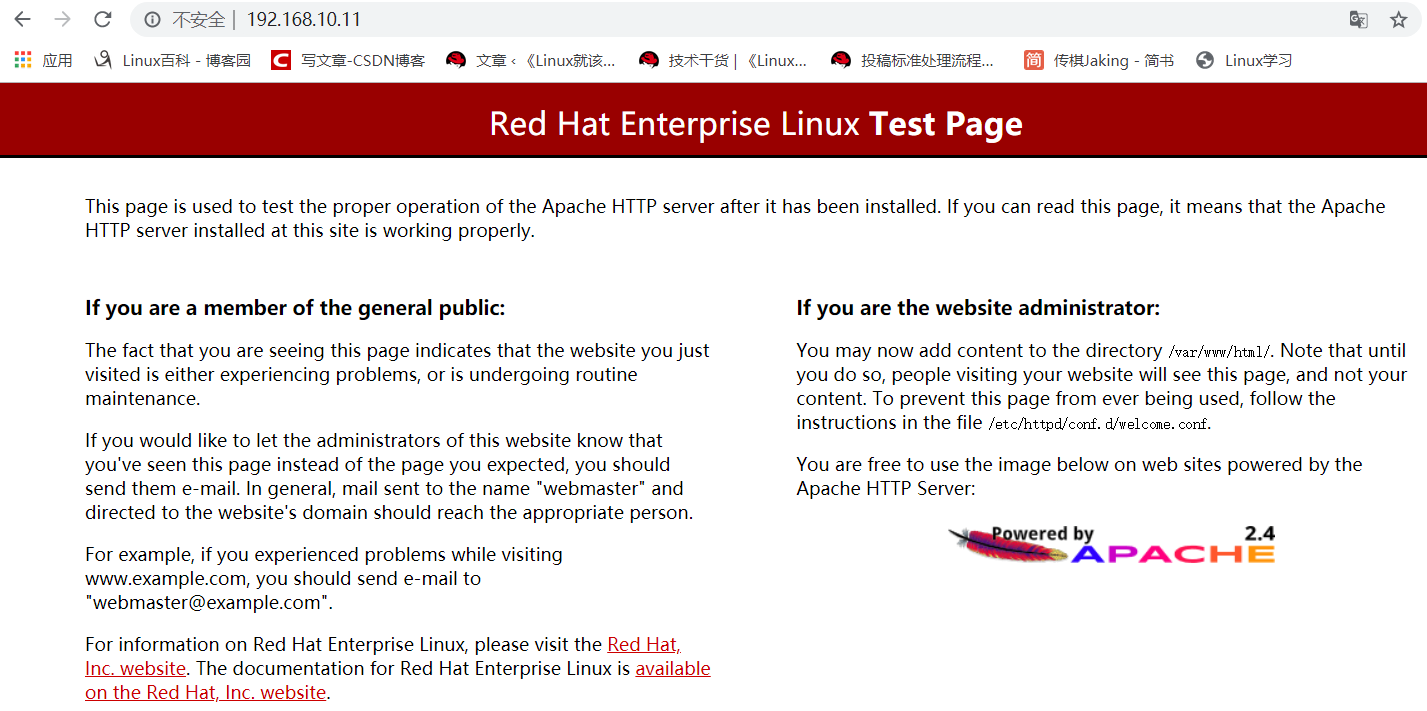
在浏览器输入192.168.10.11,出现以下界面,说明Apache Web服务正常。
5. 自定义首页文件
[root@localhost html]# pwd
/var/www/html
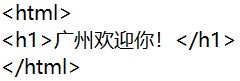
[root@localhost html]# vim index.html
[root@localhost html]# systemctl restart httpd
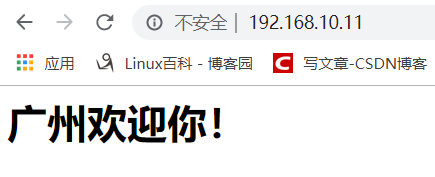
在浏览器输入192.168.10.11,出现以下界面,说明自定义首页文件生效。





 扫一扫
扫一扫


 955
955

 被折叠的 条评论
为什么被折叠?
被折叠的 条评论
为什么被折叠?
 到【灌水乐园】发言





