创建一个空的Android项目
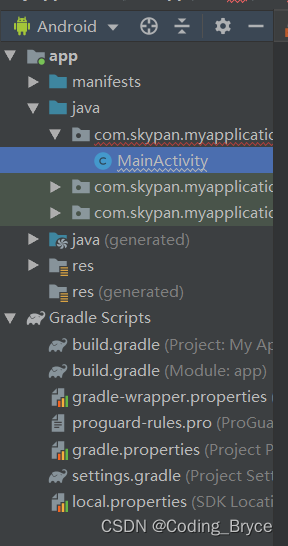
- 创建成功之后在MainActivity中实现调用JavaSpring后端的接口项目,这里使用的是,实现点击一个按钮,然后发送http请求的示例
- 准备工作:Android自带的http发送请求的方法不太好用,所以我们使用okhttp方法来实现,打开,buile.gradle(Module:app),导入下面的代码
apply plugin: 'com.android.application'
android {
compileSdkVersion 33
buildToolsVersion "33.0.0"
defaultConfig {
applicationId "com.skypan.myapplication"
minSdkVersion 21
targetSdkVersion 33
versionCode 1
versionName "1.0"
testInstrumentationRunner "androidx.test.runner.AndroidJUnitRunner"
}
buildTypes {
release {
minifyEnabled false
proguardFiles getDefaultProguardFile('proguard-android-optimize.txt'), 'proguard-rules.pro'
}
}
}
dependencies {
implementation fileTree(dir: 'libs', include: ['*.jar'])
implementation 'androidx.appcompat:appcompat:1.0.2'
implementation 'androidx.constraintlayout:constraintlayout:1.1.3'
implementation 'com.squareup.okhttp3:okhttp:4.4.1'
testImplementation 'junit:junit:4.12'
androidTestImplementation 'androidx.test.ext:junit:1.1.0'
androidTestImplementation 'androidx.test.espresso:espresso-core:3.1.1'
}
- 首先是实现后端使用@RequestBody注解开发的接口
@Override
protected void onCreate(Bundle savedInstanceState) {
super.onCreate(savedInstanceState);
Button button = findViewById(R.id.按钮id);
button.setOnClickListener(new View.OnClickListener(){
@Override
public void onClick(View view) {
new Thread(new Runnable() {
@Override
public void run() {
try {
String json = "json格式的body";
OkHttpClient client = new OkHttpClient();
Request request = new Request.Builder()
.url("接口地址")
.post(
RequestBody



 最低0.47元/天 解锁文章






 扫一扫
扫一扫


 2346
2346

 被折叠的 条评论
为什么被折叠?
被折叠的 条评论
为什么被折叠?
 到【灌水乐园】发言





