


本文仅用于逆向研究交流,禁止非法用途,如遇侵权联系删除!!
加密位置
不展示跟栈过程了
直接看这个位置,这个就是a_bogus的生成位置
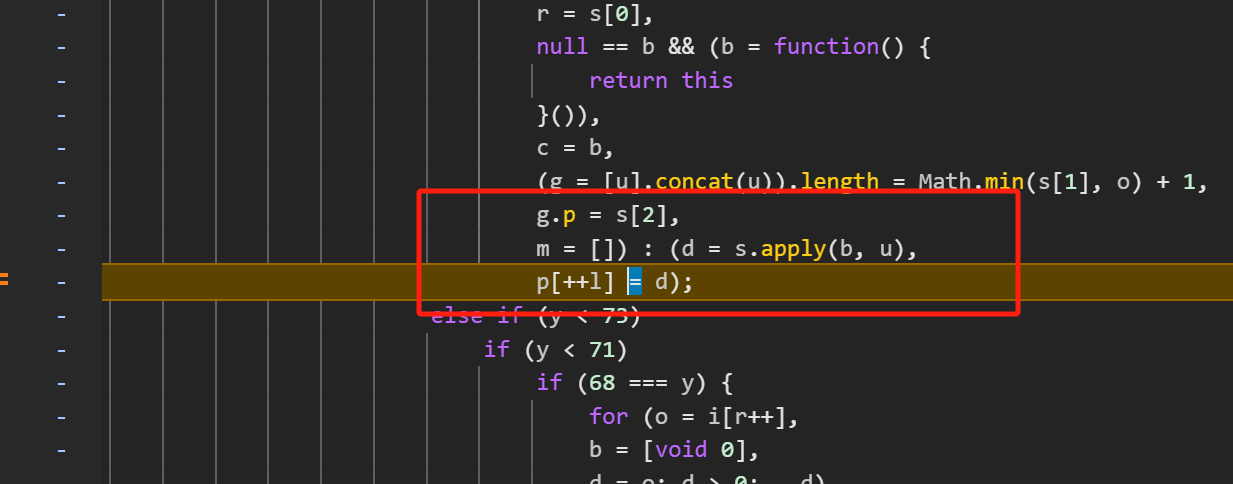
这里我们需要加一个条件断点
d !== undefined && d.length === 168
断住之后看一下函数和参数
参数如下
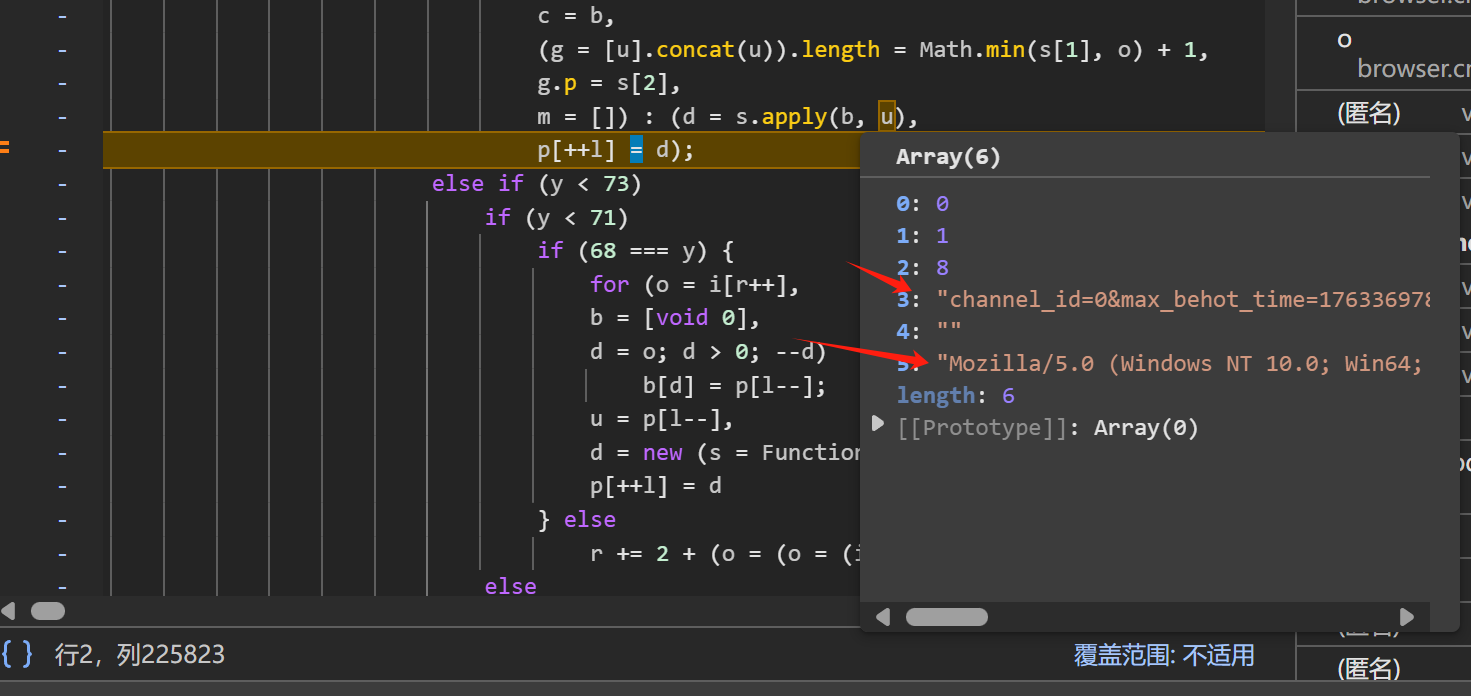
参数分析
u[3]是请求后缀param拼接的字符串
u[5]是ua!!!补环境时候ua和这个ua尽量要一致!
u = [
    0,
    1,
    8,
    "channel_id=0&max_behot_time=1763369782&offset=0&category=pc_profile_recommend&aid=24&app_name=toutiao_web&msToken=T_WtUwZru1UT6esqeUrVdMv_HMNZS-NuDgn4Md3Nhl4F1WF_8CJfbjz2INhNTAo7d9J_iAKK_Z-Gn9Z36c2tL9U3mX45ThhwyFkHQsKfygDQWDHO-ZHdzGWfdsJNAnA%3D",
    "",
    "Mozilla/5.0 (Windows NT 10.0; Win64; x64) AppleWebKit/537.36 (KHTML, like Gecko) Chrome/141.0.0.0 Safari/537.36 Edg/141.0.0.0"
]
分析加密函数
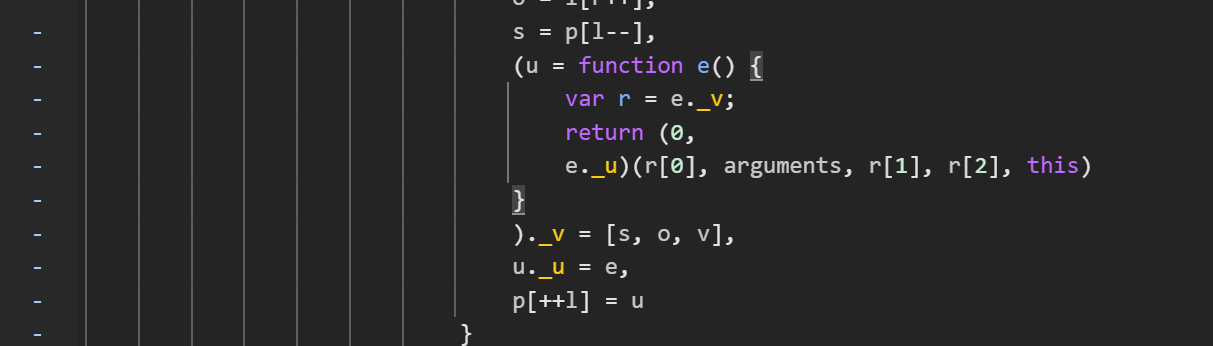
看着有点麻烦
(0,e._u)(r[0], arguments, r[1], r[2], this)
e._u为下方赋值的函数e
e.v为下方[s,o,v]
我们把这几个变量先window赋值
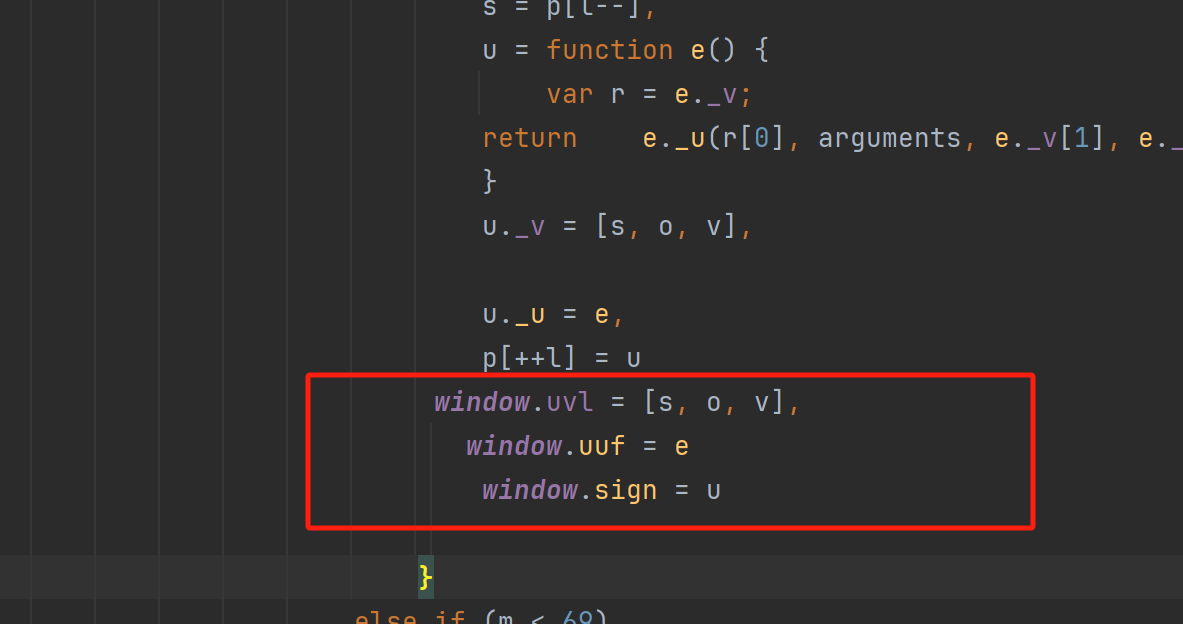
就可以写出获取函数
get_abogus = function (params) {
    u = [
        0,
        1,
        8,
        params,
        "",
        "Mozilla/5.0 (Windows NT 10.0; Win64; x64) AppleWebKit/537.36 (KHTML, like Gecko) Chrome/141.0.0.0 Safari/537.36 Edg/141.0.0.0"
    ]
    r = window.uvl
    d = window.uuf(r[0], u, r[1], r[2], this)
    return d
}
准备好之后我们就可以补环境了
补环境
需要深度代理,需要补原型链
window
window = global
slef = top = globalThis = window
window = watch(window, "window")
发现报错

requestAnimationFrame
需要补tostring 有检测
requestAnimationFrame = function () {
}
requestAnimationFrame.toString = function () {
    return 'function requestAnimationFrame() { [native code] }'
}
requestAnimationFrame = watch(requestAnimationFrame, "requestAnimationFrame")
继续运行发现两个storge

storge
window.storgea = {}
window.storgeb = {}
localStorage = {
    thisname: "localStorage",
    length: 0,
    removeItem: function () {
        console.log('localStorage->removeItem')
        console.log(arguments);
    },
    setItem: function () {
        console.log('localStorage->setItem');
        console.log(arguments);
        window.storgea[arguments[0]] = arguments[1];
        console.log('localStorage->setIte_end')

    },
    getItem: function (args) {
        console.log('localStorage->getItem', arguments)
        return window.storgea[args];
        console.log('localStorage->getItem_end')
    },
}
sessionStorage = {
    thisname: "sessionStorage",
    length: 0,
    removeItem: function () {
        console.log('localStorage->removeItem')
        console.log(arguments);
    },
    setItem: function () {
        console.log('sessionStorage->setItem');
        console.log(arguments);
        window.storgeb[arguments[0]] = arguments[1];
    },
    getItem: function (args) {
        console.log('sessionStorage->getItem')
        console.log(arguments);
        console.log(window.storgeb[args]);
        return window.storgeb[args];
    },
}

window.localStorage = localStorage;
window.sessionStorage = sessionStorage;
运行发现缺document
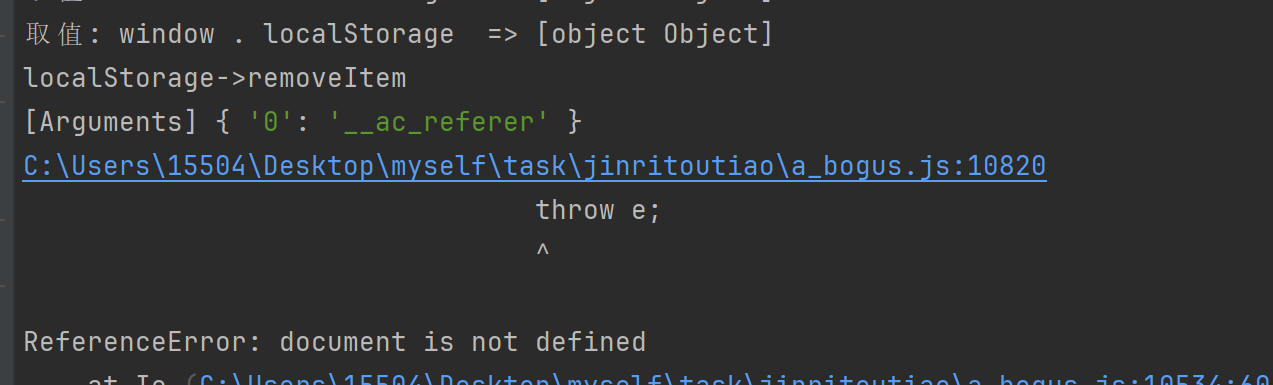
document
document需要补原型
Document = function Document() {
}
HTMLDocument = function HTMLDocument() {
}
Object.setPrototypeOf(HTMLDocument.prototype, Document.prototype)
document = new HTMLDocument()
document = watch(document, 'document')
再运行缺xml
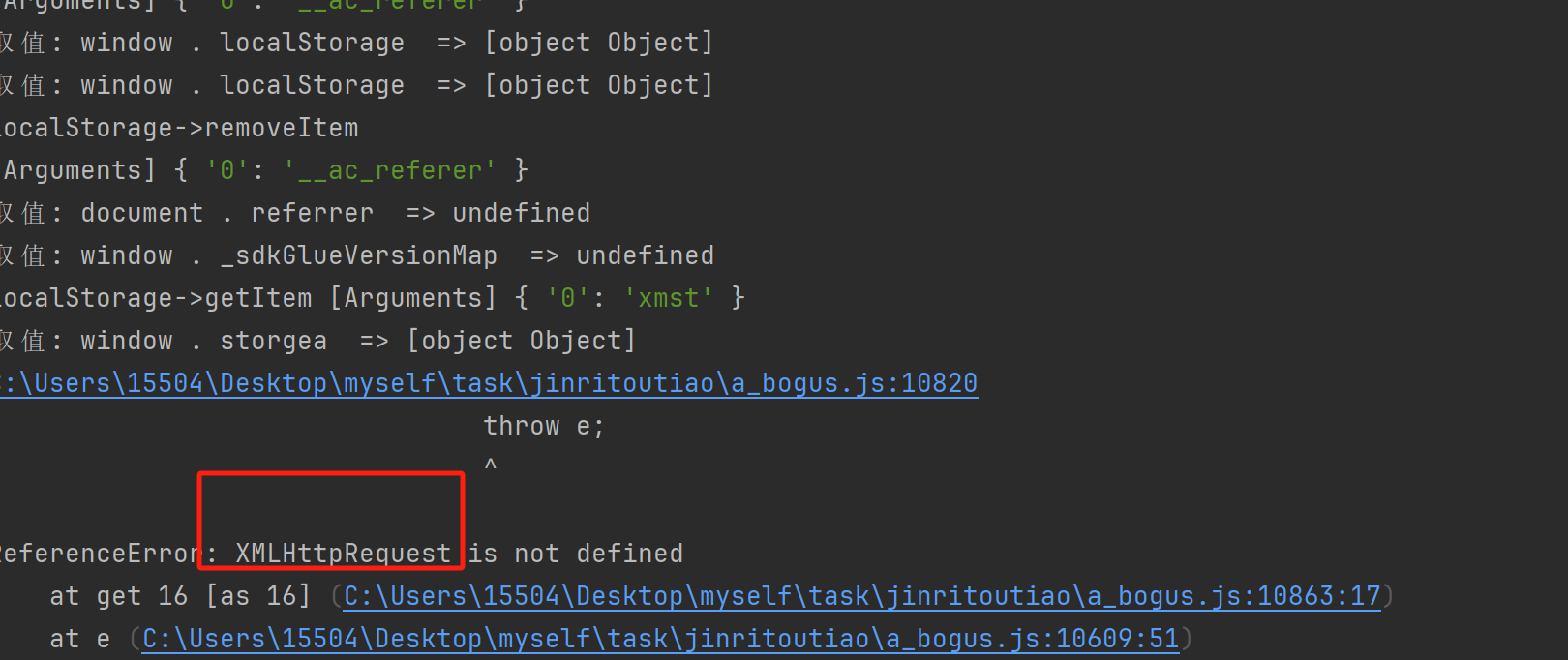
剩下的就是缺什么补什么
doc body 和doc all 在之前的文章红薯那片有写过不再写了
剩下的就是收集了一些screen和navigator就没什么了补完看位数是168位就能用
测试
头条列表不需要加ck也可获取
mstoken必须带
大概是这样的一个流程
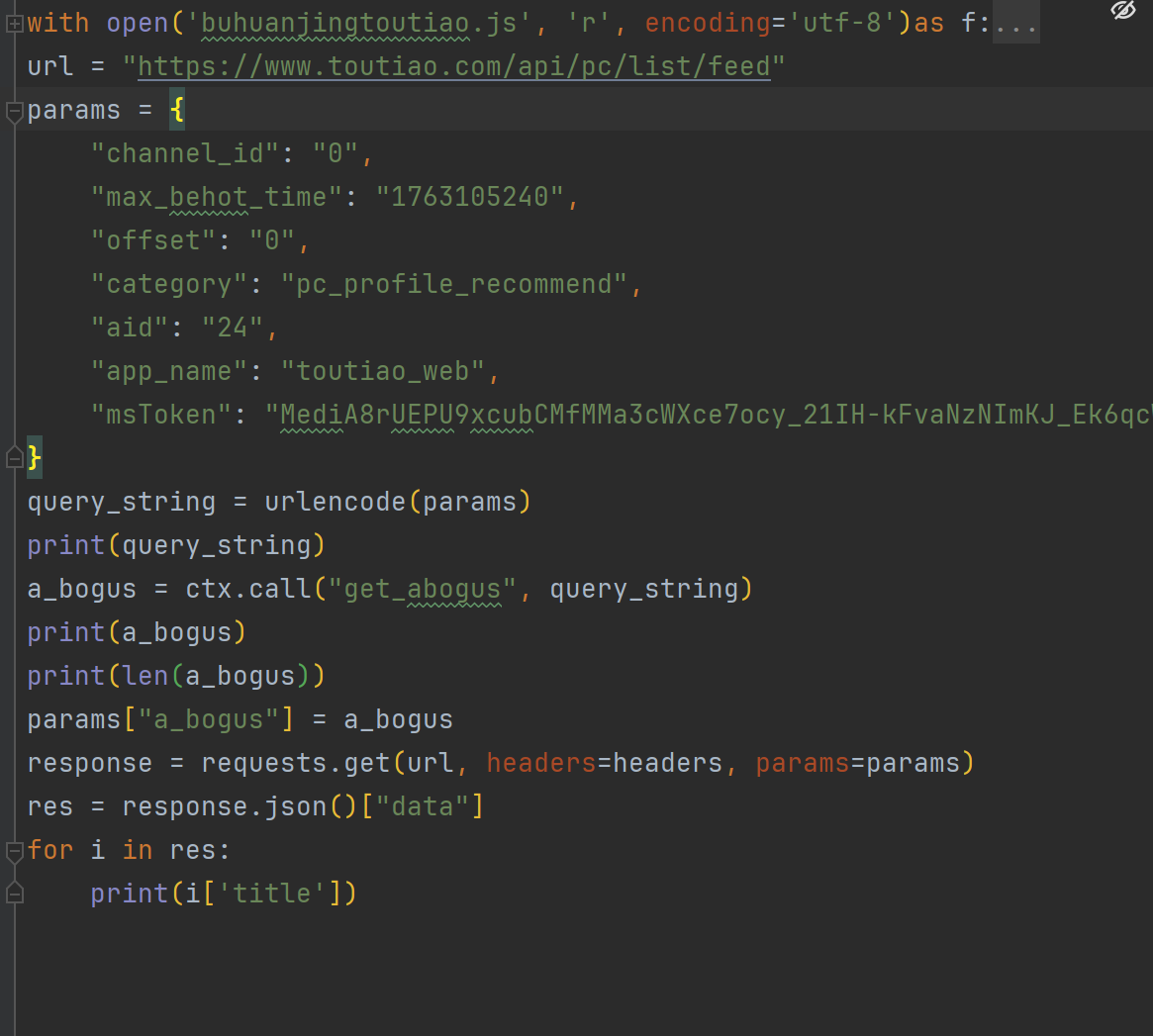
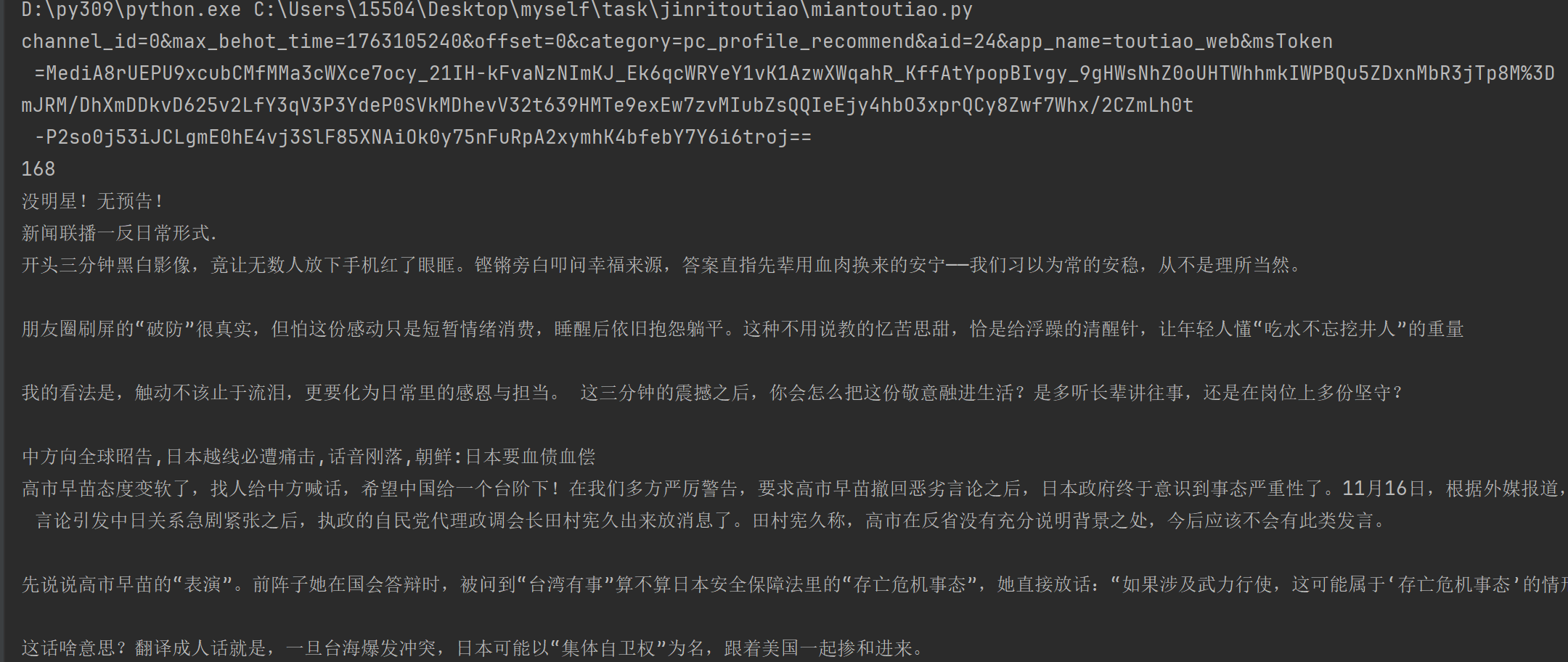
注意execjs运行的记得把log清空下
成功了






 扫一扫
扫一扫


 1532
1532

 被折叠的 条评论
为什么被折叠?
被折叠的 条评论
为什么被折叠?
 到【灌水乐园】发言





