


容器管理工具Containerd
nerdctl 实践
nerdctl管理存储
nerdctl命令创建容器的时候,可以使用-v选项将本地目录挂载给容器实现数据持久化
示例:
[root@localhost ~]# mkdir /data
[root@localhost ~]# nerdctl run -d -v /data:/data busybox -- sleep infinity
341b6bb965f1c201a5092b004c888e5511619f42ac8e841fe13c26b045fca3ff
[root@localhost ~]# touch /data/f1
[root@localhost ~]# nerdctl exec busybox-341b6 -- ls /data
f1
nerdctl命令创建容器的时候,也可以用-v选项指定volume
[root@localhost ~]# nerdctl run -d -v /data busybox -- sleep infinity
5ffccac443bf4b85408a63e99d61678e53ae08d0d06c937910ec92c98bc575c6
[root@localhost ~]# nerdctl exec busybox-
busybox-341b6  busybox-5ffcc
[root@localhost ~]# nerdctl exec busybox-5ffcc -- touch /data/f2

# 指定宿主机生成的目录名为data
[root@localhost ~]# nerdctl run -d -v data:/data busybox -- sleep infinity
c1dbe3824e85e78d08918939b1e87e4ed9f3280de28ab0e4072d21ac506c3cc5
[root@localhost ~]# nerdctl exec busybox-c1dbe -- touch /data/f3

[root@localhost ~]# ls /var/lib/nerdctl/1935db59/volumes/default/data/_data
f3

nerdctl管理命令空间
[root@localhost ~]# nerdctl namespace
Unrelated to Linux namespaces and Kubernetes namespaces

Usage: nerdctl namespace [flags]

Aliases: namespace, ns
Commands:
  create   Create a new namespace
  inspect  Display detailed information on one or more namespaces.
  ls       List containerd namespaces
  remove   Remove one or more namespaces
  update   Update labels for a namespace

Flags:
  -h, --help   help for namespace

See also 'nerdctl --help' for the global flags such as '--namespace', '--snapshotter', and '--cgroup-manager'.


[root@localhost ~]# nerdctl namespace ls
NAME       CONTAINERS    IMAGES    VOLUMES    LABELS
default    8             5         3
myns       1             1         0
crictl实践
crictl 命令
crictl 是遵循 Kubernetes CRI(Container Runtime Interface,容器运行时接口)规范的官方命令行工具,核心作用是连接用户与节点上的容器运行时(如 containerd、CRI-O),实现对容器、镜像的检查与管理,是 Kubernetes 节点级运维的关键工具。
在 Kubernetes 集群中,crictl 的使用分为 “自动调用” 和 “手动操作” 两种场景:
- 自动调用:kubelet 的 “隐形协作工具”
当执行kubectl run、kubectl apply等集群管理命令时,请求会经 API Server 下发至节点的 kubelet。此时 kubelet 会自动调用 crictl,通过 CRI 接口向容器运行时发送指令,完成 “拉取镜像”“创建容器”“启动容器” 等底层操作 —— 整个过程无需用户干预,crictl 相当于 kubelet 与容器运行时之间的 “通信桥梁”。 - 手动操作:集群排障与底层查询的 “直接入口”
日常运维中,手动执行 crictl 命令主要用于定位容器 / 镜像相关故障或查询底层资源状态(尤其当kubectl无法获取底层详情时)。例如:查看节点上所有镜像(含 K8s Pod 依赖的镜像)、排查 Pod 日志无法输出的问题、检查容器启动失败的底层原因等,是kubectl工具的重要补充。
crictl 命令安装
配置kubernetes源:
[root@localhost ~]# cat <<EOF | tee /etc/yum.repos.d/kubernetes.repo
[kubernetes]
name=Kubernetes
baseurl=https://mirrors.aliyun.com/kubernetes-new/core/stable/v1.30/rpm/
enabled=1
gpgcheck=1
gpgkey=https://mirrors.aliyun.com/kubernetes-new/core/stable/v1.30/rpm/repodata/repomd.xml.key
EOF
安装CRI命令
[root@localhost ~]# yum install -y cri-tools
crictl命令配置
使用之前,先配置/etc/crictl.yml
示例:
配置crictl后端运行时使用containerd
[root@localhost ~]# vim /etc/crictl.yml
[root@localhost ~]# cat /etc/crictl.yml
runtime-endpoint: unix:///run/containerd/containerd.sock
image-endpoint: unix:///run/containerd/containerd.sock
timeout: 5
debug: false
也可以通过命令进行配置:
[root@localhost ~]# crictl config runtime-endpoint unix:///run/containerd/containerd.sock
[root@localhost ~]# crictl config image-endpoint unix:///run/containerd/containerd.sock
crictl 命令实践
[root@localhost ~]# crictl pull httpd
Image is up to date for sha256:65005131d37e90347c3259856d51f35c505d260c308f2b7d0fc020a841dd1220

[root@localhost ~]# crictl images
IMAGE                     TAG                 IMAGE ID            SIZE
docker.io/library/httpd   latest              65005131d37e9       45.2MB
crictl 核心命令分类
crictl 作为遵循 Kubernetes CRI(容器运行时接口) 的命令行工具,命令围绕镜像、容器、Pod 及辅助操作展开:
- 镜像操作:
images/image/img:列出节点上所有镜像,支持通过名称、仓库等过滤,还能显示镜像摘要等详细信息;pull:从镜像仓库拉取指定镜像,可用于私有仓库(需提前配置认证);inspecti:返回一个或多个镜像的状态,帮助了解镜像的元数据等情况;imagefsinfo:返回镜像文件系统的相关信息;rmi:删除一个或多个镜像,也可结合--prune清理未使用的镜像(操作需谨慎)。
- 容器管理:
ps:列出容器,默认显示运行中的容器,加-a可显示所有容器(含已停止),还能按名称、所属 Pod 等过滤;create:创建新容器;run:在沙箱内运行新容器;inspect:显示一个或多个容器的状态,包括容器的配置、运行状态等详细信息;info:展示容器运行时的相关信息;attach:连接到运行中的容器;exec:在运行中的容器内执行命令;logs:获取容器的日志,支持实时跟踪(-f参数)、查看指定行数(--tail参数)等;update:更新一个或多个运行中的容器;stats:列出容器的资源使用统计信息(如 CPU、内存等);checkpoint:为一个或多个运行中的容器创建检查点;start:启动一个或多个已创建的容器;stop:停止一个或多个运行中的容器;rm:删除一个或多个容器,已停止的容器可直接删除,运行中的容器需加-f强制删除(谨慎操作,可能影响 Pod)。
- Pod 相关操作:
pods:列出节点上由 kubelet 管理的所有 Pod;runp:运行新的 Pod;inspectp:显示一个或多个 Pod 的状态,包含所属容器、运行状态等信息;statsp:列出 Pod 的资源使用统计信息;port-forward:将本地端口转发到 Pod;stopp:停止一个或多个运行中的 Pod;rmp:删除一个或多个 Pod。
- 辅助命令:
version:显示容器运行时的版本信息;config:获取和设置crictl客户端的配置选项;completion:输出 shell 自动补全代码;help/h:显示命令列表或单个命令的帮助信息。
安装OpenStack-Victoria
准备模板虚拟机
配置yum源
[root@localhost ~]# rm -rf /etc/yum.repos.d/*

[root@localhost ~]# cat /etc/yum.repos.d/openstack.repo
[centos-openstack-victoria]
name=CentOS 8 - OpenStack victoria
baseurl=https://mirrors.aliyun.com/centos-vault/8-stream/cloud/x86_64/openstack-victoria/
gpgcheck=0
enabled=1

[highavailability]
name=CentOS Stream 8 - HighAvailability
baseurl=https://mirrors.aliyun.com/centos-vault/8-stream/HighAvailability/x86_64/os/
gpgcheck=0
enabled=1

[nfv]
name=CentOS Stream 8 - NFV
baseurl=https://mirrors.aliyun.com/centos-vault/8-stream/NFV/x86_64/os/
gpgcheck=0
enabled=1

[rt]
name=CentOS Stream 8 - RT
baseurl=https://mirrors.aliyun.com/centos-vault/8-stream/RT/x86_64/os/
gpgcheck=0
enabled=1

[resilientstorage]
name=CentOS Stream 8 - ResilientStorage
baseurl=https://mirrors.aliyun.com/centos-vault/8-stream/ResilientStorage/x86_64/os/
gpgcheck=0
enabled=1

[extras-common]
name=CentOS Stream 8 - Extras packages
baseurl=https://mirrors.aliyun.com/centos-vault/8-stream/extras/x86_64/extras-common/
gpgcheck=0
enabled=1

[extras]
name=CentOS Stream  - Extras
baseurl=https://mirrors.aliyun.com/centos-vault/8-stream/extras/x86_64/os/
gpgcheck=0
enabled=1

[centos-ceph-pacific]
name=CentOS - Ceph Pacific
baseurl=https://mirrors.aliyun.com/centos-vault/8-stream/storage/x86_64/ceph-pacific/
gpgcheck=0
enabled=1

[centos-rabbitmq-38]
name=CentOS-8 - RabbitMQ 38
baseurl=https://mirrors.aliyun.com/centos-vault/8-stream/messaging/x86_64/rabbitmq-38/
gpgcheck=0
enabled=1

[centos-nfv-openvswitch]
name=CentOS Stream 8 - NFV OpenvSwitch
baseurl=https://mirrors.aliyun.com/centos-vault/8-stream/nfv/x86_64/openvswitch-2/
gpgcheck=0
enabled=1

[baseos]
name=CentOS Stream 8 - BaseOS
baseurl=https://mirrors.aliyun.com/centos-vault/8-stream/BaseOS/x86_64/os/
gpgcheck=0
enabled=1

[appstream]
name=CentOS Stream 8 - AppStream
baseurl=https://mirrors.aliyun.com/centos-vault/8-stream/AppStream/x86_64/os/
gpgcheck=0
enabled=1

[powertools]
name=CentOS Stream 8 - PowerTools
baseurl=https://mirrors.aliyun.com/centos-vault/8-stream/PowerTools/x86_64/os/
gpgcheck=0
enabled=1

[root@localhost ~]# yum clean all
0 files removed
[root@localhost ~]#
[root@localhost ~]# yum makecache
安装方便操作环境包及基础软件包
[root@localhost ~]# yum install -y bash-completion vim open-vm-tools net-tools chrony.x86_64

[root@localhost ~]# source /usr/share/bash-completion/bash_completion
设置/etc/hosts
[root@localhost ~]# vim /etc/hosts
[root@localhost ~]# cat /etc/hosts
127.0.0.1   localhost localhost.localdomain localhost4 localhost4.localdomain4
::1         localhost localhost.localdomain localhost6 localhost6.localdomain6
192.168.108.10 controller
192.168.108.11 compute
关闭SELinux
[root@localhost ~]# sed -i '/^SELINUX=/cSELINUX=disabled' /etc/selinux/config
编辑网卡信息
[root@localhost ~]# cd /etc/sysconfig/network-scripts/
[root@localhost network-scripts]# vim ifcfg-ens160
[root@localhost network-scripts]# cat ifcfg-ens160
TYPE=Ethernet
BOOTPROTO=dhcp
NAME=ens160
DEVICE=ens160
ONBOOT=yes
清除密钥信息
[root@localhost network-scripts]# cd /etc/ssh/
[root@localhost ssh]# rm -rf ssh_host_*
清除Machine ID
[root@localhost ssh]# cat /dev/null > /etc/machine-id
[root@localhost ssh]# cat /etc/machine-id
虚拟机模板准备完成
准备openstack节点
克隆出两台虚拟机controller和computer
配置主机名
controller:
[root@localhost ~]# hostnamectl set-hostname controller
compute:
[root@localhost ~]# hostnamectl set-hostname compute
配置IP地址
controller:
[root@localhost ~]# hostnamectl set-hostname controller
[root@localhost ~]# bash
[root@controller ~]#
[root@controller ~]#
[root@controller ~]# vim /etc/sysconfig/network-scripts/ifcfg-ens160
[root@controller ~]# cat /etc/sysconfig/network-scripts/ifcfg-ens160
TYPE=Ethernet
BOOTPROTO=none
NAME=ens160
DEVICE=ens160
ONBOOT=yes
IPADDR=192.168.108.10
NETMASK=255.255.255.0
GATEWAY=192.168.108.2
DNS1=192.168.108.2
[root@controller ~]# nmcli connection down ens160
[root@controller ~]# nmcli connection up ens160
compute:
[root@localhost ~]# hostnamectl set-hostname compute
[root@localhost ~]#
[root@localhost ~]# bash
[root@compute ~]#
[root@compute ~]# vim /etc/sysconfig/network-scripts/ifcfg-ens160
[root@compute ~]# cat /etc/sysconfig/network-scripts/ifcfg-ens160
TYPE=Ethernet
BOOTPROTO=none
NAME=ens160
DEVICE=ens160
ONBOOT=yes
IPADDR=192.168.108.11
NETMASK=255.255.255.0
GATEWAY=192.168.108.2
DNS1=192.168.108.2
[root@compute ~]# nmcli connection down ens160
[root@compute ~]# nmcli connection up ens160
配置NTP
controller:
[root@controller ~]# vim /etc/chrony.conf
# pool 2.centos.pool.ntp.org iburst
server ntp.aliyun.com iburst

# Allow NTP client access from local network.
#allow 192.168.0.0/16
allow 192.168.108.0/24

#启动服务
[root@controller ~]# systemctl restart chronyd
[root@controller ~]# systemctl enable chronyd
compute:
[root@compute ~]# vim /etc/chrony.conf
# pool 2.centos.pool.ntp.org iburst
server controller iburst

#启动服务
[root@compute ~]# systemctl restart chronyd
[root@compute ~]# systemctl enable chronyd
安装OpenStack和测试
控制节点安装packstack
controller:
[root@controller ~]# yum install -y openstack-packstack
生成应答文件
controller:
[root@controller ~]# packstack --gen-answer-file=answers.txt
Packstack changed given value  to required value /root/.ssh/id_rsa.pub
Additional information:
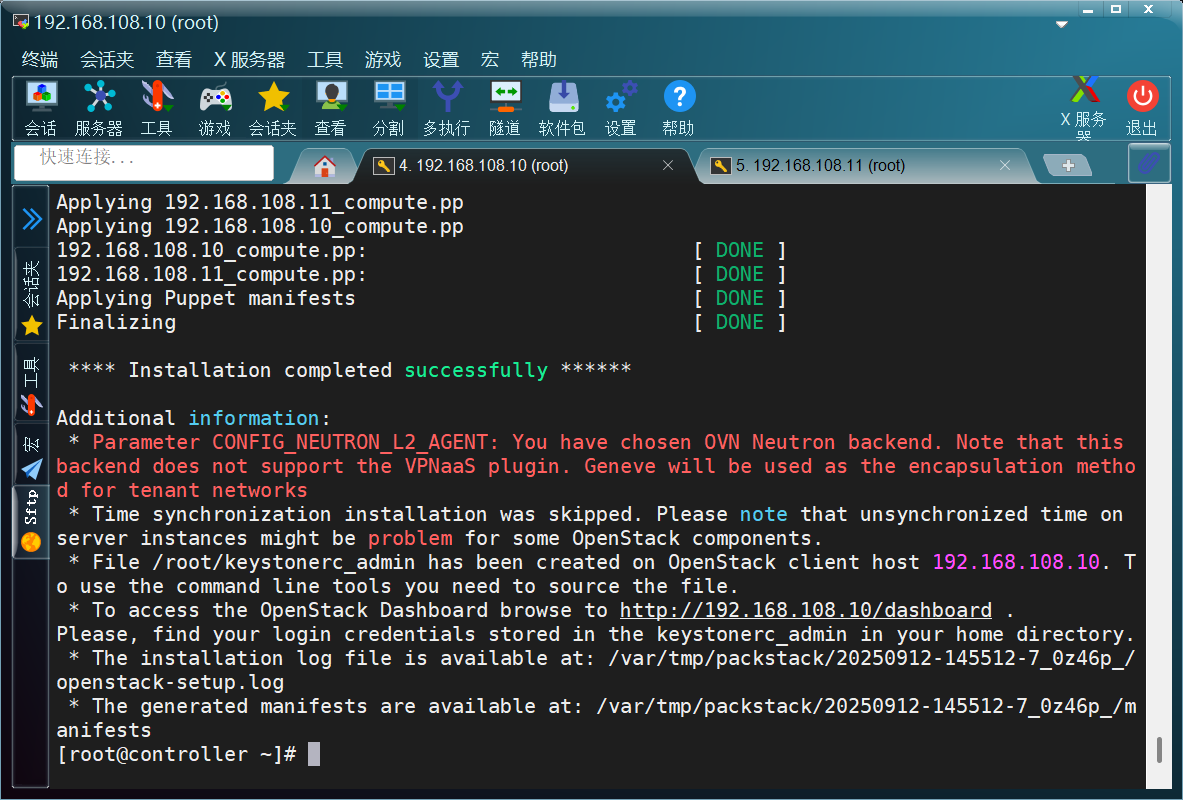
 * Parameter CONFIG_NEUTRON_L2_AGENT: You have chosen OVN Neutron backend. Note that this backend does not support the VPNaaS plugin. Geneve will be used as the encapsulation method for tenant networks
更改应答文件
controller:
[root@controller ~]# sed -i '/^CONFIG_COMPUTE_HOSTS=/cCONFIG_COMPUTE_HOSTS=192.168.108.10,192.168.108.11' answers.txt
[root@controller ~]# sed -i '/^CONFIG_PROVISION_DEMO=/cCONFIG_PROVISION_DEMO=n' answers.txt
[root@controller ~]# sed -i '/^CONFIG_HEAT_INSTALL=/cCONFIG_HEAT_INSTALL=y' answers.txt
[root@controller ~]# sed -i '/^CONFIG_NEUTRON_OVN_BRIDGE_IFACES=/cCONFIG_NEUTRON_OVN_BRIDGE_IFACES=br-ex:ens160' answers.txt
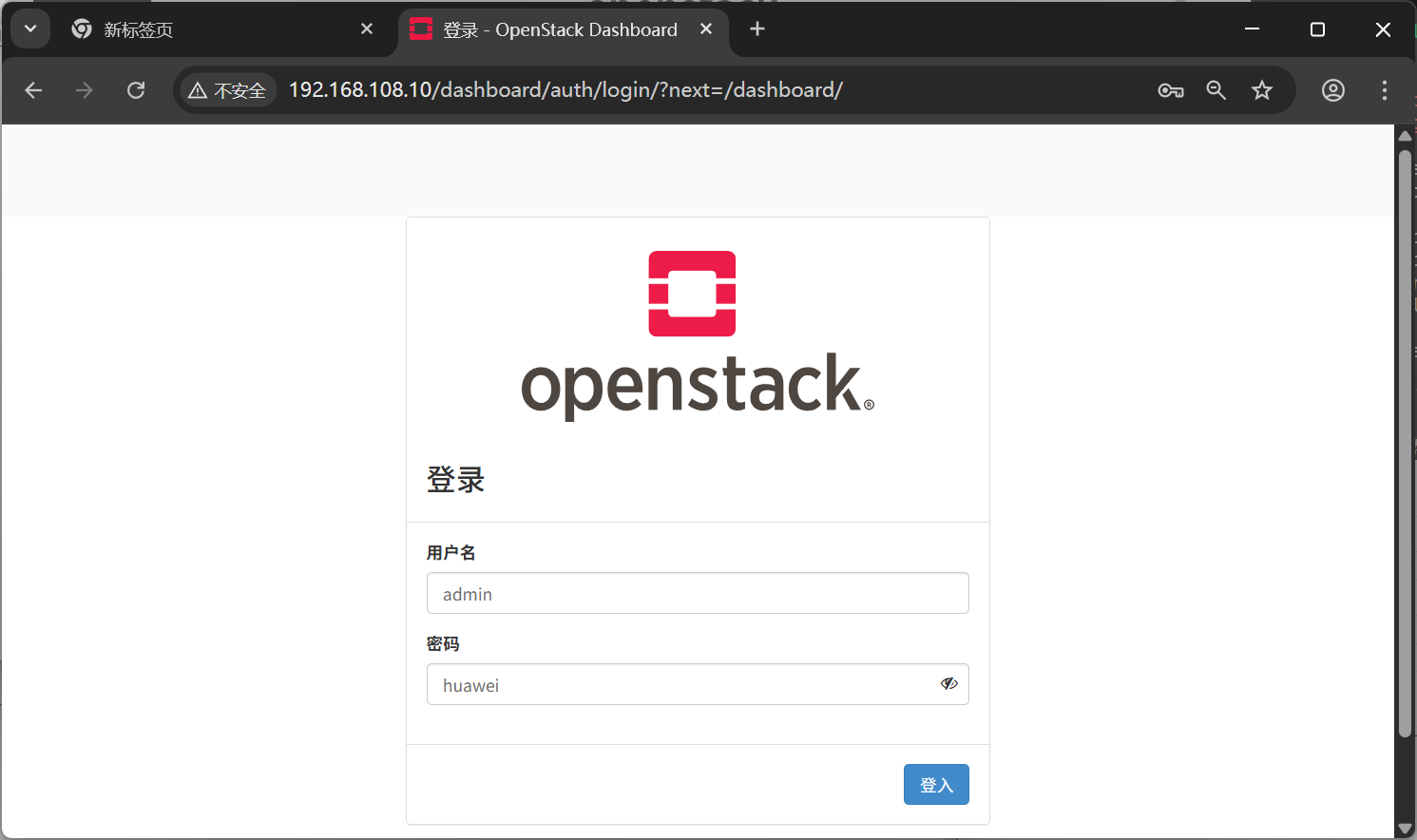
[root@controller ~]# sed -i.bak -r 's/(.+_PW)=[0-9a-z]+/\1=huawei/g' answers.txt
关闭NetworkManager
controller:
[root@controller ~]# systemctl stop NetworkManager; systemctl disable NetworkManager; systemctl mask NetworkManager
Removed /etc/systemd/system/multi-user.target.wants/NetworkManager.service.
Removed /etc/systemd/system/dbus-org.freedesktop.nm-dispatcher.service.
Removed /etc/systemd/system/network-online.target.wants/NetworkManager-wait-online.service.
Created symlink /etc/systemd/system/NetworkManager.service → /dev/null.
compute:
[root@compute ~]# systemctl stop NetworkManager; systemctl disable NetworkManager; systemctl mask NetworkManager
Removed /etc/systemd/system/multi-user.target.wants/NetworkManager.service.
Removed /etc/systemd/system/dbus-org.freedesktop.nm-dispatcher.service.
Removed /etc/systemd/system/network-online.target.wants/NetworkManager-wait-online.service.
Created symlink /etc/systemd/system/NetworkManager.service → /dev/null.
根据应答文件配置安装openstack
controller:
[root@controller ~]# packstack --answer-file=answers.txt
Welcome to the Packstack setup utility

The installation log file is available at: /var/tmp/packstack/20250912-145512-7_0z46p_/openstack-setup.log

Installing:
Clean Up                                             [ DONE ]
Discovering ip protocol version                      [ DONE ]
root@192.168.108.11's password:
root@192.168.108.10's password:
Setting up ssh keys                                  [ DONE ]
Preparing servers                                    [ DONE ]
......
安装完成
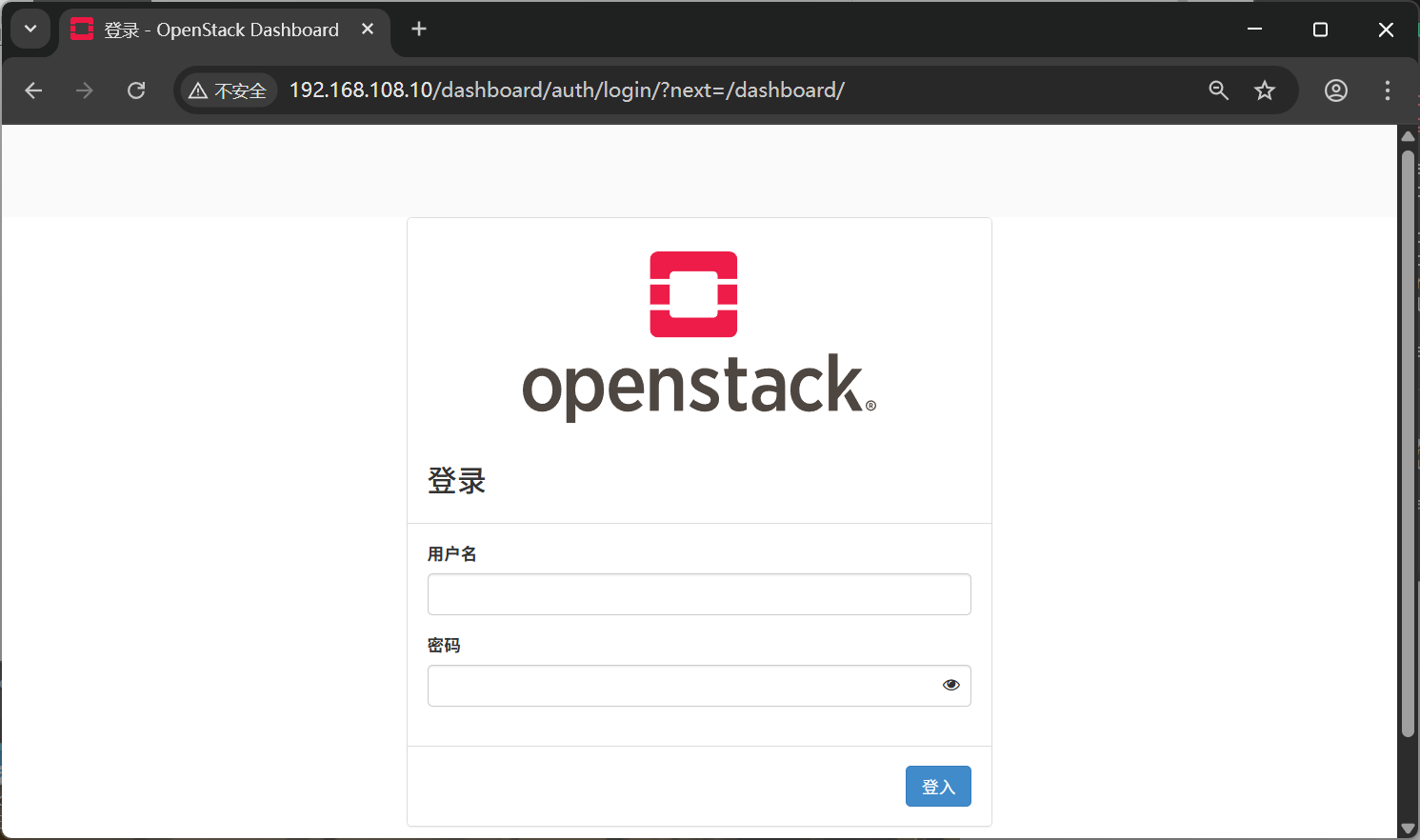
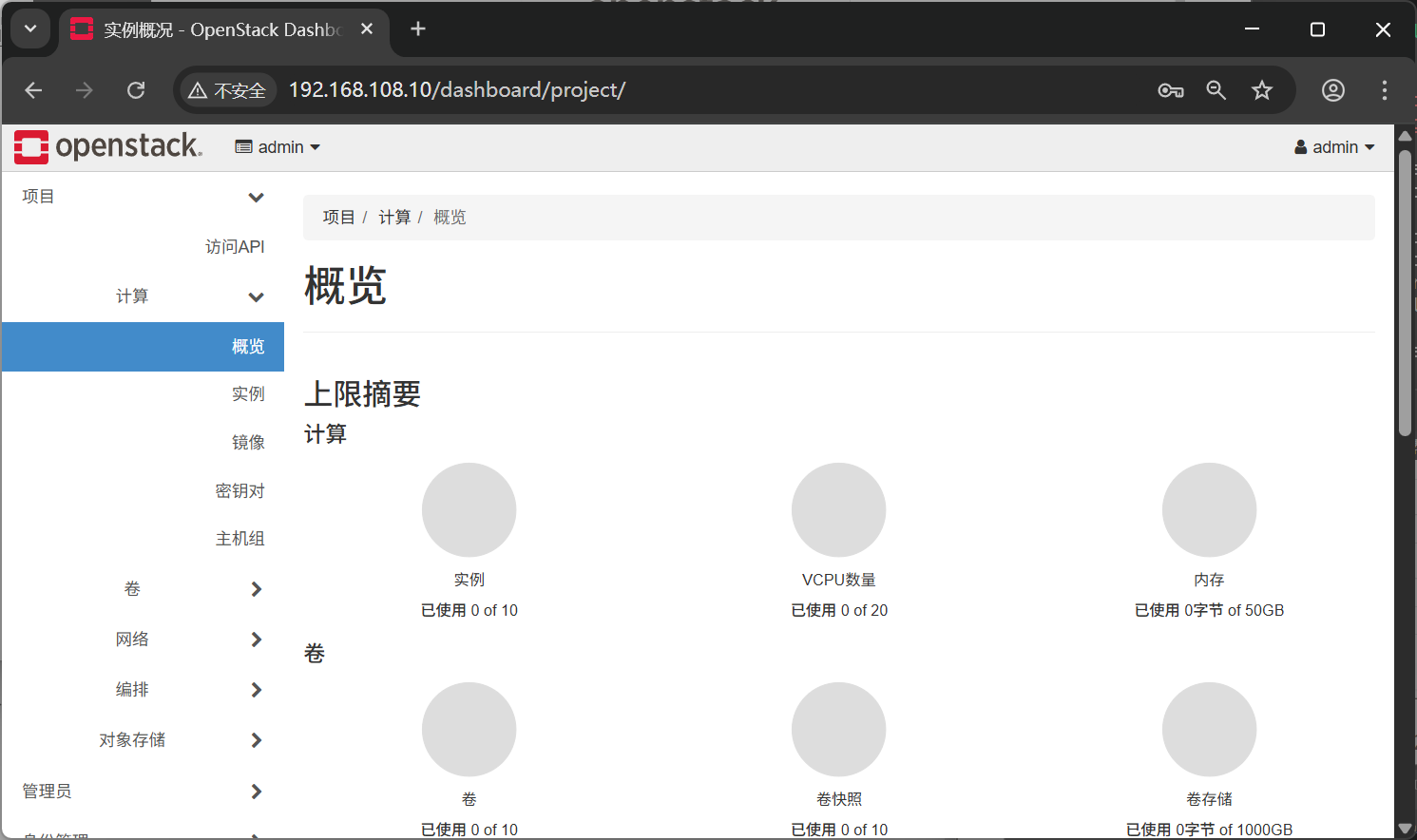
登录测试
开启network服务
controller:
[root@controller ~]# systemctl start network
[root@controller ~]# systemctl enable network
network.service is not a native service, redirecting to systemd-sysv-install.
Executing: /usr/lib/systemd/systemd-sysv-install enable network
[root@controller ~]#
compute:
[root@compute ~]# systemctl start network
[root@compute ~]# systemctl enable network
network.service is not a native service, redirecting to systemd-sysv-install.
Executing: /usr/lib/systemd/systemd-sysv-install enable network
[root@compute ~]#
配置OpenStack命令补全
# 只在controller里面写入
[root@controller ~]# openstack complete >> /etc/bash_completion.d/complete
The 'openstack bgp speaker show dragents' CLI is deprecated and will be removed in the future. Use 'openstack bgp dragent list' CLI instead.
配置完成,安装结束
compute:
[root@compute ~]# systemctl start network
[root@compute ~]# systemctl enable network
network.service is not a native service, redirecting to systemd-sysv-install.
Executing: /usr/lib/systemd/systemd-sysv-install enable network
[root@compute ~]#
配置OpenStack命令补全
# 只在controller里面写入
[root@controller ~]# openstack complete >> /etc/bash_completion.d/complete
The 'openstack bgp speaker show dragents' CLI is deprecated and will be removed in the future. Use 'openstack bgp dragent list' CLI instead.
配置完成,安装结束





 扫一扫
扫一扫


 1555
1555

 被折叠的 条评论
为什么被折叠?
被折叠的 条评论
为什么被折叠?
 到【灌水乐园】发言





