


使用背景
在日常开发中,可能会遇到一种需求,进去到项目后若XXX则需要在页面右下角/左上角/右上角/左下角进行弹窗提示,那么这个时候使用vue内置的$notify就可以简便完美的解决这个问题
使用方式
 const h = this.$createElement;
 //this.instance是用于控制弹窗关闭的
 this.instance = this.$notify({
        customClass: "crisis-value-notify",
        title: "提醒",
        duration: 10000,
        position: "bottom-right",
        dangerouslyUseHTMLString: true,
        message: h("div", { class: "notify-info" }, [
          h("div", { class: "red-info" }, length ? length : data.length),
          h("p", { class: "ml8" }, `仪器:${data[0].instrumentName}`),
          h("p", { class: "ml8" }, `样本号:${data[0].sampleNo},存在XX`),
          h("div", { class: "crisis-value-notify-btns" }, [
            h(
              "div",
              {
                class: "ignore notify-btn",
                on: {
                  click: () => {
                    this.ignoreHandler(需要传入的参数);
                  },
                },
              },
              `按钮1`,
            ),
            h("div", { class: "ignoreAll notify-btn", on: { click: this.ignoreAllHandler } }, `按钮2`),
            h("div", { class: "button-style notify-btn", on: { click: this.NotifiCationClick } }, "按钮3"),
          ]),
        ]),
      });
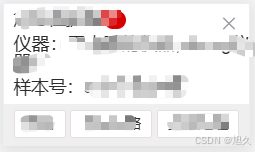
下面是运行后出现的效果 因为设置了bottom-right所以出现的位置为右下角
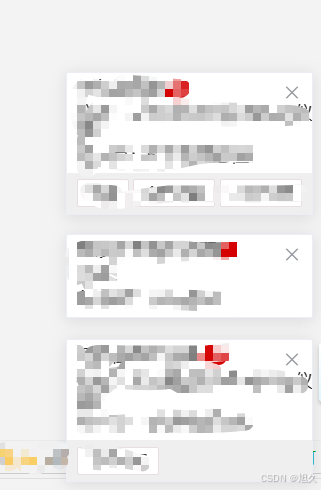
关闭的话可直接this.instance.close(); 多个的话需要设置多个变量去控制 同一位置同一时间出来多个的情况时 会自己累加 不会重叠 例:
基础api
title:标题
message:说明文字 (上面是我自定义了展示内容 所以需要使用h标签和dangerouslyUseHTMLString)
position: 弹出位置(top-right、top-left、bottom-right、bottom-left,默认为top-right)
duration: 弹窗关闭的时间间隔(多少秒后自动关闭 默认为4500毫秒)
type: 弹窗类型icon(success error warning message)
offset:距离屏幕边缘偏移量
showClose: 是否显示关闭按钮(默认是)
注:若点击事件想要传参则需要使用箭头函数如代码片段按钮1,否则直接传参点击事件则不生效
注:可搭配定时器使用 但是如果在其他页面不需要弹出 则需要在销毁事件内进行销毁定时器,否则在其他页面内也会弹出





 扫一扫
扫一扫


 被折叠的 条评论
为什么被折叠?
被折叠的 条评论
为什么被折叠?
 到【灌水乐园】发言





