



 本文详细介绍了使用MyBatis进行CRUD操作的步骤,包括查询所有、按ID查询、条件查询、动态查询、添加、修改和删除记录,同时讲解了如何处理字段别名、动态SQL以及批处理删除,最后提到了MyBatis的注解开发方式。
文章目录
发现宝藏
前些天发现了一个巨牛的人工智能学习网站,通俗易懂,风趣幽默,忍不住分享一下给大家。【宝藏入口】。
前言
为了巩固所学的知识,作者尝试着开始发布一些学习笔记类的博客,方便日后回顾。当然,如果能帮到一些萌新进行新技术的学习那也是极好的。作者菜菜一枚,文章中如果有记录错误,欢迎读者朋友们批评指正。
(博客的参考源码可以在我主页的资源里找到,如果在学习的过程中有什么疑问欢迎大家在评论区向我提出)
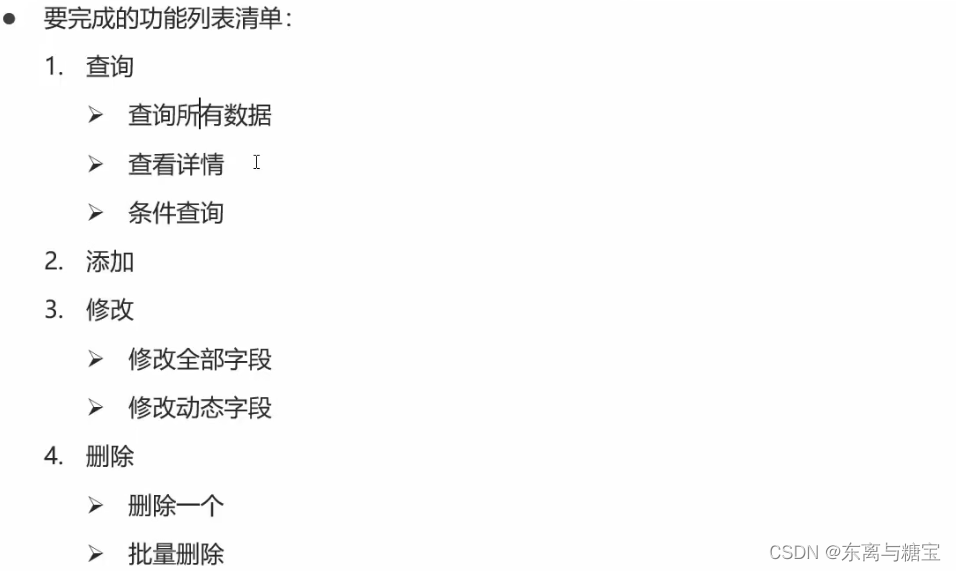
1.学习目标
2.入门案例环境准备
(详细代码可以在作者主页的mybatisy源码re_crud_demo模块里找到)
- 在数据库创建实体类表tb_brand
- 代码
-- 删除tb_brand表
drop table if exists tb_brand;
-- 创建tb_brand表
create table tb_brand
(
    -- id 主键
    id           int primary key auto_increment,
    -- 品牌名称
    brand_name   varchar(20),
    -- 企业名称
    company_name varchar(20),
    -- 排序字段
    ordered      int,
    -- 描述信息
    description  varchar(100),
    -- 状态:0:禁用  1:启用
    status       int
);
-- 添加数据
insert into tb_brand (brand_name, company_name, ordered, description, status)
values ('三只松鼠', '三只松鼠股份有限公司', 5, '好吃不上火', 0),
       ('华为', '华为技术有限公司', 100, '华为致力于把数字世界带入每个人、每个家庭、每个组织,构建万物互联的智能世界', 1),
       ('小米', '小米科技有限公司', 50, 'are you ok', 1);


SELECT * FROM tb_brand;
- 效果

- 创建对应的实体类brand
package org.example.pojo;

//此处省略getter、setter和toString方法
public class Brand {
    // id 主键
    private Integer id;
    // 品牌名称
    private String brandName;
    // 企业名称
    private String companyName;
    // 排序字段
    private Integer ordered;
    // 描述信息
    private String description;
    // 状态:0:禁用  1:启用
    private Integer status;
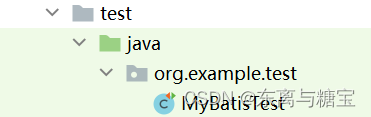
- 在test包下的test文件下创建测试样例MybatisTest
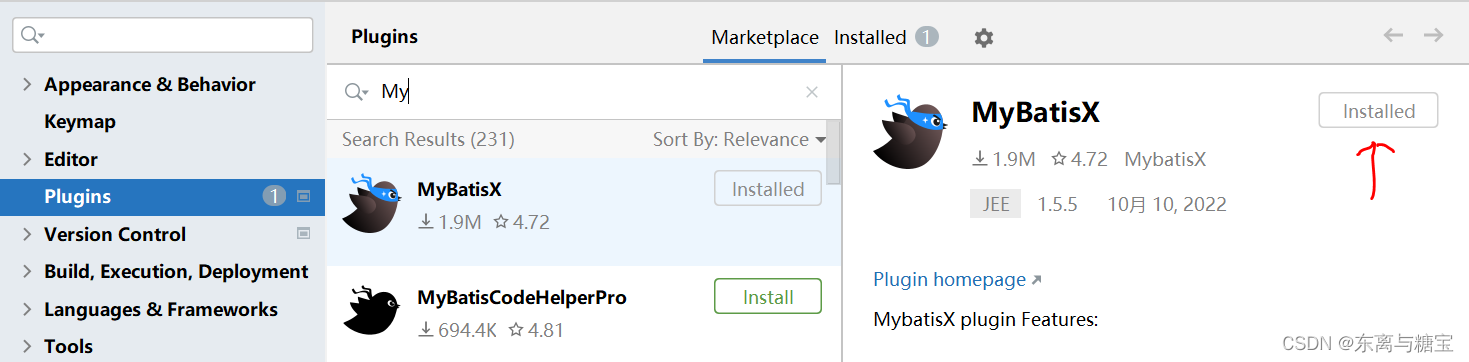
- 安装MybatisX插件
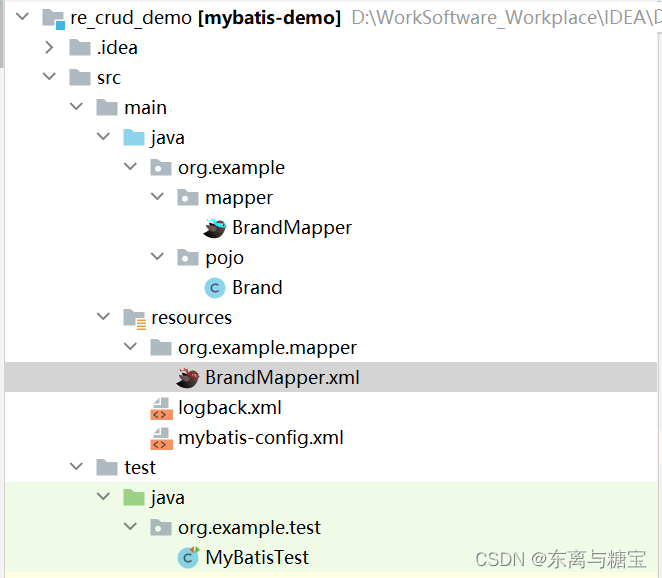
- 文件结构预览
3.查询–查询所有
- 操作步骤
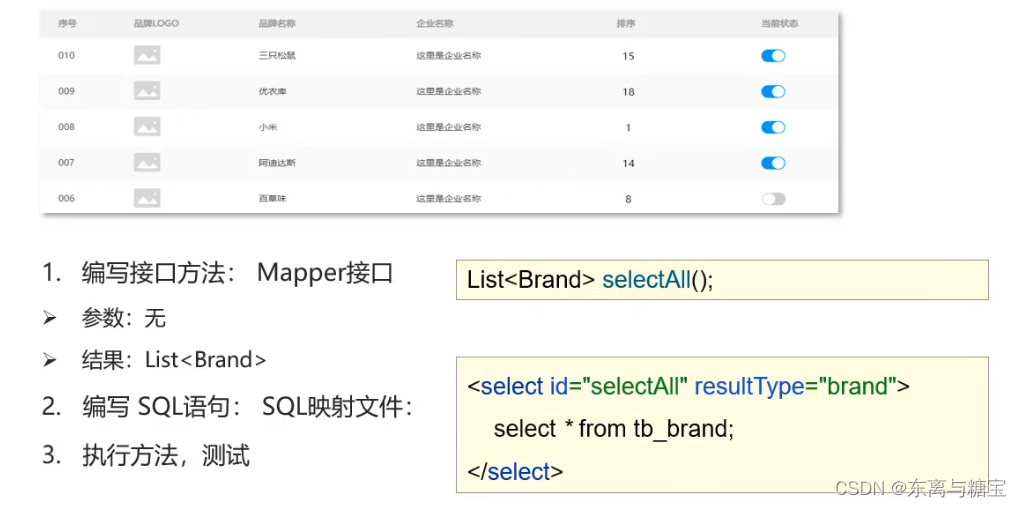
- 编写接口方法:Mapper接口
public interface BrandMapper {
    /**
     * 查询所有
     */
    List<Brand> selectAll();
}
- 编写SQL语句:SQL映射文件
<?xml version="1.0" encoding="UTF-8" ?>
<!DOCTYPE mapper
        PUBLIC "-//mybatis.org//DTD Mapper 3.0//EN"
        "http://mybatis.org/dtd/mybatis-3-mapper.dtd">

<!--
    namespace:名称空间
-->

<mapper namespace="org.example.mapper.BrandMapper">

    <select id="selectAll" resultMap="brandResultMap">
        select *
        from tb_brand;
    </select>

</mapper>
- 编写测试样例
public class MyBatisTest {

    @Test
    public void testSelectAll() throws IOException {
        //1. 获取SqlSessionFactory
        String resource = "mybatis-config.xml";
        InputStream inputStream = Resources.getResourceAsStream(resource);
        SqlSessionFactory sqlSessionFactory = new SqlSessionFactoryBuilder().build(inputStream);

        //2. 获取SqlSession对象
        SqlSession sqlSession = sqlSessionFactory.openSession();

        //3. 获取Mapper接口的代理对象
        BrandMapper brandMapper = sqlSession.getMapper(BrandMapper.class);

        //4. 执行方法
        List<Brand> brands = brandMapper.selectAll();
        System.out.println(brands);

        //5. 释放资源
        sqlSession.close();

    }

}
- 运行结果
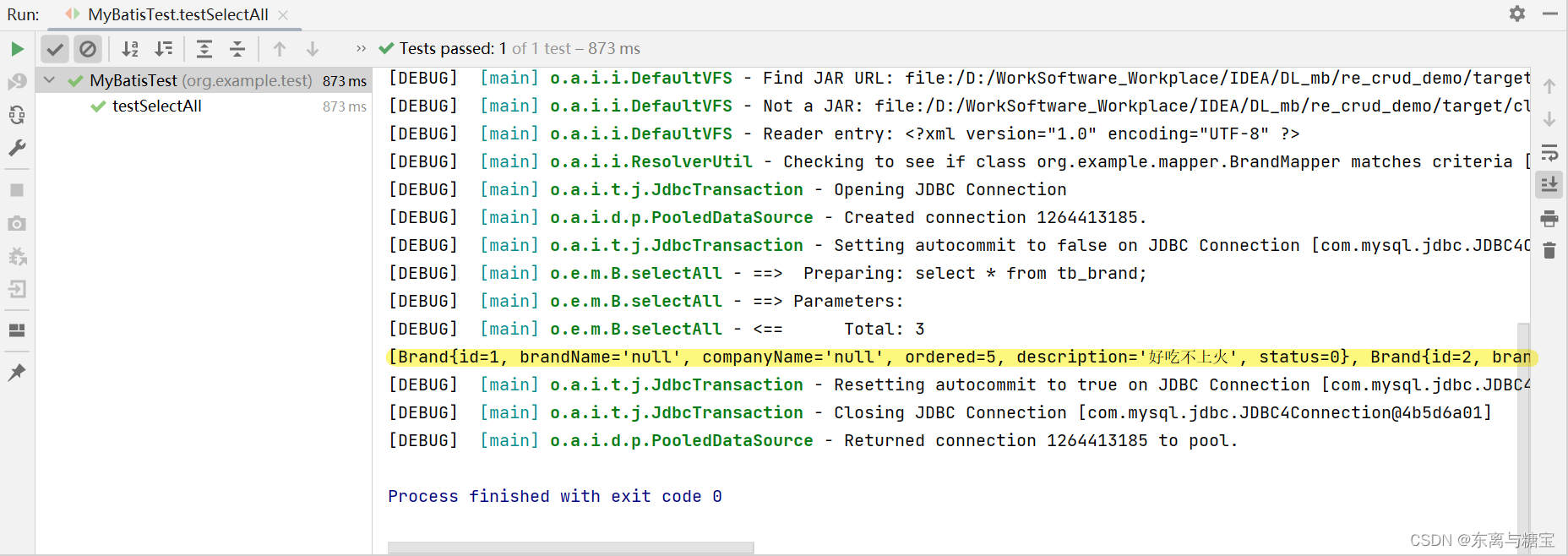
- 小结
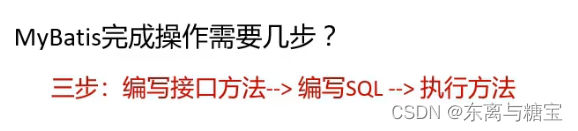
- 问题
- 问题描述: 查询出来的brandName和companyName为空
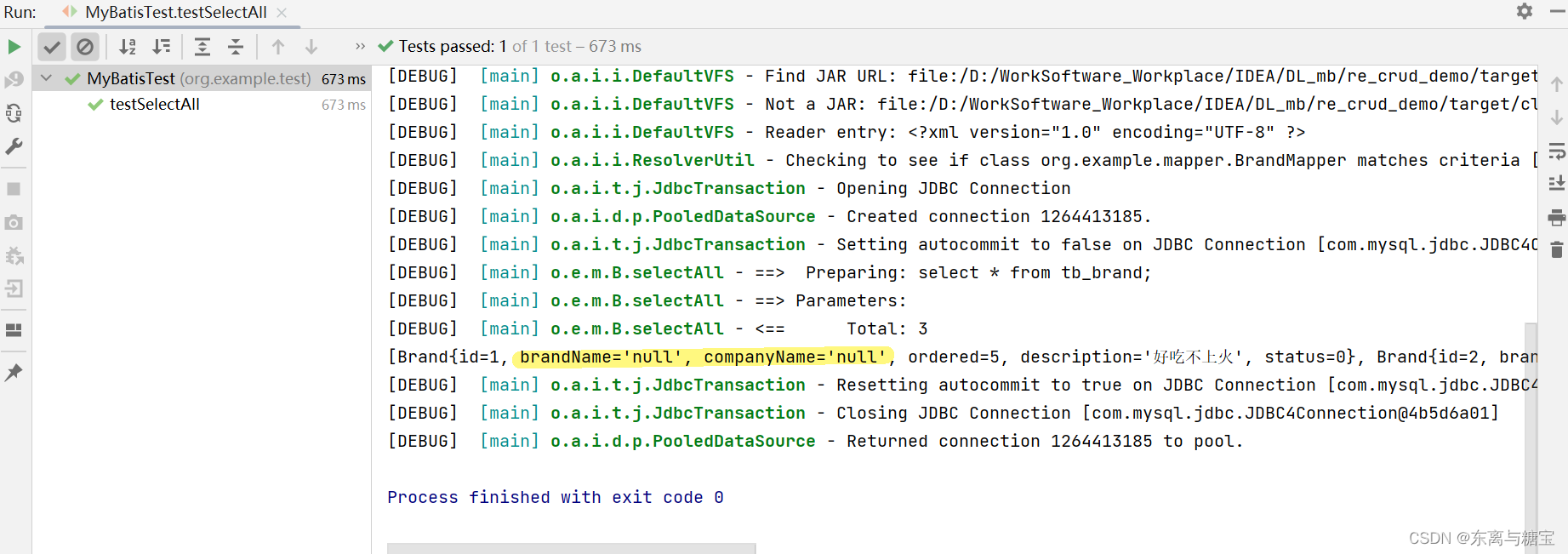
- 原因: 数据库表的字段名称 和 实体类的属性名称 不一样,则不能自动封装数据
(实体类属性名)
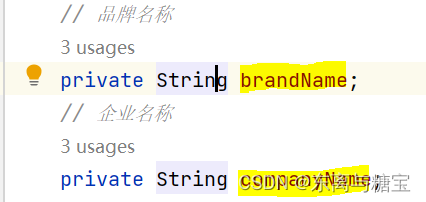
(数据库名称)
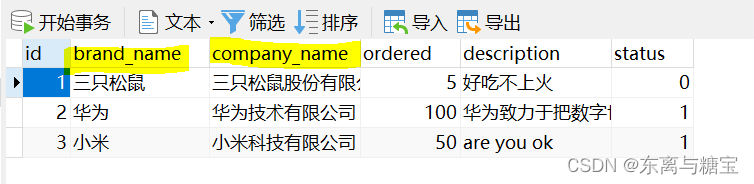
-
解决方案一
起别名:对不一样的列名起别名,让别名和实体类的属性名一样
     * 缺点:每次查询都要定义一次别名
         * sql片段
            * 缺点:不灵活

(sql片段):
    <!--
        sql片段
    -->
    <sql id="brand_column">
         id, brand_name as brandName, company_name as companyName, ordered, description, status
     </sql>

     <select id="selectAll" resultType="brand">
         select
             <include refid="brand_column" />
         from tb_brand;
     </select>
运行结果:
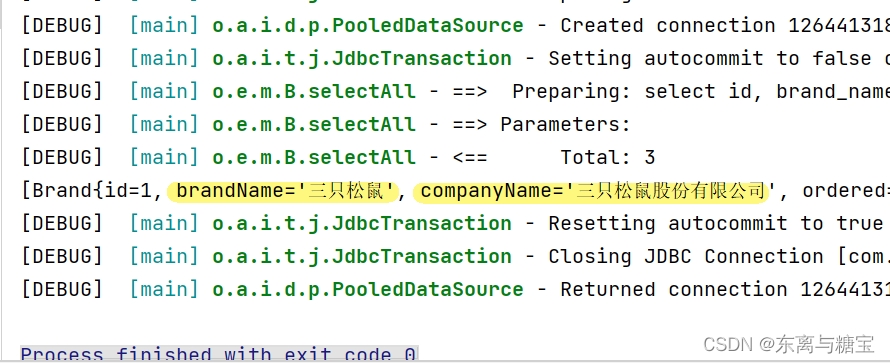
-
解决方案二:resultMap
 resultMap:
     1. 定义<resultMap>标签
     2. 在<select>标签中,使用resultMap属性替换 resultType属性
对应的xml配置文件:
<?xml version="1.0" encoding="UTF-8" ?>
<!DOCTYPE mapper
        PUBLIC "-//mybatis.org//DTD Mapper 3.0//EN"
        "http://mybatis.org/dtd/mybatis-3-mapper.dtd">

<!--
    namespace:名称空间
-->

<mapper namespace="org.example.mapper.BrandMapper">

<!--    id属性 ,resultMap标签的标识。-->
<!--    type属性 ,返回值的全限定类名,或类型别名。-->
    <resultMap id="brandResultMap" type="brand">
        <!--
            id:完成主键字段的映射
                column:表的列名
                property:实体类的属性名
            result:完成一般字段的映射
                column:表的列名
                property:实体类的属性名
        -->
        <result column="brand_name" property="brandName"/>
        <result column="company_name" property="companyName"/>
    </resultMap>


    <select id="selectAll" resultMap="brandResultMap">
        select *
        from tb_brand;
    </select>

</mapper>
运行结果:
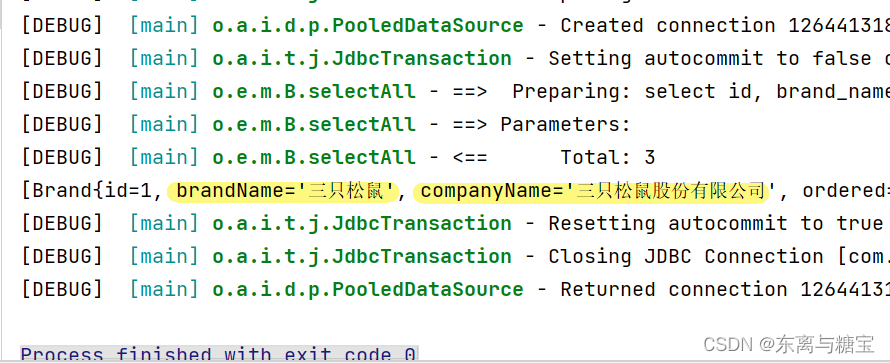
4.查询–根据id查询
- 操作步骤
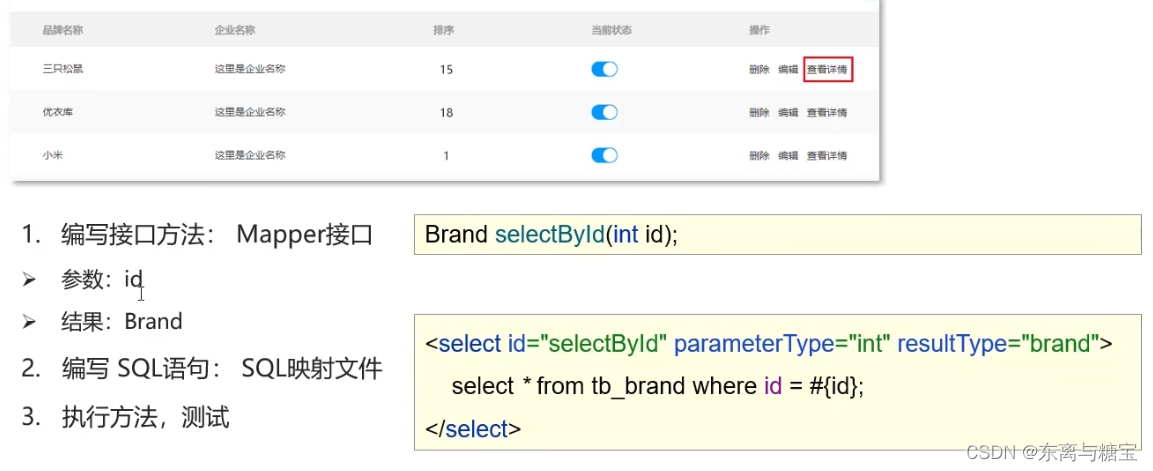
2. 编写接口方法:Mapper接口
package org.example.mapper;


import org.example.pojo.Brand;

import java.util.List;


public interface BrandMapper {

    /**
     * 查询所有
     */
    List<Brand> selectAll();

    /**
     * 查看详情:根据Id查询
     */
    Brand selectById(int id);


}
package org.example.mapper;


import org.example.pojo.Brand;

import java.util.List;


public interface BrandMapper {

    /**
     * 查看详情:根据Id查询
     */
    Brand selectById(int id);


}
- 编写SQL语句:SQL映射文件
<?xml version="1.0" encoding="UTF-8" ?>
<!DOCTYPE mapper
        PUBLIC "-//mybatis.org//DTD Mapper 3.0//EN"
        "http://mybatis.org/dtd/mybatis-3-mapper.dtd">

<!--
    namespace:名称空间
-->

<mapper namespace="org.example.mapper.BrandMapper">

    <resultMap id="brandResultMap" type="brand">
        <result column="brand_name" property="brandName"/>
        <result column="company_name" property="companyName"/>
    </resultMap>

    <select id="selectById" resultMap="brandResultMap">
        select *
        from tb_brand where id = #{id};
    </select>

</mapper>
- 编写测试样例
public class MyBatisTest {

    @Test
    public void testSelectById() throws IOException {
        //接收参数
        int id = 1;

        //1. 获取SqlSessionFactory
        String resource = "mybatis-config.xml";
        InputStream inputStream = Resources.getResourceAsStream(resource);
        SqlSessionFactory sqlSessionFactory = new SqlSessionFactoryBuilder().build(inputStream);

        //2. 获取SqlSession对象
        SqlSession sqlSession = sqlSessionFactory.openSession();

        //3. 获取Mapper接口的代理对象
        BrandMapper brandMapper = sqlSession.getMapper(BrandMapper.class);

        //4. 执行方法
        Brand brand = brandMapper.selectById(id);
        System.out.println(brand);

        //5. 释放资源
        sqlSession.close();

    }

}
- 运行结果
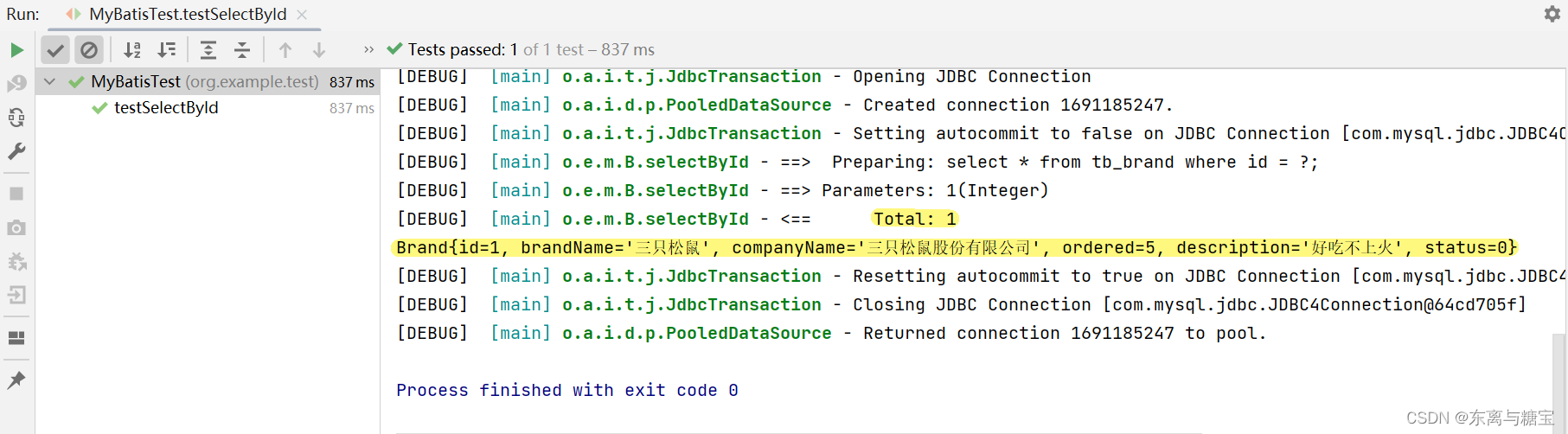
- BrandMapper.xml中的sql语句的参数占位符

1. #{}:会将其替换为 ?,为了防止SQL注入

2. ${}:拼sql。会存在SQL注入问题

3. 使用时机:
    * 参数传递的时候:#{}
    * 表名或者列名不固定的情况下:${} 会存在SQL注入问题
- BrandMapper.xml配置文件中sql语句select标签中的参数类型

* 参数类型:parameterType:可以省略
- sql语句中的特殊字符处理

     * 特殊字符处理:
        1. 转义字符:

2. CDATA区:
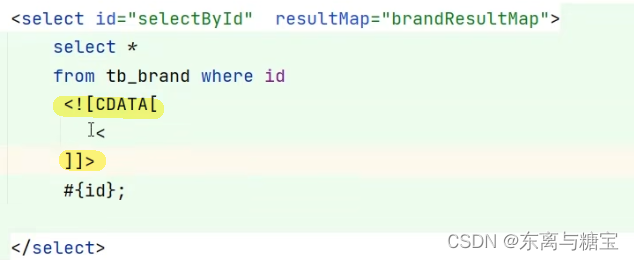
5. 查询–条件查询
- 操作步骤
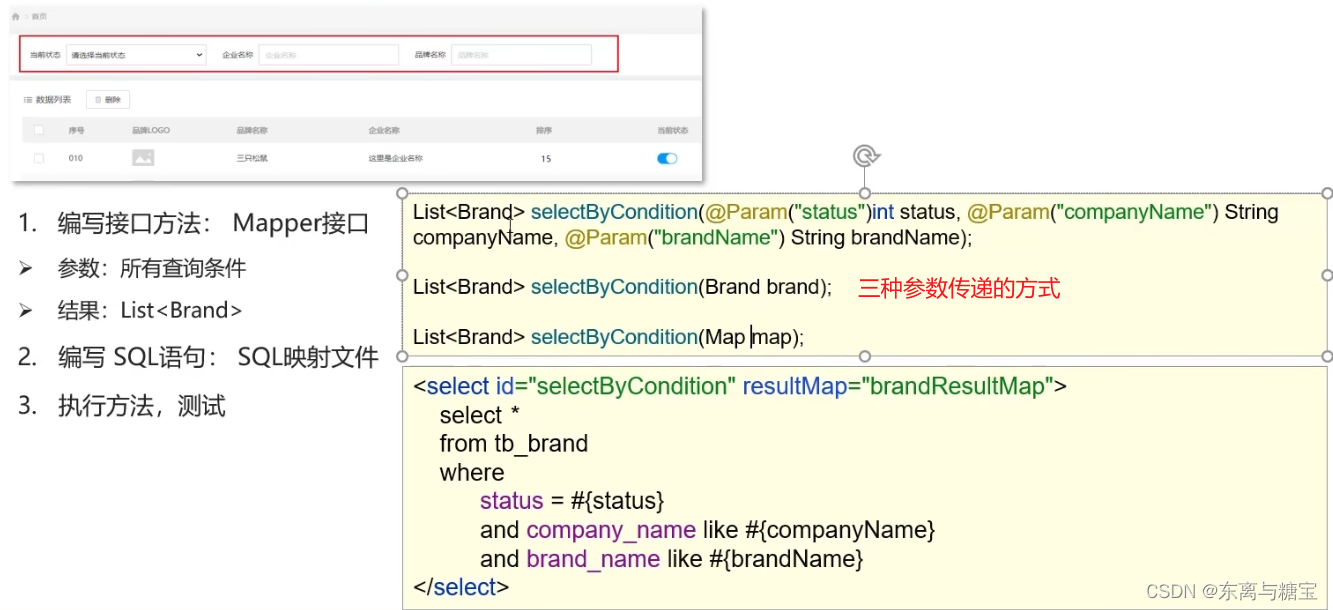
- 编写接口方法:Mapper接口
public interface BrandMapper {

    /**
     * 条件查询
     *  * 参数接收
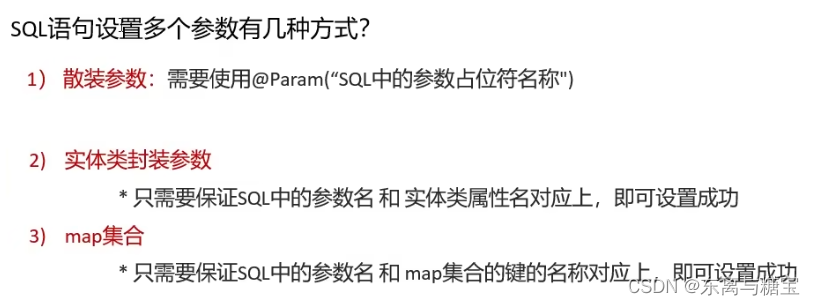
     *      1. 散装参数:如果方法中有多个参数,需要使用@Param("SQL参数占位符名称")
     *      2. 对象参数:对象的属性名称要和参数占位符名称一致
     *      3. map集合参数:map集合的键值要和参数占位符名称一致
     *
     */

//方式一:接收散装参数
    List<Brand> selectByCondition(@Param("status") int status, @Param("companyName") String companyName, @Param("brandName") String brandName);

//放肆二:接收对象参数
    //List<Brand> selectByCondition(Brand brand);

//方式三:接收map集合参数
    //List<Brand> selectByCondition(Map map);

}
- 编写SQL语句:SQL映射文件
<?xml version="1.0" encoding="UTF-8" ?>
<!DOCTYPE mapper
        PUBLIC "-//mybatis.org//DTD Mapper 3.0//EN"
        "http://mybatis.org/dtd/mybatis-3-mapper.dtd">

<!--
    namespace:名称空间
-->

<mapper namespace="org.example.mapper.BrandMapper">

    <resultMap id="brandResultMap" type="brand">
        <result column="brand_name" property="brandName"/>
        <result column="company_name" property="companyName"/>
    </resultMap>

<!--
    条件查询
-->
    <select id="selectByCondition" resultMap="brandResultMap">
        select *
        from tb_brand
        where status = #{status}
          and company_name like #{companyName}
          and brand_name like #{brandName}
    </select>

</mapper>
- 编写测试样例
public class MyBatisTest {

    @Test
    public void testSelectByCondition() throws IOException {
//方式一: 接收散装参数
        //接收参数
        int status = 1;
        String companyName = "华为";
        String brandName = "华为";

        // 处理参数
        companyName = "%" + companyName + "%";
        brandName = "%" + brandName + "%";

//方式二:接收对象参数
//封装对象
//      Brand brand = new Brand();
//      brand.setStatus(status);
//      brand.setCompanyName(companyName);
//      brand.setBrandName(brandName);

//方式三:接收散装参数
//        Map map = new HashMap();
//        map.put("status" , status);
//        map.put("companyName", companyName);
//        map.put("brandName" , brandName);

        //1. 获取SqlSessionFactory
        String resource = "mybatis-config.xml";
        InputStream inputStream = Resources.getResourceAsStream(resource);
        SqlSessionFactory sqlSessionFactory = new SqlSessionFactoryBuilder().build(inputStream);

        //2. 获取SqlSession对象
        SqlSession sqlSession = sqlSessionFactory.openSession();

        //3. 获取Mapper接口的代理对象
        BrandMapper brandMapper = sqlSession.getMapper(BrandMapper.class);

        //4. 执行方法
//方式一:接收散装参数
        List<Brand> brands = brandMapper.selectByCondition(status, companyName, brandName);

//方式二:接收对象参数
        //List<Brand> brands = brandMapper.selectByCondition(brand);

//方式三:接收集合参数
        //List<Brand> brands = brandMapper.selectByCondition(map);
        System.out.println(brands);

        //5. 释放资源
        sqlSession.close();

    }

}
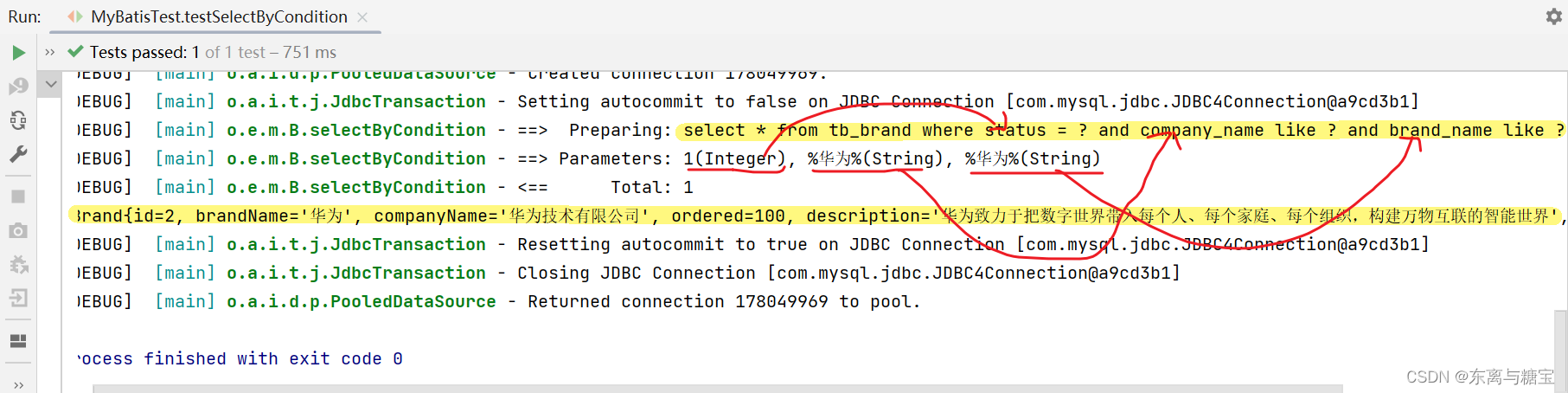
- 运行结果
- 小结
6.查询–多条件动态查询
(在多条件查询的基础上修改BrandMapper.xml中的SQL语句的书写部分)
- 情景导入
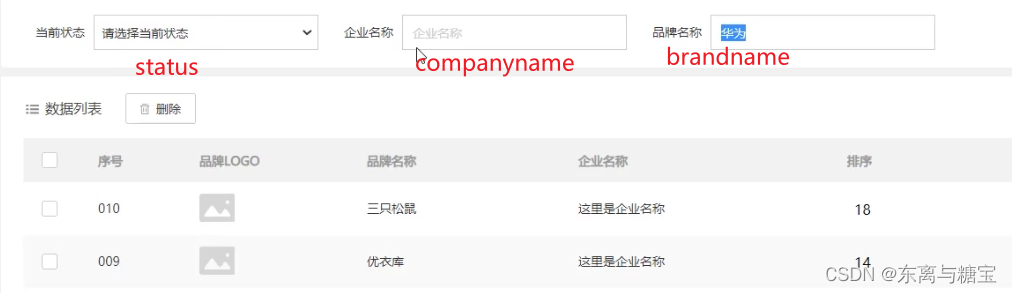
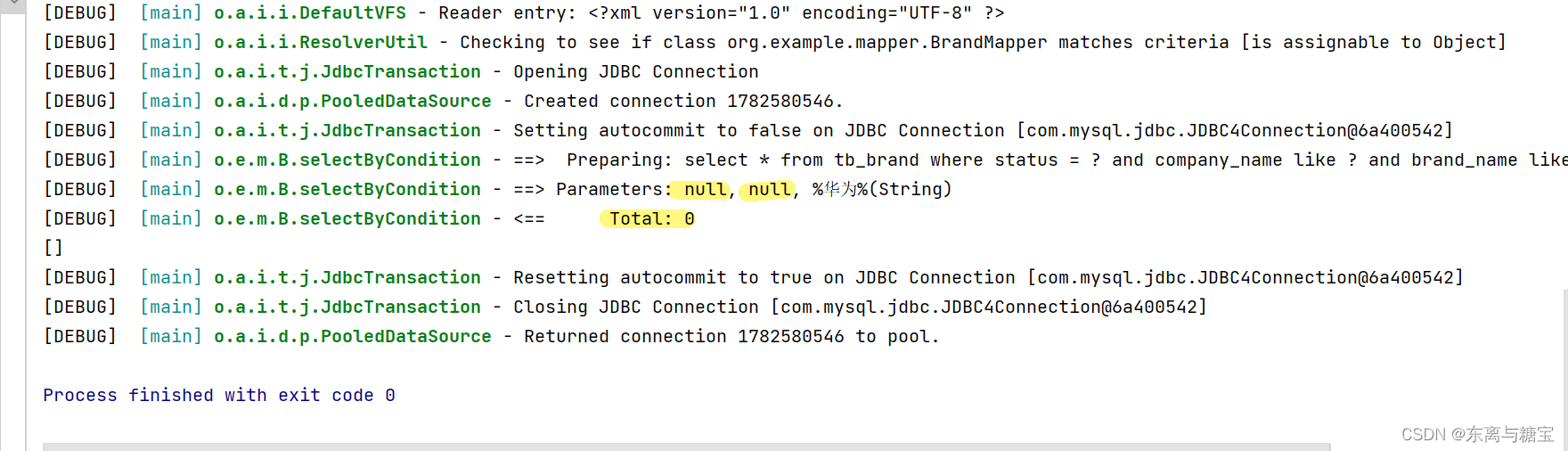
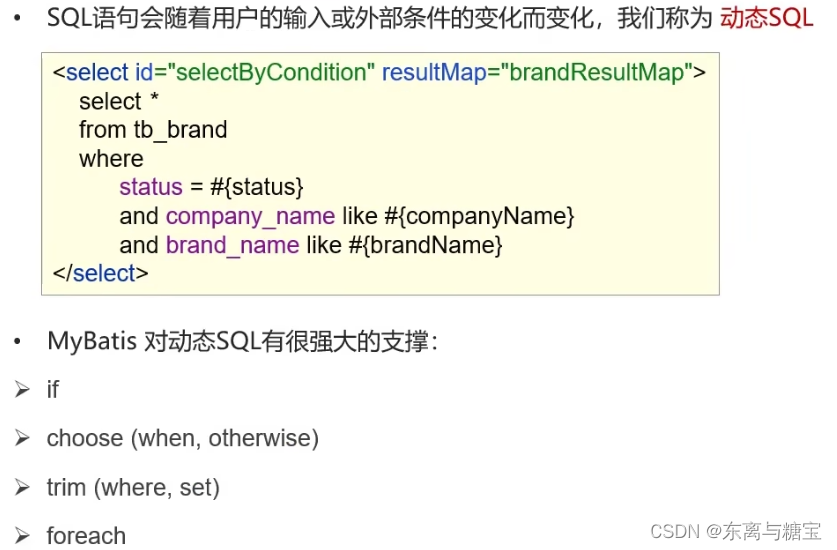
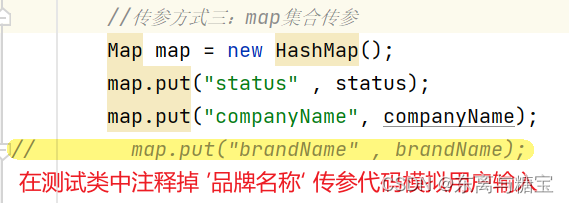
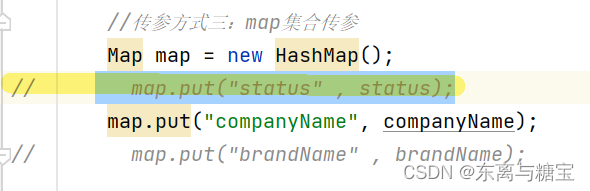
在多条件查询的基础案例中我们发现,查询多条件的sql语句需要获取当前状态status,企业名称companyname,品牌名称brandname三个参数,缺一不可。如果只输入品牌名称,该查询无法完成,不符合实际需求,报错实例(在传参代码书写时将status和companyname的部分注释掉)如下:
因此,我们需要动态SQL来辅助我们解决类似的问题。动态 SQL 是 MyBatis 的强大特性之一。如果你使用过 JDBC 或其它类似的框架,你应该能理解根据不同条件拼接 SQL 语句有多痛苦,例如拼接时要确保不能忘记添加必要的空格,还要注意去掉列表最后一个列名的逗号。利用动态 SQL,可以彻底摆脱这种痛苦。
- 操作步骤
- 编写SQL语句:SQL映射文件
 <select id="selectByCondition" resultMap="brandResultMap">
        select *
        from tb_brand
        where
            <if test="status != null">
                status = #{status}
            </if>
            <if test="companyName != null and companyName != '' ">
                and company_name like #{companyName}
            </if>
            <if test="brandName != null and brandName != '' ">
                and brand_name like #{brandName}
            </if>
    </select>
- 编写测试样例
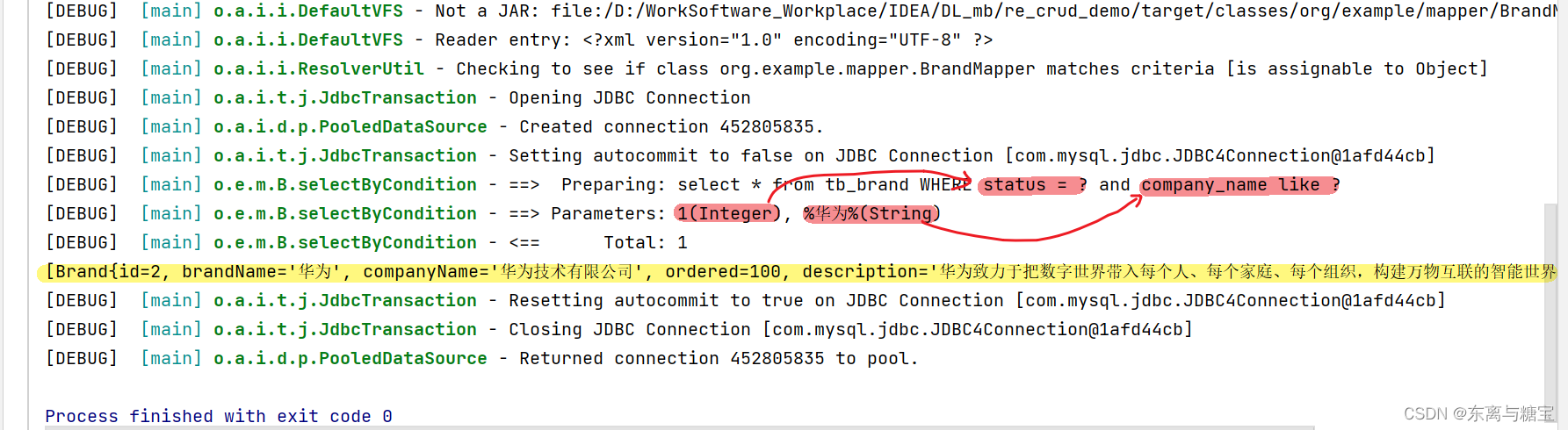
- 运行结果
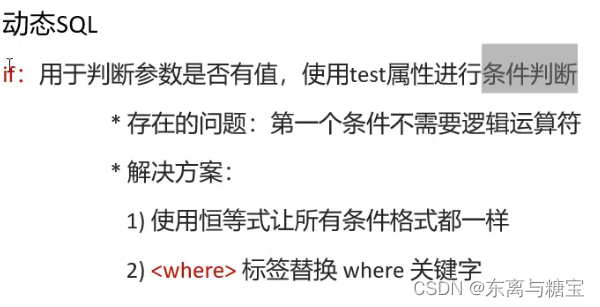
- 存在问题
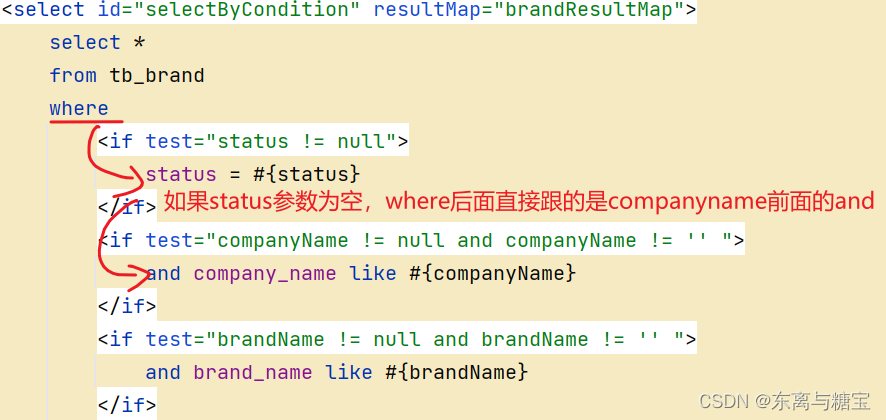
当我们把where后面的第一个参数也注释掉我们发现程序就会报错,原因查看运行结果中的sql语句就一目了然了,如下:
(sql语句)
(测试样例)
(运行结果)
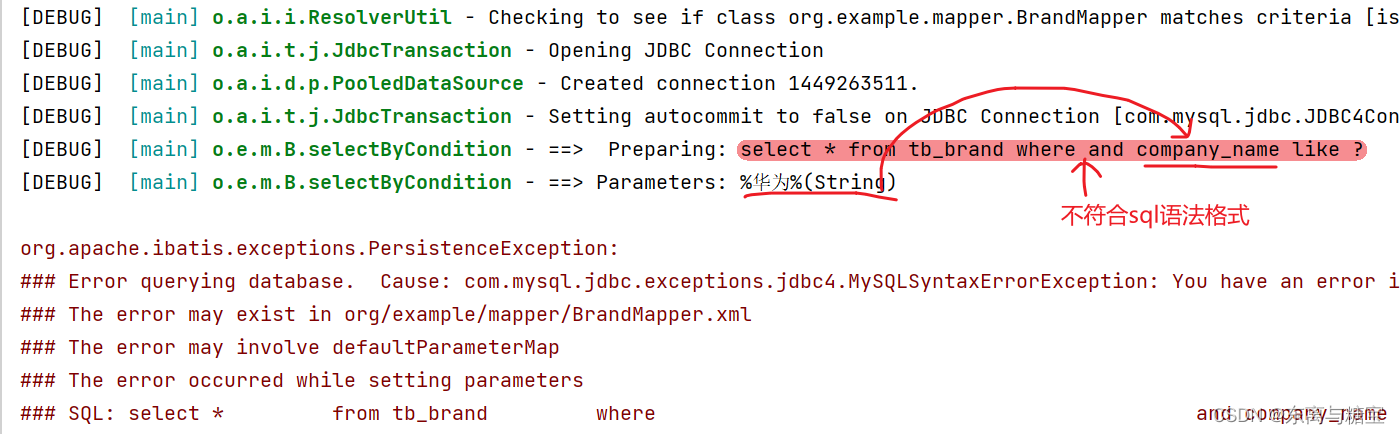
- 改进方式一
(sql语句书写改进)
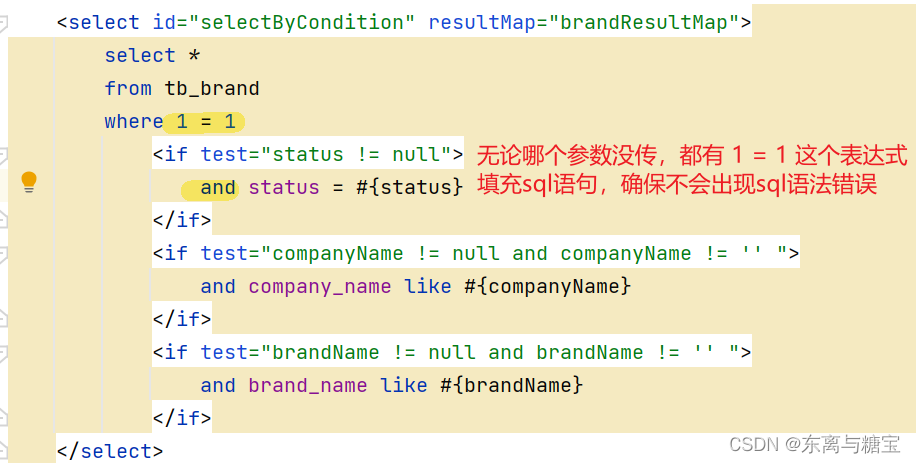
(运行结果)
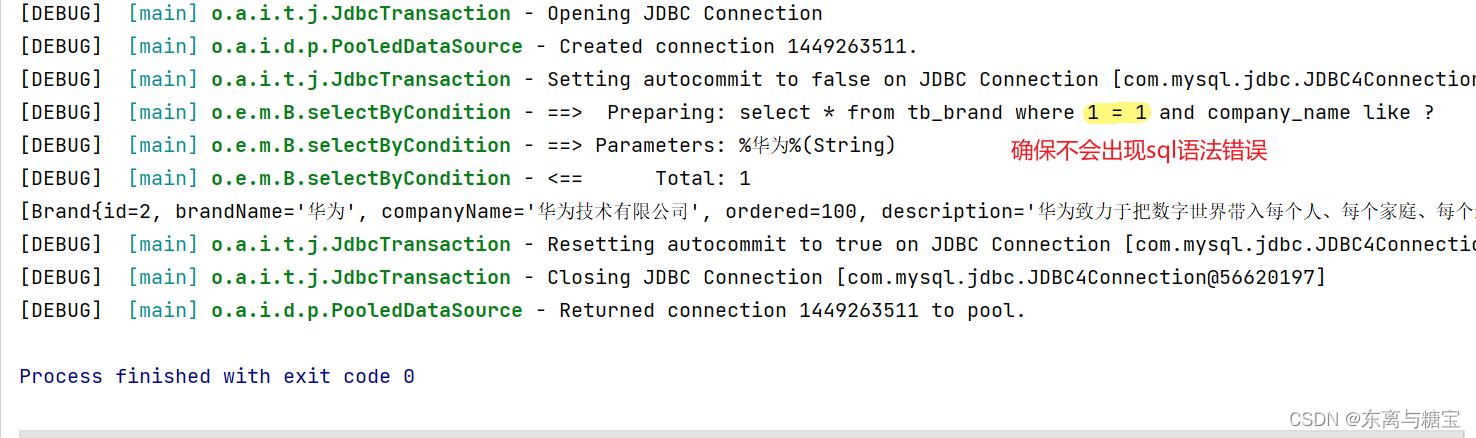
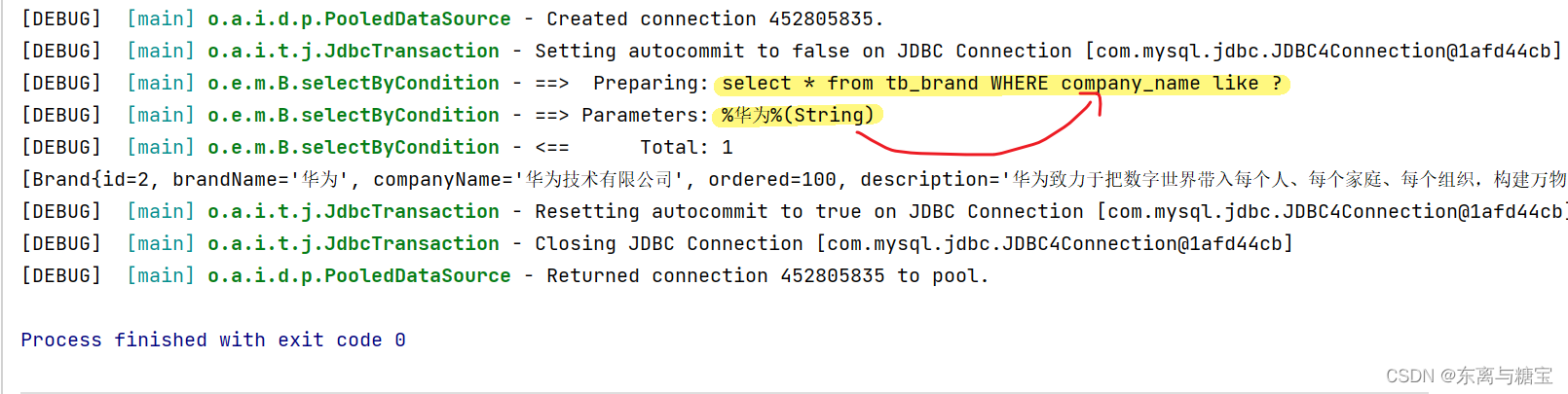
- 改进方式二
(sql语句书写改进)
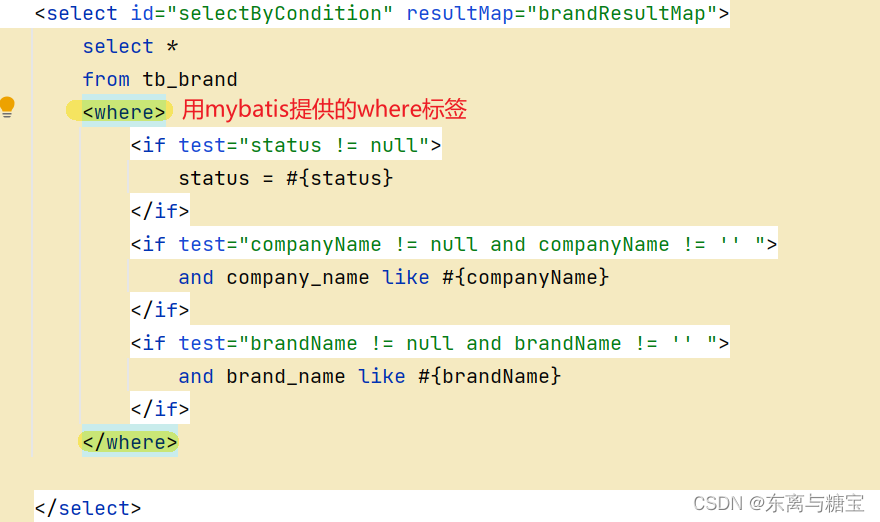
(运行结果)
- 小结
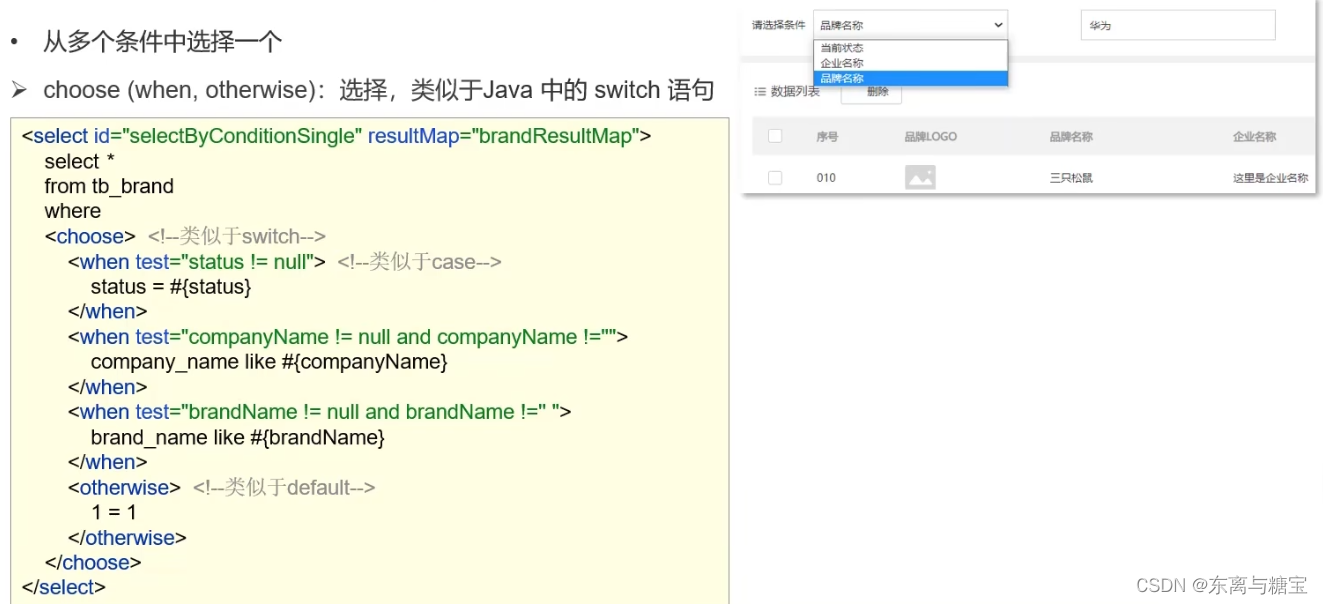
7.条件查询–单条件动态查询
- 操作步骤
- 编写接口方法:Mapper接口
List<Brand> selectByConditionSingle(Brand brand);
- 编写SQL语句:SQL映射文件(注意区分,没用and连接)
otherwrise:不传参搜索的情况,相当于switch语句中的default
 <select id="selectByConditionSingle" resultType="org.example.pojo.Brand">
        select *
        from tb_brand
        <where>
        <choose>
            <when test="status != null">
                status = #{status}
            </when>
            <when test="companyName != null and companyName != '' ">;
                company_name like #{companyName}
            </when>
            <when test="brandName != null and brandName != ''">;
                brand_name like #{brandName}
            </when>
            <otherwise>
                1 = 1
            </otherwise>
        </choose>
        </where>
    </select>
- 编写测试样例
   @Test
    public void testSelectByConditionSingle() throws IOException {
        //接收参数
        int status = 1;
        String companyName = "华为";
        String brandName = "华为";

        // 处理参数
        companyName = "%" + companyName + "%";
        brandName = "%" + brandName + "%";

        //封装对象
        Brand brand = new Brand();
        //brand.setStatus(status);
        brand.setCompanyName(companyName);
        //brand.setBrandName(brandName);

        //1. 获取SqlSessionFactory
        String resource = "mybatis-config.xml";
        InputStream inputStream = Resources.getResourceAsStream(resource);
        SqlSessionFactory sqlSessionFactory = new SqlSessionFactoryBuilder().build(inputStream);

        //2. 获取SqlSession对象
        SqlSession sqlSession = sqlSessionFactory.openSession();

        //3. 获取Mapper接口的代理对象
        BrandMapper brandMapper = sqlSession.getMapper(BrandMapper.class);

        //4. 执行方法
        List<Brand> brands = brandMapper.selectByConditionSingle(brand);
        System.out.println(brands);

        //5. 释放资源
        sqlSession.close();

    }
}
- 运行结果
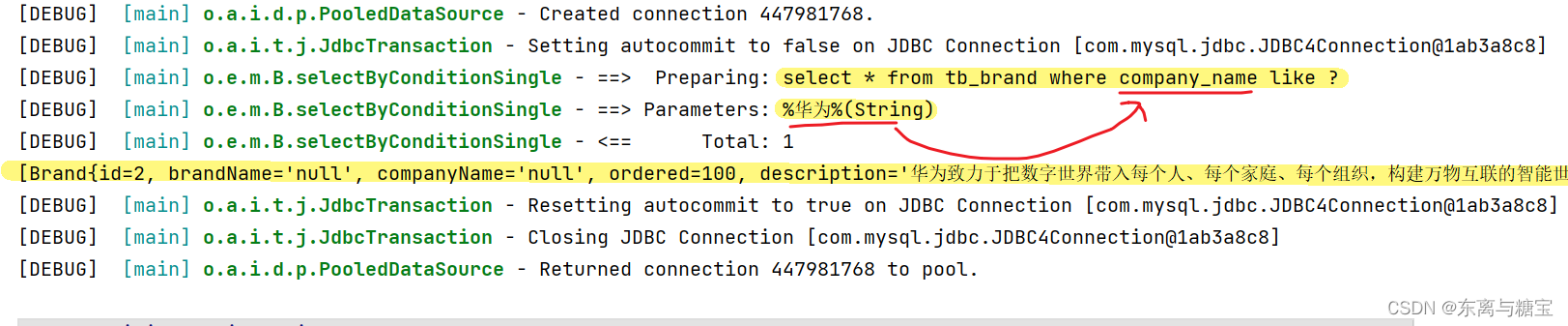
8.添加(增)
- 操作步骤
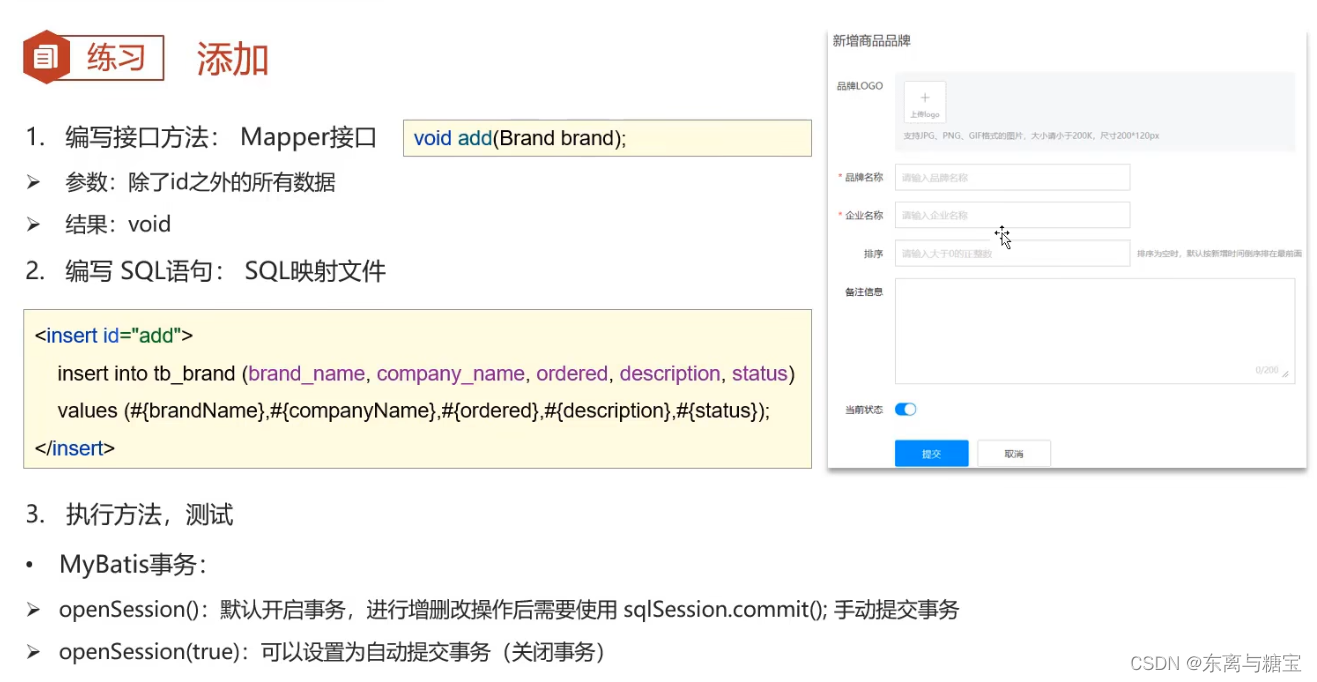
- 编写接口方法:Mapper接口
 /**
     * 添加
     */
    void add(Brand brand);
- 编写SQL语句:SQL映射文件
<insert id="add">
    insert into tb_brand (brand_name, company_name, ordered, description, status)
    values (#{brandName}, #{companyName}, #{ordered}, #{description}, #{status});
</insert>
- 编写测试样例
(默认需要手动提交事务: sqlSession.commit();)
 @Test
    public void testAdd() throws IOException {
        //接收参数
        int status = 1;
        String companyName = "波导手机";
        String brandName = "波导";
        String description = "手机中的战斗机";
        int ordered = 100;


        //封装对象
        Brand brand = new Brand();
        brand.setStatus(status);
        brand.setCompanyName(companyName);
        brand.setBrandName(brandName);
        brand.setDescription(description);
        brand.setOrdered(ordered);

        //1. 获取SqlSessionFactory
        String resource = "mybatis-config.xml";
        InputStream inputStream = Resources.getResourceAsStream(resource);
        SqlSessionFactory sqlSessionFactory = new SqlSessionFactoryBuilder().build(inputStream);

        //2. 获取SqlSession对象
        SqlSession sqlSession = sqlSessionFactory.openSession();
        //SqlSession sqlSession = sqlSessionFactory.openSession(true);

        //3. 获取Mapper接口的代理对象
        BrandMapper brandMapper = sqlSession.getMapper(BrandMapper.class);

        //4. 执行方法
        brandMapper.add(brand);

        //提交事务
        sqlSession.commit();

        //5. 释放资源
        sqlSession.close();

    }
- 运行结果
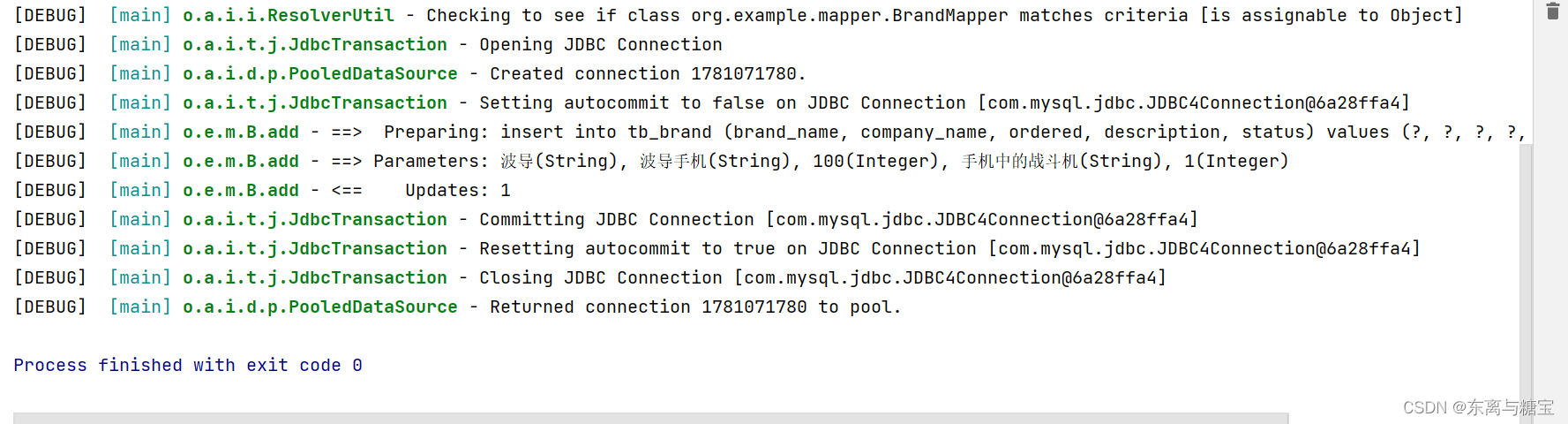
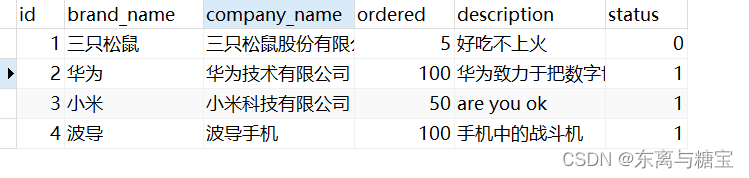
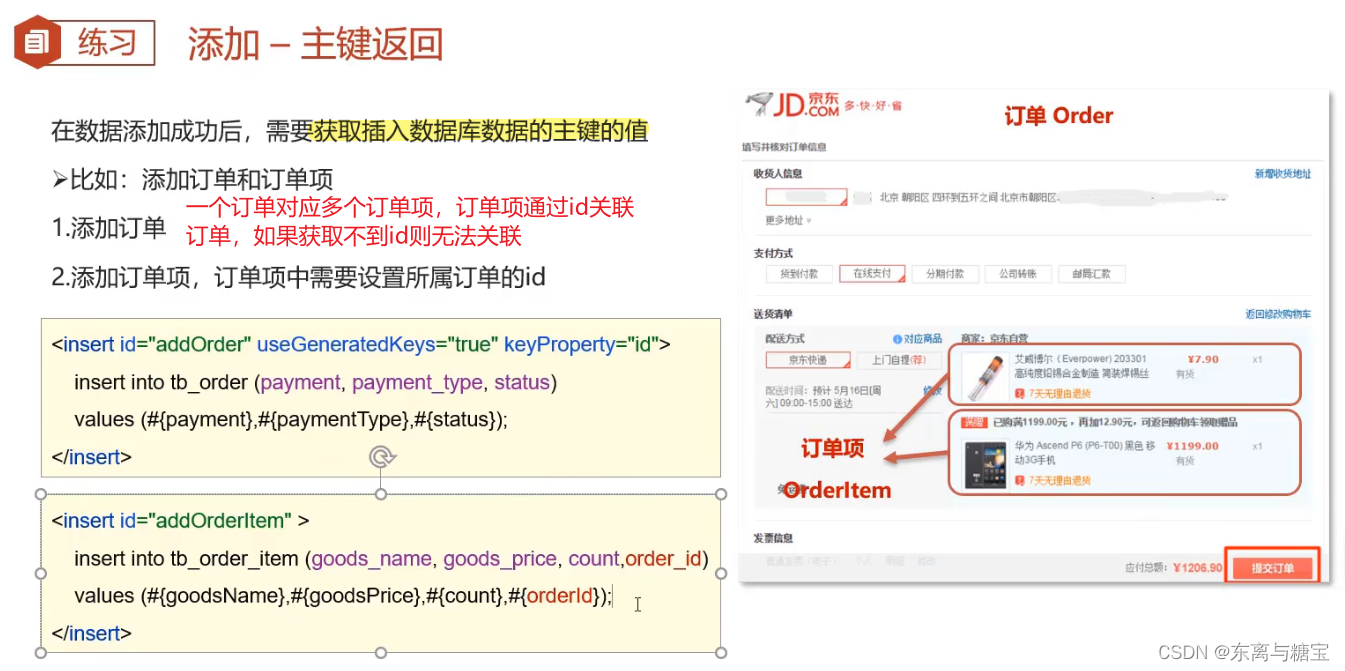
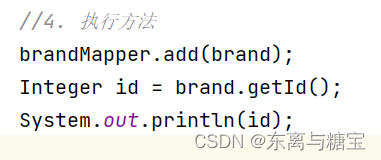
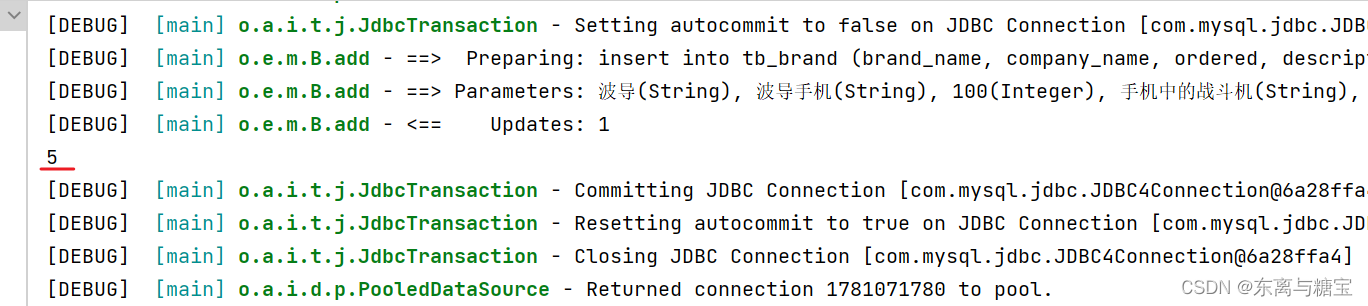
- 添加–主键返回
(无法通过brand对象直接获取id值)
- 获取brand对象的id

9.修改–改所有参数
- 操作步骤
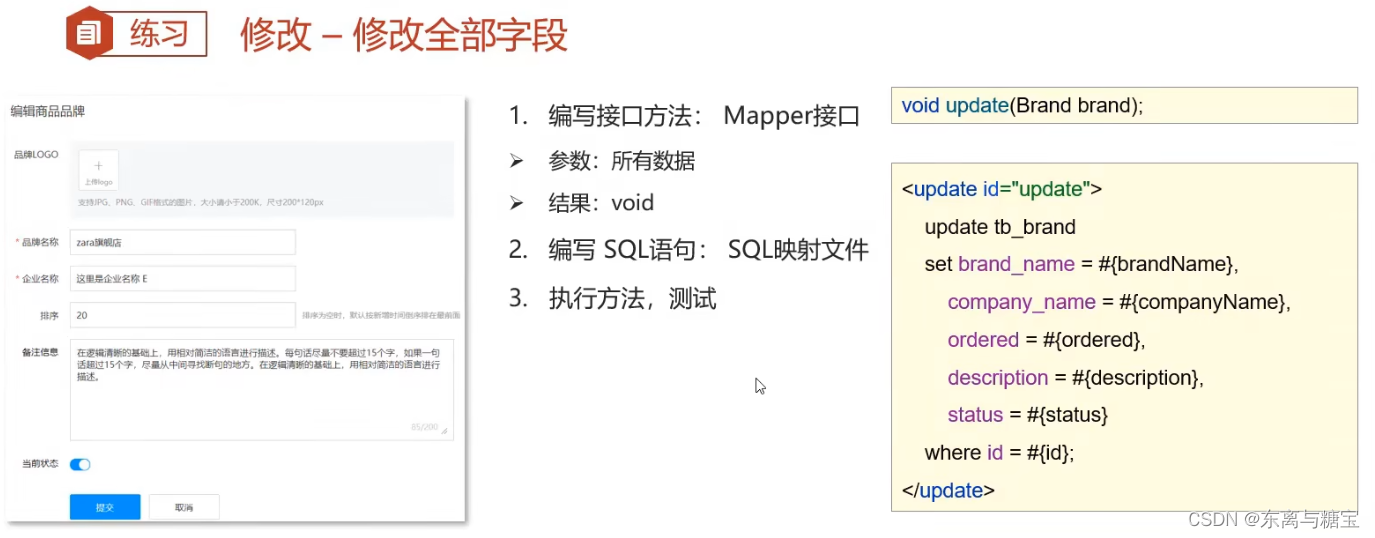
- 编写接口方法:Mapper接口
 /**
     * 修改
     */
    int update(Brand brand);
- 编写SQL语句:SQL映射文件
<update id="update">
        update tb_brand
            set brand_name = #{brandName},
                company_name = #{companyName},
                ordered = #{ordered},
                description = #{description},
                status = #{status}
        where id = #{id};
    </update>
- 编写测试样例
@Test
    public void testUpdate() throws IOException {
        //接收参数
        int status = 0;
        String companyName = "波导手机";
        String brandName = "波导";
        String description = "波导手机,手机中的战斗机666";
        int ordered = 200;
        int id = 4;


        //封装对象
        Brand brand = new Brand();
        brand.setStatus(status);
        brand.setCompanyName(companyName);
        brand.setBrandName(brandName);
        brand.setDescription(description);
        brand.setOrdered(ordered);
        brand.setId(id);

        //1. 获取SqlSessionFactory
        String resource = "mybatis-config.xml";
        InputStream inputStream = Resources.getResourceAsStream(resource);
        SqlSessionFactory sqlSessionFactory = new SqlSessionFactoryBuilder().build(inputStream);

        //2. 获取SqlSession对象
        SqlSession sqlSession = sqlSessionFactory.openSession();
        //SqlSession sqlSession = sqlSessionFactory.openSession(true);

        //3. 获取Mapper接口的代理对象
        BrandMapper brandMapper = sqlSession.getMapper(BrandMapper.class);

        //4. 执行方法
        int count = brandMapper.update(brand);
        System.out.println(count);
        //提交事务
        sqlSession.commit();

        //5. 释放资源
        sqlSession.close();

    }
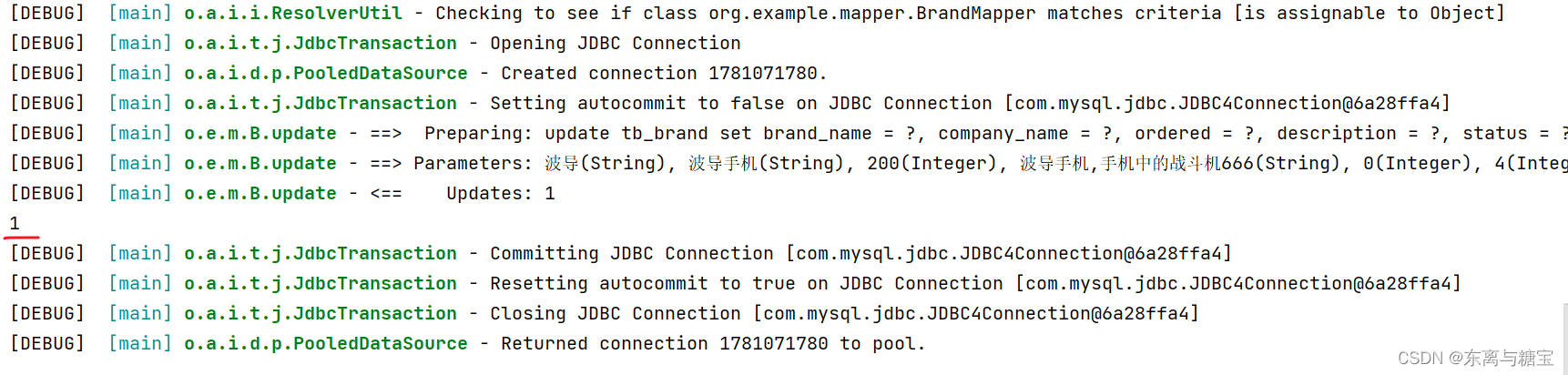
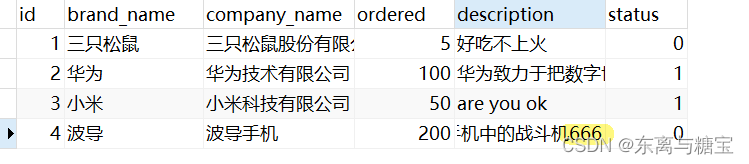
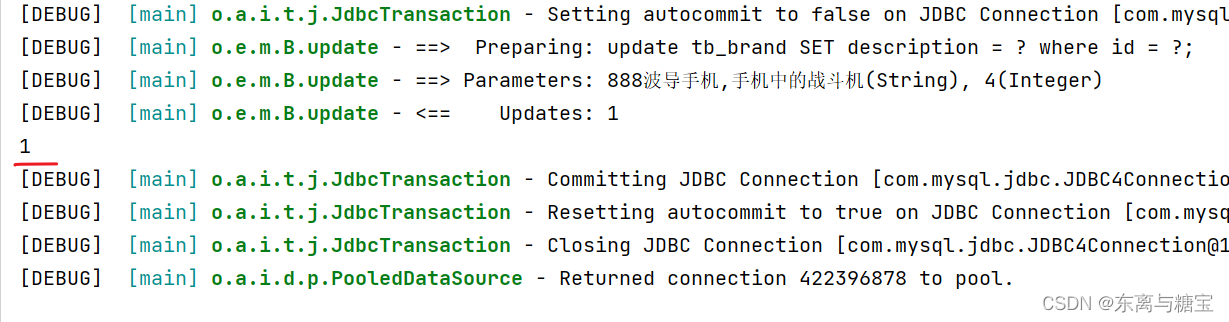
- 运行结果
10.修改–动态修改
- 操作步骤
(在修改的代码基础的基础上编码)
如果只传了密码,其他值不传,执行完其他值会变成null,这时需要动态字段解决该类问题
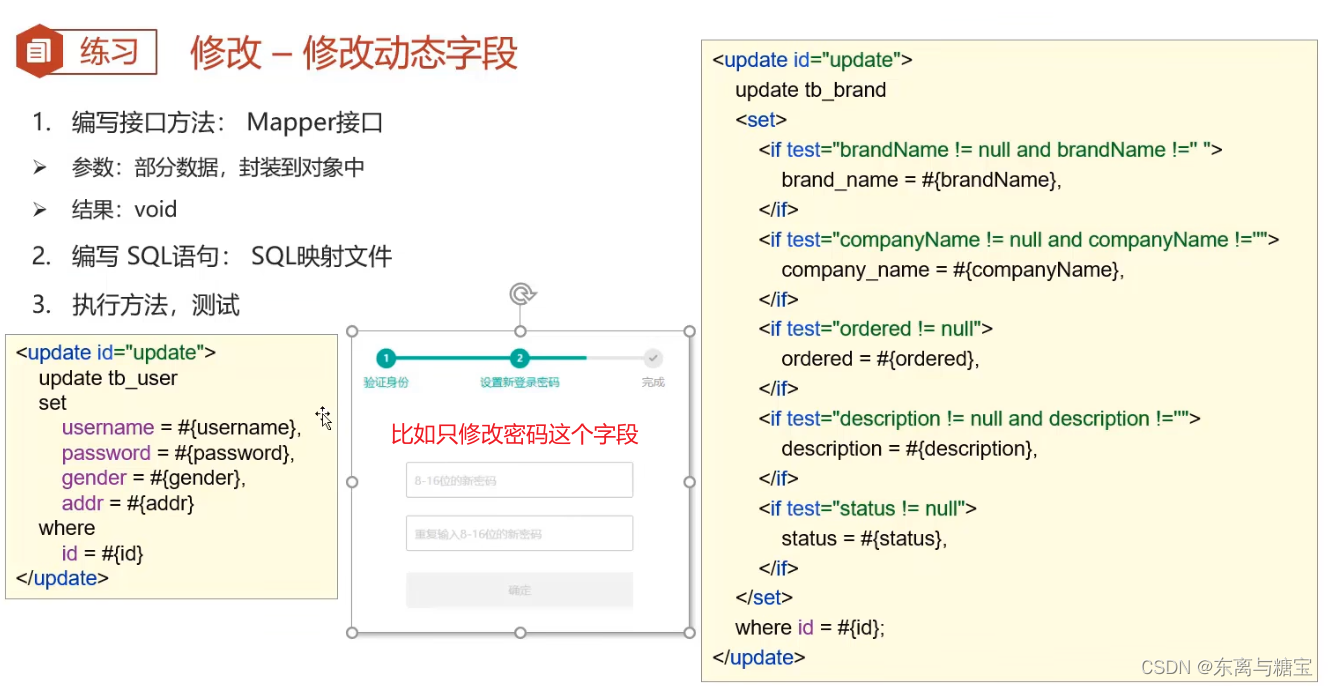
- 编写SQL语句:SQL映射文件
<update id="update">
        update tb_brand
        <set>
            <if test="brandName != null and brandName != ''">
                brand_name = #{brandName},
            </if>
            <if test="companyName != null and companyName != ''">
                company_name = #{companyName},
            </if>
            <if test="ordered != null">
                ordered = #{ordered},
            </if>
            <if test="description != null and description != ''">
                description = #{description},
            </if>
            <if test="status != null">
                status = #{status}
            </if>
        </set>
        where id = #{id};
</update>
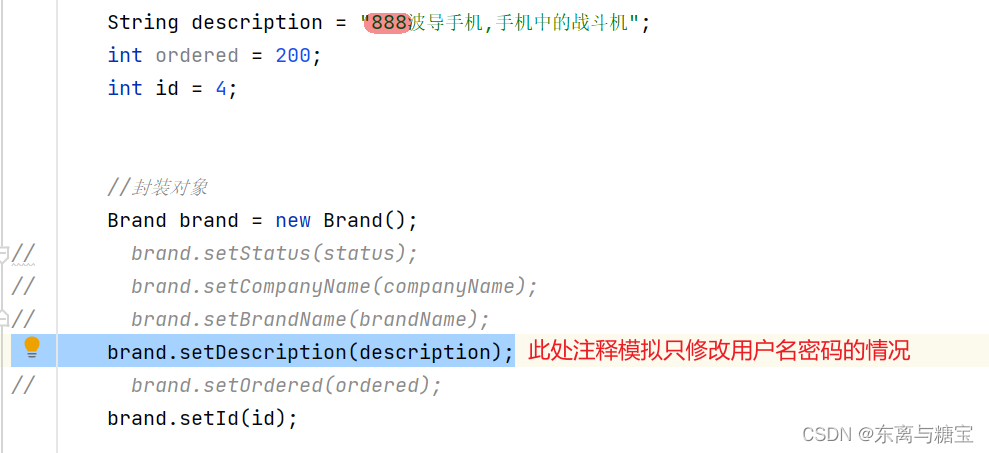
- 编写测试样例
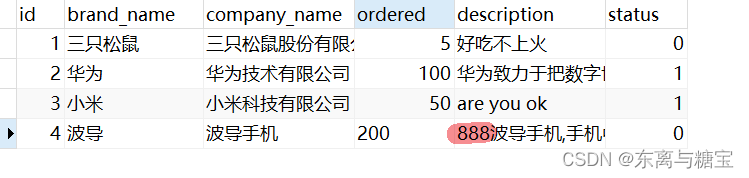
- 运行结果
11.删除–删除单条记录
- 操作步骤
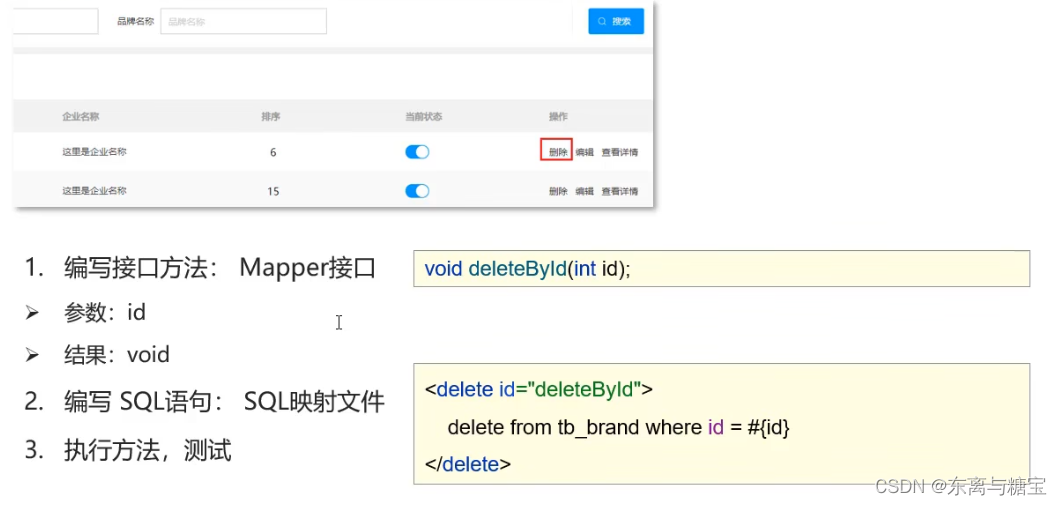
- 编写接口方法:Mapper接口
/**
     * 根据id删除
     */
    void deleteById(int id);
- 编写SQL语句:SQL映射文件
<delete id="deleteById">
    delete from tb_brand where id = #{id};
</delete>
- 编写测试样例
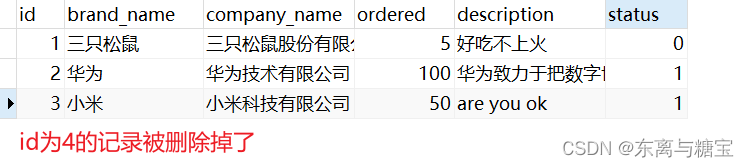
 @Test
    public void testDeleteByIds() throws IOException {
        //接收参数
        int id = 4;

        //1. 获取SqlSessionFactory
        String resource = "mybatis-config.xml";
        InputStream inputStream = Resources.getResourceAsStream(resource);
        SqlSessionFactory sqlSessionFactory = new SqlSessionFactoryBuilder().build(inputStream);

        //2. 获取SqlSession对象
        SqlSession sqlSession = sqlSessionFactory.openSession();
        //SqlSession sqlSession = sqlSessionFactory.openSession(true);

        //3. 获取Mapper接口的代理对象
        BrandMapper brandMapper = sqlSession.getMapper(BrandMapper.class);

        //4. 执行方法
        brandMapper.deleteById(id);

        //提交事务
        sqlSession.commit();

        //5. 释放资源
        sqlSession.close();

    }
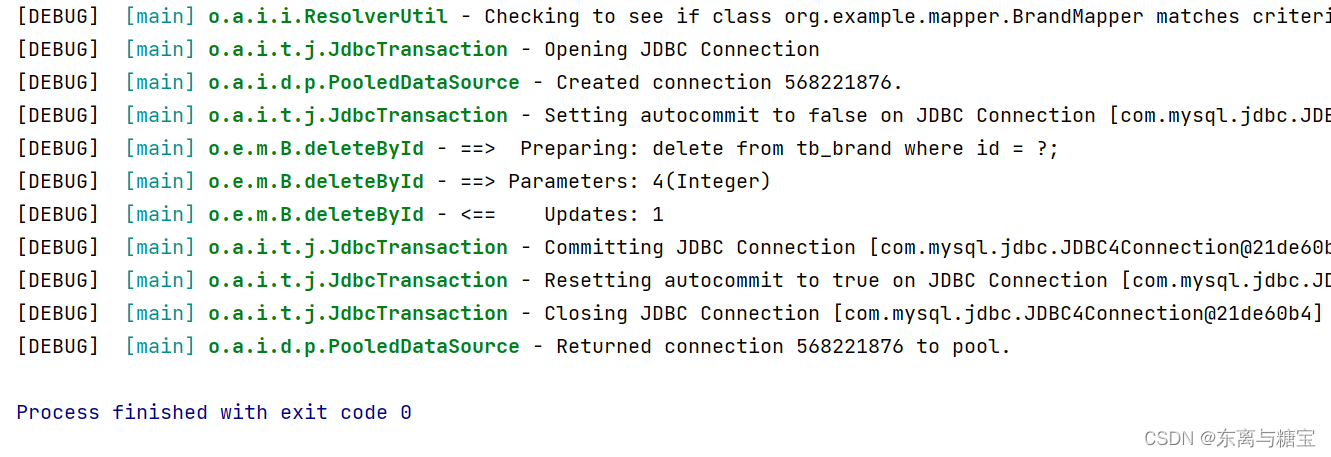
- 运行结果
12.删除–删除多条记录
- 操作步骤
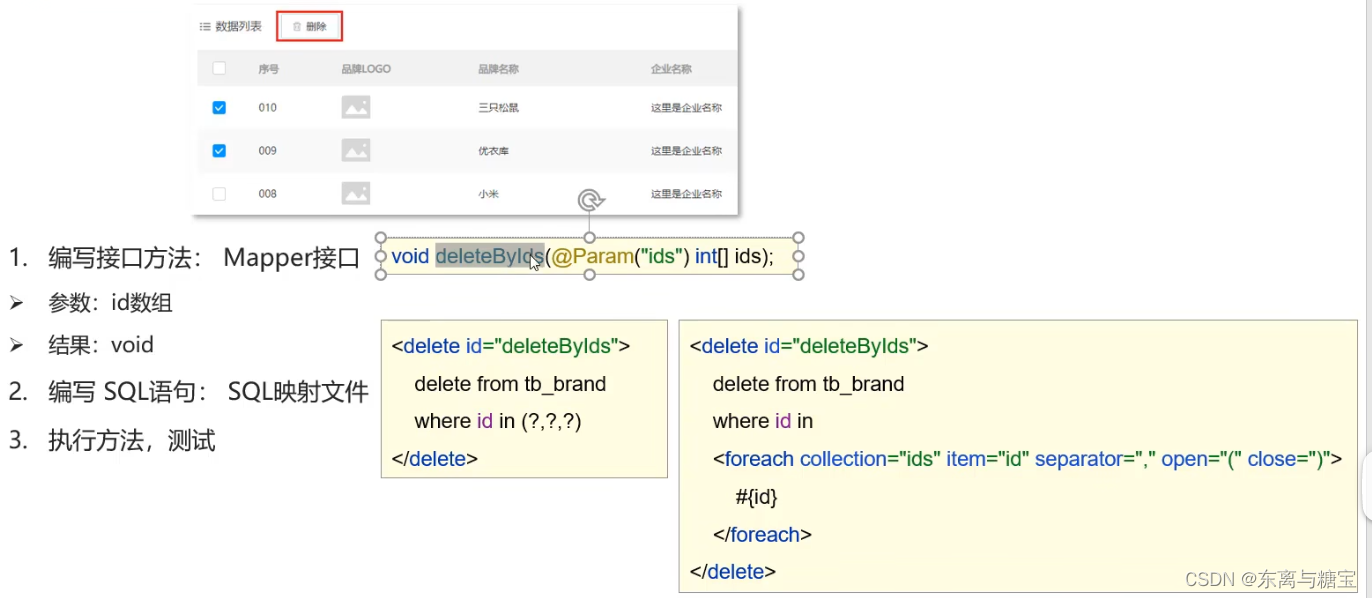
2. 编写接口方法:Mapper接口
    /**
     * 批量删除
     */
    void deleteByIds(int[] ids);
- 编写SQL语句:SQL映射文件
    <!--
        mybatis会将数组参数,封装为一个Map集合。
            * 默认:array = 数组
            * 使用@Param注解改变map集合的默认key的名称
    -->
    <delete id="deleteByIds">
        delete from tb_brand where id
        in
        <foreach collection="array" item="id" separator="," open="(" close=")">
            #{id}
        </foreach>
        ;
    </delete>
- 编写测试样例
 @Test
    public void testDeleteByIds() throws IOException {
        //接收参数

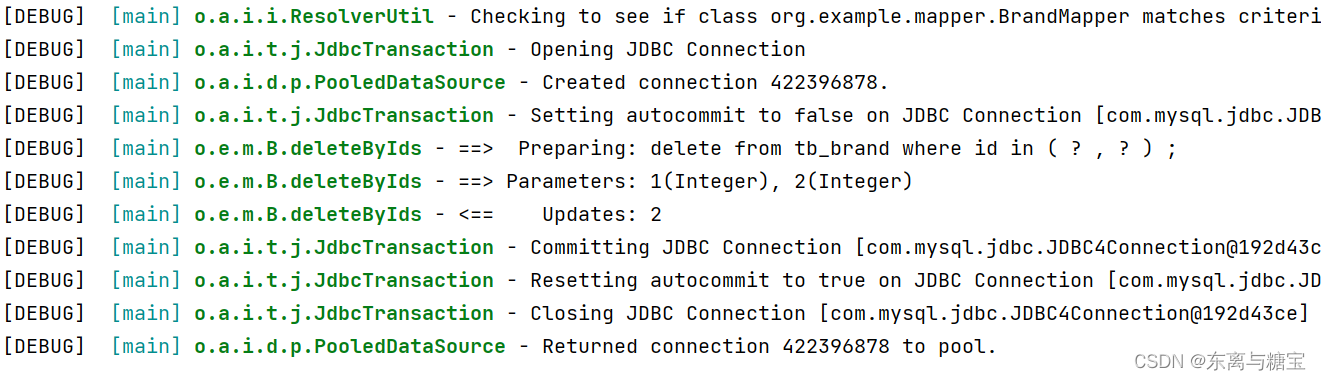
        int[] ids = {1,2};


        //1. 获取SqlSessionFactory
        String resource = "mybatis-config.xml";
        InputStream inputStream = Resources.getResourceAsStream(resource);
        SqlSessionFactory sqlSessionFactory = new SqlSessionFactoryBuilder().build(inputStream);

        //2. 获取SqlSession对象
        SqlSession sqlSession = sqlSessionFactory.openSession();
        //SqlSession sqlSession = sqlSessionFactory.openSession(true);

        //3. 获取Mapper接口的代理对象
        BrandMapper brandMapper = sqlSession.getMapper(BrandMapper.class);

        //4. 执行方法

        brandMapper.deleteByIds(ids);

        //提交事务
        sqlSession.commit();

        //5. 释放资源
        sqlSession.close();

    }
- 运行结果

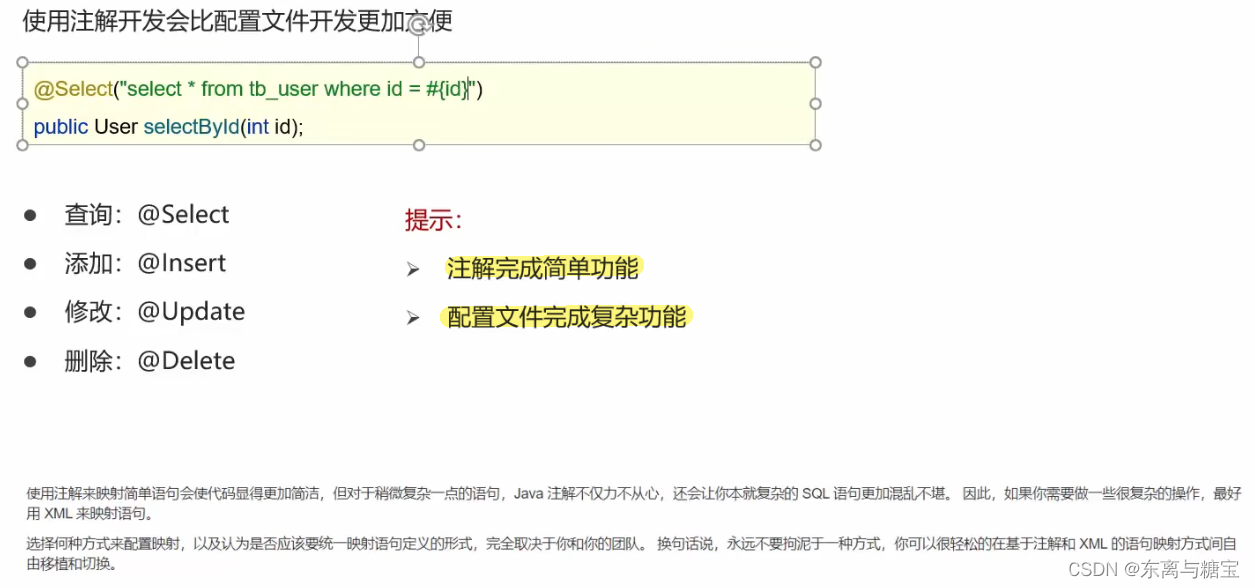
13.mybatis注解开发
总结
欢迎各位留言交流以及批评指正,如果文章对您有帮助或者觉得作者写的还不错可以点一下关注,点赞,收藏支持一下。
(博客的参考源码可以在我主页的资源里找到,如果在学习的过程中有什么疑问欢迎大家在评论区向我提出)





 扫一扫
扫一扫


 4681
4681


 到【灌水乐园】发言



