


 当使用MicrosoftVisualStudio2010连接TeamFoundationServer(TFS)时,遇到TF249002和TF31003错误,表示用户缺少权限。解决方法是找TFS管理员,在TeamFoundationServerAdministrationConsole中检查和调整用户或分组的权限设置,确保用户具备Viewinstance-levelinformation的权限。如果问题依然存在,可能需要删除并重新添加用户分组。
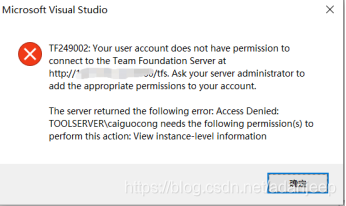
新添加TFS用户后,通过Microsoft Visual Studio 2010连接Team Foundation Server时,连接失败,报错【TF249002】如下:
TF249002:Your user account does not have permission to connect to the Team Foundation Server at http://xxx/tfs. Ask your server administrator to add the appropriate permissions to your account.
The server returned the following error. Access Denied:
TOOLSERVER\xxx needs the following permission(s) to perform this action: View instance-level information
解决办法:
找TF
 最低0.47元/天 解锁文章






 扫一扫
扫一扫


 3028
3028

 被折叠的 条评论
为什么被折叠?
被折叠的 条评论
为什么被折叠?
 到【灌水乐园】发言





