


gpasswd command is used to administer the /etc/group and /etc/gshadow. As every group in Linux has administrators, members, and a password. It is an inherent security problem as more than one person is permitted to know the password. However, groups can perform co-operation between different users. This command assigns a user to a group with some security criteria. This command is called by a group administrator with a group name only which prompts for the new password of the group. System administrators can use the -A option to define group administrator(s) and -M option to define members. They have all the rights of the group administrators and members.
Basic Syntax of gpasswd Command:
The basic syntax of the gpasswd command is straightforward:
gpasswd [option] [group]
Here,
[options] represent various command-line flags that modify the behavior of the gpasswd command.
[group] specifies the name of the group to be modified.
Options in gpasswd Command:
Here only -A and -M options can be combined.
- -a, --add : This option is used to add a user to the named group.
- -d, --delete : It is used to remove a user from the named group.
- -r, --remove-password : It is used to remove the password from the named group.
- -R, --restrict : This option will restrict the access to the named group.
- -A, --administrators : Set the list of administrative users.
- -M, --members : It set the list of group members.
- -h, --help : It displays the help message and exit.
$ sudo gpasswd -h
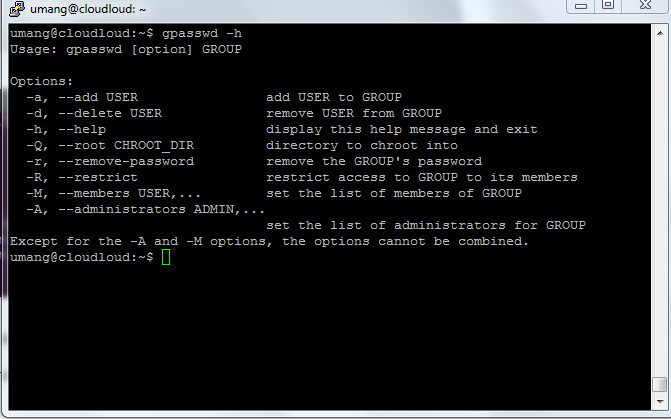
Examples of gpasswd Command :
Creating a group and adding a user to it. After that deleting the user.
- Adding a group named as geeks.
$ sudo groupadd geeks
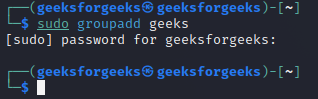
adding group name
- To display the created group with their id you can use:
$cat /etc/group
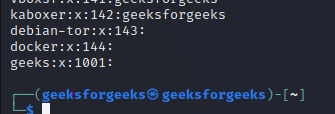
listing groups
- Now the group geeks is added so now execute command under to add the user to group geeks:
$ sudo gpasswd -a umang geeks
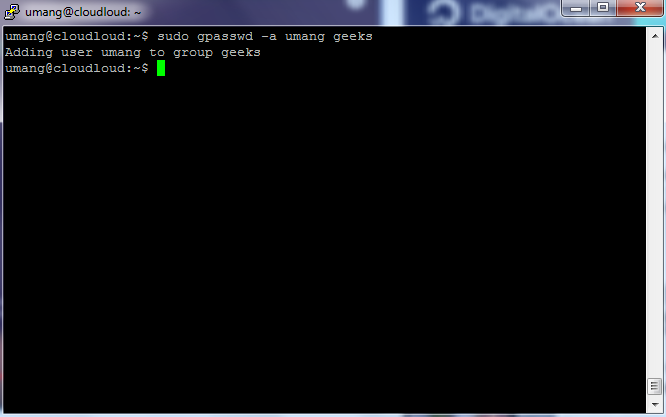
- Deleting the created user from group geeks.
$ sudo gpasswd -d umang geeks
Conclusion
In conclusion, the gpasswd command in Linux serves as a crucial tool for managing group passwords and membership, addressing inherent security challenges by enabling administrators to control access effectively. Through its simple syntax and various options like adding or removing users, setting passwords, and designating administrators and members, gpasswd empowers system administrators to enhance security and collaboration within the Linux environment.





 扫一扫
扫一扫


 417
417

 被折叠的 条评论
为什么被折叠?
被折叠的 条评论
为什么被折叠?
 到【灌水乐园】发言





