


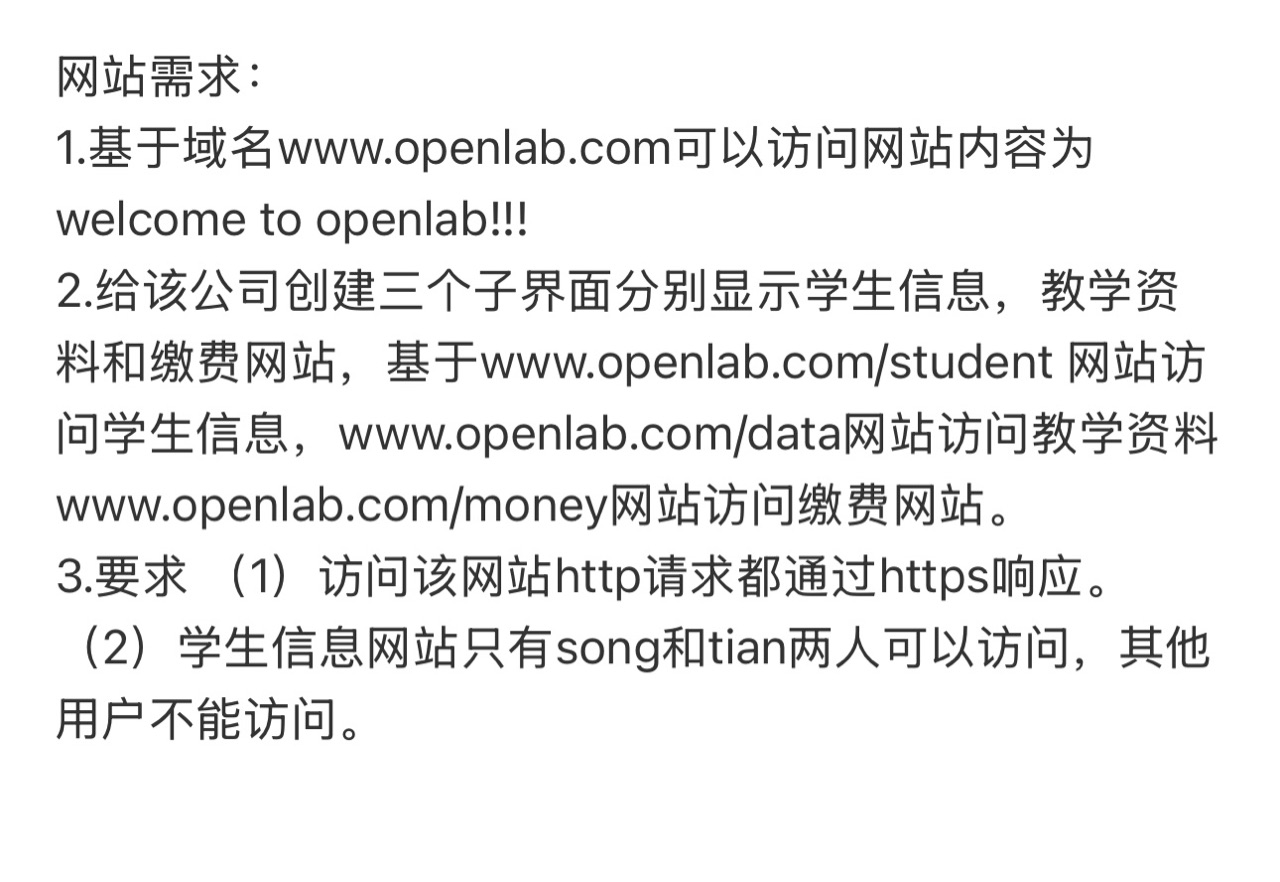
搭建环境
安装nginx软件
yum install nginx -y
关闭防火墙
systemctl stop firewalld
setenforce 0
配置映射关系
echo "192.168.95.139 www.openlab.com" >> /etc/hosts
创建网站目录已经内容
mkdir -p /usr/share/nginx/html/openlab/{student,data,money}
echo "welcome to openlab!!!" > /usr/share/nginx/html/openlab/index.html
echo "学生信息" > /usr/share/nginx/html/openlab/student/index.html
echo "教学资料" > /usr/share/nginx/html/openlab/data/index.html
echo "缴费网站" > /usr/share/nginx/html/openlab/money/index.html
创建HTTPS证书
openssl genrsa 2048 > /etc/pki/openlab.key
openssl req -utf8 -new -key /etc/pki/openlab.key -x509 -days 365 -out /etc/pki/openlab.crt
mkdir /etc/nginx/ssl
nginx核心配置
vim /etc/nginx/conf.d/openlab.conf
server {
listen 80;
server_name www.openlab.com;
return 301 https://192.168.95.139;
}
server {
listen 443 ssl;
server_name www.openlab.com;
ssl_certificate /etc/nginx/ssl/openlab.crt;
ssl_certificate_key /etc/nginx/ssl/openlab.key;
root /usr/share/nginx/html/openlab;
location /student {
allow song tian
auth_basic "please login ......";
auth_basic_user_file /etc/nginx/conf.d/student_users;
}
}
检查配置
nginx -t
重启nginx
systemctl restart nginx





 扫一扫
扫一扫


 1377
1377

 被折叠的 条评论
为什么被折叠?
被折叠的 条评论
为什么被折叠?
 到【灌水乐园】发言





