



 本文介绍了如何在Android 12中自定义启动画面,包括添加品牌Logo、设计动画Icon以及如何延长启动画面的显示时间。此外,还详细讲解了如何定制启动画面的退出效果,如整体动画和图标动画,以及考虑设备性能调整退出动画的适当时长。
1.4 自定义品牌Logo
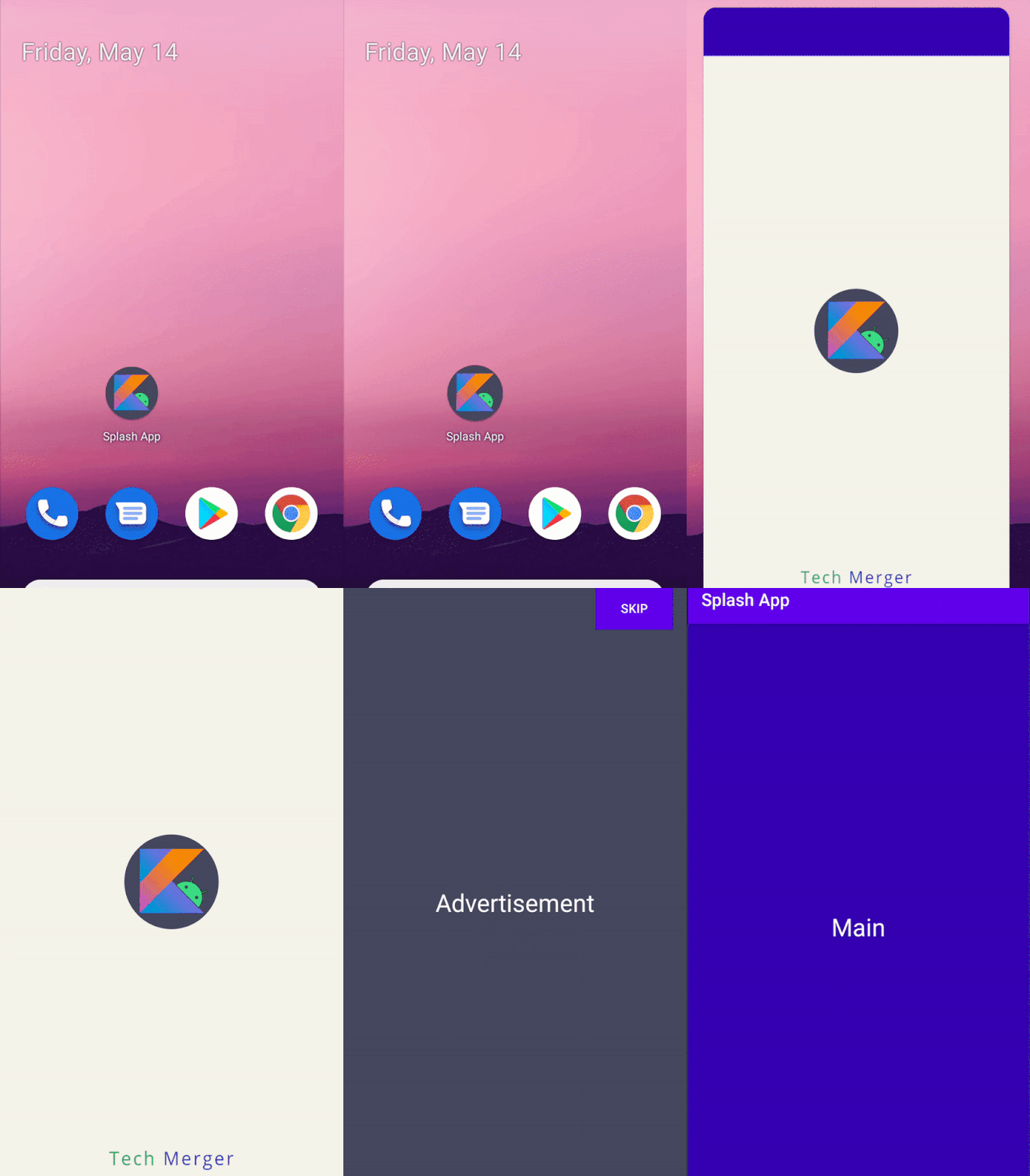
添加品牌Logo可以展示企业形象或Slogan,使得启动画面更为完整和精细。
@drawable/ic_tm_brand_newer
1.5 自定义动画Icon
动画Icon可以增添设计和创意,使得启动流程更加流畅和有趣。
@drawable/ic_kotlin_hero_new_animated_rotate
@integer/icon_animator_duration
比如让机器人图标旋转起来。
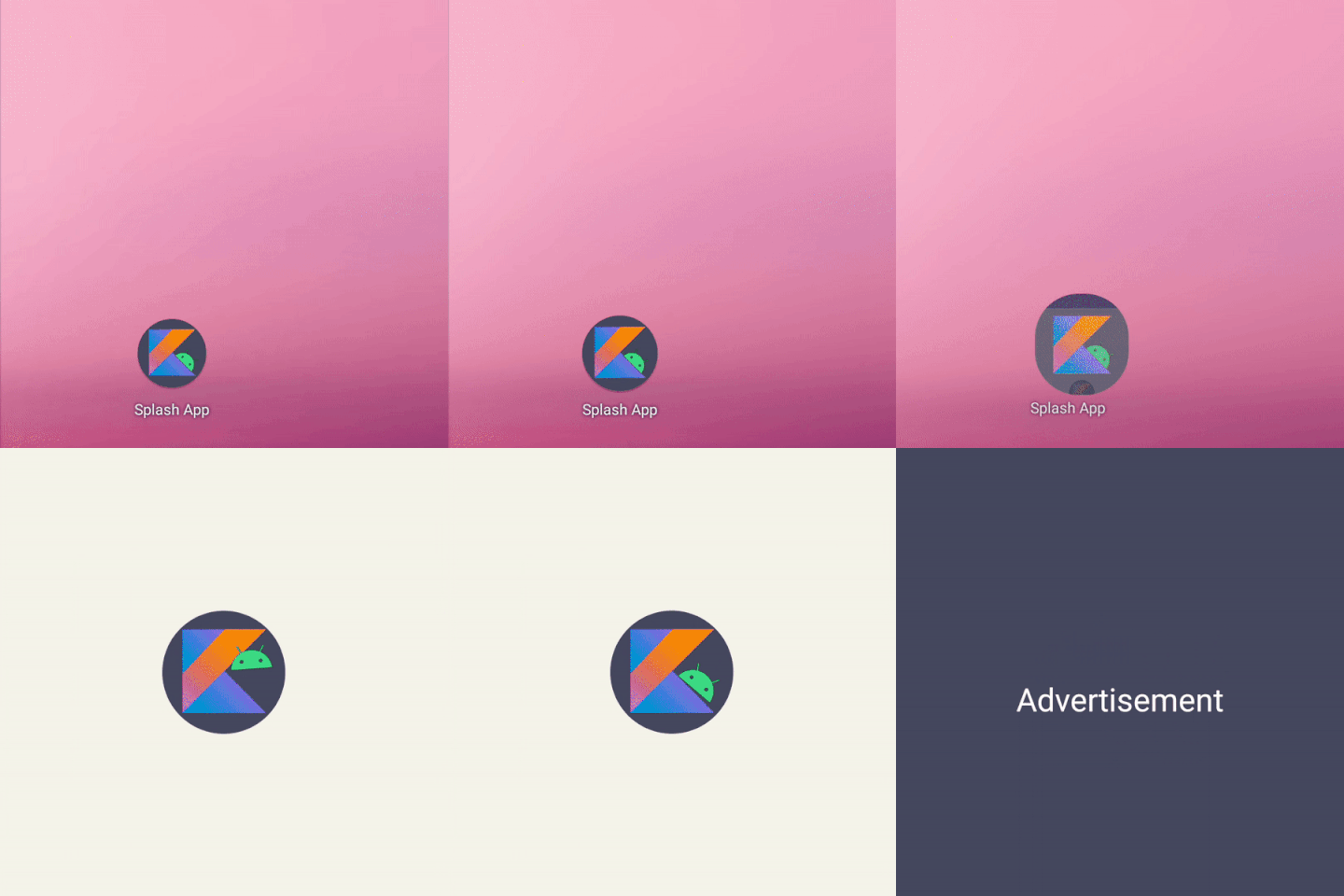
再比如让机器人在Kotlin上侧滑。

或者让几何图案拼凑出字母K之后和机器人汇合,象征着Android和Kotlin的强强联合。

注意:
-
动画Icon的时长上限为1000ms。
-
图标的进入动画可以定制,但由系统控制,不可以被监听和额外处理。
1.6 延长启动画面
The splash screen is dismissed as soon as your app draws its first frame. If you need to load a small amount of data such as in-app theme settings from a local disk asynchronously, you can use ViewTreeObserver.OnPreDrawListener to suspend the app to draw its first frame.
后台数据的加载难免耗时,启动画面结束了主要内容仍未加载好的话,体验不是太好。能够控制启动画面的持续时时长就好了。
现有的ViewTreeObserver的OnPreDrawListener回调是可以挂起描画的,如果我们在数据准备好之后再放行描画,就可以间接地延长启动画面的显示。
比如Activity初始化2s后才放行描画。
class SplashActivity : AppCompatActivity() {
override fun onCreate(savedInstanceState: Bundle?) {
…
keepSplashScreenLonger()
}
private fun keepSplashScreenLonger() {
// 监听Content View的描画时机
val content: View = findViewById(android.R.id.content)
content.viewTreeObserver.addOnPreDrawListener(
object : ViewTreeObserver.OnPreDrawListener {
override fun onPreDraw(): Boolean {
// 准备好了描画放行,反之挂起
return if (viewModel.isDataReady()) {
content.viewTreeObserver.removeOnPreDrawListener(this)
true
} else {
false
}
}
}
)
}
}
class MyViewModel(application: Application): AndroidViewModel(application) {
companion object {
const val WORK_DURATION = 2000L
}
private val initTime = SystemClock.uptimeMillis()
fun isDataReady() = SystemClock.uptimeMillis() - initTime > WORK_DURATION
}
看一下效果,发现启动画面的展示时间确实变长了。

====================================================================
当App的第一帧开始描画,SplashScreen将会退出展示。为了丰富退出环节的体验,系统也开放了相应的入口,即画面退出的回调。在这个回调里可以开始退出效果的定制,包括整体的退出动画和图标的退出动画。
2.1 监听启动画面的退出
向SplashScreen注册OnExitAnimationListener接口即可监听启动画面的退出。
override fun onCreate(savedInstanceState: Bundle?) {
…
customizeSplashScreenExit()
}
private fun customizeSplashScreenExit() {
splashScreen.setOnExitAnimationListener { splashScreenView ->
Log.d(“Splash”, “SplashScreen#onSplashScreenExit view:$splashScreenView”)
sleep(1000)
Log.d(“Splash”, “SplashScreen#remove after sleeping”)
splashScreenView.remove()
}
}
可以看到启动画面展示之后,不作定制的默认情况下就是全屏一下再消失。

日志如下:
Splash : Activity:com.example.splash.MainActivity@f70c0d0 Activity:com.example.splash.MainActivity@f70c0d0 onCreate
Splash : Activity:com.example.splash.MainActivity@f70c0d0 onStart
Splash : Activity:com.example.splash.MainActivity@f70c0d0 onResume
Splash : SplashScreen#onSplashScreenExit view:android.window.SplashScreenView{18339d5 V.E… … 0,0-1080,2280}
Splash : SplashScreen#remove after sleeping
一定记得调用remove及时移除启动画面,否则SplashScreen会长时间盖在主画面上,大概在5s左右。
另外,回调的注册需要放在Activity#onResume前,不然监听不到。
2.2 定制整体的退出动画
可以给启动画面的整体设置TRANSLATE、SCALE、ROTATE、ALPHA等各种动画,使得退出更加自然。
比如给SplashScreen加上一个缩小出屏幕的动画。
private fun customizeSplashScreenExit() {
splashScreen.setOnExitAnimationListener { splashScreenView ->
showSplashExitAnimator(splashScreenView)
}
}
private fun showSplashExitAnimator(splashScreenView: SplashScreenView) {
val path =
Path()
path.moveTo(1.0f, 1.0f)
path.lineTo(0f, 0f)
val scaleOut = ObjectAnimator.ofFloat(
splashScreenView,
View.SCALE_X,
View.SCALE_Y,
path
)
…
scaleOut.doOnEnd {
splashScreenView.remove()
}
scaleOut.start()
}

又或者从上方平移出屏幕的动画。
private fun showSplashExitAnimator(splashScreenView: SplashScreenView) {
val slideUp = ObjectAnimator.ofFloat(
splashScreenView,
View.TRANSLATION_Y,
0f,
-splashScreenView.height.toFloat()
)
…
slideUp.start()
}

2.3 定制图标的退出动画
当然也可以给图标单独加上动画,比如将Icon上滑。
private fun customizeSplashScreenExit() {
splashScreen.setOnExitAnimationListener { splashScreenView ->
showSplashIconExitAnimator(splashScreenView)
}
}
private fun showSplashIconExitAnimator(splashScreenView: SplashScreenView) {
val iconView = splashScreenView.iconView ?: return
val slideUp = ObjectAnimator.ofFloat(
splashScreenView.iconView,
View.TRANSLATION_Y,
0f,
-iconView.height * 2.toFloat()
)
…
slideUp.start()
}

2.4 退出动画的适当时长
针对退出动画的定制官方还有一段补充说明。
By the start of this callback, the animated vector drawable on the splash screen has begun. Depending on the duration of the app launch, the drawable might be in the middle of its animation. Use SplashScreenView.getIconAnimationStart to know when the animation started. You can calculate the remaining duration of the icon animation.
简言之,退出画面回调的时候Icon动画可能进行到了一半,最好计算Icon动画的剩余时长来执行退出动画。
原因在于设备性能会影响App描画的早晚,而第一帧描画的时候上述的退出回调将被执行。也就是说,性能的优劣会影响启动画面退出的回调时机。
-
性能好的话,画面退出的回调较早。此时Icon动画尚在进行当中,可以将Icon动画的预设时长的剩余时间交接给退出效果来执行
-
性能差的话,画面退出的回调稍晚。Icon动画早已经结束,为了让用户尽早看到画面内容,就不该再执行退出效果了而是直接退出
不能为了展示效果而让用户久等,否则会弄巧成拙。
e SplashScreenView.getIconAnimationStart to know when the animation started. You can calculate the remaining duration of the icon animation.
简言之,退出画面回调的时候Icon动画可能进行到了一半,最好计算Icon动画的剩余时长来执行退出动画。
原因在于设备性能会影响App描画的早晚,而第一帧描画的时候上述的退出回调将被执行。也就是说,性能的优劣会影响启动画面退出的回调时机。
-
性能好的话,画面退出的回调较早。此时Icon动画尚在进行当中,可以将Icon动画的预设时长的剩余时间交接给退出效果来执行
-
性能差的话,画面退出的回调稍晚。Icon动画早已经结束,为了让用户尽早看到画面内容,就不该再执行退出效果了而是直接退出
不能为了展示效果而让用户久等,否则会弄巧成拙。





 扫一扫
扫一扫


 474
474

 被折叠的 条评论
为什么被折叠?
被折叠的 条评论
为什么被折叠?
 到【灌水乐园】发言





