






前几天看见转盘抽奖好玩,就自己弄个试玩玩看,效果如下
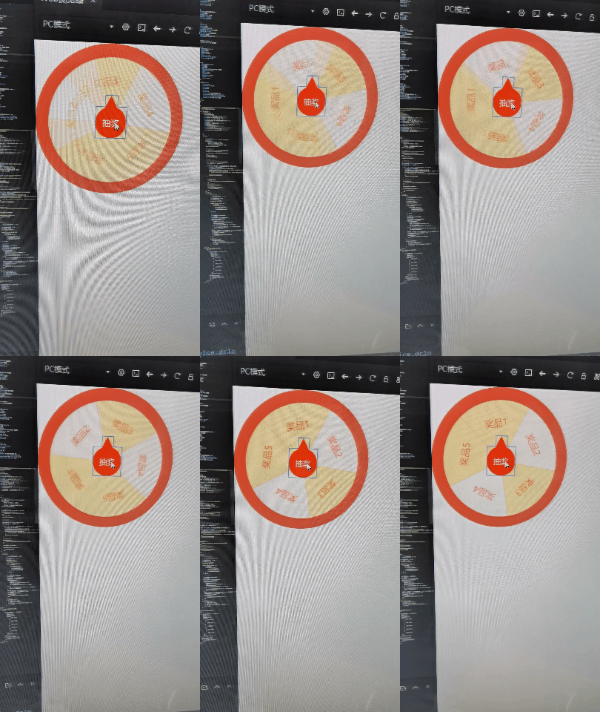
主要代码,基于jQuery的,也可以把他改成vue,ng,react,随需求改动,这里的就用jq
/* 抽奖配置对象 */
		class turntable {
			constructor(arg) {
				console.log(arg);
				this.width = arg.width || 300; //转盘宽度
				this.height = arg.height || 300; //转盘高度
				this.list = arg.list || []; //奖品列表
				this.borderwidth = arg.borderwidth || 0; //外边框
				this.isRotating = false; //是否转动
				this.time = arg.time || 5; //转动时间
				this.rotates = 0; //转盘角度
				this.numberRotations = 0; //转动次数
				this.lackRotate = 0; //转动后的角度距离一圈360的倍数差多少
				this.winIndex = arg.winIndex || 0; //奖品下标
				this.isRandom = arg.isRandom; //是否随机奖品


			}
			/* 初始化 */
			init() {
				/* 创建抽奖盒子 */
				let main = document.createElement('div');
				$(main).css({
					width: this.width + 'px',
					height: this.height + 'px',
					padding: this.borderwidth + 'px',
				}).addClass('x-turn');

				/* 创建抽奖列表 */
				let box = document.createElement('div');
				$(box).addClass('box').css({
					transition: `all ${this.time}s ease`
				});
				this.box = box;
				$(main).append(box);

				/* 创建奖品 */
				/* 计算每个奖品的位置和角度 */
				const rotate = 360 / this.list.length;
				const skew = (90 - rotate) / 2;
				/* 添加奖品 */
				for (let i = 0, len = this.list.length; i < len; i++) {
					let item = this.list[i];
					let itemEle = document.createElement('div');
					itemEle.style.transform = `rotate(${ i * rotate + rotate / 2}deg) skew(${skew}deg, ${skew}deg)`
					$(itemEle).addClass('item').append(
						`<div class="gift" style="transform : skew(-${skew}deg, -${skew}deg) rotate(-45deg)">${item.name}</div>`
					);
					$(box).append(itemEle);
				}

				/* 添加抽奖按钮 */
				$(main).append(
					`<button class="btn" id="routing">抽奖</button>`
				);
				/* 添加到页面 */
				$('body').append(main);
				/* 添加抽奖事件 */
				$('#routing').click(() => {
					this.routing();
				});
			}
			/* 转动 */
			routing() {
					/* 判断是否在转动 */
					if (this.isRotating) return;
					/* 清空定时器 */
					this.isRotating = true;
					let timer = null;
					clearInterval(timer);
					/* 添加定时器 */
					timer = setInterval(() => {
						this.time--;
						if (this.time <= 0) {
							clearInterval(timer);
							this.isRotating = false;
							this.numberRotations++;
						}
					}, 1000);

					/* 转动转盘 */
					let rotates = this.rotates;
					let e,index;
					const length = this.list.length;
					console.log(this.isRandom);
					if(this.isRandom){
						console.log(11212);
						index = this.RandomNum(0,length - 1);
						console.log(index);
						e = this.numberRotations === 0 ? 0 : index;
					}else{
						e = this.numberRotations === 0 ? 0 : this.winIndex;
						index = this.winIndex;
					}
					rotates = rotates + this.lackRotate + 10 * 360 + ((length - index) / length) * 360;
					this.lackRotate = 360 - (rotates % 360);
					this.rotates = rotates;
					$('.box').css({
						transform: `rotate(${rotates}deg)`,
					});
				}
				/* 随机奖品 */
				RandomNum(Min, Max) {
					var Range = Max - Min;
					var Rand = Math.random();
					var num = Min + Math.floor(Rand * Range); //舍去
					return num;
				}
		}
使用方法
$(() => {
			/* 创建对象 */
			let turntableObj = new turntable({
				width: 200, //转盘宽度
				height: 200, //转盘高度
				borderwidth: 20, //外边框
				list: [{
						name: '奖品1'
					},
					{
						name: '奖品2'
					},
					{
						name: '奖品3'
					},
					{
						name: '奖品4'
					},
					{
						name: '奖品5'
					},
				], //奖品列表
				isRandom : false, //是否随机还是指定
                winIndex : 0, //奖品下标
			});
			/* 初始化 */
			turntableObj.init();
			setTimeout(function() {
				/* 转动 */
				turntableObj.routing();
			}, 3000)
		})





 扫一扫
扫一扫


 146
146


 到【灌水乐园】发言



