 Three.js实现3D文字金属质感


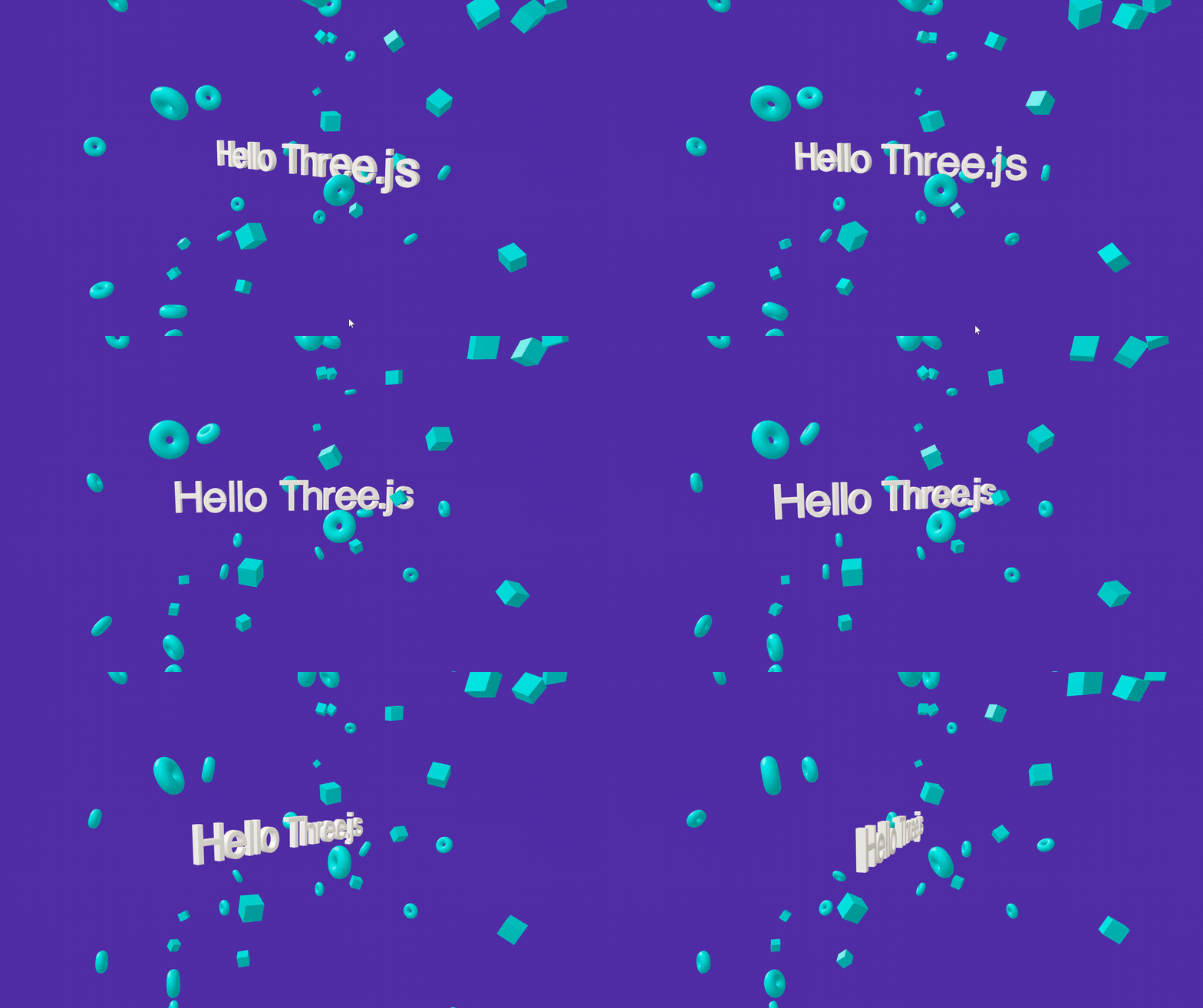
在 Three.js 中创建 3D 文本,是许多可视化效果、宣传页、粒子标题、互动展示中非常常见的需求。
要在三维空间里让文字真正“立起来”,通常会用到:
- FontLoader:用于加载三维字体文件
- TextGeometry / TextBufferGeometry:用于生成 3D 几何体
- Matcap 材质:一种轻量级、表现力强的金属质感贴图材质
- 以及一些小元素(如环、方块)增强场景的丰富度
一、准备字体文件
Three.js 并不能直接加载 .ttf 或 .otf,需要把字体转换为 .typeface.json 格式。
字体文件可直接从 Three.js 仓库下载:
位置:
🔗https://github.com/mrdoob/three.js/tree/dev/examples/fonts
你也可以自行转换字体文件,使用:
🔗https://gero3.github.io/facetype.js/
二、加载 3D 字体
Three.js 提供了 FontLoader,用于异步加载 JSON 字体文件。
const fontLoader = new FontLoader();
//字体文件放在public目录下
fontLoader.load("/fonts/helvetiker_regular.typeface.json", (font) => {
  console.log("字体加载完成");
  // 生成文字几何体
  const textGeometry = new TextGeometry("Hello Three.js", {
    font,
    size: 1,            // 字体大小
    height: 0.2,        // 文字厚度
    curveSegments: 5,   // 字体曲线细腻度
    bevelEnabled: true, // 启用倒角
    bevelThickness: 0.03,
    bevelSize: 0.02,
    bevelSegments: 3,
    depth: 0.2,
  });

  textGeometry.center(); // 几何中心对齐
});
📌 textGeometry.center() 有什么作用?
默认字体的原点在 左下角,不居中会导致旋转不对称。
调用 center() 后,会把字体的几何中心移动到坐标原点,使旋转更自然。
三、给文字添加 Matcap 材质(金属质感)
Matcap 是一种超轻量的“金属材质贴图”,不需要环境光,不需要灯光,不需要复杂的 PBR,渲染性能极佳。
示例 Matcap 资源库:
https://github.com/nidorx/matcaps
示例材质加载:
const matcap = new THREE.TextureLoader().load(
  "/image/matcap-porcelain-white.jpg"
);
const material = new THREE.MeshMatcapMaterial({ matcap });
然后创建 Mesh:
textMesh = new THREE.Mesh(textGeometry, material);
scene.add(textMesh);
✨ Matcap 的优点
- 不依赖光照,性能高
- 表现力强(陶瓷、金属、复古、塑料…)
- 完美适合 3D Logo、标题、展示页
四、为场景增加小元素(丰富视觉层次)
通过环面(Torus)和盒子(Box)可以构成一个有空间感的小宇宙,把 3D 字体“包围”起来。
const donutGeometry = new THREE.TorusGeometry(0.3, 0.2, 20, 45);
const boxGeometry = new THREE.BoxGeometry(0.6, 0.6, 0.6);

const matcapBlock = new THREE.TextureLoader().load(
  "/image/blue-matcap.png"
);
const materialBlue = new THREE.MeshMatcapMaterial({ matcap: matcapBlock });

for (let i = 0; i < 50; i++) {
  let mesh;

  mesh = i % 2
    ? new THREE.Mesh(donutGeometry, materialBlue)
    : new THREE.Mesh(boxGeometry, materialBlue);

  // 随机位置
  mesh.position.set(
    (Math.random() - 0.5) * 15,
    (Math.random() - 0.5) * 15,
    (Math.random() - 0.5) * 15
  );

  // 随机旋转
  mesh.setRotationFromEuler(
    new THREE.Euler(
      Math.PI * Math.random(),
      Math.PI * Math.random(),
      Math.PI * Math.random()
    )
  );

  // 随机缩放
  const radomeScale = Math.random() * 0.5 + 0.5;
  mesh.scale.set(radomeScale, radomeScale, radomeScale);

  meshs.push(mesh);
}
这些小方块和小甜甜圈让整个场景不再单调。
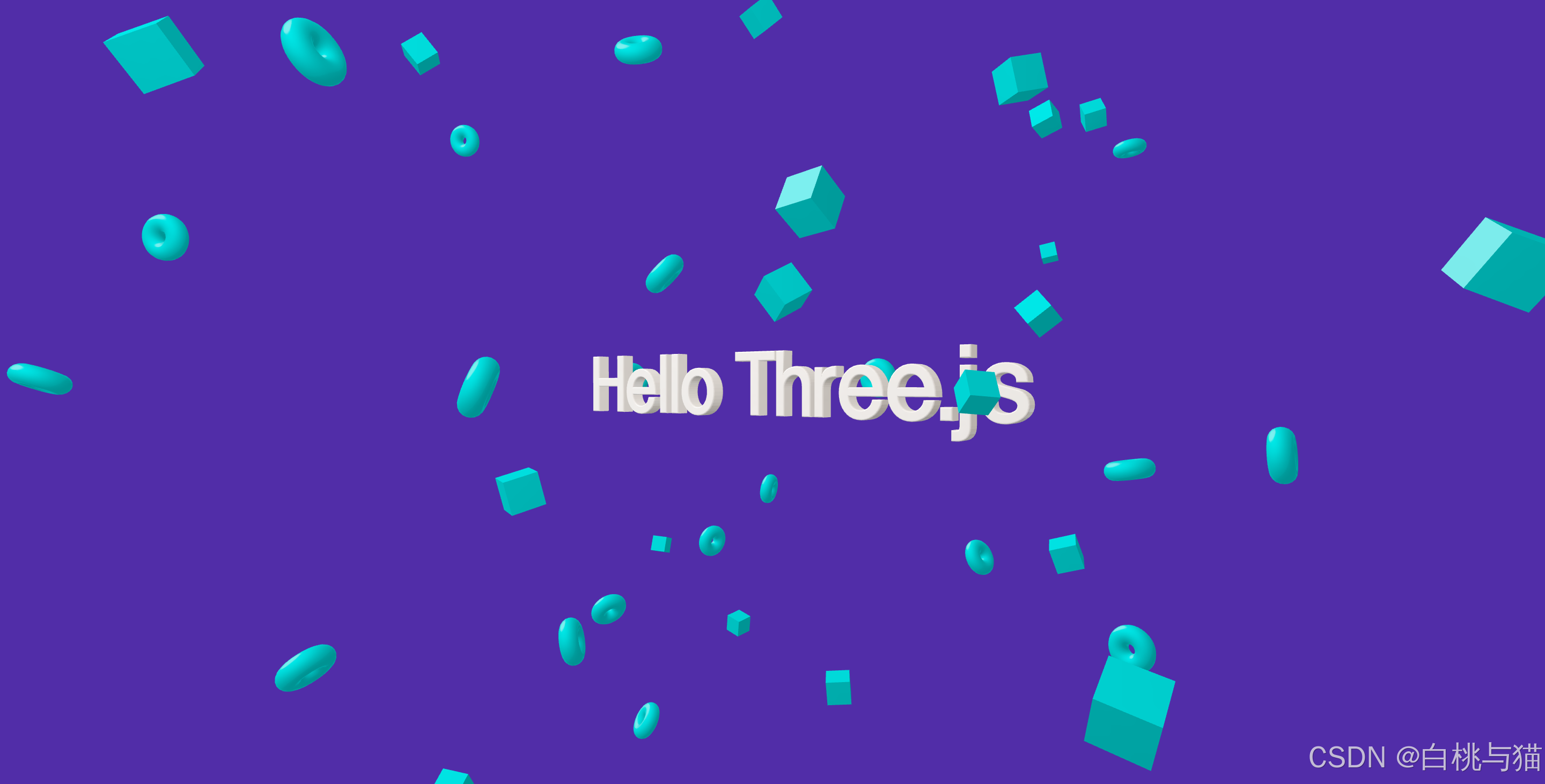
五、最终效果
六、完整代码
<script setup>
import * as THREE from "three";
import { OrbitControls } from "three/addons/controls/OrbitControls.js";
import { onMounted, ref, onBeforeUnmount } from "vue";
import VContainer from "@/components/v-container/Container.vue";
import { FontLoader } from "three/examples/jsm/loaders/FontLoader.js";
import { TextGeometry } from "three/examples/jsm/geometries/TextGeometry.js";

const threeRef = ref();
let renderer = null;
let scene = null;
let controls = null;
let camera = null;
let textMesh = null;
let meshs = [];
const init = () => {
  // 场景
  scene = new THREE.Scene();
  scene.background = new THREE.Color(0x512da8);

  // 相机
  camera = new THREE.PerspectiveCamera(
    55,
    window.innerWidth / window.innerHeight,
    1,
    20000
  );
  camera.position.set(5, 5, 10);
  camera.lookAt(0, 0, 0);

  // 灯光
  // const ambientLight = new THREE.AmbientLight(0xffffff, 0.5);
  // scene.add(ambientLight);
  // 1,加载字体(字体资源:https://github.com/mrdoob/three.js/tree/dev/examples/fonts)
  const fontLoader = new FontLoader();
  fontLoader.load("/fonts/helvetiker_regular.typeface.json", (font) => {
    console.log("字体加载完成");
    // 2,创建几何体
    const textGeometry = new TextGeometry("Hello Three.js", {
      font,
      size: 1,
      height: 0.2,
      curveSegments: 5, // 曲线分段数,越大越圆滑
      bevelEnabled: true, // 是否启用倒角
      bevelThickness: 0.03, // 倒角厚度
      bevelSize: 0.02, // 倒角大小
      bevelSegments: 3, // 倒角分段
      depth: 0.2, // 深度
    });
    // 3,几何体居中
    textGeometry.center(); // 几何体居中 (默认原点在文字的左下角)

    // 4,创建材质
    // a. 简单颜色
    // const material = new THREE.MeshStandardMaterial({ color: 0x00ff00 });

    // b. Matcap 材质(有金属质感)
    // 图片地址:https://github.com/mrdoob/three.js/blob/dev/examples/textures/matcaps/matcap-porcelain-white.jpg
    const matcap = new THREE.TextureLoader().load(
      "/image/matcap-porcelain-white.jpg"
    );
    const material = new THREE.MeshMatcapMaterial({ matcap });
    // 3. 组合文字网格
    textMesh = new THREE.Mesh(textGeometry, material);
    scene.add(textMesh);

    // 创建周边小元素
    const donutGeometry = new THREE.TorusGeometry(0.3, 0.2, 20, 45);
    const boxGeometry = new THREE.BoxGeometry(0.6, 0.6, 0.6);
    // 图片地址:https://github.com/nidorx/matcaps/blob/master/256/046363_0CC3C3_049B9B_04ACAC-256px.png
    const matcapBlock = new THREE.TextureLoader().load(
      "/image/blue-matcap.png"
      // "/image/9.png"
    );
    const materialBlue = new THREE.MeshMatcapMaterial({ matcap: matcapBlock });
    for (let i = 0; i < 50; i++) {
      let mesh;
      if (i % 2) {
        mesh = new THREE.Mesh(donutGeometry, materialBlue);
      } else {
        mesh = new THREE.Mesh(boxGeometry, materialBlue);
      }
      mesh.position.set(
        (Math.random() - 0.5) * 15,
        (Math.random() - 0.5) * 15,
        (Math.random() - 0.5) * 15
      );
      // 随机旋转
      mesh.setRotationFromEuler(
        new THREE.Euler(
          Math.PI * Math.random(),
          Math.PI * Math.random(),
          Math.PI * Math.random()
        )
      );
      // 随机放大
      const radomeScale = Math.random() * 0.5 + 0.5;
      mesh.scale.set(radomeScale, radomeScale, radomeScale);
      meshs.push(mesh);
    }

    scene.add(...meshs);
  });
  const pointLight = new THREE.PointLight(0xffffff, 1.2);
  pointLight.position.set(10, 10, 10);
  scene.add(pointLight);
  // 渲染器
  renderer = new THREE.WebGLRenderer({
    antialias: true, // 抗锯齿
  });
  renderer.setSize(window.innerWidth, window.innerHeight); // 设置渲染器大小
  renderer.setPixelRatio(window.devicePixelRatio); // // 适应不同的设备屏幕
  threeRef.value.appendChild(renderer.domElement); // 将渲染器添加到DOM中

  // 轨道控制器
  controls = new OrbitControls(camera, renderer.domElement);
  controls.enableDamping = true; //开启阻尼(惯性效果,视觉更自然)
  controls.dampingFactor = 0.25; //阻尼系数

  function animate() {
    requestAnimationFrame(animate);
    if (textMesh) {
      textMesh.rotation.y += 0.01;
    }
    meshs?.forEach((mesh) => {
      mesh.rotation.y += 0.01;
      mesh.rotation.x += 0.01;
      mesh.rotation.z += 0.01;
    });
    controls.update(); // 更新控制器
    renderer.render(scene, camera);
  }
  animate();
};

onMounted(() => {
  init();
});

onBeforeUnmount(() => {
  controls?.dispose();
  renderer?.dispose();
  scene?.traverse((obj) => {
    if (obj.isMesh) {
      obj.geometry.dispose();
    }
  });
  window.onresize = null;
});
</script>
<template>
    <div ref="threeRef" class="three-wrapper"></div>
</template>
<style scoped>
.three-wrapper {
  width: 100%;
  height: calc(100vh); /* 调整高度以适应容器 */
  overflow: hidden;
}
</style>
🔍【基础】Three.js的零基础入门篇(附案例代码)
🔍【基础】Three.js中添加操作面板,GUI可视化调试(附案例代码)
🔍【基础】Three.js加载纹理贴图、加载外部gltf格式文件
🔍【基础】Three.js中如何添加阴影(附案例代码)
✨【案例】Three.js 半球光与雪花降落场景(附案例代码)
✨【基础】Three.js中的粒子系统 (附案例代码)
✨【案例】Three.js 模拟水波纹与天空场景(附案例代码)





 扫一扫
扫一扫


 被折叠的 条评论
为什么被折叠?
被折叠的 条评论
为什么被折叠?
 到【灌水乐园】发言





