



需求
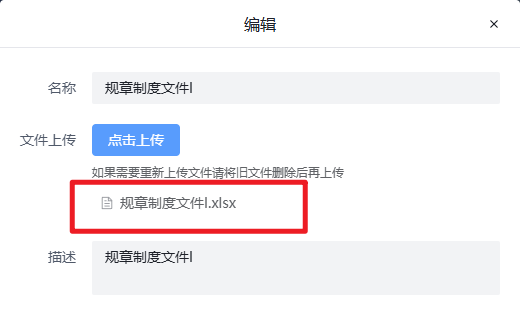
upload 编辑状态下回显已上传的文件信息
分析
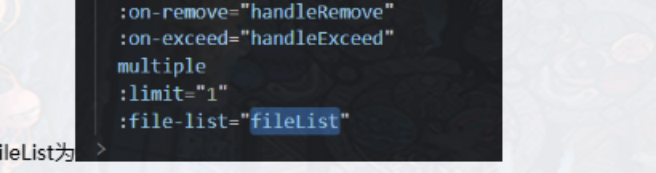
- 添加fileList
<el-upload
  style="width: 100%"
  ref="uploadRef"
  class="upload-demo"
  action="/prod-api/jc/files/upload"
  multiple
  :limit="1"
  :on-success="handleUploadSuccess"
  :headers="headers"
  :file-list="FileList"
>
  <el-button type="primary">点击上传</el-button>
  <template #tip>
    <div class="el-upload__tip">
      如果需要重新上传文件请将旧文件删除后再上传
    </div>
  </template>
</el-upload>
- 编辑时进行重新赋值回显
/**
 * @description : 获取添加 header 信息
 * @author : 'Hukang'
 * @param : ''
 * @date : 2024-03-04 15:12:19
 */
const uploadRef = ref();
const headers = ref({
  Authorization: 'Bearer ' + getToken(),
});
function handleUploadSuccess(data) {
  editForm.value.fundsReportId = data.data.id;
}

/**
 * @description : 编辑功能
 * @author : 'Hukang'
 * @param : ''
 * @date : 2024-03-11 09:28:15
 */
const FileList = ref([]);
const handleEdit = (data) => {
  title.value = '编辑';
  uploadRef.value.clearFiles();
  visible.value = true
  editForm.value = { ...data };
  FileList.value = [
    {
      uid: 1,
      name: data?.fundsReport?.fileName,
      status: 'done',
      url: data?.fundsReport?.url,
    },
  ];
};






 扫一扫
扫一扫


 3117
3117

 被折叠的 条评论
为什么被折叠?
被折叠的 条评论
为什么被折叠?
 到【灌水乐园】发言





