


如ehcache,guava cache,redis
也有将ehcache,guava cache分级为单机缓存
将redis分为分布式缓存
ehcache官网:https://www.ehcache.org/
这里主要说下ehcache和guava cache
单独使用ehcache(当然真正企业开发并不会单独使用ehcache,而是会和Spring或者SpringBoot集成使用)
ehcache依赖:
<dependency>
<groupId>net.sf.ehcache</groupId>
<artifactId>ehcache</artifactId>
<version>2.10.6</version>
</dependency>
注意ehcache的原生API在实际开发中一般不使用,而是和Spring或者SpringBoot集成使用,但是原理还是ehcache,只不过在Spring和SpringBoot中对它进行了包装,学习ehcache原生API可以帮助理解
这里是建了个Maven工程,引入的依赖,包含了Spring,SpringBoot
<dependencyManagement>
        <dependencies>
            <dependency>
                <groupId>org.springframework.boot</groupId>
                <artifactId>spring-boot-dependencies</artifactId>
                <version>2.2.2.RELEASE</version>
                <type>pom</type>
                <scope>import</scope>
            </dependency>
        </dependencies>
    </dependencyManagement>

    <dependencies>
        <!--springboot web-->
        <dependency>
            <groupId>org.springframework.boot</groupId>
            <artifactId>spring-boot-starter-web</artifactId>
        </dependency>

        <dependency>
            <groupId>org.springframework.boot</groupId>
            <artifactId>spring-boot-starter-jdbc</artifactId>
        </dependency>
        <!--spring aop + aspectj starter-->
        <dependency>
            <groupId>org.springframework.boot</groupId>
            <artifactId>spring-boot-starter-aop</artifactId>
        </dependency>
        <!--引入spring的 cache 支持 -->
        <dependency>
            <groupId>org.springframework.boot</groupId>
            <artifactId>spring-boot-starter-cache</artifactId>
        </dependency>
        <!--缓存实现-->
        <dependency>
            <groupId>net.sf.ehcache</groupId>
            <artifactId>ehcache</artifactId>
        </dependency>
        <dependency>
            <groupId>org.springframework.boot</groupId>
            <artifactId>spring-boot-starter-test</artifactId>
            <scope>test</scope>
        </dependency>
        <!--jsr107缓存规范-->
        <dependency>
            <groupId>javax.cache</groupId>
            <artifactId>cache-api</artifactId>
            <version>1.1.1</version>
        </dependency>
        <!--lombok,springboot中已定义版本-->
        <dependency>
            <groupId>org.projectlombok</groupId>
            <artifactId>lombok</artifactId>
        </dependency>
        <dependency>
            <groupId>com.google.guava</groupId>
            <artifactId>guava</artifactId>
            <version>29.0-jre</version>
        </dependency>

        <dependency>
            <groupId>org.springframework</groupId>
            <artifactId>spring-test</artifactId>
            <version>5.2.2.RELEASE</version>
        </dependency>

        <dependency>
            <groupId>com.alibaba</groupId>
            <artifactId>fastjson</artifactId>
            <version>1.2.78</version>
        </dependency>

        <!--redisson的一部分代码是实现了jsr107的,分布式锁-->
        <!--    <dependency>-->
        <!--      <groupId>org.redisson</groupId>-->
        <!--      <artifactId>redisson</artifactId>-->
        <!--      <version>3.16.2</version>-->
        <!--    </dependency>-->


        <dependency>
            <groupId>junit</groupId>
            <artifactId>junit</artifactId>
            <version>4.12</version>
            <scope>test</scope>
        </dependency>

    </dependencies>
使用原生ehcache的API
ehcache.xml配置
<?xml version="1.0" encoding="utf-8"?>
<ehcache
    xmlns:xsi="http://www.w3.org/2001/XMLSchema-instance"
    xsi:noNamespaceSchemaLocation="https://www.ehcache.org/ehcache.xsd">

  <!--
    path:默认写到磁盘的路径:C:\Users\user\AppData\Local\Temp\  -->
  <diskStore path="java.io.tmpdir"/>

  <!--
    对应类:net.sf.ehcache.config.CacheConfiguration
    maxEntriesLocalHeap:内存中最多放多少个元素
    memoryStoreEvictionPolicy:驱逐策略,net.sf.ehcache.store.MemoryStoreEvictionPolicy.fromString
    eternal:true:不过期
    timeToIdleSeconds:eternal=false时有效,可以闲置多长时间,单位s
    timeToLiveSeconds:eternal=false时有效,从创建开始计算可以存活多长时间,单位s
    maxElementsOnDisk:localTempSwap时有效,表示最多可以往磁盘写多少个
    diskExpiryThreadIntervalSeconds:localTempSwap时有效,检查磁盘元素是否失效的时间间隔
    persistence:当cache中的元素个数=maxEntriesLocalHeap时,
          localTempSwap:写到磁盘,其他值: net.sf.ehcache.config.PersistenceConfiguration.Strategy
    statistics:开启统计
  -->
  <cache
      name="user_cache"
      maxEntriesLocalHeap="1000"
      eternal="false"
      timeToIdleSeconds="600"
      timeToLiveSeconds="600"
      maxElementsOnDisk="10000000"
      diskExpiryThreadIntervalSeconds="120"
      memoryStoreEvictionPolicy="LRU"
      statistics="true"
  >
    <persistence strategy="localTempSwap"/>
  </cache>
</ehcache>
Test
相对路径:
String absPath="./src/main/resources/ehcache.xml";
 @Test
    public void test2(){
        System.out.println(System.getProperty("java.io.tmpdir"));
    }

    /**
     * 单独使用ehcache的api进行编程
     */
    @Test
    public void test1(){
        String absPath = "D:\\cache-demo\\src\\main\\resources\\ehcache.xml";
        /*
         用来管理多个Cache,user_cache、item_cache、store_cache...
         */
        CacheManager cacheManager = CacheManager.create(absPath);
        /*
         获取到CacheManager管理的所有的cache
         */
        String[] cacheNames = cacheManager.getCacheNames();
        System.out.println("CacheManager管理的所有的cache的名字"+ Arrays.toString(cacheNames));
        /*
         获取cache的名字(我们指定的)获取具体的cache
         */
        Cache userCache = cacheManager.getCache("user_cache");
        /*
         往userCache放入一个user
         */
        User user = new User();
        user.setId(1001L);
        user.setName("劈里啪啦");
        Element element = new Element(user.getId(),user);
        userCache.put(element);
        /*
        通过key取出缓存的对象
         */
        Element resultEle = userCache.get(1001L);
        System.out.println("获取到的resultEle:" +resultEle);
        System.out.println("获取Element的value:" + resultEle.getObjectValue());
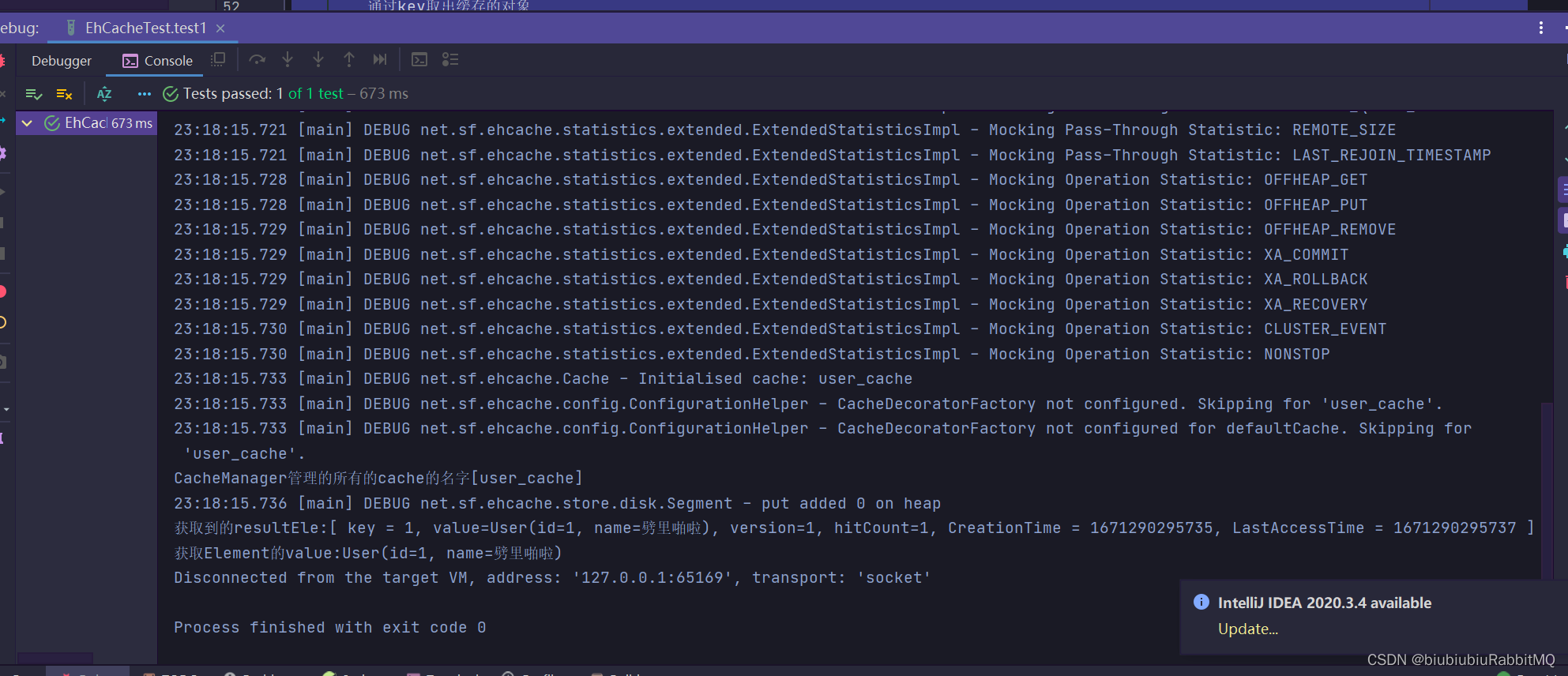
    }
关于jsr107缓存规范
依赖
<!-- JCACHE-->
<dependency>
<groupId>javax.cache</groupId>
<artifactId>cache-api</artifactId>
<version>1.1.1</version>
</dependency>
-
jcp介绍: The Java Community Process(SM) Program - JSRs: Java Specification Requests - detail JSR# 107
-
项目地址: GitHub - jsr107/jsr107spec: JSR107 Cache Specification
api结构
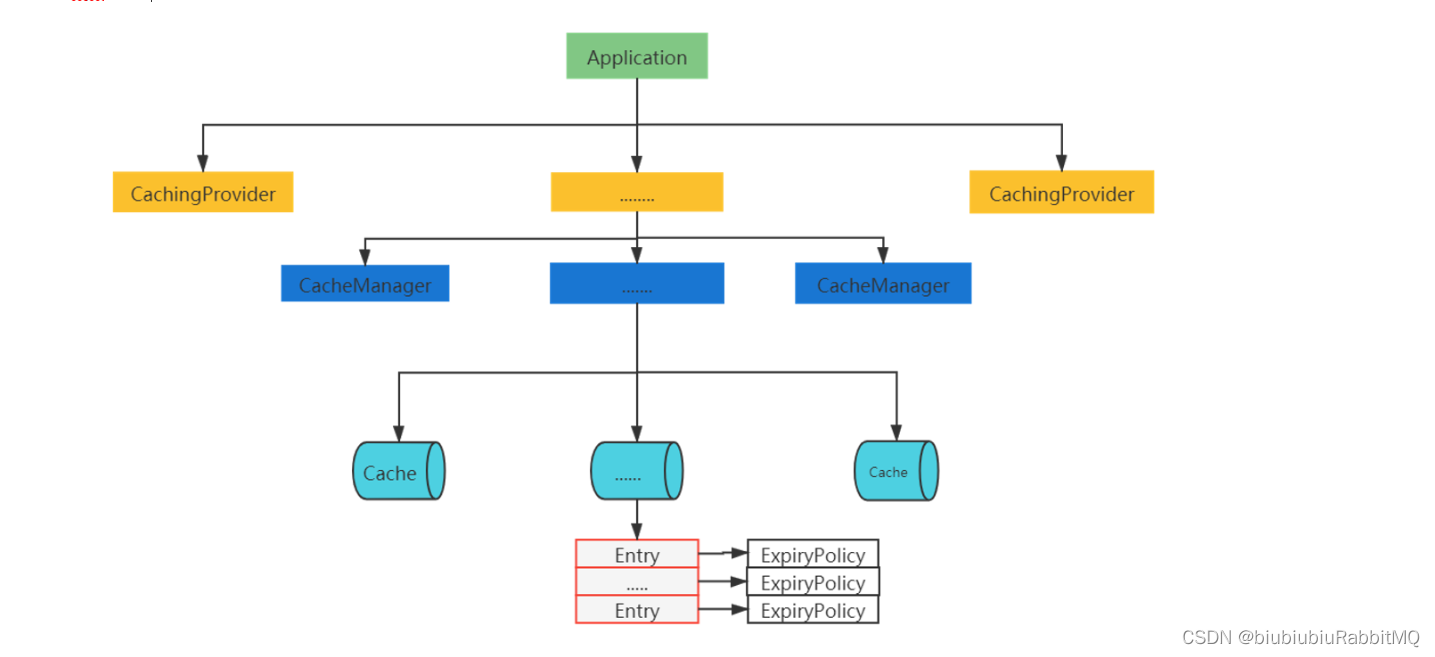
如何理解上面这张图:就是说一个应用程序下面,有很多个CahingProvider,每个CachingProvider里又包含很多CacheManager,每个CacheManager里有包含很多Cache
对于jsr107缓存规范只做了解,过于复杂
下面是Spring的缓存抽象,设计就相对简单了
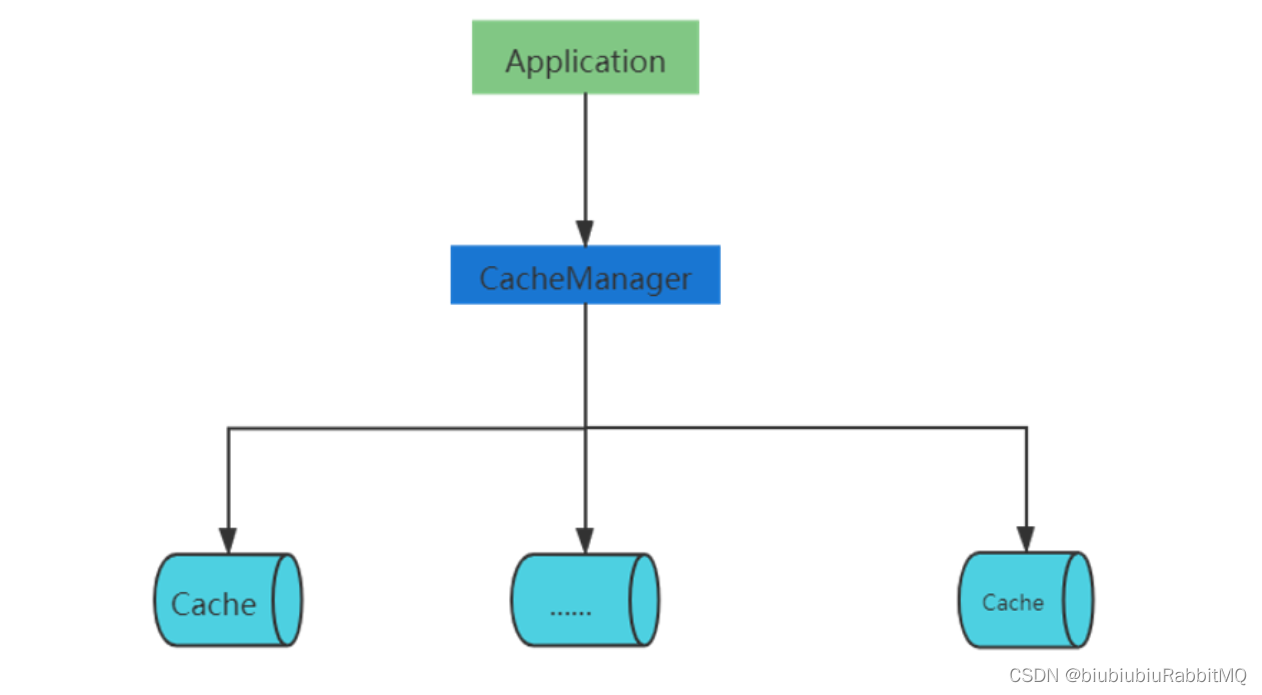
就是说一个应用里面有一个CacheManager,管理着多个Cache
ehcache与Spring集成以及编程式操作缓存
Spring依赖一开始就已经引入了
Spring集成ehCache两种方式:
1.编程式使用
2.注解方式使用
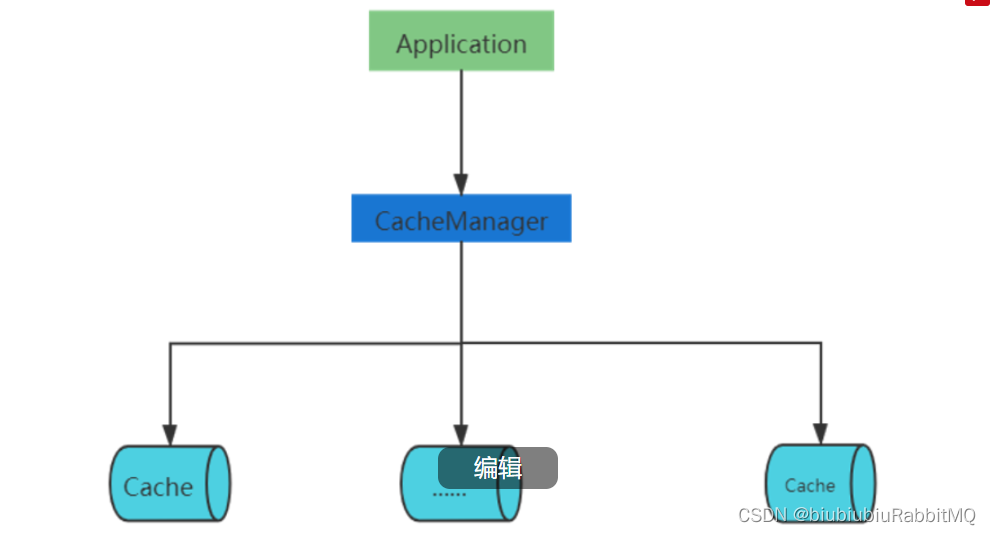
注意在Spring集成ehcache的这张图
新建一个测试类
1.编程式使用
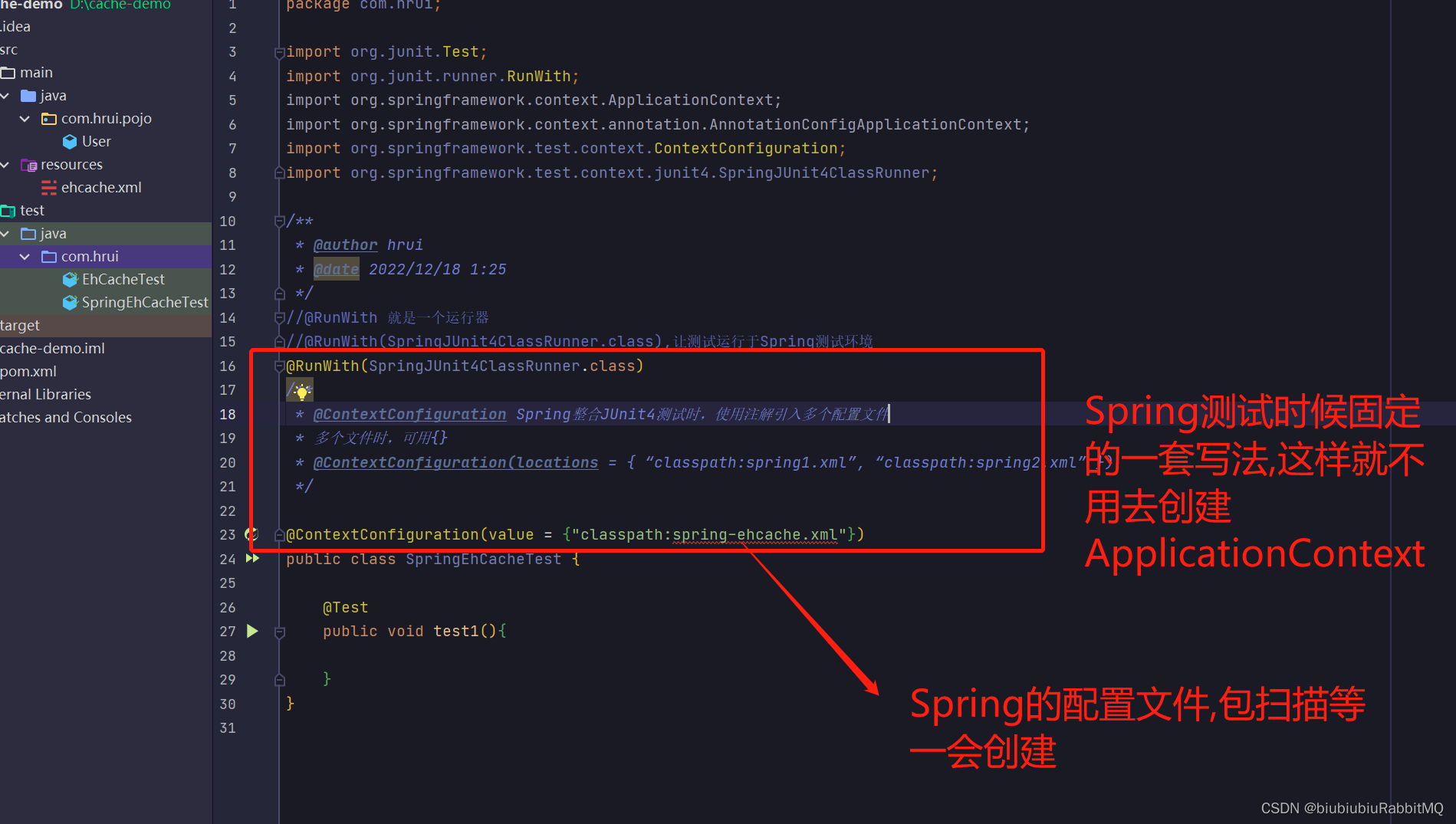
spring-ehcache.xml
<?xml version="1.0" encoding="utf-8"?>
<beans xmlns="http://www.springframework.org/schema/beans"
       xmlns:xsi="http://www.w3.org/2001/XMLSchema-instance"
       xmlns:cache="http://www.springframework.org/schema/cache"
       xsi:schemaLocation="http://www.springframework.org/schema/beans
           http://www.springframework.org/schema/beans/spring-beans.xsd
           http://www.springframework.org/schema/cache
           http://www.springframework.org/schema/cache/spring-cache-4.0.xsd">
    <!--相当于CacheManager cacheManager = CacheManager.create(absPath);-->
    <bean
        id="ehCacheManager"
        class="org.springframework.cache.ehcache.EhCacheManagerFactoryBean">
        <!--配置ehcache.xml的路径-->
      <property name="configLocation" value="classpath:ehcache.xml"/>
    </bean>
    <!--Spring中对原生的CacheManager进行包装,
    org.springframework.cache.CacheManager有多个实现
    -->
    <bean
        id="ehCacheCacheManager"
        class="org.springframework.cache.ehcache.EhCacheCacheManager">
      <property name="cacheManager" ref="ehCacheManager"/>
      <!--事务回滚缓存也回滚-->
      <property name="transactionAware" value="true"/>
    </bean>

    <!--和上面是同级的,指定用哪个实现类-->
<!--    <bean-->
<!--        id="concurrentMapCacheManager"-->
<!--        class="org.springframework.cache.concurrent.ConcurrentMapCacheManager">-->
<!--      <property name="cacheNames">-->
<!--        <list>-->
<!--          <value>item_cache</value>-->
<!--          <value>store_cache</value>-->
<!--        </list>-->
<!--      </property>-->
<!--    </bean>-->

  <!--跟org.springframework.cache.annotation.EnableCaching一样-->
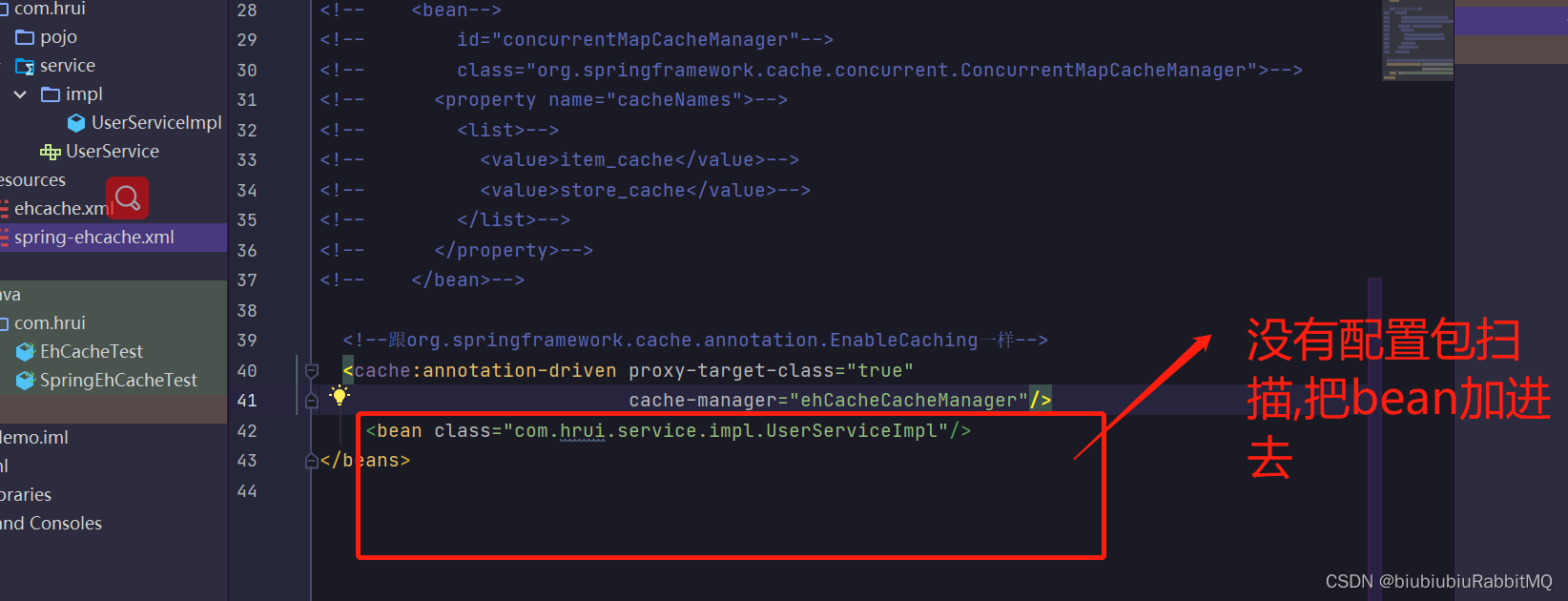
  <cache:annotation-driven proxy-target-class="true"
                           cache-manager="ehCacheCacheManager"/>

</beans>
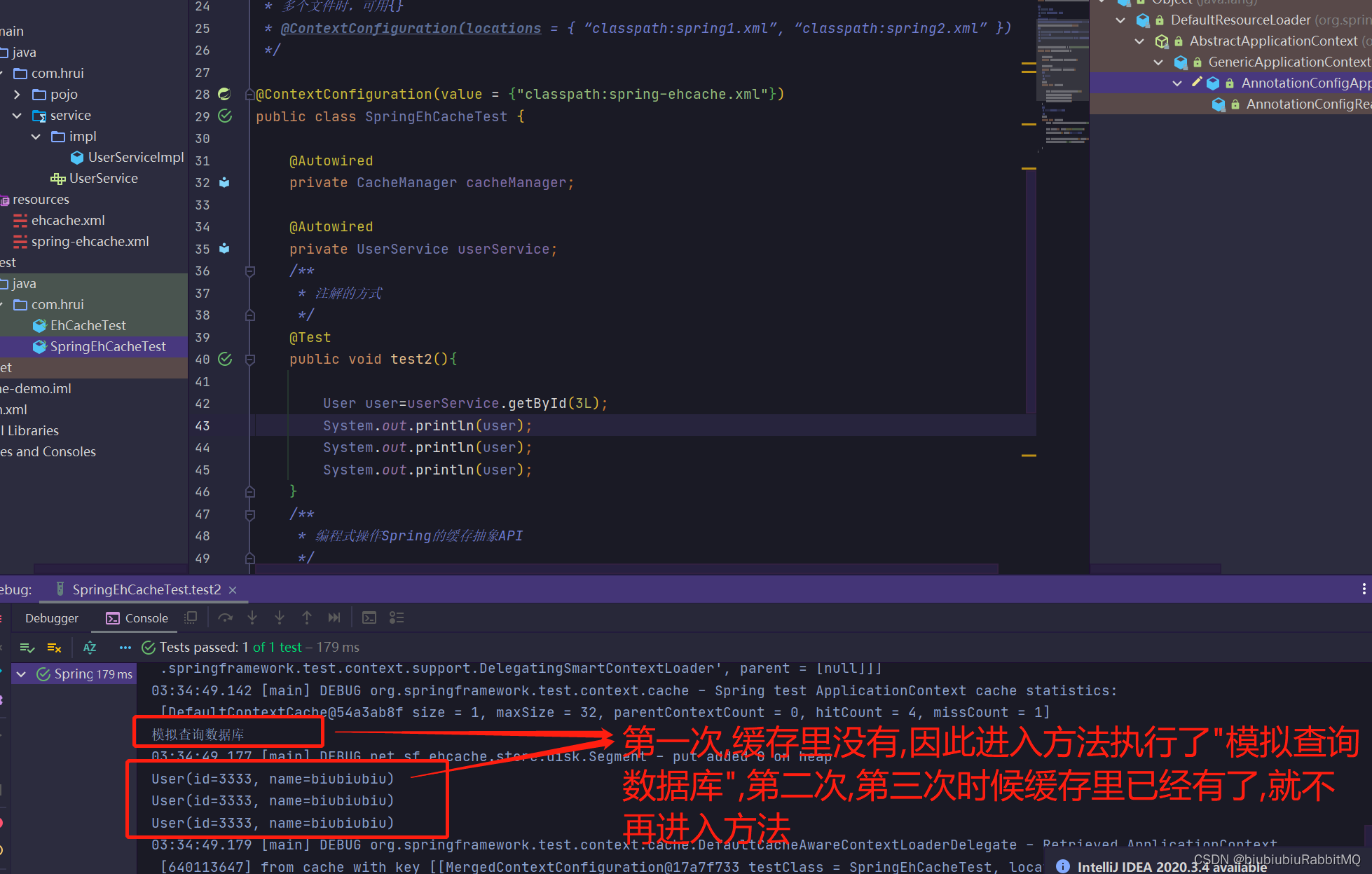
现在可以开始玩了
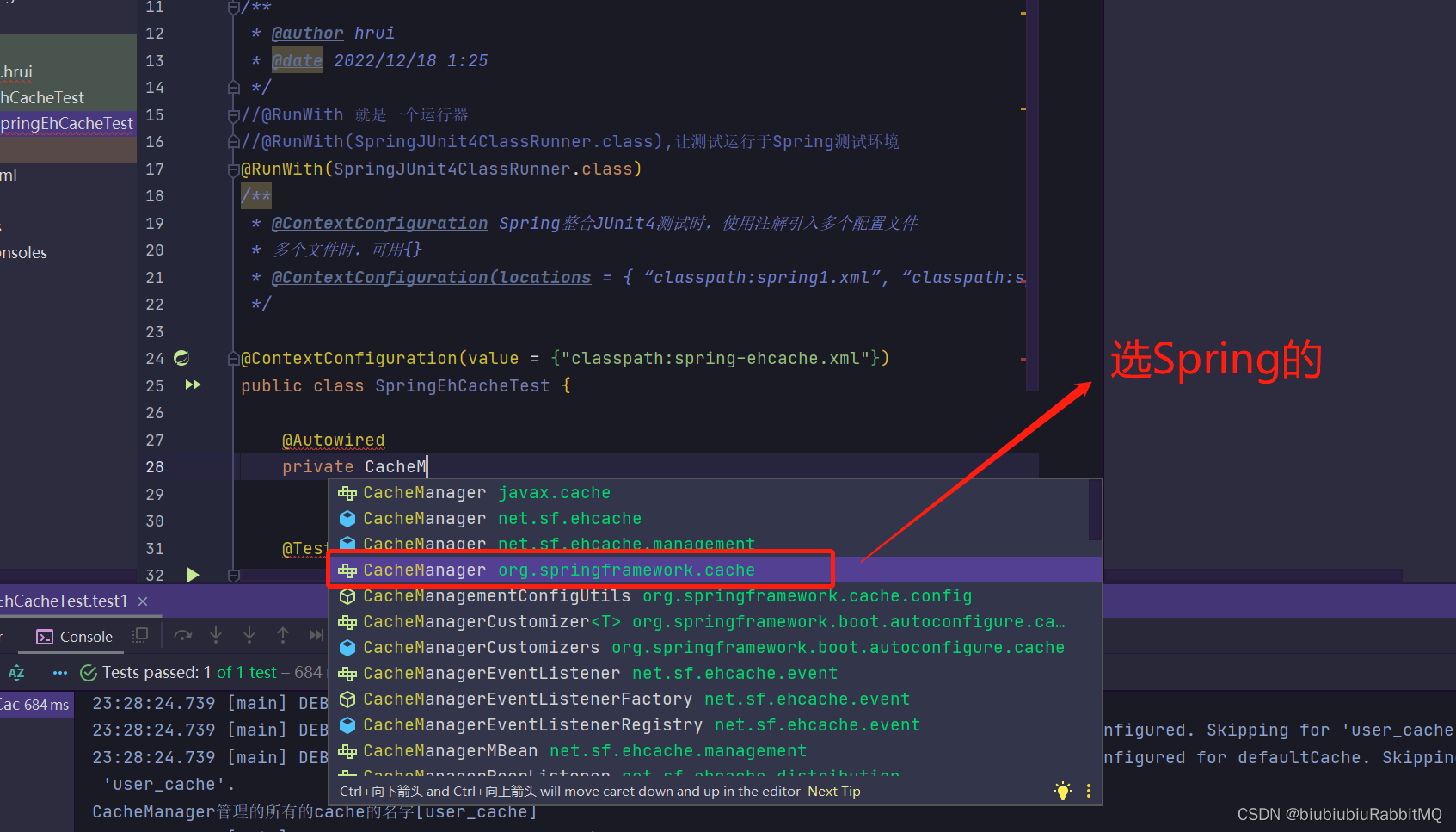
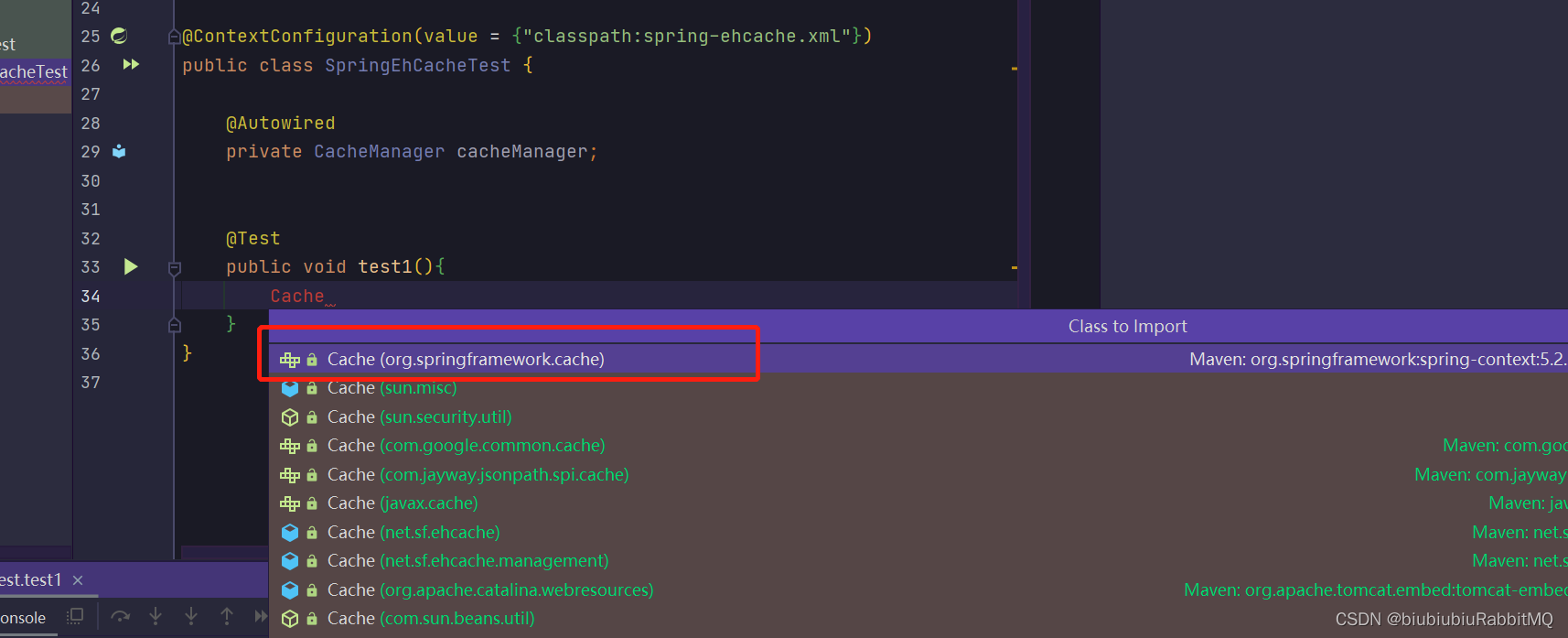
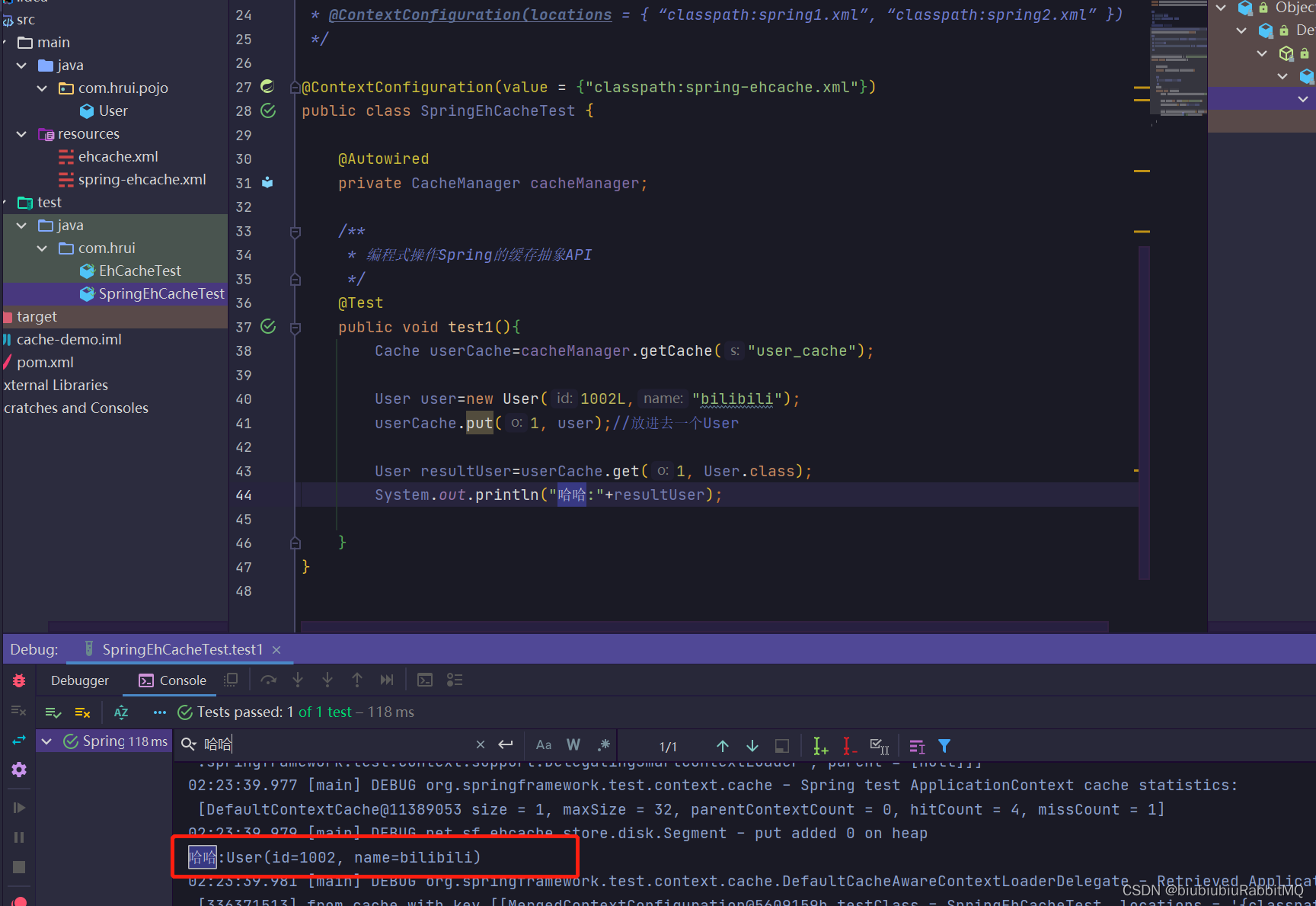
打印了,但是控制台最后也报错了,说没有实现序列化
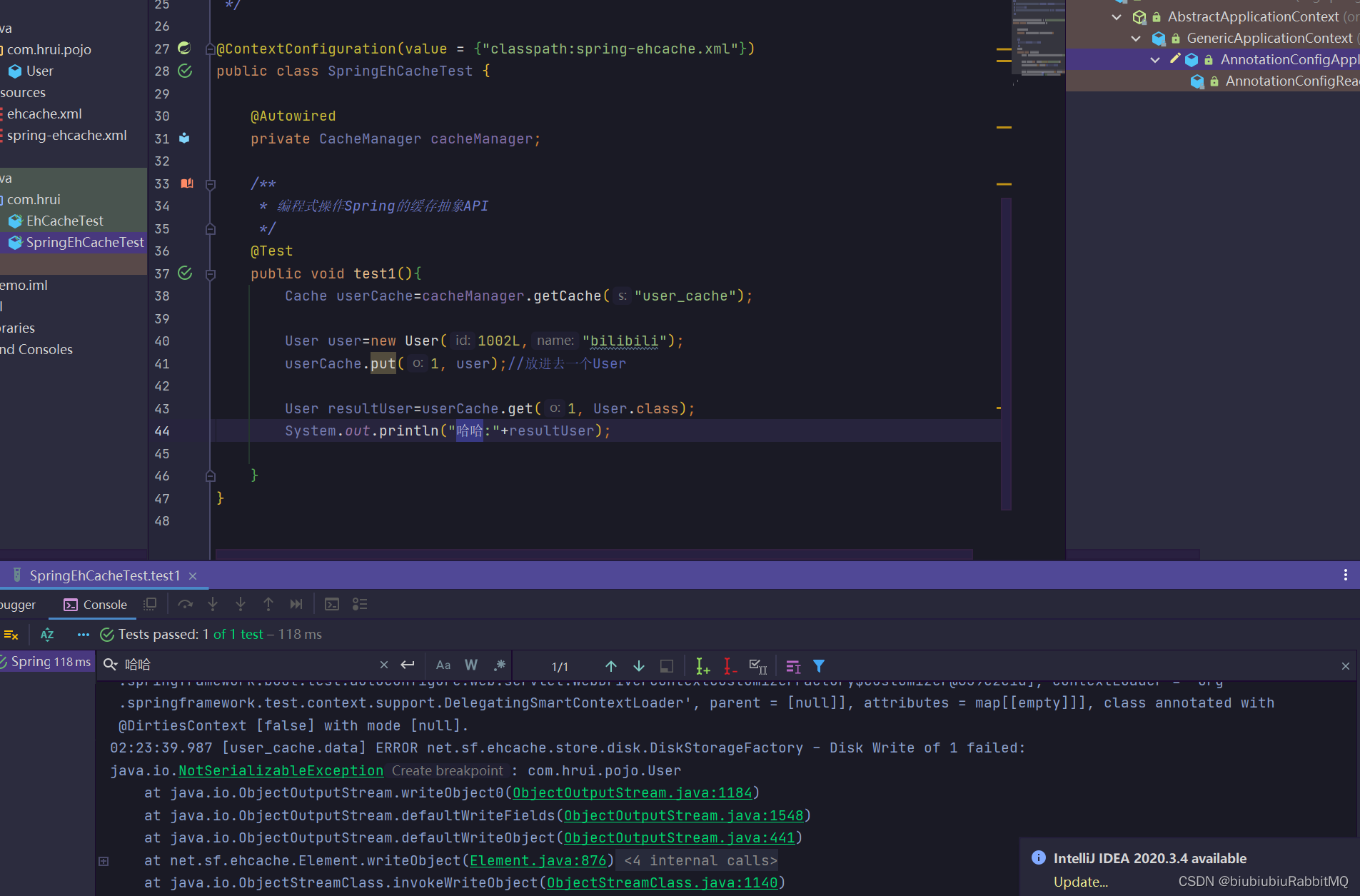
原因是

解决方式:1个改成不写入磁盘
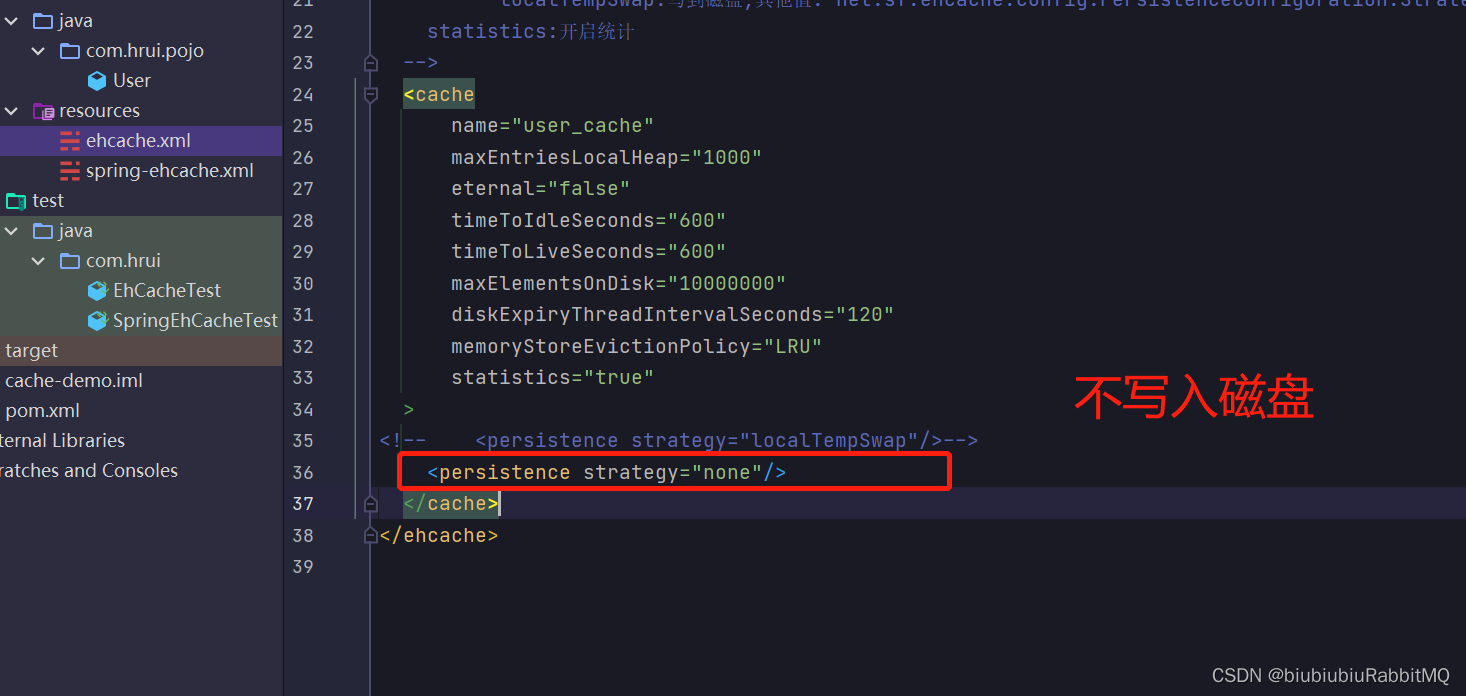
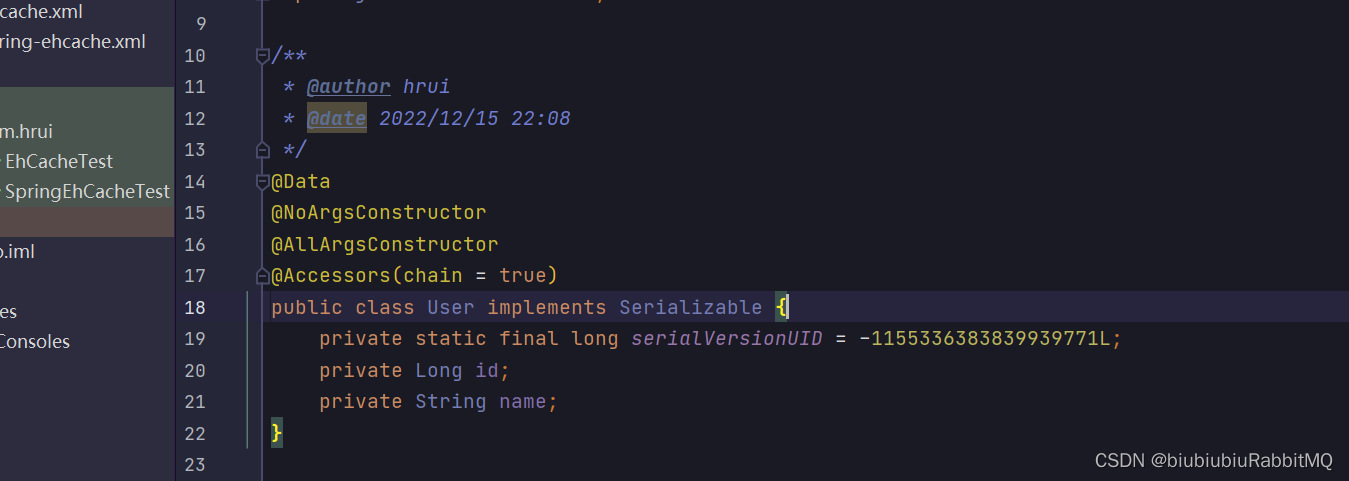
2,那就是实现序列化
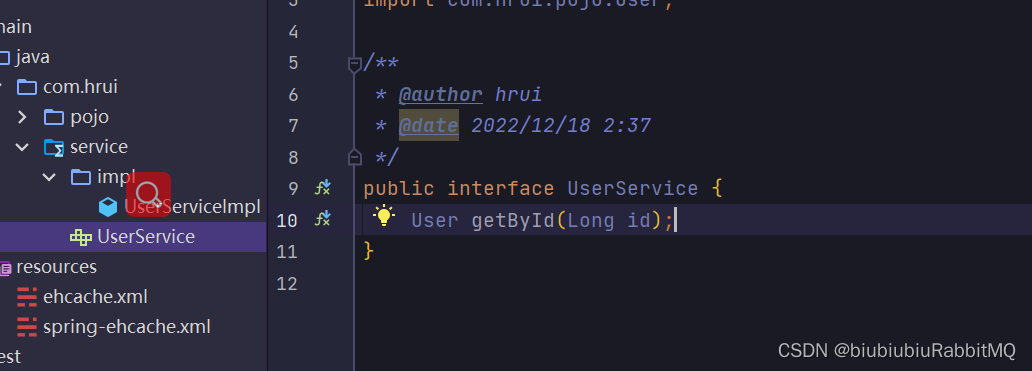
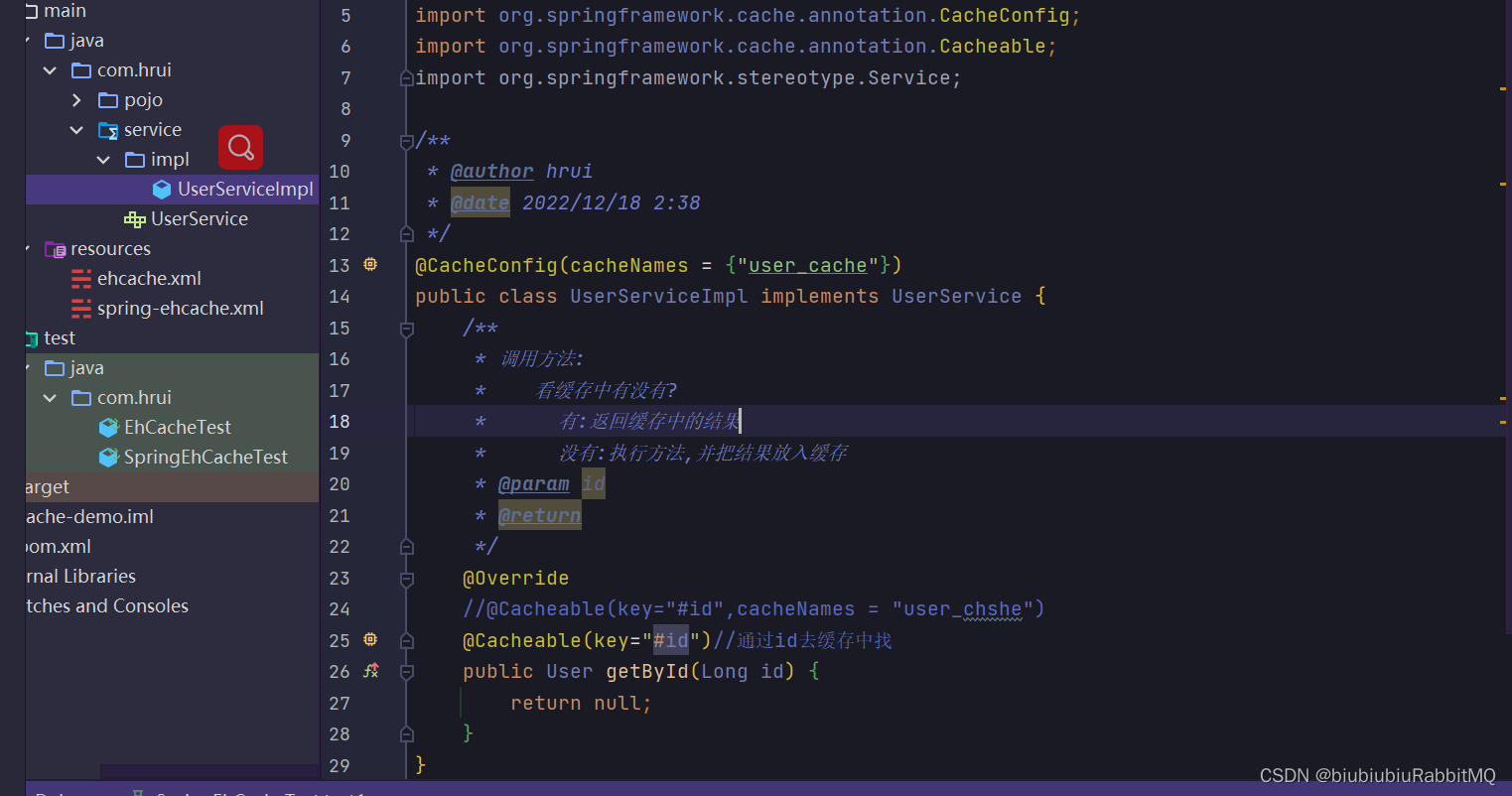
2.注解方式使用 使用@Cacheable
比如顶一个接口
下面就是实际开发中会用到的
SpringBoot集成ehcache
依赖一开始就已引入
直接测试
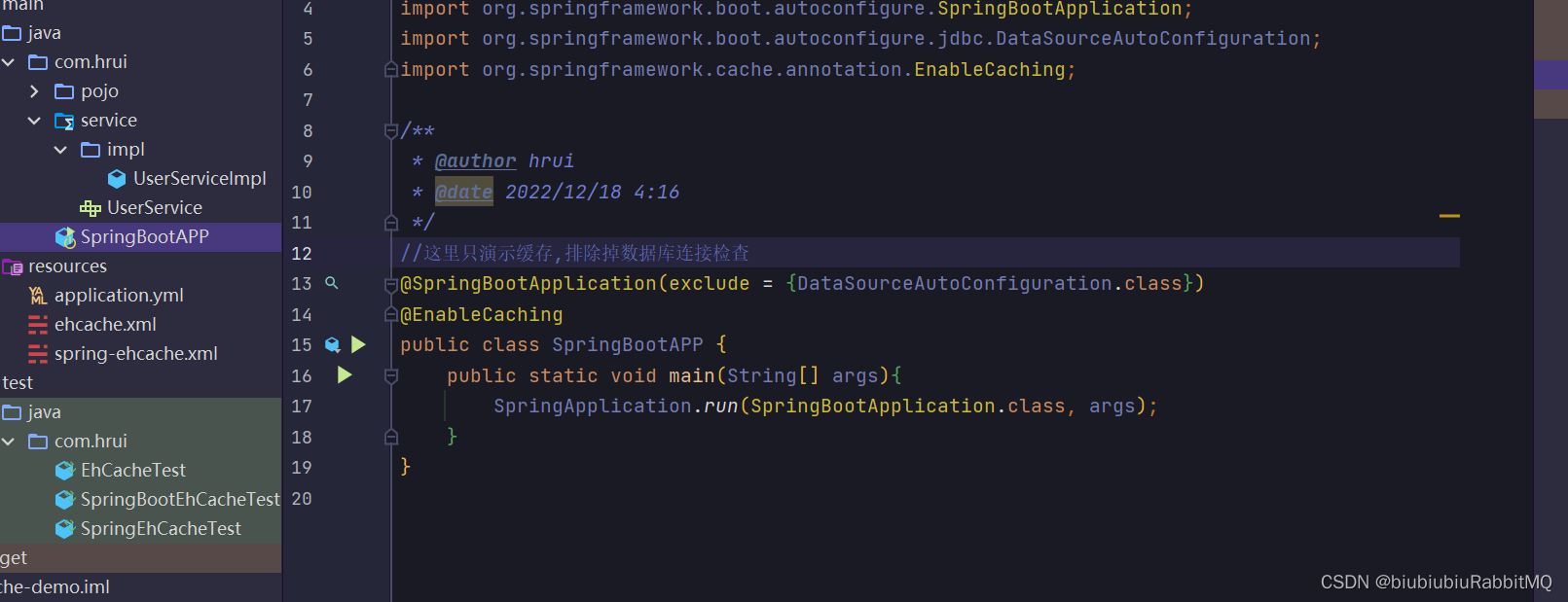
写个启动类,且加上@EnableCaching注解
在yml里的配置
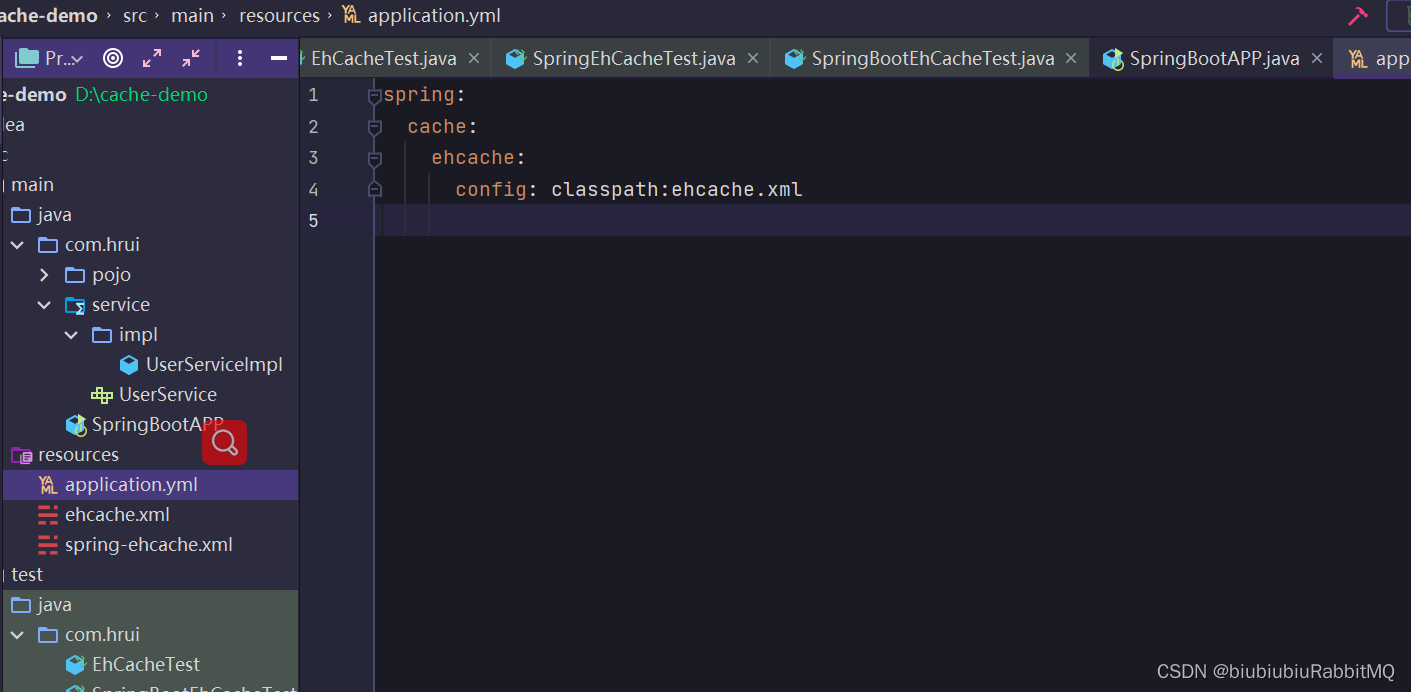
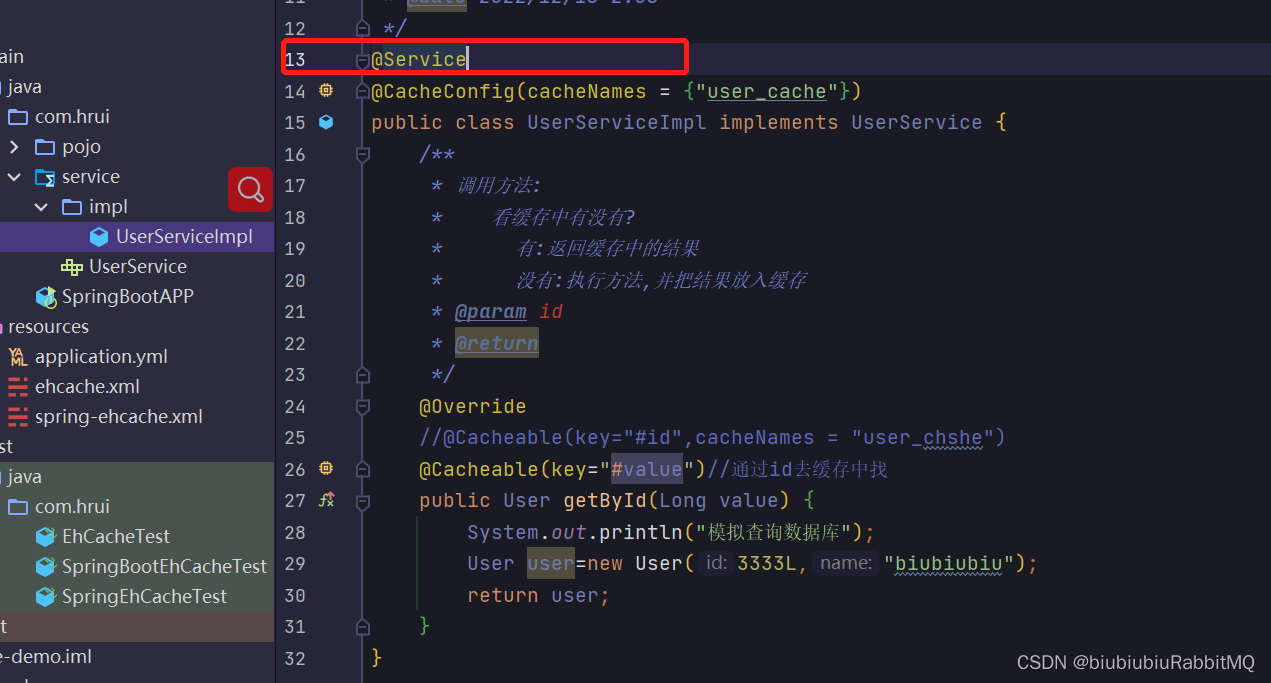
现在用的是SpringBoot,将UserServiceImpl上加上@Service注解
SpringBoot中编程式使用ehcashe和Spring是一样的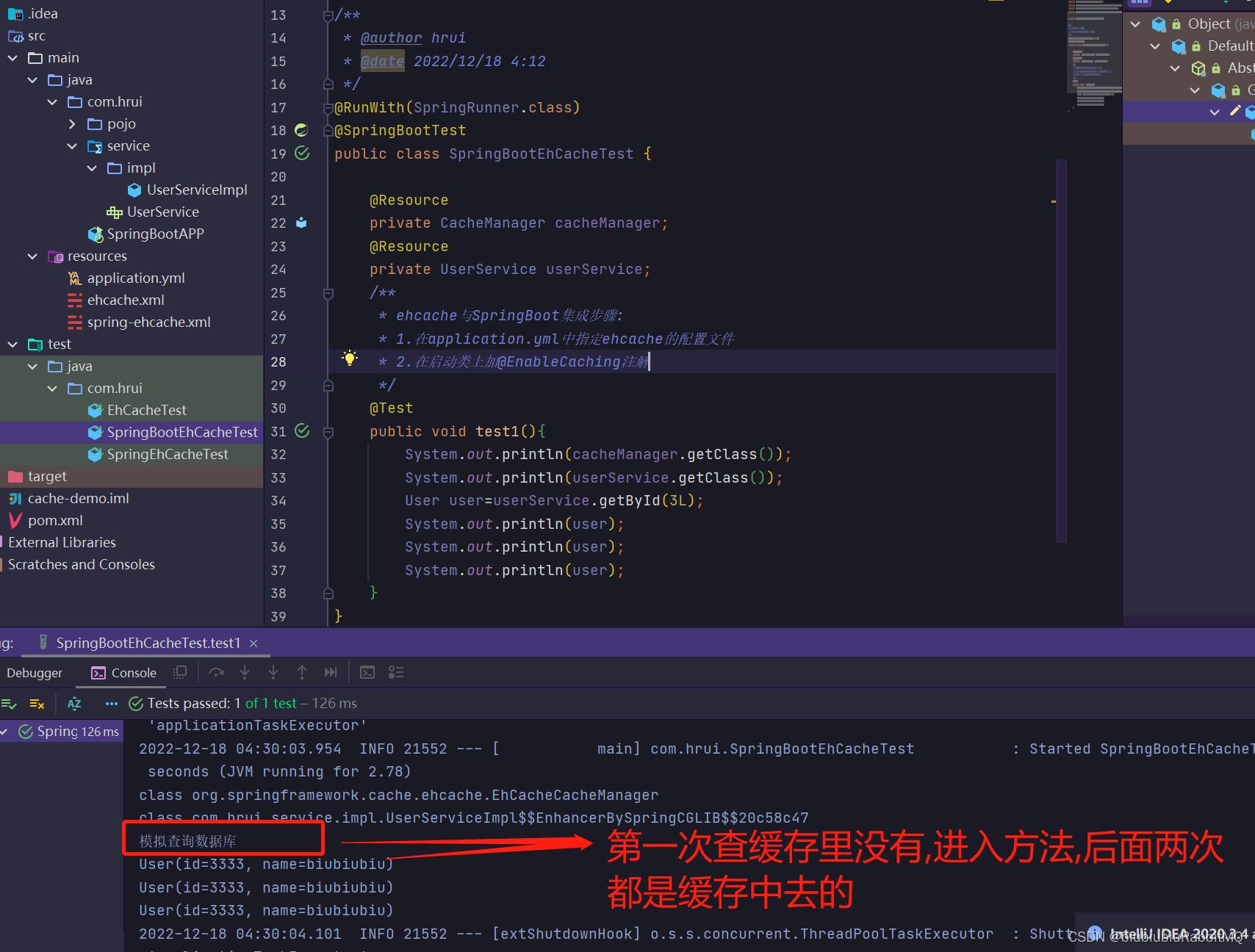
拿到cacheManager目的是为了编程式使用
SpringBoot中简化:注解式使用
--------------------------------------------------------------------------------------------
关于guava的cache
<dependency>
    <groupId>com.google.guava</groupId>
    <artifactId>guava</artifactId>
    <version>29.0-jre</version>
</dependency>
单独使用guava的cache,guava的cache分为两种:
第一种:Cache--实现类是LoadingCache的内部类com.google.common.cache.LocalCache.LocalLoadingCache
特点:缓存中获取不到值得时候,会根据指定得loader进行加载,加载后自动放入缓存
第二种:Cache--实现类com.google.common.cache.LocalCache.LocalManualCache
特点类似ehcache
先来演示第一种:单独使用guava的cache,guava的cache.第一种:Cache--实现类是LoadingCache的内部类com.google.common.cache.LocalCache.LocalLoadingCache
public class GuavaCacheLoadingCacheTest {

    /**
     * 单独使用guava的cache,guava的cache分为两种:
     * 第一种:Cache--实现类是LoadingCache的内部类com.google.common.cache.LocalCache.LocalLoadingCache
     *    特点:缓存中获取不到值得时候,会根据指定得loader进行加载,加载后自动放入缓存
     */

    @Test
    public void test1() throws InterruptedException {
        LoadingCache<Long, User> loadingCache= CacheBuilder.newBuilder()
                //指定并发级别
                .concurrencyLevel(8)
                //初始化大小,配合concurrencyLevel做分段锁
                .initialCapacity(60)
                //最多可以防止多少个元素
                .maximumSize(10)
                //从写入开始计算,10s过期
                .expireAfterWrite(3, TimeUnit.SECONDS)
                //统计命中率
                .recordStats()
                //缓存中的元素被驱逐出去后会自动回调的到这里
                .removalListener(new RemovalListener<Long, User>() {

                    @Override
                    public void onRemoval(RemovalNotification<Long, User> removalNotification) {
                        Long key= removalNotification.getKey();
                        RemovalCause cause=removalNotification.getCause();
                        System.out.println("Key:"+key+"被移出缓存,原因:"+cause);
                    }
                })
                //缓存中获取不到值得时候,会回调到这里
                .build(new CacheLoader<Long, User>() {
                    //这里的key就是将来LoadingCache.get(key)获取不到而传进来的参数
                    @Override
                    public User load(Long key) throws Exception {
                        //可以在这里进行数据的加载
                        System.out.println("去存储中加载");
                        User user=new User(key,"视而不见");
                        return user;
                    }
                });
        for(long i=0;i<20;i++){
            //get方法会抛出异常,可以使用getUnchecked()内部try()catch了
            //User user=loadingCache.get(i);
            User user=loadingCache.getUnchecked(999L);
            System.out.println(user);
            TimeUnit.SECONDS.sleep(1);
        }

        System.out.println(loadingCache.stats().toString());
    }
}
上面是单独使用gava cache
接下来是Spring/SpringBoot集成guava cache
Spring/SpringBoot集合第三方框架都有以下特点:
1.Spring:xml或者在@Configuration中加入@Bean注入
2.SpringBoot:starter启动依赖集成或者@Configuration中@Bean注入
Spring集成guava cache
无论是ehcache还是guavacache都离不开 一个应用 一个CacheManager管理多个Cache
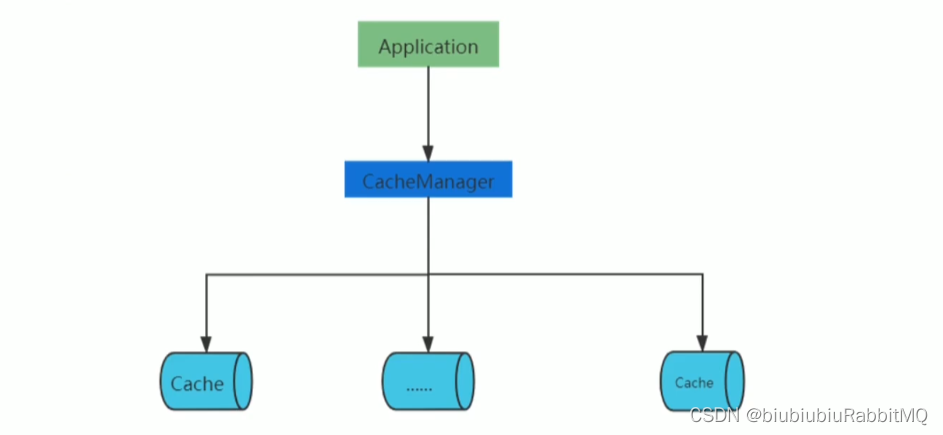
Spring集成guava cache
cacheManager和cache需要自己定义:
/**
 * 因为Spring没有guava    Cache的实现,这里需要自定义
 * @author hrui
 * @date 2022/12/19 4:01
 */
public class GuavaCacheCacheManager extends AbstractCacheManager {
    /**
     * 用来加载当前CacheManager要管理哪些cache
     * @return
     */
    @Override
    protected Collection<? extends Cache> loadCaches() {
        /*
        获取所有的cache
         */
        com.google.common.cache.Cache<Object,Object> userCache = CacheBuilder.newBuilder()
                .maximumSize(100)
                .build();
        GuavaCache guavaUserCache = new GuavaCache("user_cache", userCache);
//        new GuavaCache("book_cache",bookCache);


        Collection<Cache> caches = new LinkedHashSet<>();
        caches.add(guavaUserCache);
        return caches;
    }
}
/**
* 仿造ehcache
* 自定义cache的场景:
* 1. GuavaCache
* 2. 多级缓存
*/
public class GuavaCache implements Cache {
private String cacheName;
/**
* 使用组合模式持有真正的cache对象
*/
private com.google.common.cache.Cache<Object,Object> internalCache;
public GuavaCache(String cacheName, com.google.common.cache.Cache<Object,Object> internalCache) {
this.cacheName = cacheName;
this.internalCache = internalCache;
}
@Override
public String getName() {
return cacheName;
}
@Override
public Object getNativeCache() {
return internalCache;
}
@Override
public ValueWrapper get(Object key) {
Object object = internalCache.getIfPresent(key);
if (object != null) {
// 返回ValueWrapper的默认实现
return new SimpleValueWrapper(object);
}
return null;
}
//以下是一些类型转换
@Override
public <T> T get(Object key, Class<T> type) {
throw new RuntimeException("这里不实现了,参考get实现");
}
@Override
public <T> T get(Object key, Callable<T> valueLoader) {
throw new RuntimeException("这里不实现了,参考get实现");
}
@Override
public void put(Object key, Object value) {
internalCache.put(key,value);
}
/**
* 逐出单个
* @param key
*/
@Override
public void evict(Object key) {
// 举个例子:这里如果是多级缓存的话,就需要完成本地缓存和分布式缓存的同步逻辑
// 方法比如通过mq
internalCache.invalidate(key);
}
@Override
public void clear() {
internalCache.invalidateAll();
}
}
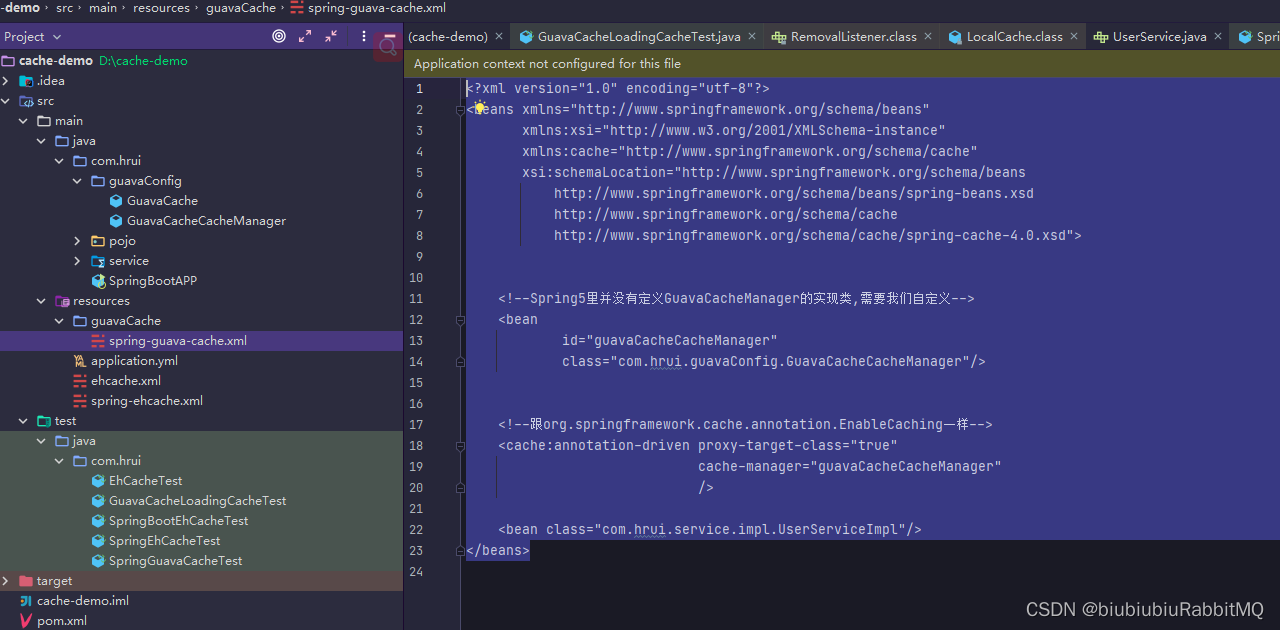
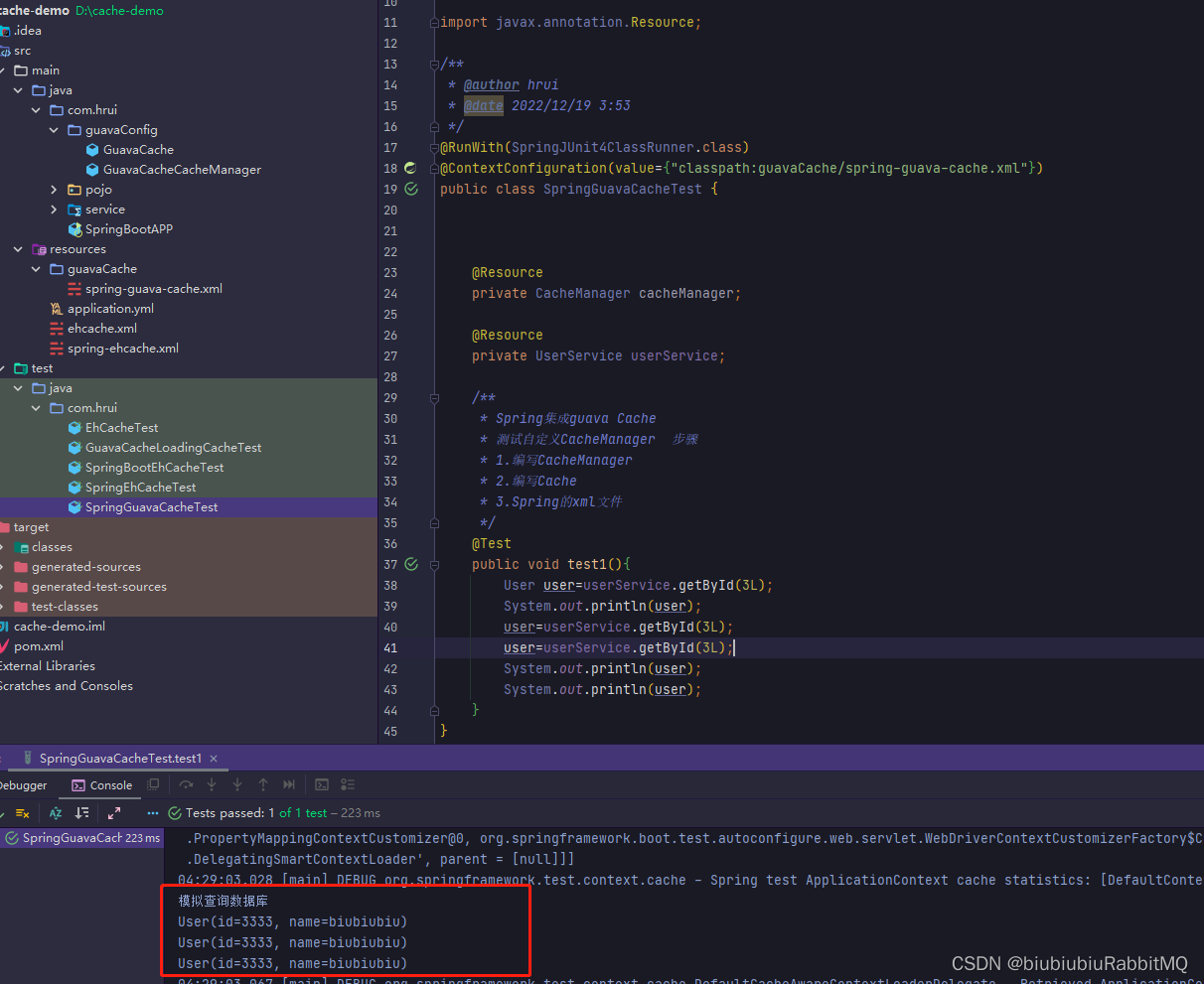
Spring的配置文件
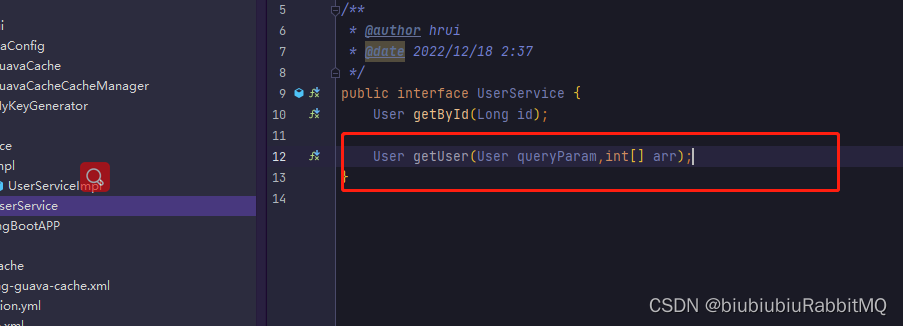
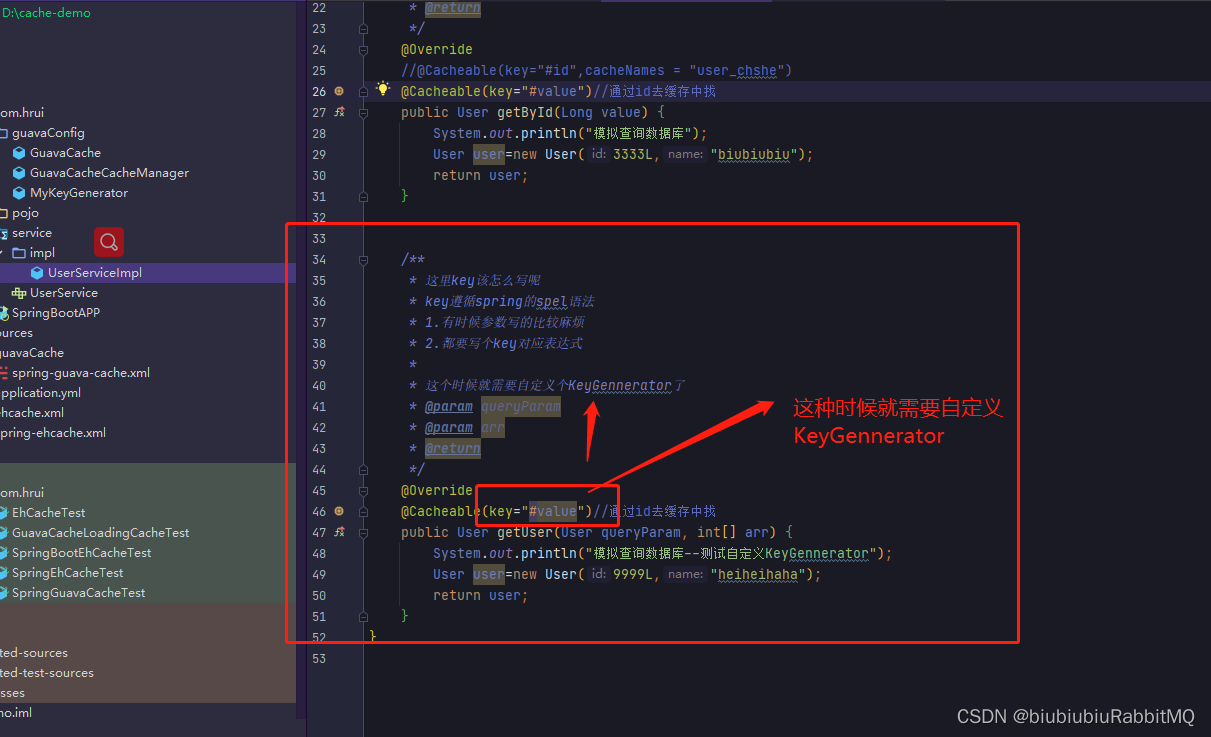
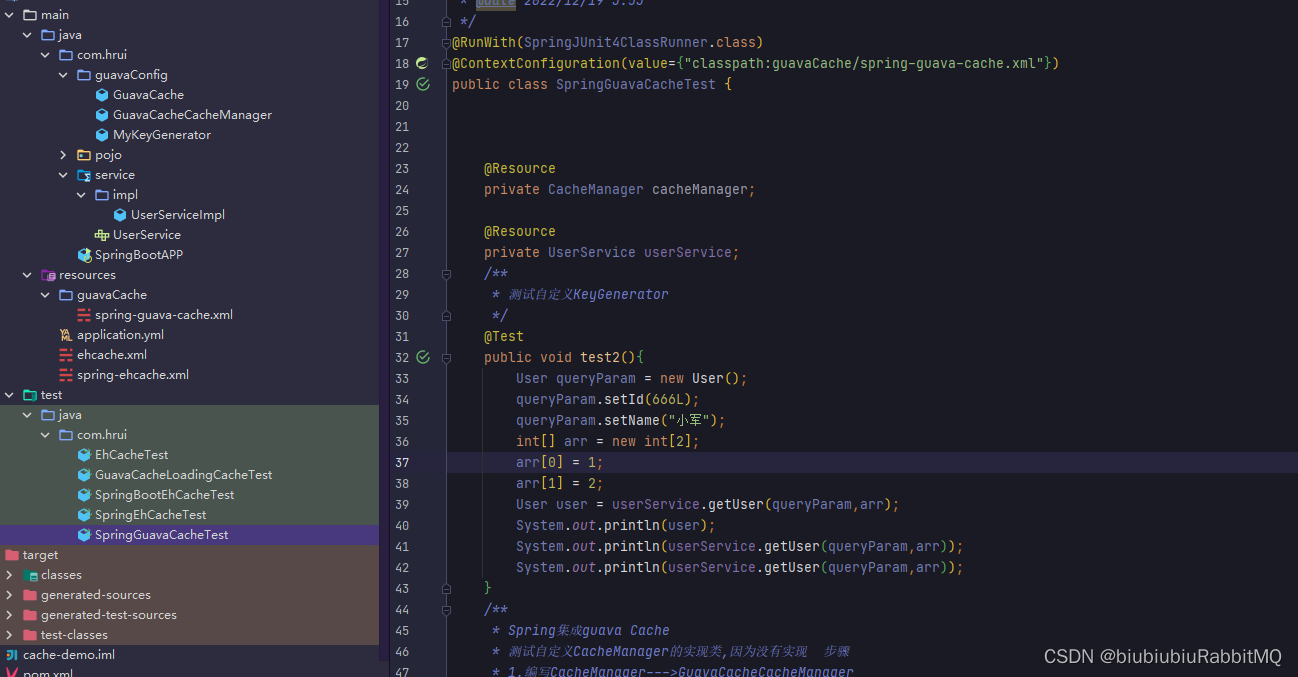
如果现在有这种情况,都是参数比较复杂
/**
 * 缓存的key,spel书写:
 * 1.有时候参数写的比较麻烦
 * 2.都要写key对应的表达式,可能忘记了
 * 3.我写了的话就以写的为准,不写就使用配置的KeyGenerator
 */
public class MyKeyGenerator implements KeyGenerator {

    @Override
    public Object generate(Object target, Method method, Object... params) {
        StringBuilder finalKey = new StringBuilder();
        // 方法全限定名
        finalKey.append(target.getClass().getName()).append(".")
                .append(method.getName()).append(".");
        if (params.length == 0) {
            return finalKey.append(0).toString();
        }
        for (Object param : params) {
            if (param == null) {
                finalKey.append("null");
            }else if (ClassUtils.isPrimitiveArray(param.getClass())) {
                // 一个参数为 int[] 等八种基本类型组成数组,不包含保证类
                int length = Array.getLength(param);
                for (int i = 0; i < length; i++) {
                    finalKey.append(Array.get(param,i)).append(",");
                }
            } else if (ClassUtils.isPrimitiveOrWrapper(param.getClass())
                || param instanceof String) {
                // isPrimitiveOrWrapper: true:8中基本类型+void+8种基本类型的包装类型
                finalKey.append(param);
            } else {
                String paramStr = JSON.toJSONString(param);
                // 对字符串生成hash
                long murmurHash = Hashing.murmur3_128()
                        .hashString(paramStr, StandardCharsets.UTF_8)
                        .asLong();
                finalKey.append(murmurHash);
            }
            // 分隔多个参数
            finalKey.append("-");
        }
        System.out.println("最终的key:"+finalKey.toString());
        return finalKey.toString();
    }
}
规则就是:我写了的话就以写的为准,不写就使用配置的KeyGennerator
测试
淘汰机制:LRU:最近最少算法 FIFO:先进先出 LFU算法的思想是:如果一个数据在最近一段时间很少被访问到,那么可以认为在将来它被访问的可能性也很小。因此,当空间满时,最小频率访问的数据最先被淘汰。






 扫一扫
扫一扫


 1435
1435

 被折叠的 条评论
为什么被折叠?
被折叠的 条评论
为什么被折叠?
 到【灌水乐园】发言





