





 这篇教程介绍了如何结合Echarts和DateV.GeoAtlas来创建地图图形。通过导入Echarts组件和注册china.json数据,设置地图样式和配置项,实现了地图的展示。示例中展示了如何在React应用中初始化Echarts地图,并提供了详细的配置代码。注意,地图名称为'chinaMap'以避免显示南海缩略图。你可以根据Echarts的文档进一步定制图形。
DateV.GeoAtlas 使用教程地址:DataV.GeoAtlas地理小工具系列
echarts参考地址:Documentation - Apache ECharts
原理:
echarts做为图形绘制工具 配置参数进行绘制
DateV.GeoAtlas提供json数据来源,提供无数个密密麻麻点点然后 绘制成 地图形状
示例:
从 DateV.GeoAtlas 上面的地址中下载json数据 命名:china.json
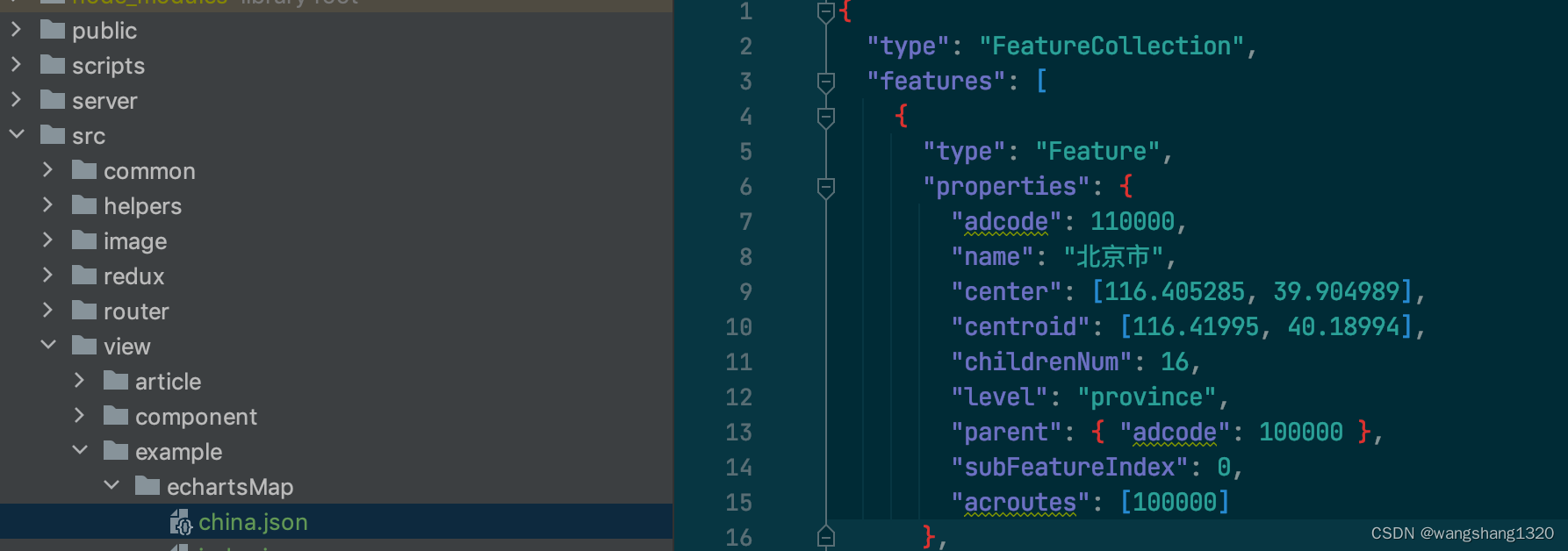
页面 index.jsx. (需要 给外层设置宽高)
import React, {useEffect} from 'react';
import * as echarts from 'echarts/core';
import { TitleComponent, TooltipComponent, GeoComponent, GridComponent, LegendComponent } from 'echarts/components';
import { ScatterChart } from 'echarts/charts';
import { CanvasRenderer } from 'echarts/renderers';
import { EffectScatterChart } from 'echarts/charts';
import { LinesChart } from 'echarts/charts';
import chinaMapJson from './china.json';


echarts.use([
    TitleComponent,
    TooltipComponent,
    GeoComponent,
    GridComponent,
    LegendComponent,
    ScatterChart,
    CanvasRenderer,
    EffectScatterChart,
    LinesChart,
]);
const EchartsMap = () => {

    useEffect(() => {

        const echartsConDom = document.getElementById('echarts-map');
        const myChart = echarts.init(echartsConDom); // 初始化
        echarts.registerMap('chinaMap', chinaMapJson);

        const series = [];

        const option = {
            backgroundColor: '#fff',

            geo: {
                map: 'chinaMap', // 地图选择
                // silent: true, // 禁止图形响应鼠标事件
                itemStyle: {
                    color: '#FFE8E7', // 背景颜色
                    borderColor: '#F7A6A3', // 边框颜色
                },
                label: {
                    show: false,
                },
                layoutCenter: ['50%', '65%'],
                layoutSize: 600,
                // zoom: 1.5, // 当前视角的缩放比例
                roam: true, // 是否开启鼠标缩放和平移漫游
                scaleLimit: {min: 1.2, max: 2}, // 滚轮缩放的极限控制
                // 高亮状态下的多边形和标签样式
                emphasis: {
                    label: {
                        show: true,
                    },
                    itemStyle: {
                        color: '#F7A6A3',
                    },
                },
            },
            tooltip: {
                formatter: function (params) {
                    return `${params.name}`;
                },
            },
            series: series,
            // 图例
            legend: {
                show: false, // 不展示默认样式,使用事件切换图例展示
                selectedMode: 'single', // 设置单选多选模式
            },
        };
        myChart.setOption(option);

    }, [])

    return <div className="echarts-map">
        <Layout>
        <div id="echarts-map" style={{ width: '100%', height: '600px' }}>

        </div>
        </Layout>
    </div>
};

export default EchartsMap;
具体的echarts配置可 根据echarts的配置项进行修改Documentation - Apache ECharts 参考
效果:
注意事项:registerMap的 名字为 “china”的话。会自动显示南海缩略图 如果不需要则可以换一个名字,我这里用的另外的名字(chinaMap)就没有缩略图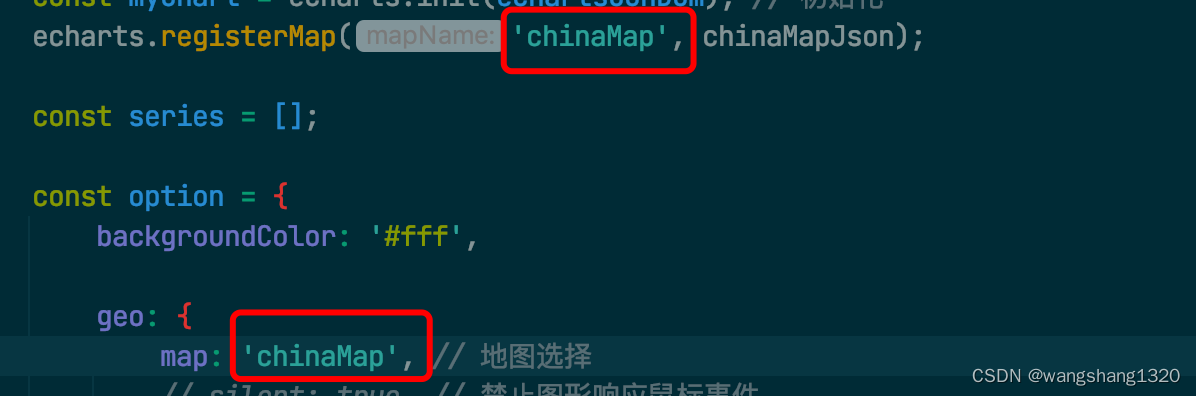
南海缩略图: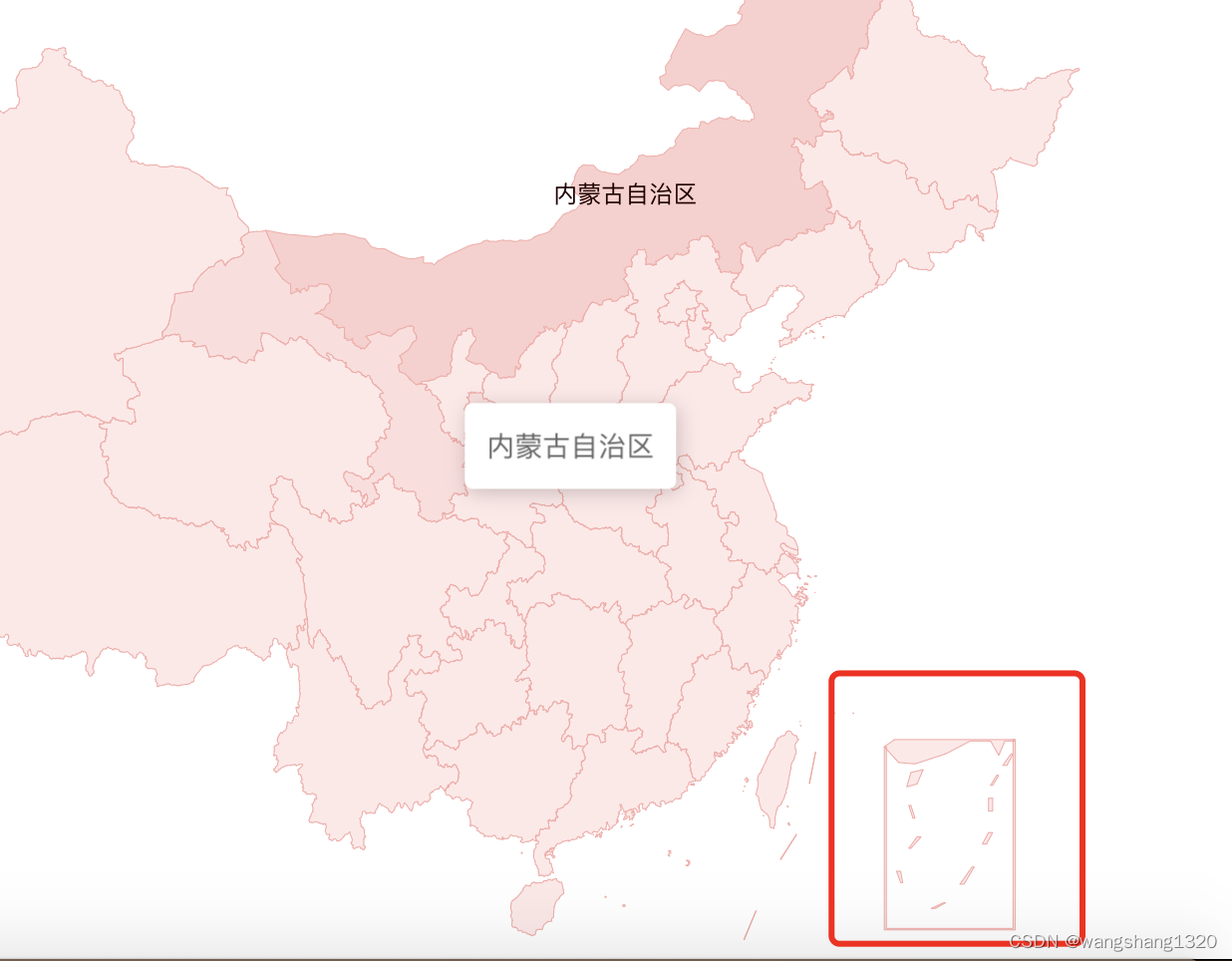
注: 也可以使用svg方式来实现。原理类似。只是数据 在svg里面了 详情看官方文档





 扫一扫
扫一扫


 527
527

 被折叠的 条评论
为什么被折叠?
被折叠的 条评论
为什么被折叠?
 到【灌水乐园】发言





