



 本文介绍了EasyUI的入门方法,包括调用方法的语法和案例应用。在EasyUI方法中,通过selector选择器和plugin插件名进行操作。在案例部分,讲述了如何使用layout布局,加载tree菜单,并详细说明了树控件的数据格式。此外,还涉及到了创建选项卡的使用场景。
文章目录
1、EasyUI方法
调用方法的语法:$(‘selector’).plugin(‘method’, parameter);
解释:
selector 是jQery对象选择器。
plugin 是插件的名称。
method 是相应插件现有的方法。
parameter 是参数对象,可以是一个对象、字符串等。
现在你可以调用’mymove’方法将对话框移动到指定位置:
$('#dd').dialog('mymove', {
    left: 200,
    top: 100
});
jQuery EasyUI 入门指南
下载程序库并导入EasyUI的CSS和Javascript文件到您的页面。
<link rel="stylesheet" type="text/css" href="${pageContext.request.contextPath }/static/js/easyui5/themes/default/easyui.css">
<link rel="stylesheet" type="text/css" href="${pageContext.request.contextPath }/static/js/easyui5/themes/icon.css">
<script type="text/javascript" src="${pageContext.request.contextPath }/static/js/easyui5/jquery.min.js"></script>
<script type="text/javascript" src="${pageContext.request.contextPath }/static/js/easyui5/jquery.easyui.min.js"></script>
2、案例:
1、通过layout布局
<%@ page language="java" contentType="text/html; charset=UTF-8"
    pageEncoding="UTF-8"%>
<!DOCTYPE html PUBLIC "-//W3C//DTD HTML 4.01 Transitional//EN" "http://www.w3.org/TR/html4/loose.dtd">
<html>
<head>
<meta http-equiv="Content-Type" content="text/html; charset=UTF-8">
<link rel="stylesheet" type="text/css" href="${pageContext.request.contextPath }/static/js/easyui5/themes/default/easyui.css">
<link rel="stylesheet" type="text/css" href="${pageContext.request.contextPath }/static/js/easyui5/themes/icon.css">
<script type="text/javascript" src="${pageContext.request.contextPath }/static/js/easyui5/jquery.min.js"></script>
<script type="text/javascript" src="${pageContext.request.contextPath }/static/js/easyui5/jquery.easyui.min.js"></script>
<script type="text/javascript" src="${pageContext.request.contextPath }/static/js/index.js"></script>
<title>Insert title here</title>
</head>
<body class="easyui-layout">
	<div data-options="region:'north',border:false" style="height:60px;background:#B3DFDA;padding:10px">north region</div>
	<div data-options="region:'west',split:true,title:'West'" style="width:150px;padding:10px;">
		后台管理界面的菜单
		<ul id="tt"></ul>
	</div>
	<div data-options="region:'east',split:true,collapsed:true,title:'East'" style="width:100px;padding:10px;">east region</div>
	<div data-options="region:'south',border:false" style="height:50px;background:#A9FACD;padding:10px;">south region</div>
	<div data-options="region:'center',title:'Center'">

	    <div id="menuTabs" class="easyui-tabs" style="">
    <div title="Tab1" style="padding:20px;display:none;">欢迎使用</div>
    </div>

</div>

</body>
</html>
2、通过tree加载菜单
$(function(){
	$('#tt').tree({
	    url:'tree_data1.json',

	});

})
树控件数据格式化
每个节点都具备以下属性:
id:节点ID,对加载远程数据很重要。
text:显示节点文本。
state:节点状态,‘open’ 或 ‘closed’,默认:‘open’。如果为’closed’的时候,将不自动展开该节点。
checked:表示该节点是否被选中。
attributes: 被添加到节点的自定义属性。
children: 一个节点数组声明了若干节点。
3,写一个类描写entity属性
4.查数据展示需要写一个dao层menudao
package com.zrh.dao;

import java.sql.SQLException;
import java.util.ArrayList;
import java.util.HashMap;
import java.util.List;
import java.util.Map;

import com.zrh.entity.TreeNode;
import com.zrh.util.JsonBaseDao;
import com.zrh.util.JsonUtils;
import com.zrh.util.PageBean;
import com.zrh.util.StringUtils;

public class MenuDao extends JsonBaseDao {
	/**
	 *
	 * @param map   req.getParameterMap
	 * @param pageBean  分页
	 * @return
	 * @throws SQLException
	 * @throws IllegalAccessException
	 * @throws InstantiationException
	 */
	public List<TreeNode> list(Map<String, String[]> map,PageBean pageBean) throws InstantiationException, IllegalAccessException, SQLException{
		List<Map<String, Object>> listMenu = this.listMenu(map, pageBean);
		List<TreeNode> treeNodeList = new ArrayList<>();
		menuList2TreeNodeList(listMenu,treeNodeList);
		return treeNodeList;

	}
	/**
	 * 查询menu表的数据
	 * @param map
	 * @param pageBean
	 * @return
	 * @throws SQLException
	 * @throws IllegalAccessException
	 * @throws InstantiationException
	 */
	//查东西不一定返回对象 可以返回map集合   JsonUtils是jquery里的工具类
	public List<Map<String, Object>> listMenu(Map<String, String[]> map,PageBean pageBean) throws InstantiationException, IllegalAccessException, SQLException{
		String sql ="select * from t_easyui_menu where true";
		String id = JsonUtils.getParamVal(map, "id");//首先拿到当前节点的id
		if(StringUtils.isNotBlank(id)) {
			sql = sql + " and parentid = "+id;
		}else {
			sql = sql + " and parentid = -1";
		}
		return super.executeQuery(sql, pageBean);

	}

	/**
	 * menu表的数据不符合easyui树形展示的数据格式
	 * 需要转换成easyUI所能识别的数据
	 * @param map
	 * @param treeNode
	 * @throws SQLException
	 * @throws IllegalAccessException
	 * @throws InstantiationException
	 */
	private void menu2TreeNode(Map<String, Object> map,TreeNode treeNode) throws InstantiationException, IllegalAccessException, SQLException {
		treeNode.setId(map.get("Menuid").toString());
		treeNode.setText(map.get("Menuname").toString());
		treeNode.setAttributes(map);

		Map<String, String[]> jspMap = new HashMap<>();
		jspMap.put("id", new String[] {treeNode.getId()});
		List<Map<String, Object>> listMenu = this.listMenu(jspMap, null);
		List<TreeNode> treeNodeList = new ArrayList<>();
		menuList2TreeNodeList(listMenu,treeNodeList);
		treeNode.setChildren(treeNodeList);
	}

	private void menuList2TreeNodeList(List<Map<String, Object>> mapList,List<TreeNode> treeNodeList) throws InstantiationException, IllegalAccessException, SQLException {
		TreeNode treeNode = null;
		for (Map<String, Object> map : mapList) {
			treeNode = new TreeNode();
			menu2TreeNode(map,treeNode);
			treeNodeList.add(treeNode);
		}

	}

}
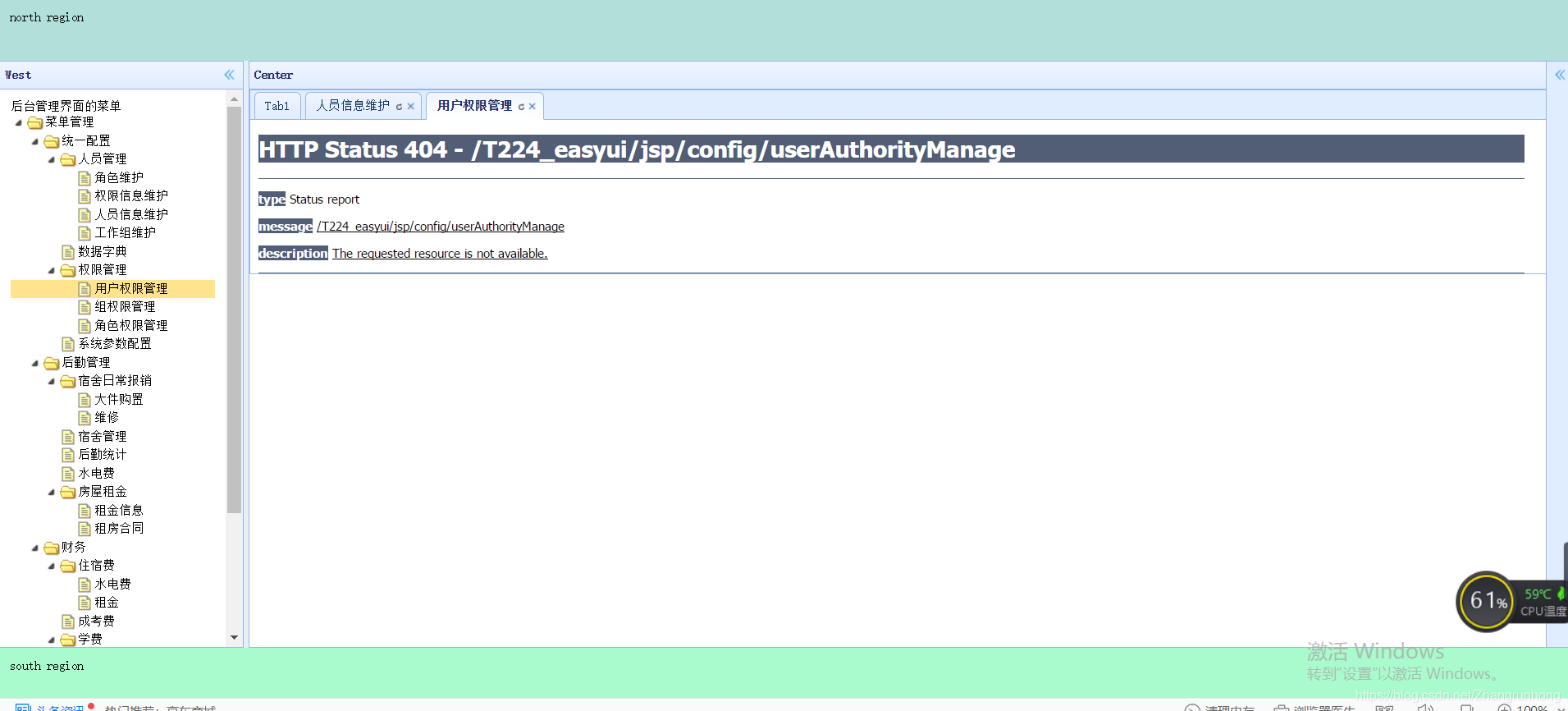
输出结果:
Tabs(选项卡)
使用$.fn.tabs.defaults重写默认值对象。
- 通过Javascript创建选项卡
$('#tt').tabs({
    border:false,
    onSelect:function(title){
        alert(title+' is selected');
    }
});
3.添加新的选项卡面板
$('#tt').tabs('add',{
    title:'New Tab',
    content:'Tab Body',
    closable:true,
    tools:[{
        iconCls:'icon-mini-refresh',
        handler:function(){
            alert('refresh');
        }
    }]
});
获取选择的选项卡
var pp = $('#tt').tabs('getSelected');
var tab = pp.panel('options').tab;





 扫一扫
扫一扫


 3535
3535

 被折叠的 条评论
为什么被折叠?
被折叠的 条评论
为什么被折叠?
 到【灌水乐园】发言





