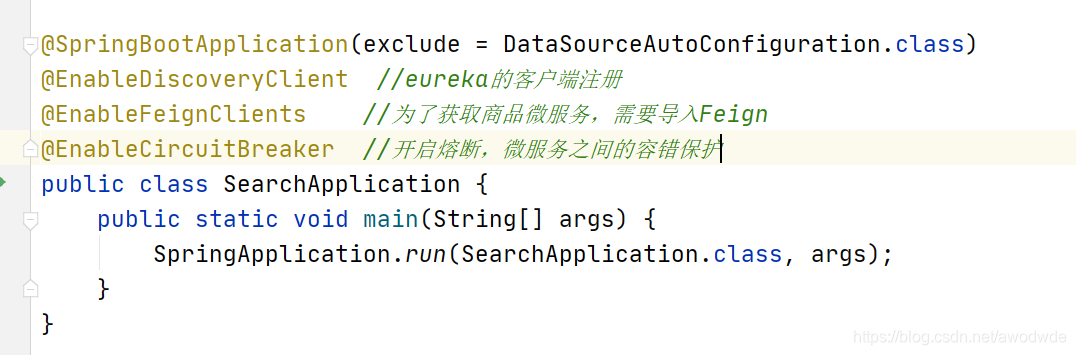
我们先创建出需要的实体类,也是在ES中存储的格式

dao层的代码 继承接口elasticsearchRepository

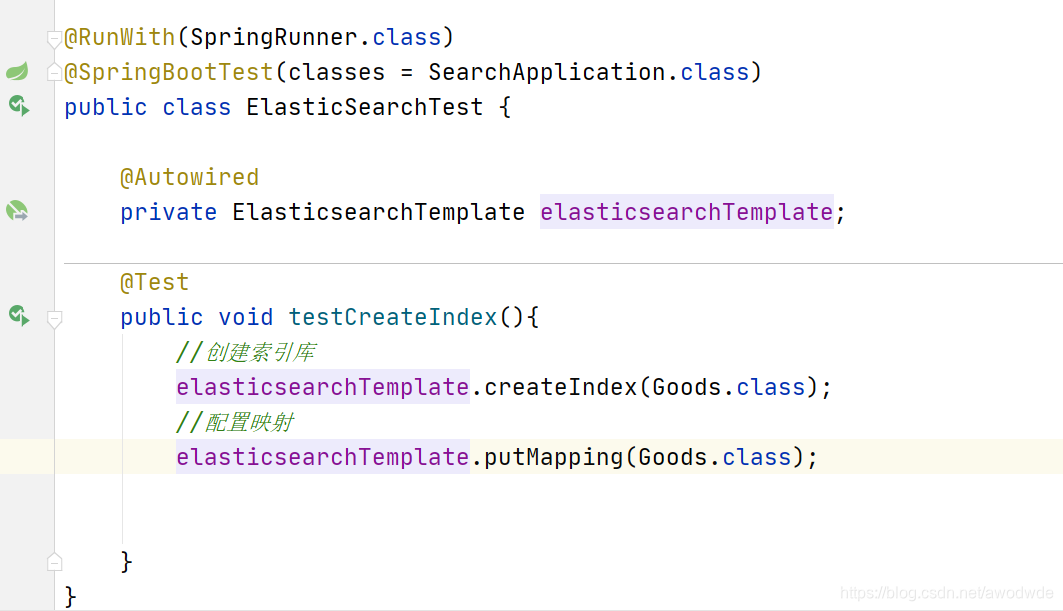
我们只需要导入一次数据就行,所以在测试类中编写测试代码
创建索引库,配置映射

package com.zzj.shiyou.search.service;


import com.fasterxml.jackson.core.type.TypeReference;
import com.zzj.shiyou.common.utils.JsonUtils;
import com.zzj.shiyou.item.po.Sku;
import com.zzj.shiyou.item.po.SpecParam;
import com.zzj.shiyou.item.po.Spu;
import com.zzj.shiyou.item.po.SpuDetail;
import com.zzj.shiyou.search.client.*;
import com.zzj.shiyou.search.dao.GoodsDao;
import com.zzj.shiyou.search.po.Goods;
import org.apache.commons.lang.StringUtils;
import org.apache.commons.lang.math.NumberUtils;
import org.springframework.beans.factory.annotation.Autowired;
import org.springframework.stereotype.Service;

import java.util.*;

/**
 * 管理索引库
 * - 把spu转化成goods
 * - 删除索引库
 */
@Service
public class IndexService {

    @Autowired
    private CategoryClient categoryClient; //通过Feign调用商品微服务

    @Autowired
    private SpuClient spuClient;

    @Autowired
    private SkuClient skuClient;

    @Autowired
    private SpuDetailClient spuDetailClient;

    @Autowired
    private SpecParamClient specParamClient;

    @Autowired
    private GoodsDao goodsDao;


    /**
     * 根据spu构建索引类型实体
     *
     * @param spu
     * @return
     */
    public Goods buildGoods(Spu spu) {
        // 准备数据
        // ① 第一个数据-----all
        // 是由 title加上三级分类构成
        List<String> names = categoryClient.queryNameByIds(Arrays.asList
                (spu.getCid1(), //一级分类
                        spu.getCid2(), //二级分类
                        spu.getCid3())); //三级分类
        String all = spu.getTitle() + "" + StringUtils.join(names, " ");//三级分类之间使用空格隔开
        // ②第二个数据----skus
        //先查询spu所包含的所有sku
        List<Sku> skus = skuClient.selectSkusBySpuId(spu.getId());
        List<Long> prices = new ArrayList<>();
        List<Map<String, Object>> skuList = new ArrayList<>();
        for (Sku sku : skus) {//对查询出的skus遍历
            prices.add(sku.getPrice());
            Map<String, Object> skuMap = new HashMap<>();
            skuMap.put("id", sku.getId());
            skuMap.put("title", sku.getTitle());
            skuMap.put("image", sku.getImages());
            skuMap.put("price", sku.getPrice());
            skuList.add(skuMap);
        }

        //③ 处理最复杂的参数 specs,
        // 因为在spu_detail表中的special_spec列数据中不是所有的数据都会当做搜索的依据,
        //依据的是根据spec_parm表中的searching_列中是否根据搜索,是1则表示需要
        Map<String, Object> specs = new HashMap<>(); //为什么不用String,String?因为后面的参数中有数组
        SpuDetail spuDetail = spuDetailClient.edit(spu.getId());
        //sku通用规格参数值
        //通用规格参数值
        Map<String, String> genericMap = JsonUtils.parseMap(spuDetail.getGenericSpec(), String.class, String.class); //特有规格参数的值
        Map<String, List<String>> specialMap = JsonUtils.nativeRead(spuDetail.getSpecialSpec(), new TypeReference<Map<String, List<String>>>() { });
        //根据spec_parm,查找出需要搜索的参数
        SpecParam specParam = new SpecParam();
        specParam.setCid(spu.getCid3());
        specParam.setSearching(true);
        List<SpecParam> params = specParamClient.selectSpecParamApi(specParam);

        for (SpecParam param : params) {

            String name = param.getName();
            //复杂点二:某些属性:比如说是像素,某个品牌的像素是1600万,但是我们的搜索条件是1500万~2000万,包含了一个聚合的过程
            //在spec_param表中有一列是segments_表示的就是分段
            Object value = null;
            if (param.getGeneric()) {
                //通用参数
                value = genericMap.get(name);

                if (param.getNumeric()) {
                    // 如果存在数值类型数据,需要加分段
                    //在spec_param表中有一列是segments_表示的就是分段
                    value = this.chooseSegment(value.toString(), param);
                }
            } else { //特有参数
                value = specialMap.get(name);

            }
            if (null == value) {
                value = "其他";
            }
            specs.put(name, value);
        }
        //把查询的相关数据存入
        Goods goods = new Goods();
        goods.setId(spu.getId()); //这里如果要加品牌,可以再写个BrandClient,根据id查品牌
        goods.setAll(all);
        goods.setSubTitle(spu.getSubTitle());
        goods.setBrandId(spu.getBrandId());
        goods.setCid1(spu.getCid1());
        goods.setCid2(spu.getCid2());
        goods.setCid3(spu.getCid3());
        goods.setCreateTime(spu.getCreateTime());
        goods.setPrice(prices);
        goods.setSkus(JsonUtils.serialize(skuList));


        return goods;
    }

    private String chooseSegment(String value, SpecParam p) {
        double val = NumberUtils.toDouble(value);
        String result = "其它";
        // 保存数值段
        for (String segment : p.getSegments().split(",")) {
            String[] segs = segment.split("-");
            // 获取数值范围
            double begin = NumberUtils.toDouble(segs[0]);
            double end = Double.MAX_VALUE;
            if (segs.length == 2) {
                end = NumberUtils.toDouble(segs[1]);
            }// 判断是否在范围内
            if (val >= begin && val < end) {
                if (segs.length == 1) {
                    result = segs[0] + p.getUnit() + "以上";
                } else if (begin == 0) {
                    result = segs[1] + p.getUnit() + "以下";
                } else {
                    result = segment + p.getUnit();//4.5 4-5英寸
                }
                break;
            }
        }
        return result;
    }

    /**
     * 根据id删除索引
     * @param id
     */
    public void deleteIndex(Long id){
        goodsDao.deleteById(id);
    }
}
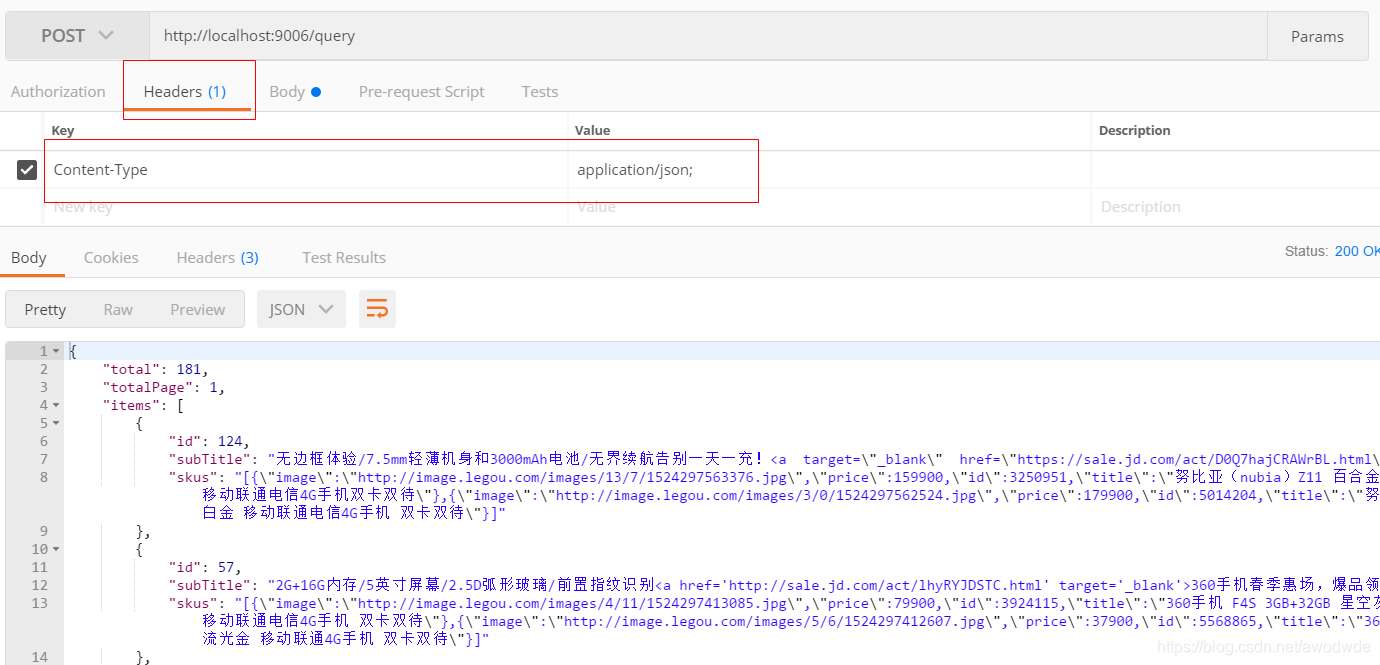


 该博客主要介绍了如何在Spring Boot应用中构建Elasticsearch的商品索引库。首先,通过创建实体类定义了商品信息的存储格式。接着,DAO层代码继承了ElasticsearchRepository接口,实现数据持久化。在测试类中,博主编写了导入数据的代码,包括创建索引库、配置映射。此外,详细展示了如何从Spu、Sku、SpuDetail和SpecParam等微服务中获取数据,并转换为Goods对象,用于构建索引。最后,提供了删除索引的方法。





 扫一扫
扫一扫


 355
355

 被折叠的 条评论
为什么被折叠?
被折叠的 条评论
为什么被折叠?
 到【灌水乐园】发言





