



FreeBSD 13.5 x86_64 OVF (sysin) - VMware 虚拟机模板
The Power To Serve
请访问原文链接:https://sysin.org/blog/freebsd-13-ovf/ 查看最新版。原创作品,转载请保留出处。
作者主页:sysin.org
2025 年 3 月 11 日,FreeBSD 13.5 final release,本站例行更新。
FreeBSD 13 x86_64
该版本使用 zsh 作为非 root 用户默认 shell。

部署截图及说明
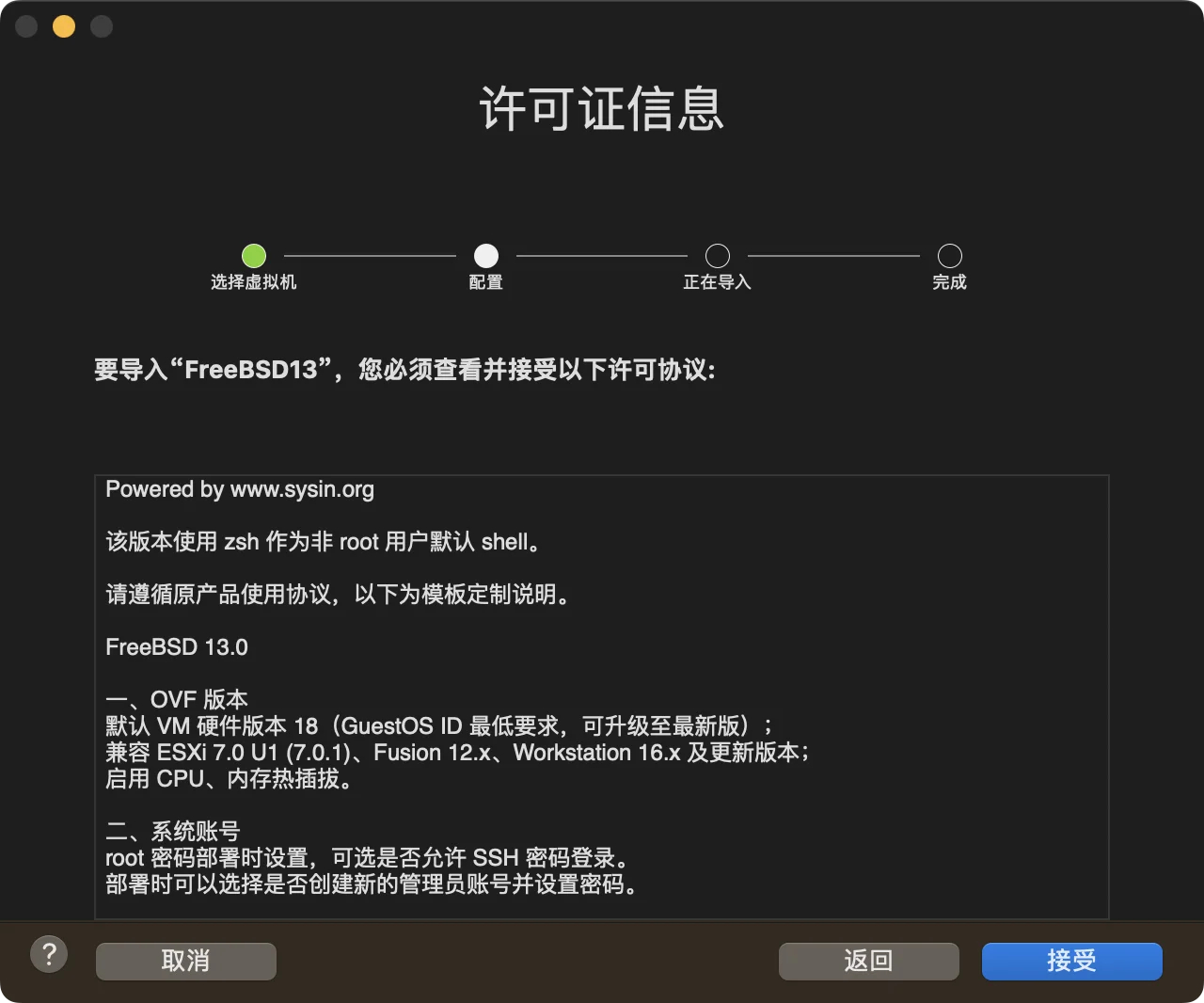
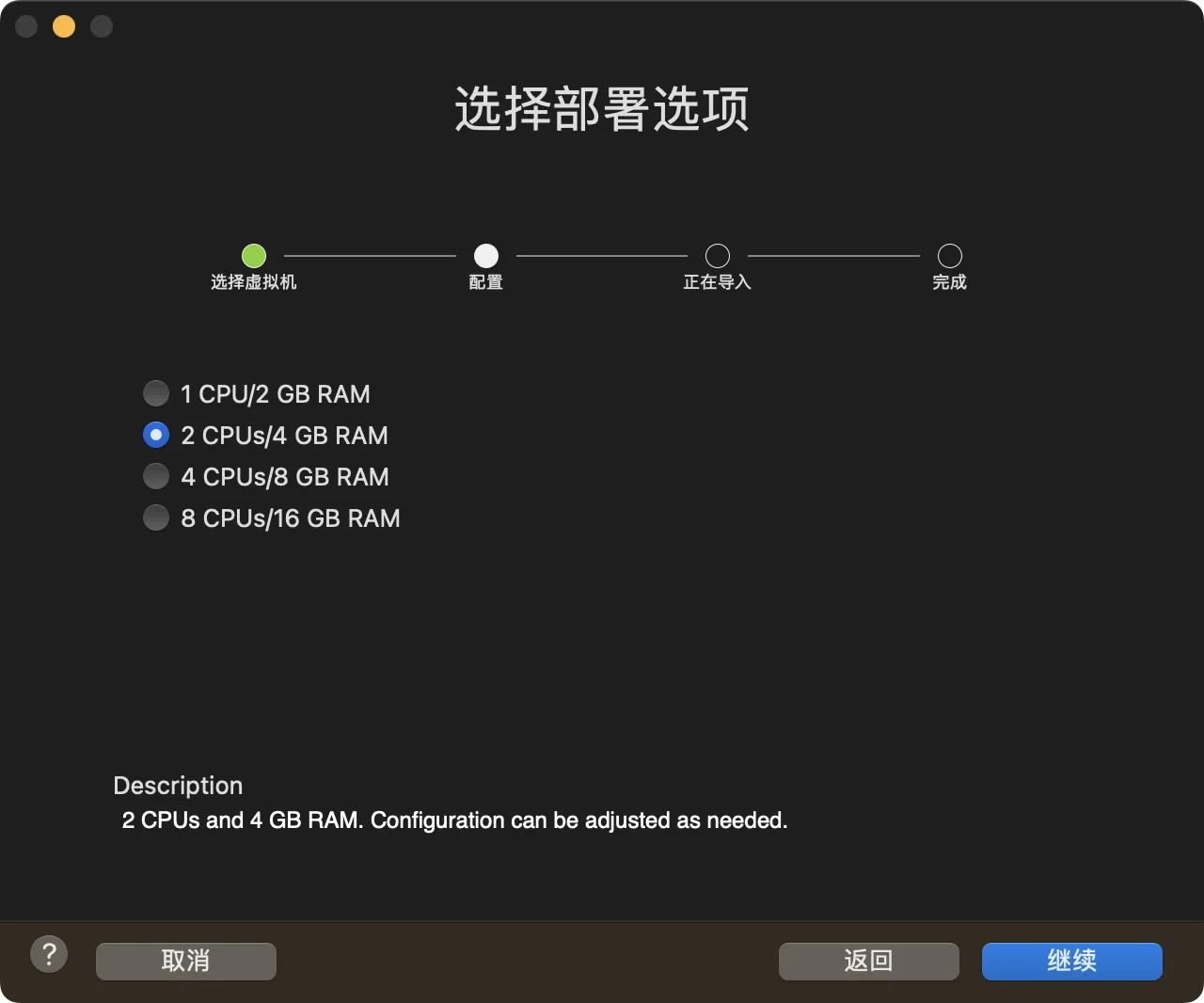
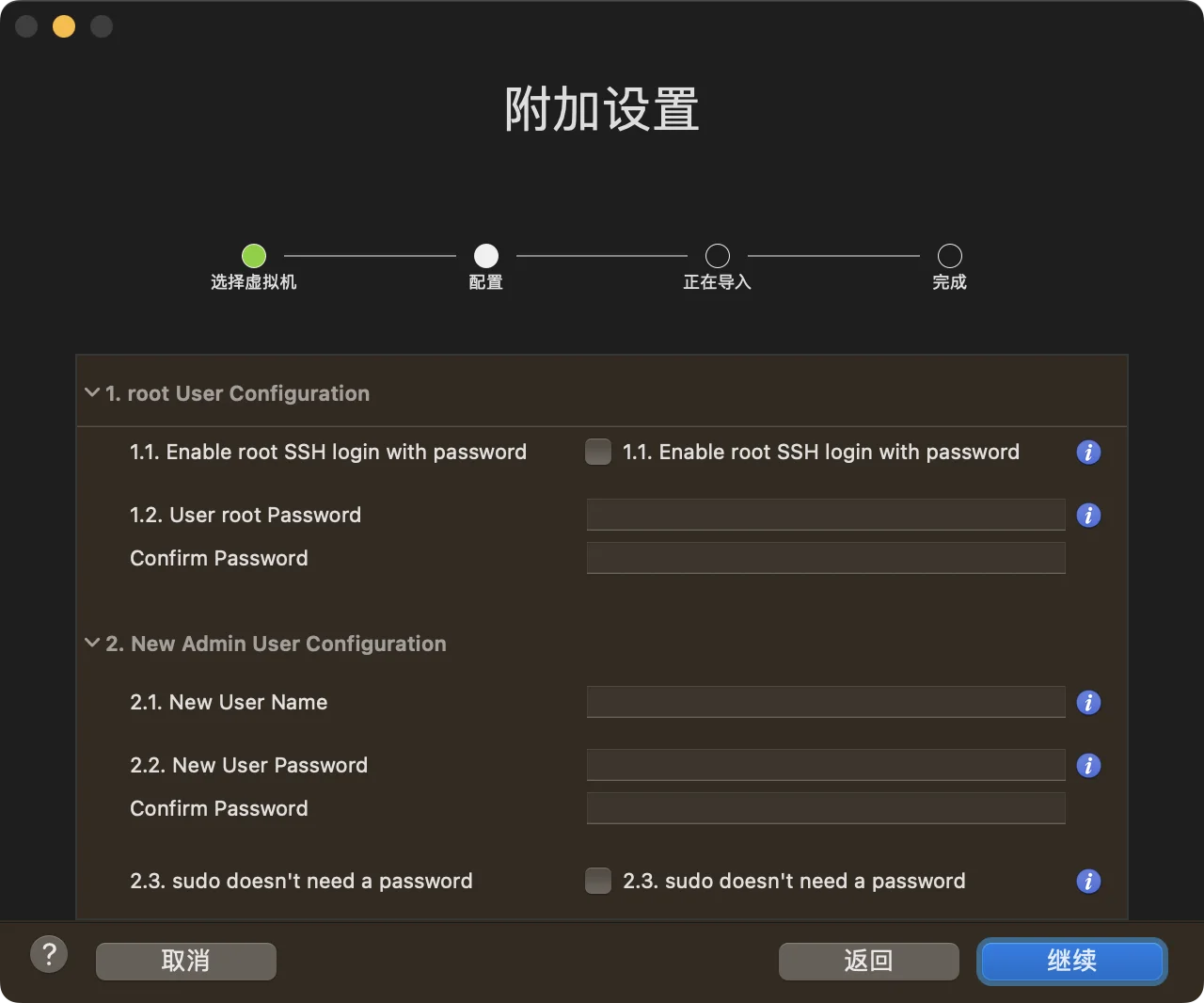
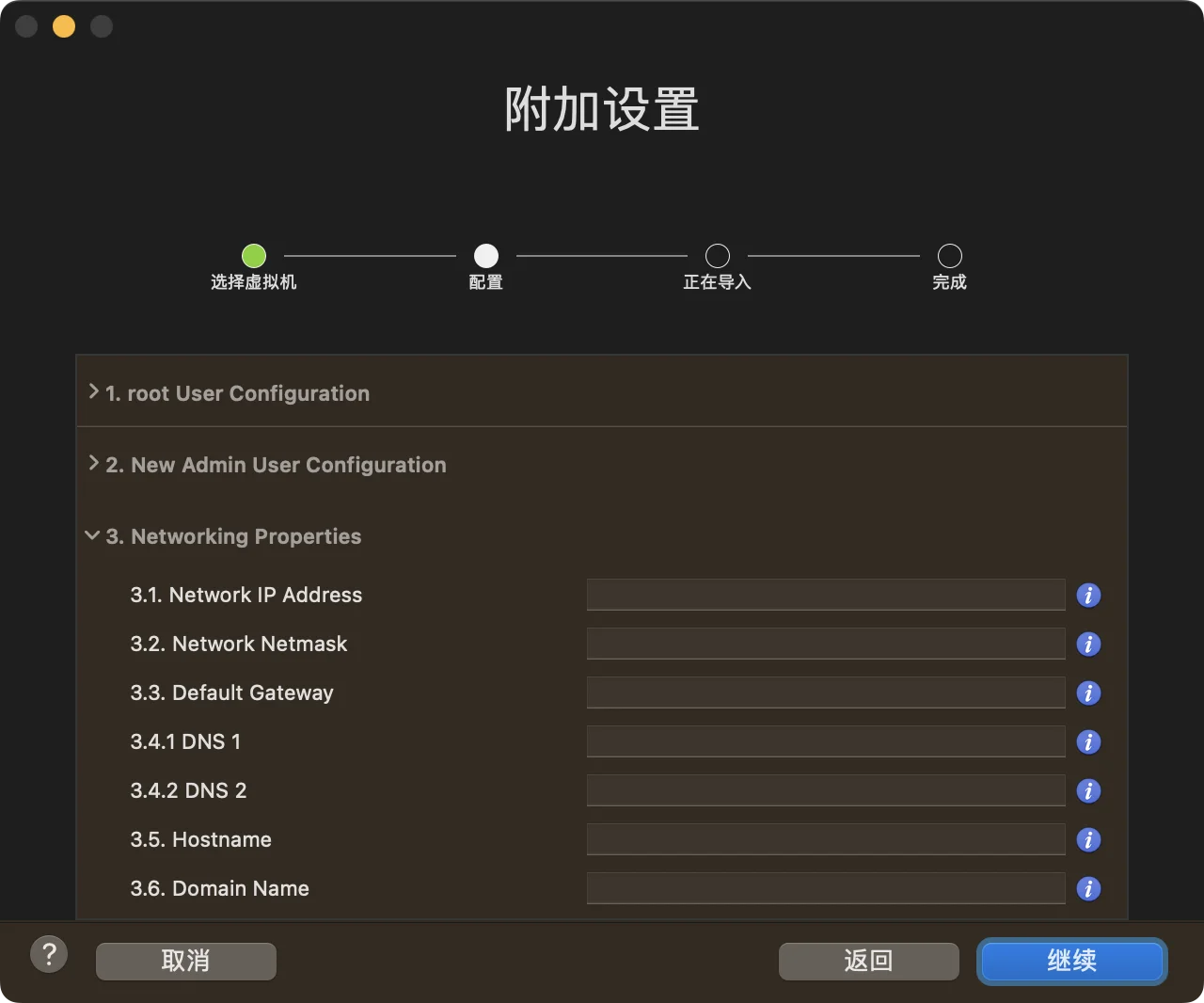
自定义 OVF 属性填写说明:
-
- root User Configuration
- 1.1. Enable root SSH login with password 可选启用 root 账号 SSH 密码登录,默认禁用
- 1.2. User root Password 必填项,8-128 个字符,建议使用复杂密码,未强制要求
-
- New Admin User Configuration 新建一个管理员账号,必填项
- 2.1. New User Name
- 2.2. New User Password
- 2.3. sudo doesn’t need a password 默认不勾选
-
- Networking Properties 选填
- 3.1. Network IP Address 3.1 - 3.4 要么全部填写,要么全部留空
- 3.2. Network Netmask 子网掩码,格式如 255.255.255.0
- 3.3. Default Gateway
- 3.4.1 DNS 1
- 3.4.2 DNS 2
- 3.5. Hostname 主机名可以单独填写(无论是否使用固定 IP),建议填写,系统无默认值,这里默认设置为 FreeBSD13
- 3.6. Domain Name 选填,格式如 sysin.org,系统无默认值
部署完毕后不重启系统,可以通过控制台按回车查看主机名的变化,来确认部署成功。
OVF 特性
一、OVF 版本
默认 VM 硬件版本 18(GuestOS ID 最低要求,可升级至最新版);
兼容 ESXi 7.0 U1 (7.0.1)、Fusion 12.x、Workstation 16.x 及更新版本;
启用 CPU、内存热插拔。
二、系统账号
root 密码部署时设置,可选是否允许 SSH 登录。
部署时可以选择是否创建新的管理员账号并设置密码 (sysin)。
三、分区
160G 容量,ZFS 默认,4G SWAP。
四、系统配置
- vmxnet3 网卡 vmx0(e1000 对应 em0)
- 配置 sudo:wheel 组获得所有权限
- 配置国内镜像:USTC
- ll 增强
- vim 替代 vi(vim 9.0 ✅)
- gsed 替代 sed
- zsh 为非 root 默认 shell
- SNMP 安装未配置
- NTP 默认配置
- open-vm-tools 12.1 ✅
- 安装一些必备工具
参看 FreeBSD 13 安装笔记。
适用的 VMware 软件下载
建议在以下版本的 VMware 软件中运行(Linux OVF 无需本站定制版可以正常运行,macOS 虚拟化如果不是 Mac 必须使用定制版才能运行,Windows OVF 需要定制版才能启用完整功能):
- Server:VMware ESXi 8.0 or with driver & vCenter Server 8.0,ESXi 7.0 or with driver & vCenter Server 7.0
- macOS:VMware Fusion 13
- Linux:VMware Workstation 17 for Linux
- Windows:VMware Workstation 17 for Windows
OVF 版本兼容性和部署方式
默认 VM 硬件版本 18(GuestOS ID 最低要求,可升级至最新版);兼容 ESXi 7.0 U1 (7.0.1)、Fusion 12.x、Workstation 16.x 及更新版本。
支持通过以下客户端部署:
- VMware Fusion for Mac:12、13 及更新版本(推荐版本 13)
- VMware Workstation for Windows & Linux:16、17 及更新版本(推荐版本 17)
- VMware vSphere(vSphere Client):7.0U3、8.0 及更新版本
- ESXi Host Client:内置于 ESXi 7.0U3、8.0 及更新版本,推荐版本 2.10.1 及以上
部分已经废弃的客户端如 vSphere Web Cleint(Flash),以及上述客户端旧版不建议使用。
客户端系统和软件要求:
-
支持的客户端操作系统
- macOS(推荐 macOS Sequoia、macOS Sonoma、macOS Ventura)
- Windows 32-bit (x86) and 64-bit (x64)(推荐 Windows 10、Windows 11、Windows Server 2022、Windows Server 2025)
主流 Linux 桌面发行版理论上支持,未经官方验证。
-
支持以下浏览器版本【下载】
- Google Chrome 89 or later
- Mozilla Firefox 80 or later
- Apple Safari 9.0 or later (仅限 Host Client)
下载地址
FreeBSD 13.5 x86_64 OVF





 扫一扫
扫一扫


 1452
1452

 被折叠的 条评论
为什么被折叠?
被折叠的 条评论
为什么被折叠?
 到【灌水乐园】发言





