



一定要在扩展商店中安装这个人的:
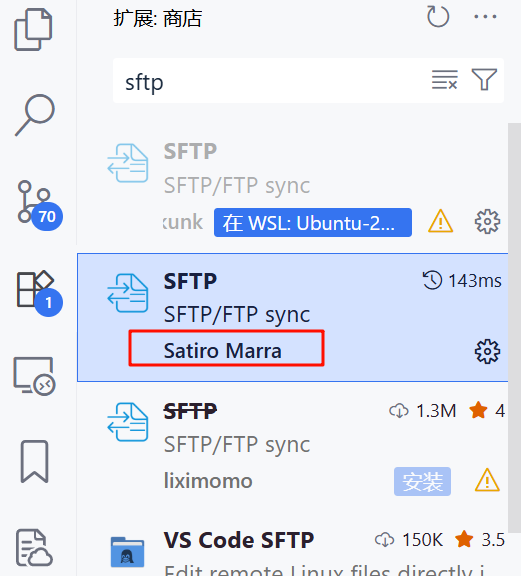
然后ctrl+shift+p输入--->SFTP:Config
修改下面的参数就行了
[
    {
        "name": "new configuration",
        "host": "i-2.gpushare.com",
        "protocol": "sftp",
        "uploadOnSave": true,
        "useTempFile": true,
        "port": 49904,
        "username": "root",
        "ignore": [
            ".vscode",
            ".git",
            ".DS_Store",
            ".github/**",
            ".ci"
        ],
        "context": "./",
        "remotePath": "/hy-tmp/MDCrow",
        "watcher": {
            "files": "statics/**/*",
            "autoUpload": true,
            "autoDelete": true
        },
        "remoteExplorer": {
            "filesExclude": [
                ".git",
                ".vscode",
                ".github"
            ]
        },
        "password": "G4xCxTNVxkRUfnMAAtBVePQ7Sy9HwQXX",
        "profiles": {}
    }
]
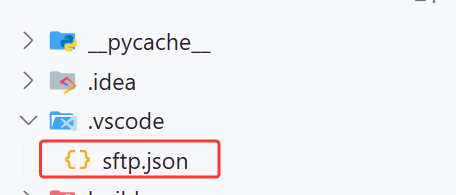
修改好的配置在:
是否正常连接:
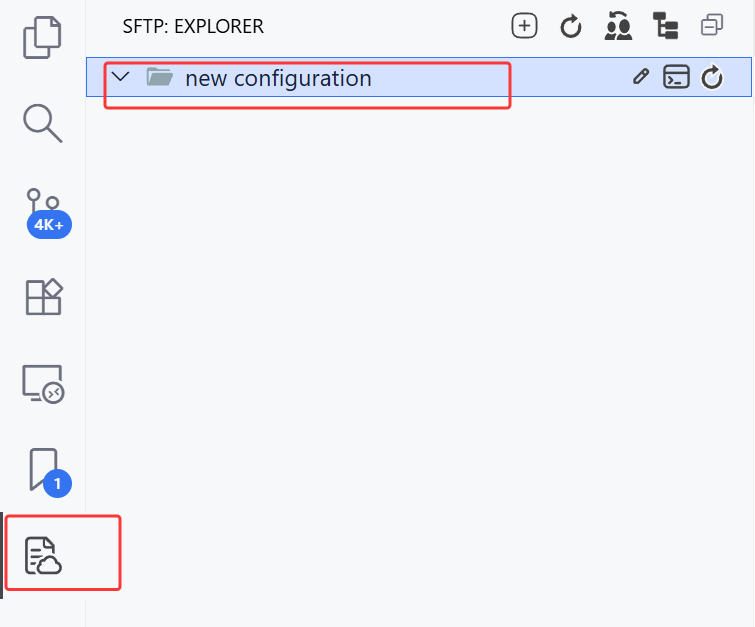
如果这个可以点开就正常,否则不正常






 扫一扫
扫一扫


 2811
2811

 被折叠的 条评论
为什么被折叠?
被折叠的 条评论
为什么被折叠?
 到【灌水乐园】发言





