



 这篇博客详细记录了Java后端学习中Spring框架的使用,从IOC的基础到AOP的实践,涵盖了XML配置Bean、依赖注入、面向切面编程以及JdbcTemplate的运用。博主通过创建数据库、编写类和接口,展示了基于XML的IOC配置,并提供了测试用例。此外,还提到了注解方式的IOC配置,为读者提供了全面的学习路径。
- Spring-学习笔记01【Spring框架简介】【day01】
- Spring-学习笔记02【程序间耦合】
- Spring-学习笔记03【Spring的IOC和DI】
- Spring-学习笔记04【Spring的常用注解】【day02】
- Spring-学习笔记05【基于XML的IOC的案例】
- Spring-学习笔记06【Spring的新注解】
- Spring-学习笔记07【银行转账案例】【day03】
- Spring-学习笔记08【面向切面编程AOP】
- Spring-学习笔记09【JdbcTemplate的基本使用】【day04】
- Spring-学习笔记10【Spring事务控制】
目录
02 基于XML的IOC的案例-编写spring的Ioc配置
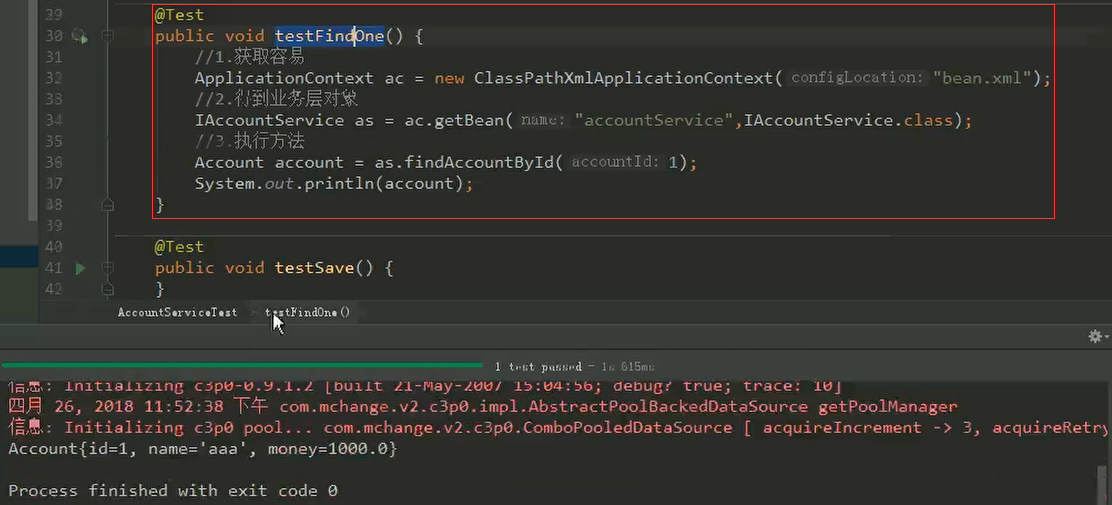
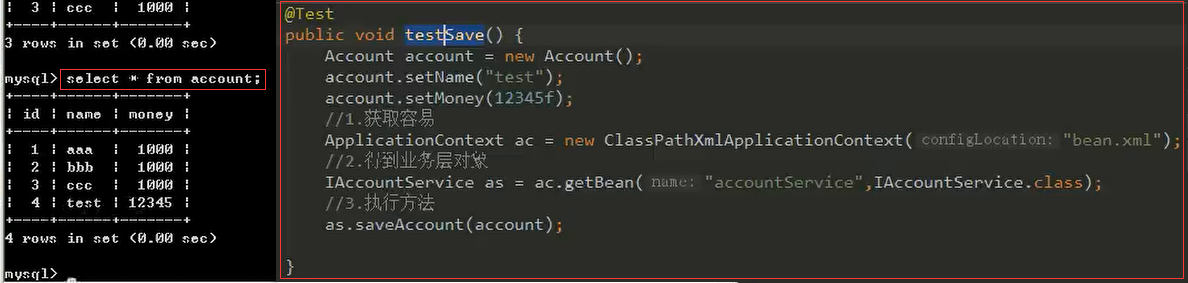
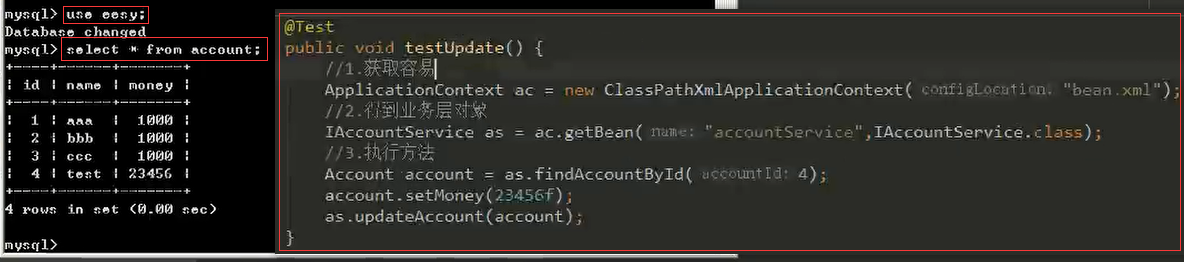
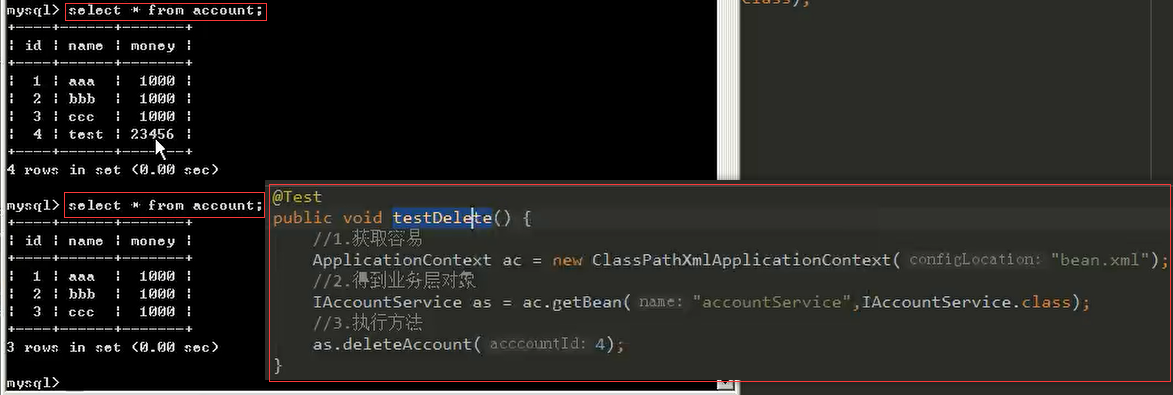
3.1、编写测试类AccountServiceTest.java
01 基于XML的IOC的案例-案例准备
1.1、导入maven坐标
<?xml version="1.0" encoding="UTF-8"?>
<project xmlns="http://maven.apache.org/POM/4.0.0"
         xmlns:xsi="http://www.w3.org/2001/XMLSchema-instance"
         xsi:schemaLocation="http://maven.apache.org/POM/4.0.0 http://maven.apache.org/xsd/maven-4.0.0.xsd">
    <modelVersion>4.0.0</modelVersion>

    <groupId>com.itheima</groupId>
    <artifactId>day02_eesy_02account_xmlioc</artifactId>
    <version>1.0-SNAPSHOT</version>
    <build>
        <plugins>
            <plugin>
                <groupId>org.apache.maven.plugins</groupId>
                <artifactId>maven-compiler-plugin</artifactId>
                <configuration>
                    <source>6</source>
                    <target>6</target>
                </configuration>
            </plugin>
        </plugins>
    </build>
    <packaging>jar</packaging>

    <dependencies>
        <dependency>
            <groupId>org.springframework</groupId>
            <artifactId>spring-context</artifactId>
            <version>5.0.2.RELEASE</version>
        </dependency>
        <dependency>
            <groupId>org.springframework</groupId>
            <artifactId>spring-test</artifactId>
            <version>5.0.2.RELEASE</version>
        </dependency>
        <dependency>
            <groupId>commons-dbutils</groupId>
            <artifactId>commons-dbutils</artifactId>
            <version>1.4</version>
        </dependency>
        <dependency>
            <groupId>mysql</groupId>
            <artifactId>mysql-connector-java</artifactId>
            <version>5.1.6</version>
        </dependency>
        <dependency>
            <groupId>c3p0</groupId>
            <artifactId>c3p0</artifactId>
            <version>0.9.1.2</version>
        </dependency>
        <dependency>
            <groupId>junit</groupId>
            <artifactId>junit</artifactId>
            <version>4.12</version>
        </dependency>
    </dependencies>

</project>
1.2、创建数据库
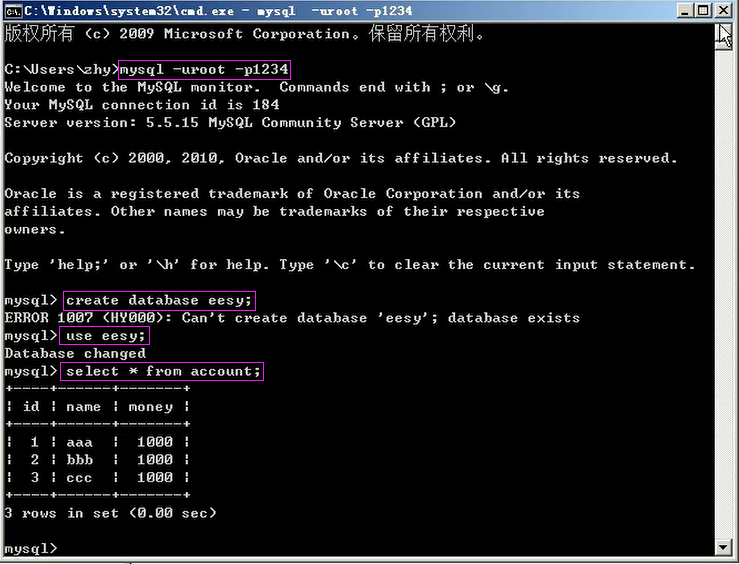
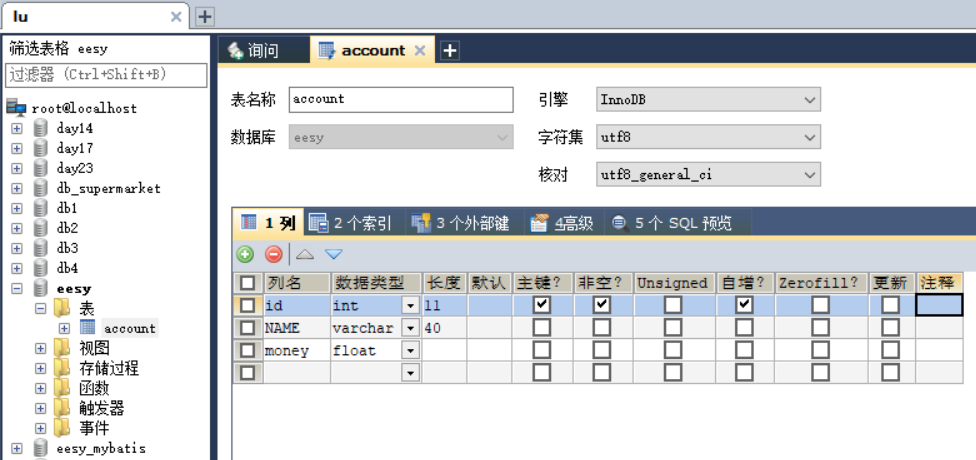
create table account(
	id int primary key auto_increment,
	name varchar(40),
	money float
)character set utf8 collate utf8_general_ci;

insert into account(name,money) values('aaa',1000);
insert into account(name,money) values('bbb',1000);
insert into account(name,money) values('ccc',1000);
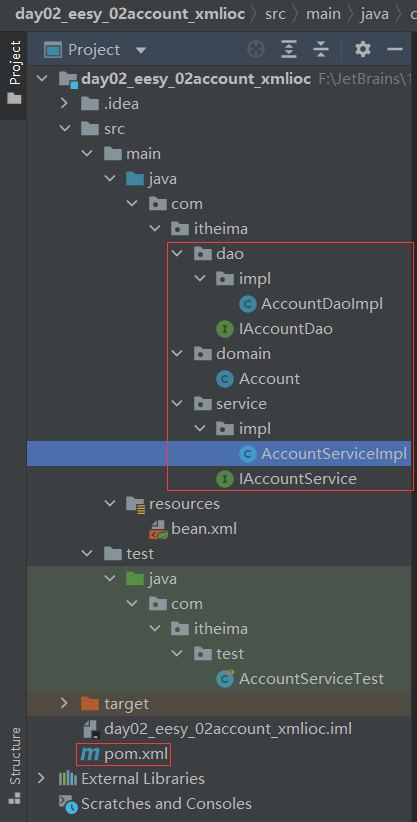
1.3、创建类和接口
02 基于XML的IOC的案例-编写spring的Ioc配置
2.1、bean.xml
<?xml version="1.0" encoding="UTF-8"?>
<beans xmlns="http://www.springframework.org/schema/beans"
       xmlns:xsi="http://www.w3.org/2001/XMLSchema-instance"
       xsi:schemaLocation="http://www.springframework.org/schema/beans
        http://www.springframework.org/schema/beans/spring-beans.xsd">
    <!--配置Service-->
    <bean id="accountService" class="com.itheima.service.impl.AccountServiceImpl">
        <!-- 注入dao -->
        <property name="accountDao" ref="accountDao"></property>
    </bean>

    <!--配置Dao对象-->
    <bean id="accountDao" class="com.itheima.dao.impl.AccountDaoImpl">
        <!-- 注入QueryRunner -->
        <property name="runner" ref="runner"></property>
    </bean>

    <!--配置QueryRunner-->
    <bean id="runner" class="org.apache.commons.dbutils.QueryRunner" scope="prototype">
        <!--注入数据源-->
        <constructor-arg name="ds" ref="dataSource"></constructor-arg>
    </bean>

    <!--配置数据源-->
    <bean id="dataSource" class="com.mchange.v2.c3p0.ComboPooledDataSource">
        <!--连接数据库的必备信息-->
        <property name="driverClass" value="com.mysql.jdbc.Driver"></property>
        <property name="jdbcUrl" value="jdbc:mysql://localhost:3306/eesy"></property>
        <property name="user" value="root"></property>
        <property name="password" value="root"></property>
    </bean>
</beans>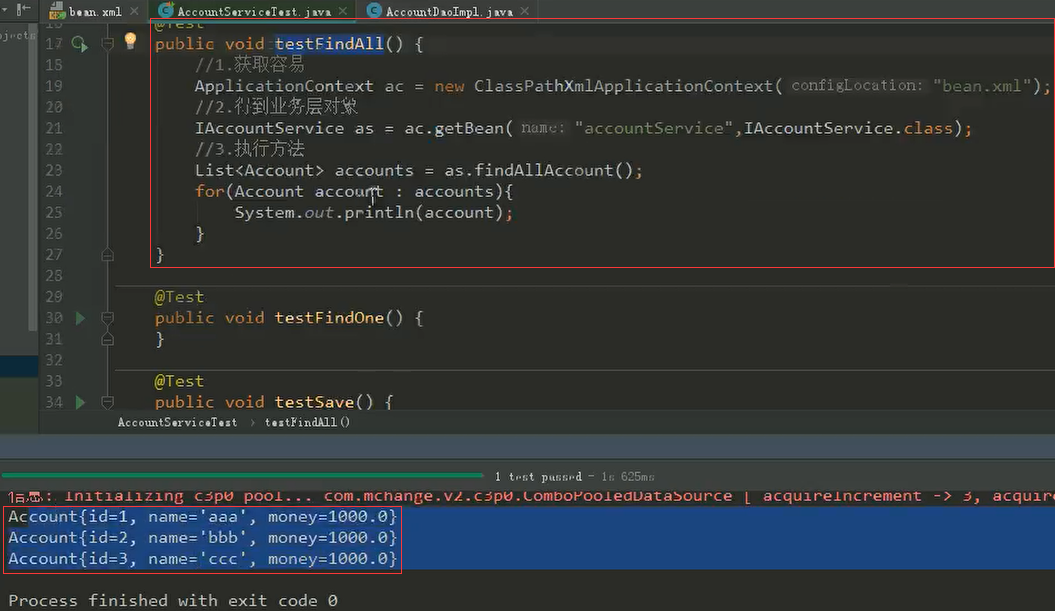





 扫一扫
扫一扫


 172
172

 被折叠的 条评论
为什么被折叠?
被折叠的 条评论
为什么被折叠?
 到【灌水乐园】发言





