- 博客(40)
- 收藏
- 关注
 RSS订阅
RSS订阅原创 JDBC实现增删改
package JDBC实现增删改; import java.sql.Connection; import java.sql.DriverManager; import java.sql.SQLException; import java.sql.Statement; //增 public class gai { public static void main(String[] args) throws ClassNotFoundException, SQLException {
2021-06-25 21:41:55
 226
226
原创 ado.net连接对象的基本操作
using System; using System.Collections.Generic; using System.Linq; using System.Text; using System.Threading.Tasks; //导入命名空间 using System.Data.SqlClient; namespace 链接数据库的基本操作 { class Program { static void Main(string[] args) {
2021-03-02 08:05:50
269
原创 库存管理完整版
执行对象的代码 using System; using System.Collections.Generic; using System.Linq; using System.Text; using System.Threading.Tasks; namespace 库存管理 { class Program { static void Main(string[] args) { //实例化系统类得到系统对象 g
2020-12-30 14:48:51
478
原创 冒号排序
using System; using System.Collections.Generic; using System.Linq; using System.Text; using System.Threading.Tasks; namespace 冒泡排序 { class Program { static void Main(string[] args) { int[] numlese = new int[] {91,83,93
2020-12-30 08:19:54
466
原创 字符串的属性有哪些
using System; using System.Collections.Generic; using System.Linq; using System.Text; using System.Threading.Tasks; namespace 大小写转换 { class Program { static void Main(string[] args) { //大写转小写 Console.Writ
2020-12-29 08:18:27
480
原创 简单的计算
using System; using System.Collections.Generic; using System.Linq; using System.Text; using System.Threading.Tasks; namespace 简单的计算 { class Program { static void Main(string[] args) { Console.W
2020-12-24 08:04:04
146
原创 初识c#
using System; using System.Collections.Generic; using System.Linq; using System.Text; using System.Threading.Tasks; namespace 课堂 { class Program { static void Main(string[] args) { //定义内容 int age = 18;
2020-12-23 08:23:09
126
原创 鼠标移上去时鼠标的样式
<!DOCTYPE html> <html> <head> <meta charset="utf-8"> <title></title> <style type="text/css"> .a{ cursor: default; } .b{ cursor: pointer; } .c{ cursor: move; } .d{ cursor:
2020-12-18 16:57:23
787
 1
1
原创 视频网站鼠滑效果
<!DOCTYPE html> <html> <head> <meta charset="utf-8"> <title></title> <style type="text/css"> .a{ width: 160px; height: 80px; border: 1px #000000 solid; margin: auto; } .c{ width:
2020-12-18 16:56:28
182
1
原创 鼠标滑过一个盒子显示另一个盒子
<!DOCTYPE html> <html lang="zh"> <head> <meta charset="UTF-8"> <meta name="viewport" content="width=device-width, initial-scale=1.0"> <meta http-equiv="X-UA-Compatible" content="ie=edge"> <title></title>
2020-12-18 16:54:24
5813
3
原创 动漫效果
<!DOCTYPE html> <html> <head> <meta charset="utf-8"> <title></title> <style> .a { height: 20px; width: 40px; border: 2px solid black; border-radius: 30%; background-color: azure; m
2020-12-16 15:52:28
160
原创 表单的基本代码
表单 表单的固定格式 <input type="txet"> 文本输入框 <input type="password" 密码输入框 <input type="radio> 单选框 <input type="checkbox> 复选框 <input type="submit"> 提交按钮 <input type="reset"> 重置按钮 <input type="button" value="登录"> 普通
2020-12-05 08:09:55
3705
原创 列表格式
无序列表 type=“disc”(实心圆默认值)/circle(圆环)/square(方形) 固定格式 有序列表 要注意的点就是type=“1/A/a/i” 固定格式 自定义列表 固定格式 表格的固定格式
2020-12-02 15:56:22
1205
原创 吃货联盟完整版
入口文件 public class text { public static void main(String[] args) { //text 作为入口文件使用 将a在text文件里实例化 game a = new game(); a.all(); } } 定义初始代码 String[] name = new String[100]; //保存订单人的信息 String[] xinxi = new String[10
2020-12-02 15:50:44
313
原创 基本的代码骨架
<!DOCTYPE html> <html lang="en"> <head> <meta charset="UTF-8"> <title>Title</title> </head> <body> </body> </html>
2020-11-28 11:19:07
458
原创 吃货联盟第一段,我要订单
我要订单的完成代码 我要订单的入口文件 第一段和整体框架的代码 import java.util.Scanner; public class game { String[] name = new String[100000]; //保存订单人的信息 String[] xinxi = new String[100000]; //保存选择的菜品 int[] shijian = new int[10000]; //保存客户选择的送餐时间 int[]
2020-11-26 08:22:33
250
原创 猜拳小游戏
猜拳小游戏 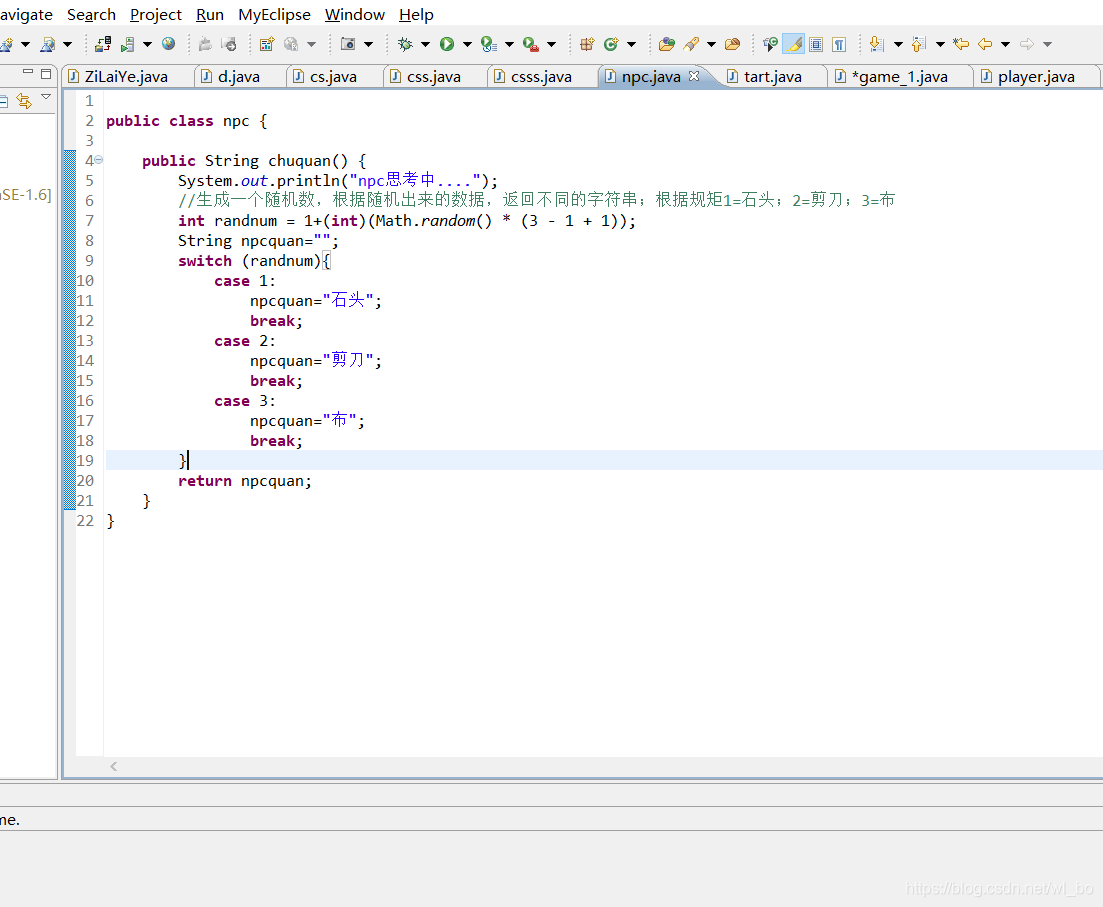
2020-11-19 08:59:38
255
原创 2020-11-10
九九乘法表 public class sdc { //九九乘法表 public static void main(String[] args) { for(int j=1;j<=9;j++){ for(int a=1; a<=j;a++){ //j乘于a System.out.print(a+"x"+j+"="+(j*a)+"\t"); } //用于输出完一行之后换行 System.out.println(); } } } 效果图: .
2020-11-10 13:41:23
196
原创 2020-11-10
作业 1110 九九乘法表 public class sdc { //九九乘法表 public static void main(String[] args) { for(int j=1;j<=9;j++){ for(int a=1; a<=j;a++){ //j乘于a System.out.print(a+"x"+j+"="+(j*a)+"\t"); } //用于输出完一行之后换行 System.out.println(); } } } 效
2020-11-10 13:36:44
82
原创 今日日报
今日日报 作用: 保存多个数据 批量对多个数据进行操作 数组的声明与赋值 声明:数组类型[] 数组名称; 例如:int[] i; 分配空间:数组名称 = new 数组类型[长度]; 例如:i = new int[5]; 声明并分配空间:int[] i = new int[5]; 往数组的空间中存值:数组[索引] = 值; 数组静态初始化 (简化格式):int[] i = {1,2,3}; (完整格式):int[] i = new int[] {1,2,3}; 注意点
2020-11-05 11:52:09
164
原创 2020-11-03
作业 1103 1, public class day { public static void main(String[] args) { double tz=200.0; int ts=0; System.out.println("贵妃减肥记"); while(tz>99.9){ ts+=1; if(ts==6||ts==17){ tz+=4; System.out.println("与皇上出去玩了,共进晚餐,吃的烤全羊,体重大增,现在"+tz+"斤"
2020-11-03 15:48:53
101
原创 2020-11-02
作业 1031 1,输出一百次好好学习,天天向上 2,输出一到一百之间的偶数 3,输出一到一百之间的奇数 4,输出四行的符号,每行四个星花
2020-11-02 21:21:00
104
原创 2020-11-02
学习日报 1031 if结构 if (条件) { 成立就执行这里的内容 } // 二路 if (条件) { 成立就执行这里的内容; } else { 条件不成立时,执行此处内容; } // 多路分支 if (条件) { 成立就执行这里的内容; } else if (条件n) { 条件n成立时要执行的语句; } else { 条件不成立时,执行此处内容; } switch结构 语法 switch (变量) { case 值1
2020-11-02 20:59:40
90
原创 2020-10-27
今日日报 知识点1: 这是整数类型 每一个类型都有自己的最小和最大的取值范围 知识点2: 有两种方式 1,先声明,后赋值 2,边声明边赋值 知识点3: 使用方式
2020-10-27 14:22:07
122

空空如也
空空如也
TA创建的收藏夹 TA关注的收藏夹
TA关注的人