



新建Pull Request过程中无法edit文件【避坑】|communicate-using-markdown
在使用Github官方的入门文档时communicate-using-markdown;Step1 编辑文档时,edit file 为灰色,无法点击。
这个问题是由于原文作者描述不当,或者说,作为初学者,咱们需要更明确的手把手教学(本文!)
原步骤
Activity: Edit your file with headers
- Open a new browser tab, and work on the steps in your second tab while you read the instructions in this tab.
- Open the pull requests tab.
- Click New pull request, for the branches to compare, select base: main and compare: start-markdown.
- Click Create pull request.
- In this pull request, go to the Files changed tab. We made an empty file index.md for you.
- Select Edit file from the three dotted … menu in the upper right corner of the file view on index.md.
步骤重述如下,带大量图片:
2. 打开pull Request 标签
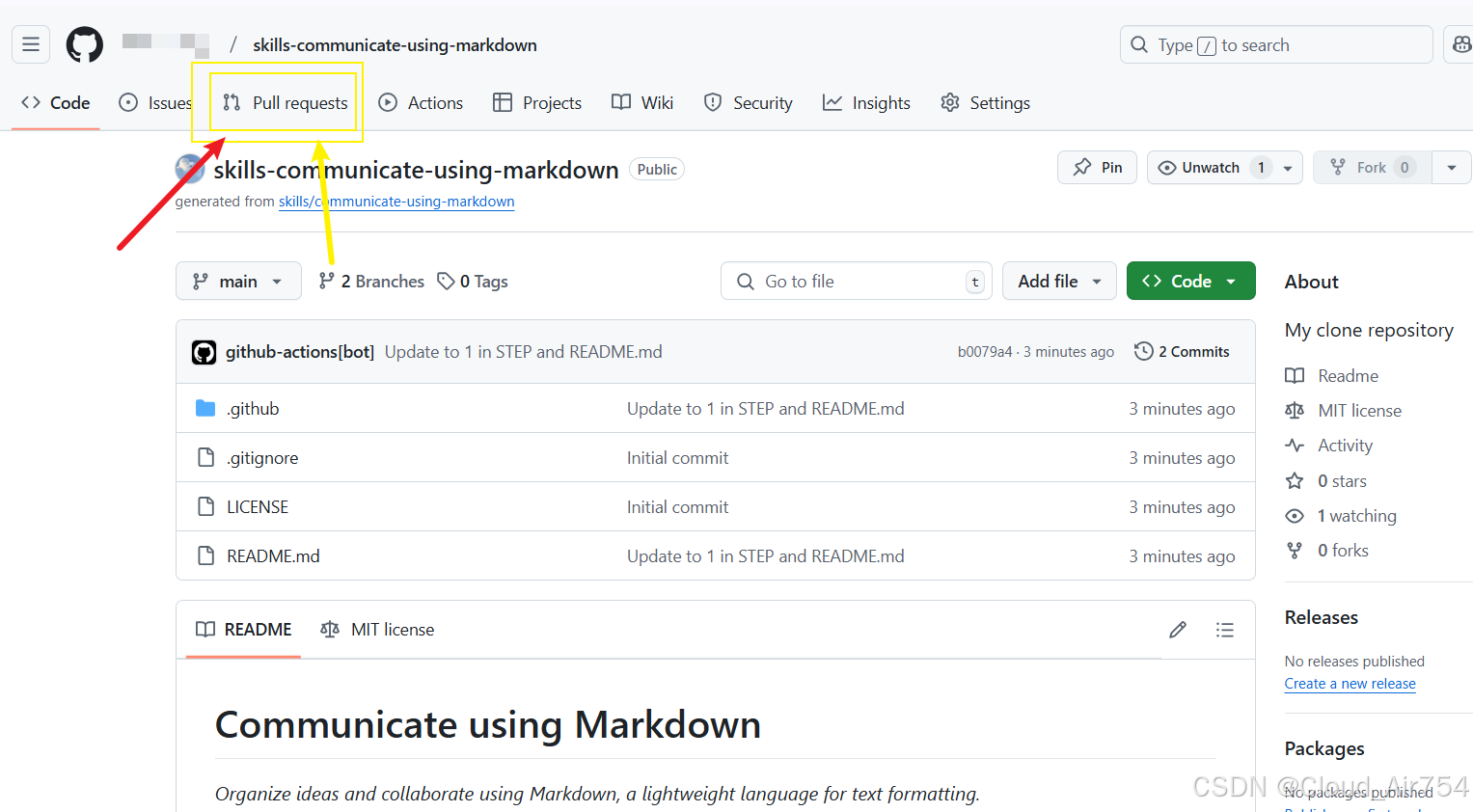
点击第三个标签,进入pull Request
3. 点击New pull request,选择对比
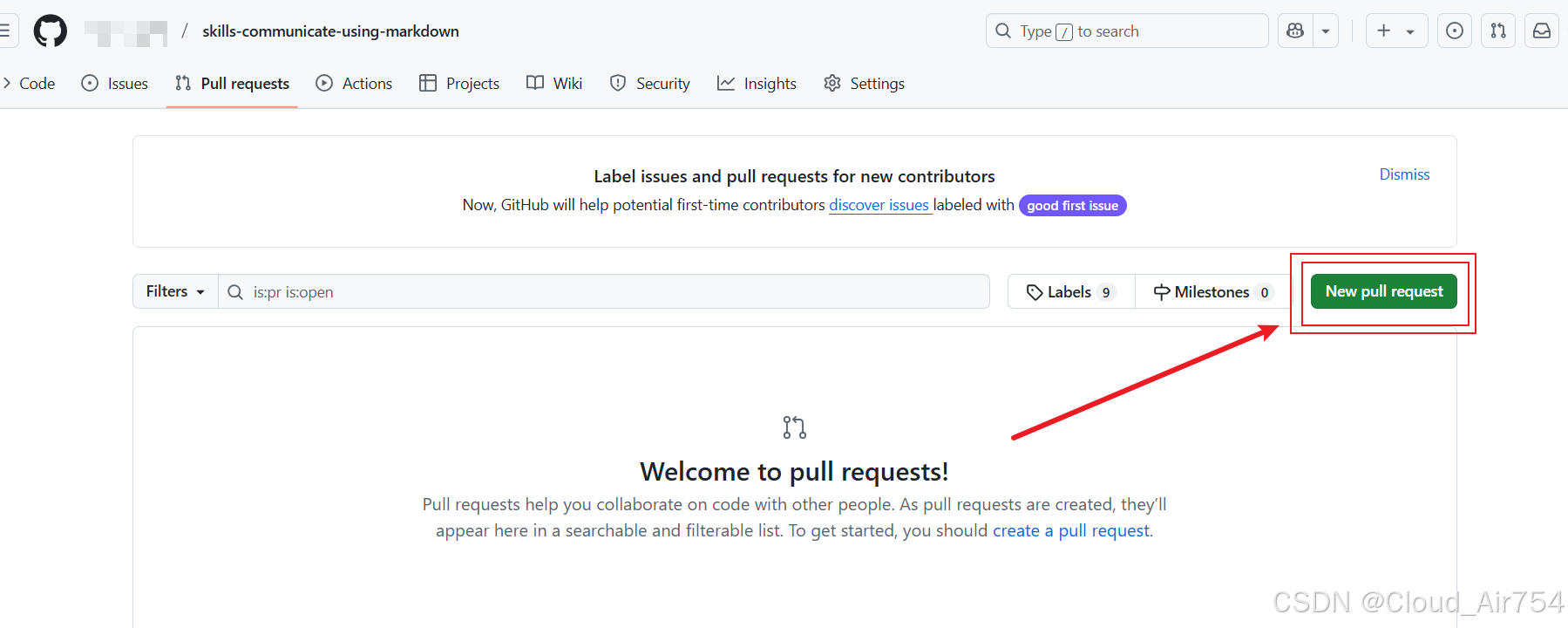
点击新建PR
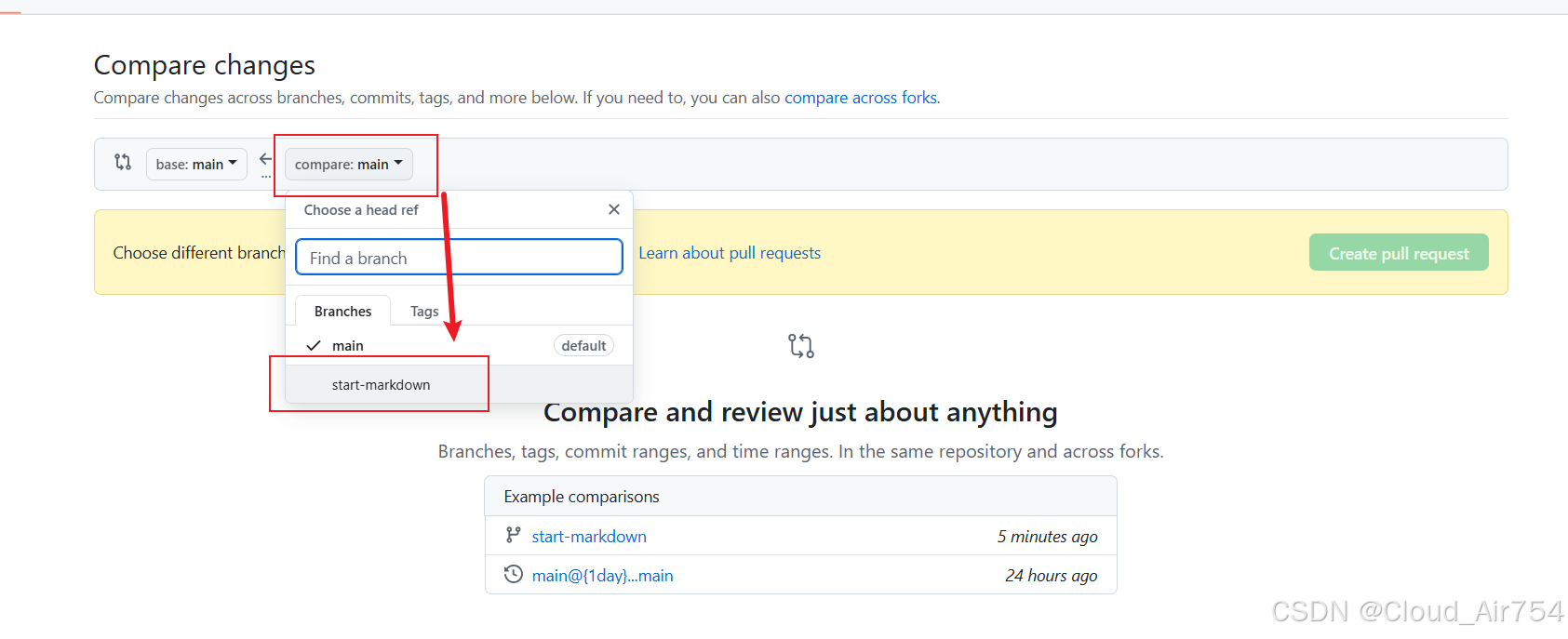
选择正确的分支进行比对工作
4. 点击Create pull request.
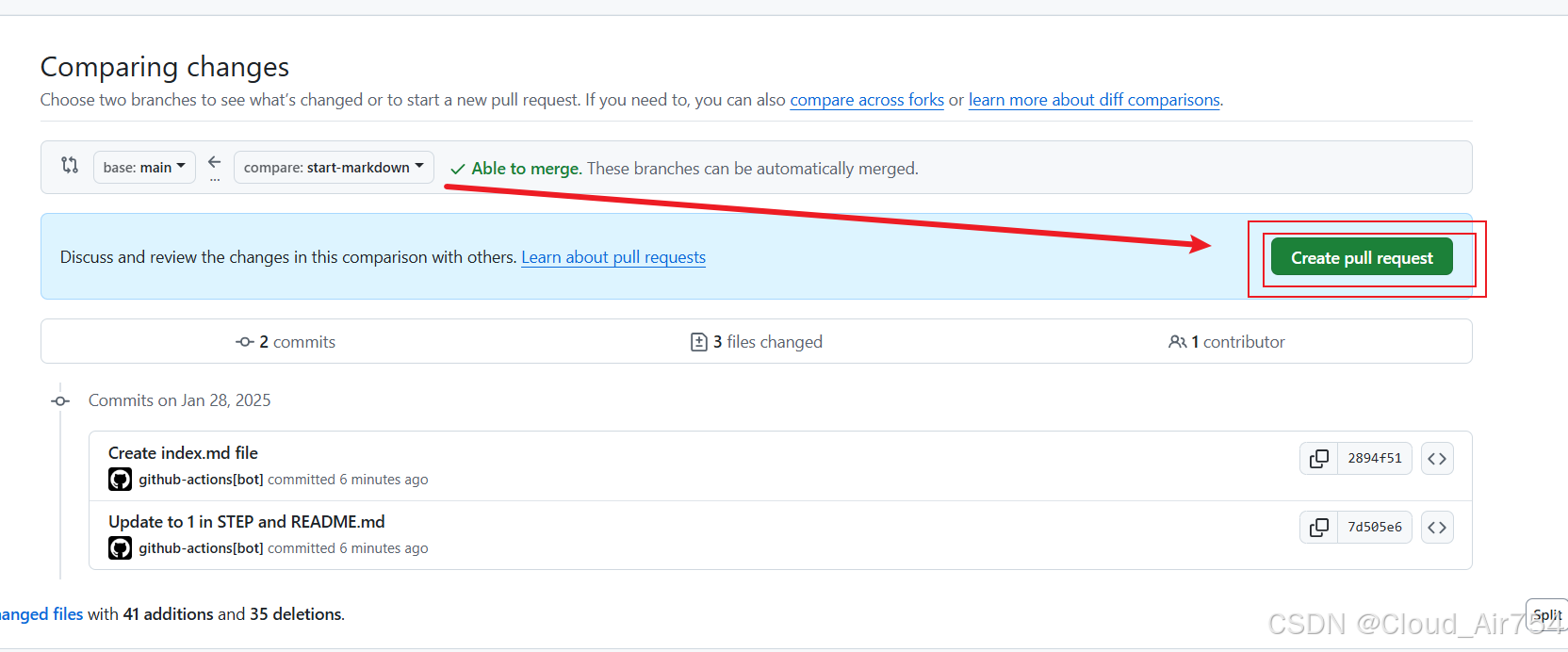
点击建立PR
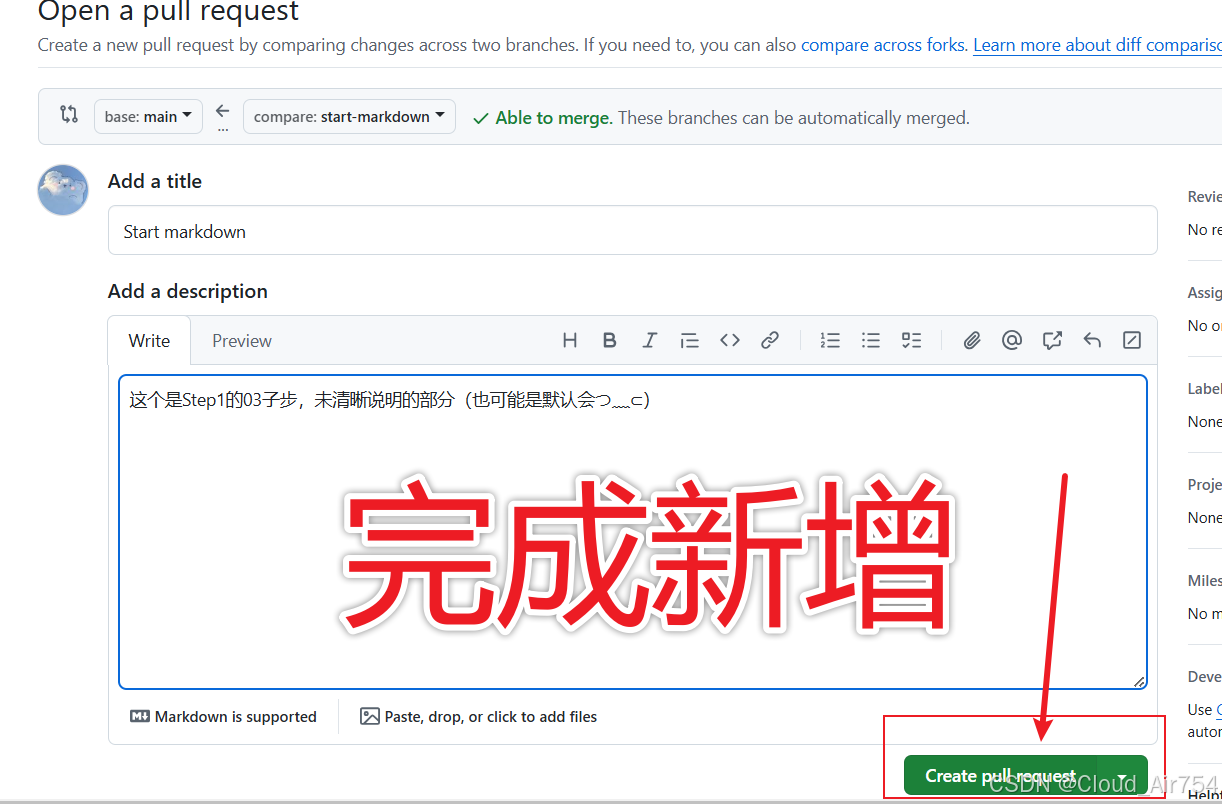
走完整个流程,完成新增
5. 转到 Files changed tab
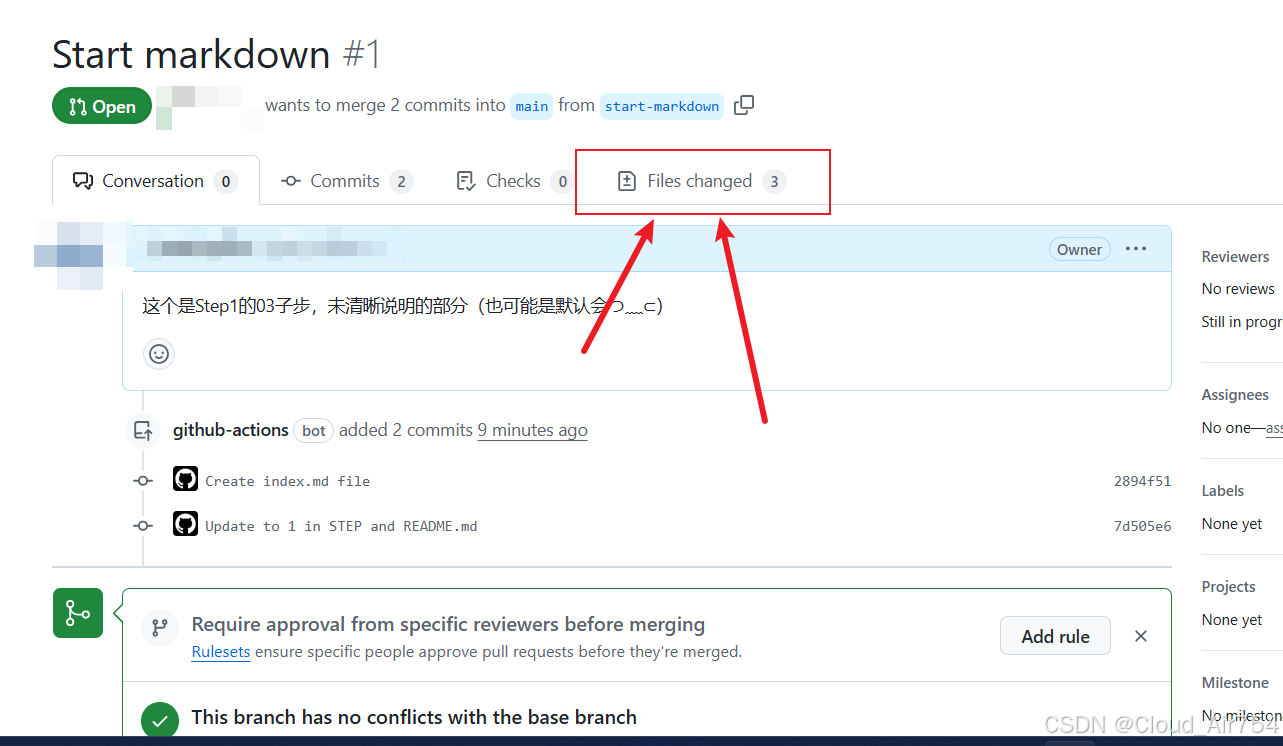
在新页面上,选择Files changed 标签
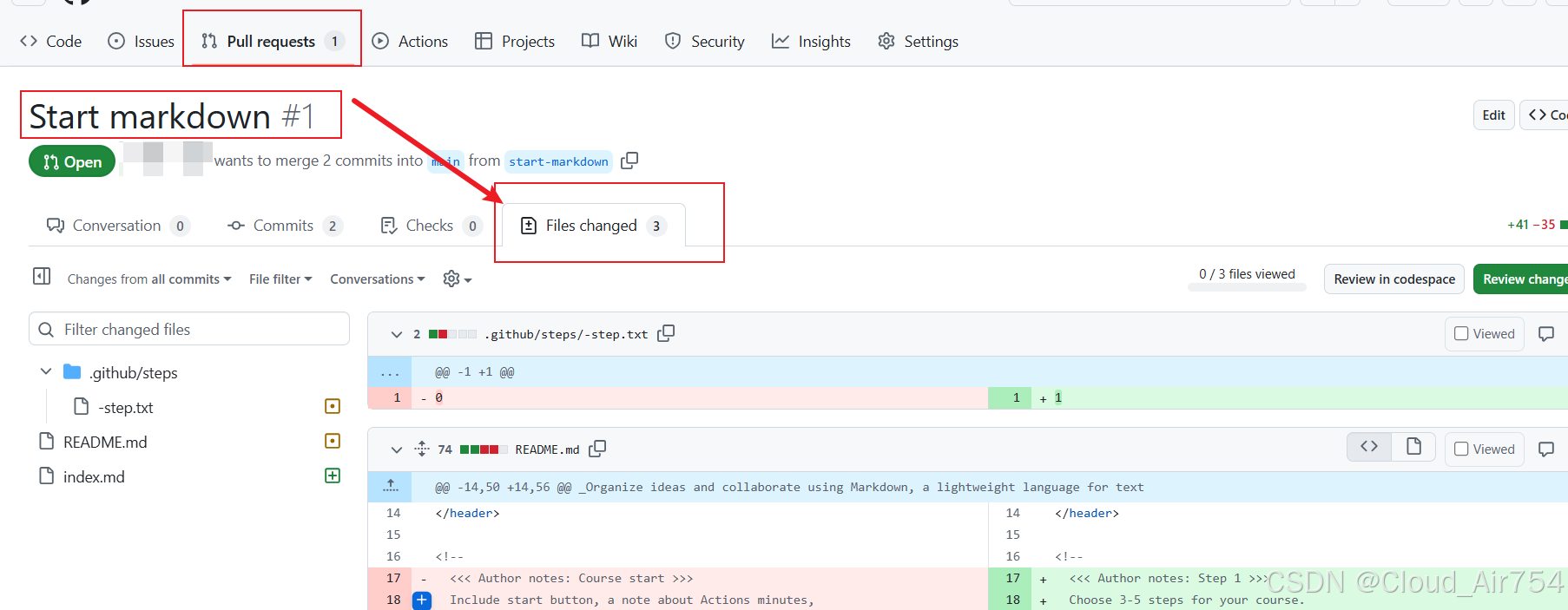
在Files changed 标签中,找到 index.md
6.Select Edit file
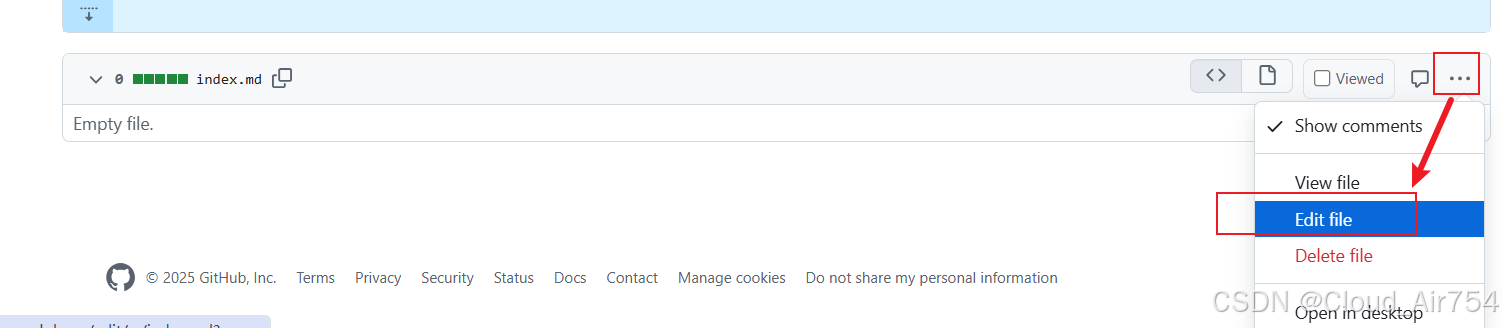
此时Edit file 可选择
7. 编辑标题
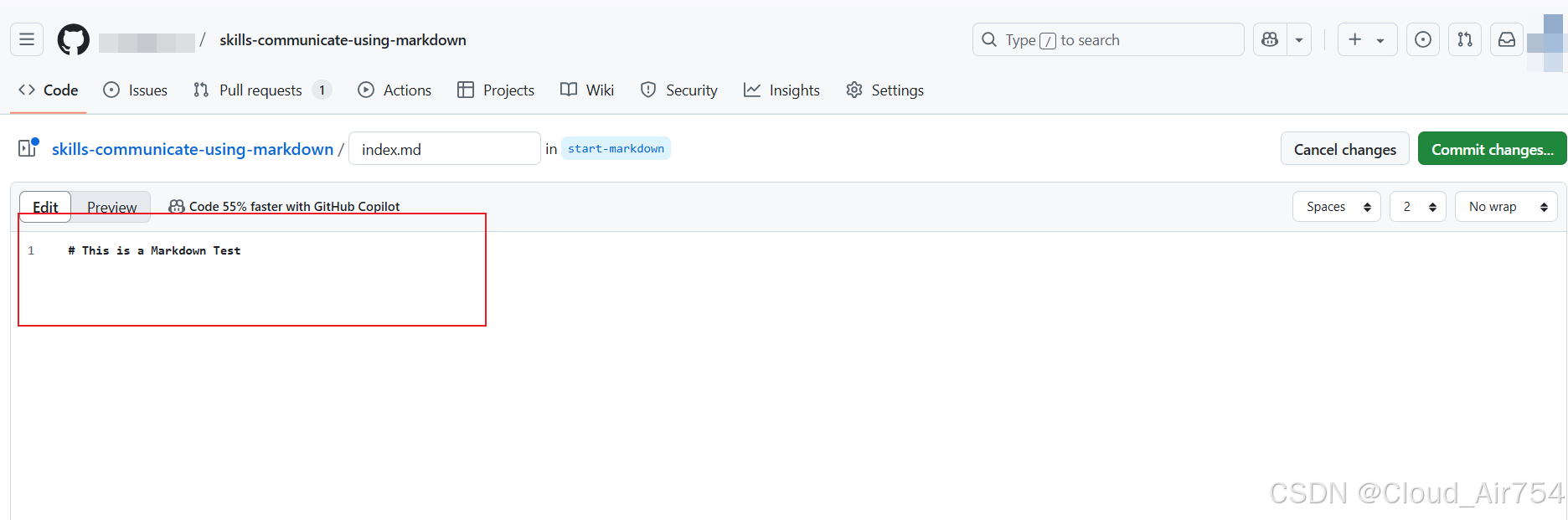
编辑标题 以# 开始,之后给一个空格 即可让当前行的数据以<h1>的格式展示
9. 预览后提交
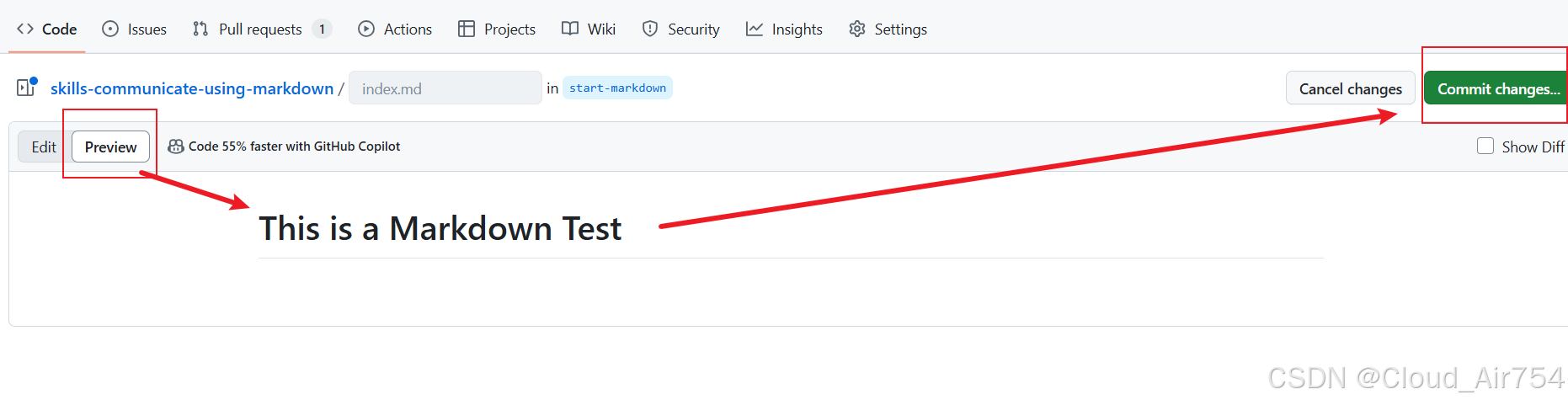
使用Preview 进行预览,预览后commit
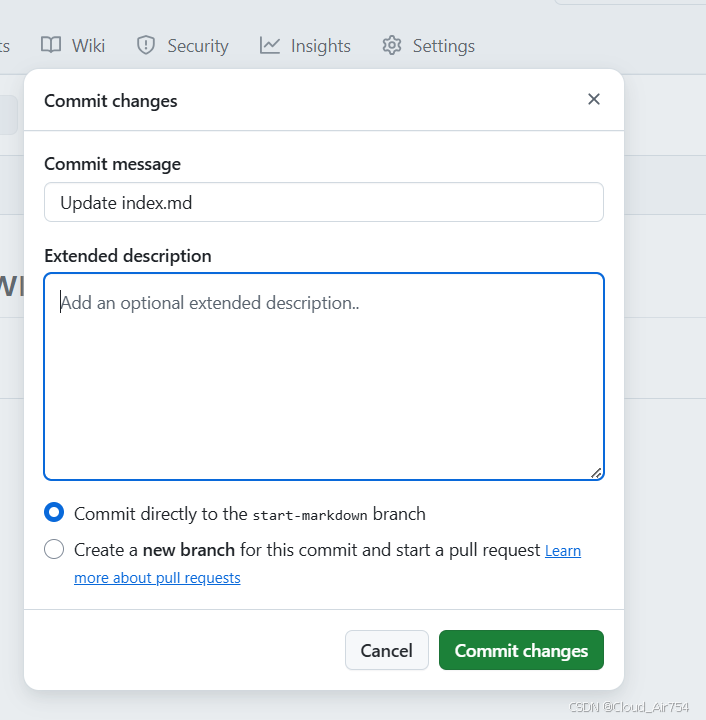
自己填写合适的commit信息后,点击 commit changes 等待一段时间后(即Actions操作),进入Step2(全过程不需要进行merge操作)
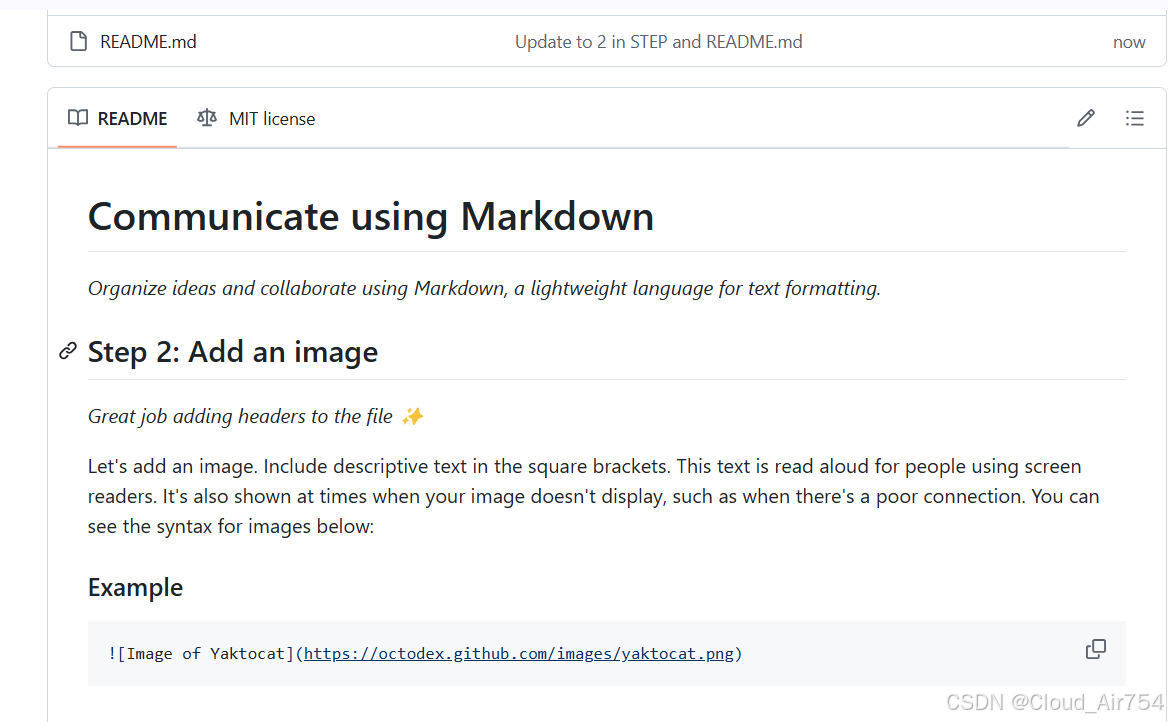
进入Step2(大概一分钟后)





 扫一扫
扫一扫


 908
908

 被折叠的 条评论
为什么被折叠?
被折叠的 条评论
为什么被折叠?
 到【灌水乐园】发言





