



前言📇
- 本文参考Hexo博客搭建基础教程(二)
- 本系列基本上都是各位大佬造好的轮子,具体参考 Fomalhaut大佬。其目的在于防止各位大佬的链接失效,且个人复习总结使用,如有侵权请联系删除。
- 本系列起始空白的虚拟机,一步一步搭建魔改页面,使用本地端口。若想部署在其它平台,可自寻查找。
- 鉴于每个人的根目录名称都不一样,本帖博客根目录一律以
[BlogRoot]指代。- 本帖涉及魔改源码的内容,会使用diff代码块标识,复制时请不要忘记删除前面的
+、-符号。- 因为
.pug和.styl以及.yml等对缩进要求较为严格,请尽量不要使用记事本等无法提供语法高亮的文本编辑器进行修改。- 本系列基于
Butterfly主题进行魔改方案编写,hexo 版本6.3.0,Butterfly 版本4.12.0。- 魔改会过程常常引入自定义的css与js文件,具体方法见方法见Hexo博客添加自定义css和js文件
博客搭建与魔改系列教程导航🚥🚥🚥
1. 安装主题
本系列用的主题版本为Butterfly@4.12.0,使用 github 方式安装
-
在
[BlogRoot](我这里是C:\Users\XinPuSen\Desktop\Blog)目录下打开git bash命令行模式git clone -b 4.12 https://github.com/jerryc127/hexo-theme-butterfly.git themes/butterfly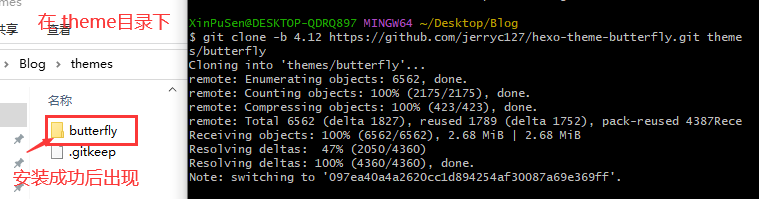
-
应用主题
-
修改站点配置文件
[BlogRoot/_config.yml],把主题改为butterfly,可以按ctrl+f快速寻找。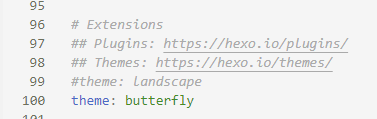
-
如果你没有
pug以及stylus的渲染器,请下载安装,这两个渲染器是Butterfly生成基础页面所需的依赖包:npm install hexo-renderer-pug hexo-renderer-stylus --save- –save:表示会写入
package.json
{% note warning flat%}
如果卡在
still ideaTree buildDeps使用镜像:npm config set registry http://registry.npm.taobao.org/{% endnote %}
- –save:表示会写入
-
为了减少升级主题后带来的不便,请使用以下方法(建议,可以不做,高度魔改的一般都不会升级主题了,不然魔改的会被覆盖掉)
把主题文件夹【[BlogRoot]\themes\butterfly】中的_config.yml复制到 Hexo 根目录里(我这里路径为【C:\Users\XinPuSen\Desktop\Blog】),同时重新命名为_config.butterfly.yml。以后只需要在_config.butterfly.yml进行配置即可生效。Hexo会自动合并主题中的_config.yml和_config.butterfly.yml里的配置,如果存在同名配置,会使用_config.butterfly.yml的配置,其优先度较高。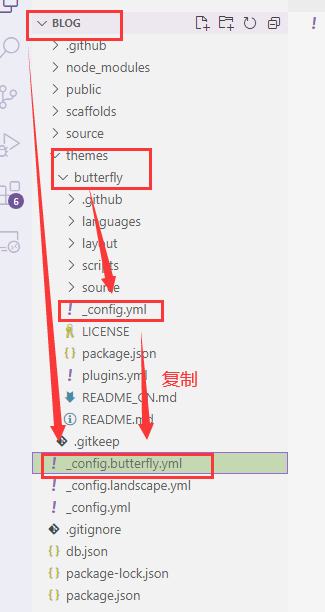
-
2. 基础用法说明
2.1 Front-matter
Front-matter 是 markdown 文件最上方以---分隔的区域,用于指定个别档案的变数。
- Page Front-matter 用于页面配置
- Post Front-matter 用于文章页配置
{% note warning flat %}
如果标注可选的参数,可根据自己需要添加,不用全部都写
{% endnote %}
Page Front-matter:
---
title:
date:
updated:
type:
comments:
description:
keywords:
top_img:
mathjax:
katex:
aside:
aplayer:
highlight_shrink:
---
| 写法 | 解释 |
|---|---|
| title | 【必需】页面标题 |
| date | 【必需】页面创建日期 |
| type | 【必需】标籤、分类和友情链接三个页面需要配置 |
| updated | 【可选】页面更新日期 |
| description | 【可选】页面描述 |
| keywords | 【可选】页面关键字 |
| comments | 【可选】显示页面评论模块(默认 true) |
| top_img | 【可选】页面顶部图片 |
| mathjax | 【可选】显示mathjax(当设置mathjax的per_page: false时,才需要配置,默认 false) |
| kates | 【可选】显示katex(当设置katex的per_page: false时,才需要配置,默认 false) |
| aside | 【可选】显示侧边栏 (默认 true) |
| aplayer | 【可选】在需要的页面加载aplayer的js和css,请参考文章下面的音乐 配置 |
| highlight_shrink | 【可选】配置代码框是否展开(true/false)(默认为设置中highlight_shrink的配置) |
Post Front-matter:
---
title:
date:
updated:
tags:
categories:
keywords:
description:
top_img:
comments:
cover:
toc:
toc_number:
toc_style_simple:
copyright:
copyright_author:
copyright_author_href:
copyright_url:
copyright_info:
mathjax:
katex:
aplayer:
highlight_shrink:
aside:
---
| 写法 | 解释 |
|---|---|
| title | 【必需】文章标题 |
| date | 【必需】文章创建日期 |
| updated | 【可选】文章更新日期 |
| tags | 【可选】文章标籤 |
| categories | 【可选】文章分类 |
| keywords | 【可选】文章关键字 |
| description | 【可选】文章描述 |
| top_img | 【可选】文章顶部图片 |
| cover | 【可选】文章缩略图(如果没有设置top_img,文章页顶部将显示缩略图,可设为false/图片地址/留空) |
| comments | 【可选】显示文章评论模块(默认 true) |
| toc | 【可选】显示文章TOC(默认为设置中toc的enable配置) |
| toc_number | 【可选】显示toc_number(默认为设置中toc的number配置) |
| toc_style_simple | 【可选】显示 toc 简洁模式 |
| copyright | 【可选】显示文章版权模块(默认为设置中post_copyright的enable配置) |
| copyright_author | 【可选】文章版权模块的文章作者 |
| copyright_author_href | 【可选】文章版权模块的文章作者链接 |
| copyright_url | 【可选】文章版权模块的文章连结链接 |
| copyright_info | 【可选】文章版权模块的版权声明文字 |
| mathjax | 【可选】显示mathjax(当设置mathjax的per_page: false时,才需要配置,默认 false) |
| katex | 【可选】显示katex(当设置katex的per_page: false时,才需要配置,默认 false) |
| aplayer | 【可选】在需要的页面加载aplayer的js和css,请参考文章下面的音乐 配置 |
| highlight_shrink | 【可选】配置代码框是否展开(true/false)(默认为设置中highlight_shrink的配置) |
| aside | 【可选】显示侧边栏 (默认 true) |
{% note warning flat%}
注意:我的博客根目录路径为 【C:\Users\XinPuSen\Desktop\Blog】,下文所说的根目录都是此路径,将用[BlogRoot]代替。
{% endnote %}
2.2 标签页
-
前往你的Hexo博客根目录,打开
Git Bash执行如下命令:hexo new page tags -
在
[BlogRoot]\source\会生成一个含有index.md文件的tags文件夹。 -
修改
[BlogRoot]\source\tags\index.md,添加type: "tags"。--- title: 标签 date: 2022-10-28 12:00:00 type: "tags" ---
2.3 友情链接
-
前往你的Hexo博客根目录,打开cmd命令窗口执行如下命令:
hexo new page link -
在
[BlogRoot]\source\会生成一个含有index.md文件的link文件夹 -
修改
[BlogRoot]\source\link\index.md,添加type: "link"--- title: 友情链接 date: 2022-10-28 12:00:00 type: "link" --- -
前往
[BlogRoot]\source\_data创建一个link.yml文件(如果沒有_data文件夹,请自行创建),并写入如下信息(根据你的需要写):- class_name: 1.技术支持 class_desc: 本网站的搭建由以下开源作者提供技术支持 link_list: - name: Hexo link: https://hexo.io/zh-cn/ avatar: https://d33wubrfki0l68.cloudfront.net/6657ba50e702d84afb32fe846bed54fba1a77add/827ae/logo.svg descr: 快速、简单且强大的网志框架 siteshot: https://source.fomal.cc/siteshot/hexo.io.jpg - class_name: 2.友情链接 class_desc: 一些好朋友~~ link_list: - name: Fomalhaut🥝 link: https://fomal.cc/ avatar: /assets/head.jpg descr: Future is now 🍭🍭🍭 siteshot: https://source.fomal.cc/siteshot/www.fomal.cn.jpgclass_name和class_desc支持 html 格式,如不需要,也可以留空。
2.4 分类页
-
前往你的Hexo博客根目录,打开cmd命令窗口执行如下命令:
hexo new page categories -
在
[BlogRoot]\source\会生成一个含有index.md文件的categories文件夹 -
修改
[BlogRoot]\source\categories\index.md,添加type: "categories"--- title: 分类 date: 2024-02-21 23:40:05 type: "categories" ---
2.5 关于我
-
前往你的Hexo博客根目录,打开cmd命令窗口执行如下命令:
hexo new page about -
在
[BlogRoot]\source\会生成一个含有index.md文件的about文件夹 -
修改
[BlogRoot]\source\about\index.md,添加type: "about"--- title: 关于我 date: 2024-02-21 23:44:48 type: "about" ---
3. 语言
修改站点配置文件_config.yml,默认语言是 en 。
主题支持三种语言:
- default(en)
- zh-CN (简体中文)
- zh-TW (繁体中文)
4. 网站资料
修改网站各种资料,例如标题、副标题和邮箱等个人资料,请修改站点配置文件_config.yml。部分参数如下,详细参数可参考官方的配置描述。
| 参数 | 描述 |
|---|---|
| title | 网站标题 |
| subtitle | 描述 |
| description | 网站描述 |
| keywords | 网站的关键词。支持多个关键词 |
| author | 您的名字 |
| language | 网站使用的语言。对于简体中文用户来说,使用不同的主题可能需要设置成不同的值,请参考你的主题的文档自行设置,常见的有 zh-Hans和 zh-CN。 |
| timezone | 网站时区。Hexo 默认使用您电脑的时区。请参考 时区列表 进行设置,如 America/New_York, Japan, 和 UTC 。一般的,对于中国大陆地区可以使用 Asia/Shanghai |
5. 主题配置文件
_config_butterfly.yml:butterfly 主题配置文件,修改的开关都在这里
5.1 导航菜单
修改主题配置文件_config.butterfly.yml
menu:
  Home: / || fas fa-home
  Archives: /archives/ || fas fa-archive
  Tags: /tags/ || fas fa-tags
  Categories: /categories/ || fas fa-folder-open
  List||fas fa-list:
    Music: /music/ || fas fa-music
    Movie: /movies/ || fas fa-video
  Link: /link/ || fas fa-link
  About: /about/ || fas fa-heart
- 必须是
/xxx/,后面||分开,然后写图标名,如果不想显示图标,图标名可不写 - 若主题版本大于 v4.0.0,可以直接在子目录里添加 hide 隐藏子目录,如下面的List
menu:
  Home: / || fas fa-home
  Archives: /archives/ || fas fa-archive
  Tags: /tags/ || fas fa-tags
  Categories: /categories/ || fas fa-folder-open
  List||fas fa-list||hide:
   Music: /music/ || fas fa-music
    Movie: /movies/ || fas fa-video
  Link: /link/ || fas fa-link
  About: /about/ || fas fa-heart
- 文字可自行更改,中英文都可以
menu:
  首页: / || fas fa-home
  时间轴: /archives/ || fas fa-archive
  标签: /tags/ || fas fa-tags
  分类: /categories/ || fas fa-folder-open
  清单||fa fa-heartbeat||hide:
    音乐: /music/ || fas fa-music
    照片: /Gallery/ || fas fa-images
    电影: /movies/ || fas fa-video
  友链: /link/ || fas fa-link
  关于: /about/ || fas fa-heart
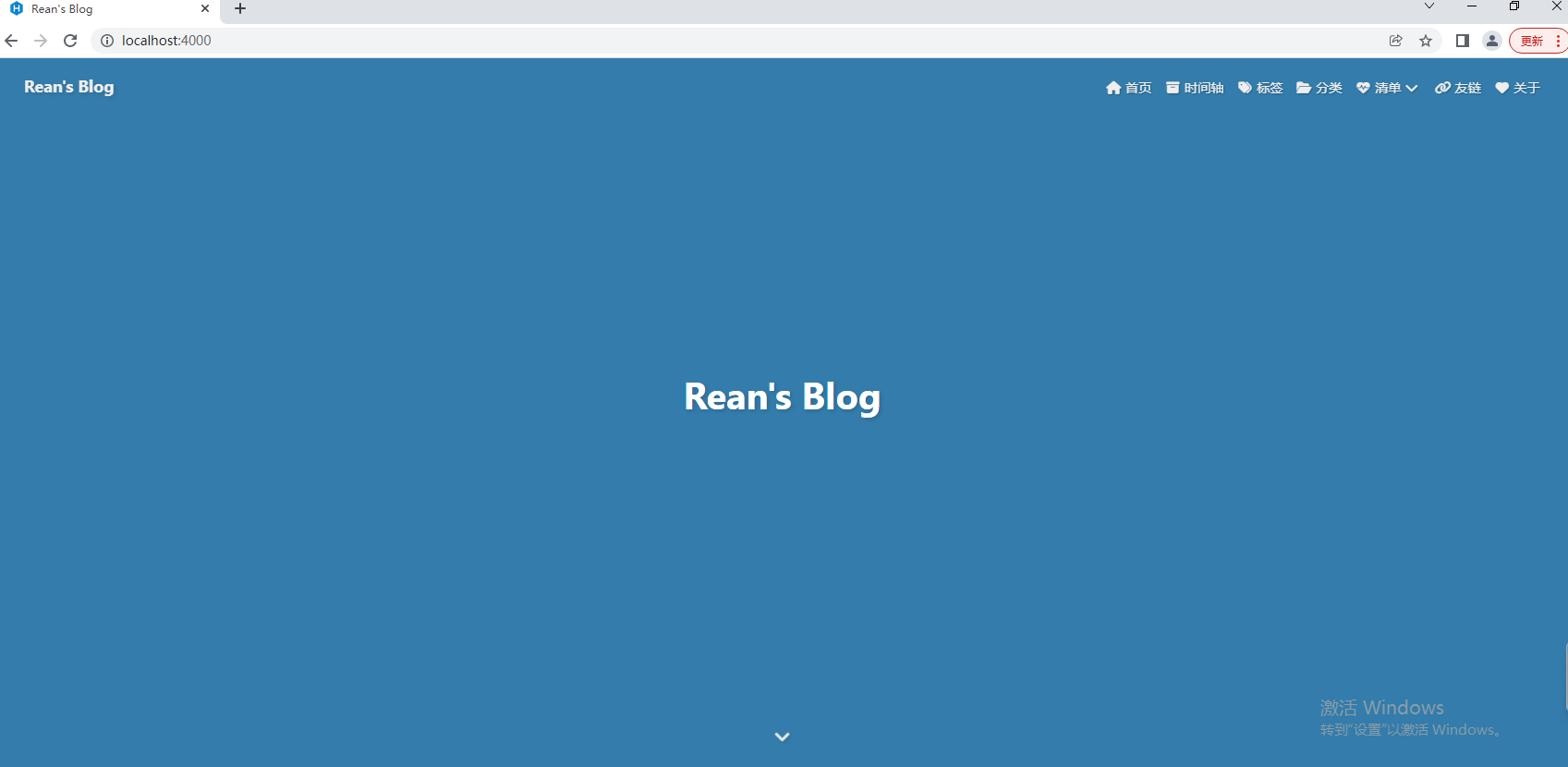
最终效果如下:
{% hideBlock 预览效果 %}
{% endhideBlock %}
5.2 代码
5.2.1 代码高亮主题
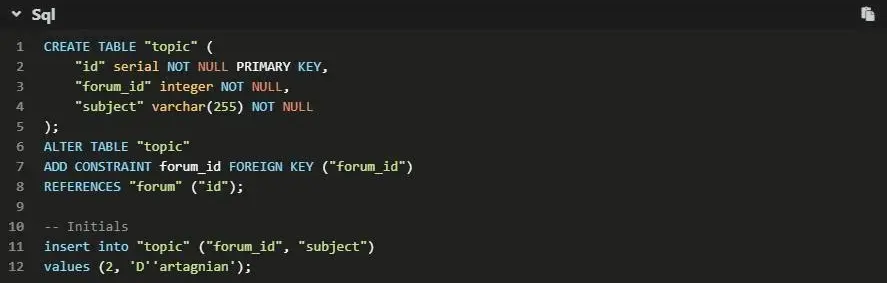
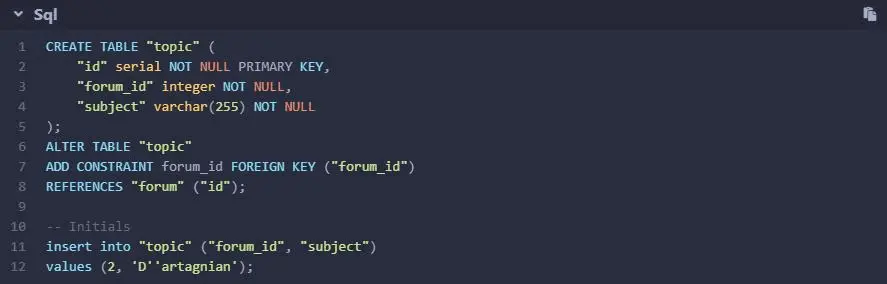
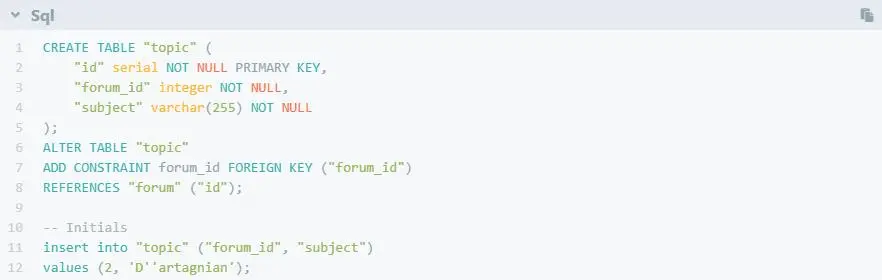
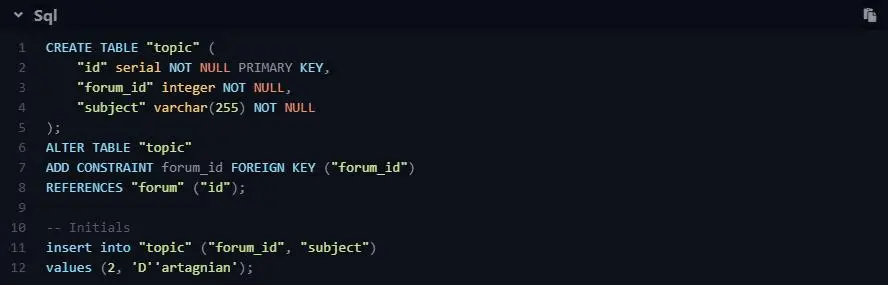
Butterfly支持 6 种代码高亮样式:
- darker
- pale night
- light
- ocean
- mac
- mac light
修改主题配置文件_config.butterfly.yml中的highlight_theme属性。
{% tabs highlight_theme %}
highlight_theme: darker
highlight_theme: pale night
highlight_theme: light
highlight_theme: ocean
highlight_theme: mac
highlight_theme: mac light
{% endtabs %}
5.2.2 代码复制
修改主题配置文件_config.butterfly.yml中的highlight_copy属性,true表示可以复制。
highlight_copy: true
5.2.3 代码框展开\关闭
修改主题配置文件_config.butterfly.yml。中的highlight_shrink属性。
highlight_shrink: false #代码框展开,有>点击按钮
在默认情况下,代码框自动展开,可设置是否所有代码框都关闭状态,点击>可展开代码。
- true 全部代码框不展开,需点击>打开
- false 代码框展开,有>点击按钮
- none 不显示>按钮
5.2.4 代码换行
在默认情况下,Hexo 在编译的时候不会实现代码自动换行。如果你不希望在代码块的区域里有横向滚动条的话,那么你可以考虑开启这个功能。
修改主题配置文件_config.butterfly.yml中的code_word_wrap属性。
code_word_wrap: true
5.2.5 代码高度限制
可配置代码高度限制,超出的部分会隐藏,并显示展开按钮。
highlight_height_limit: 200 # unit: px
- 单位是
px,直接添加数字,如 200 - 实际限制高度为
highlight_height_limit + 30 px,多增加 30px 限制,目的是避免代码高度只超出highlight_height_limit 一点时,出现展开按钮,展开没内容。 - 不适用于隐藏后的代码块( css 设置
display: none)。
{% hideBlock 预览效果 %}
{% endhideBlock %}
5.3 社交图片
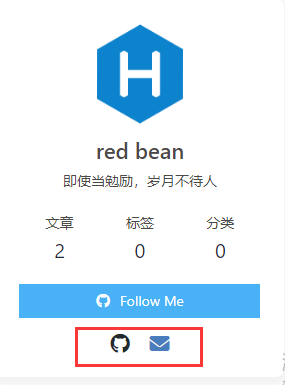
Butterfly支持font-awesome v6图标。
书写格式:图标名:url || 描述性文字。
social:
  fab fa-github: https://github.com/xxxxx || Github
  fas fa-envelope: mailto:xxxxxx@gmail.com || Email
{% hideBlock 预览效果 %}
{% endhideBlock %}
5.4 顶部图
如果不要显示顶部图,可直接配置 disable_top_img: true。
| 配置 | 解释 |
|---|---|
| index_img | 主页的 top_img |
| default_top_img | 默认的 top_img,当页面的 top_img 没有配置时,会显示 default_top_img |
| archive_img | 归档页面的 top_img |
| tag_img | tag子页面 的 默认 top_img |
| tag_per_img | tag子页面的 top_img,可配置每个 tag 的 top_img |
| category_img | category 子页面 的 默认 top_img |
| category_per_img | category 子页面的 top_img,可配置每个 category 的 top_img |
修改主题配置文件_config.butterfly.yml
index_img: xxx.png
其它页面 (tags/categories/自建页面)和文章页的top_img,请到对应的 md 页面设置front-matter中的top_img。
5.5 文章置顶和封面
-
你可以直接在文章的
front-matter区域里添加sticky: 1属性来把这篇文章置顶。数值越大,置顶的优先级越大。 -
文章的markdown文档上,在
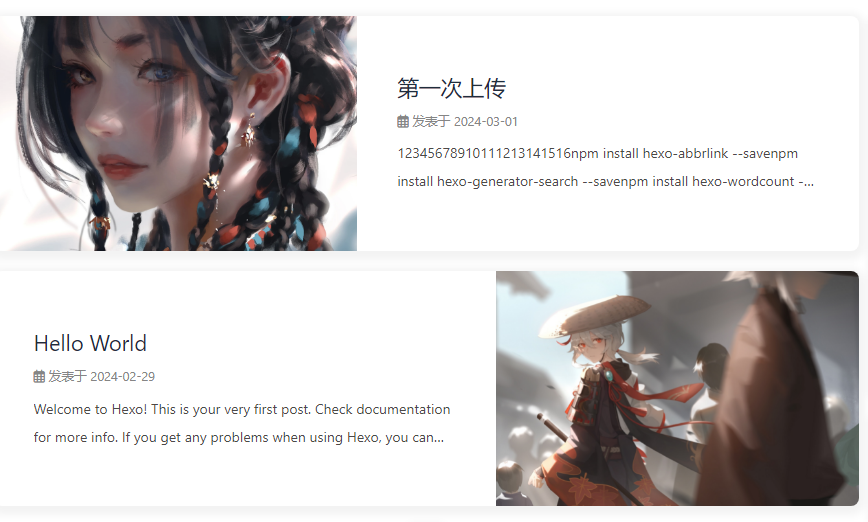
Front-matter添加cover,并填上要显示的图片地址。如果不配置cover,可以设置显示默认的cover;如果不想在首页显示cover,可以设置为false。
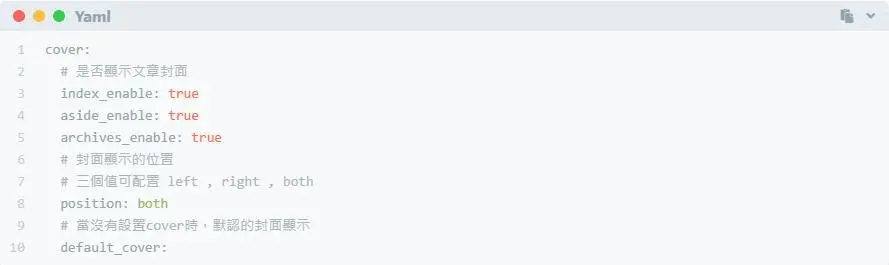
修改主题配置文件_config.butterfly.yml。cover: # 是否显示文章封面 index_enable: true aside_enable: true archives_enable: true # 封面显示的位置 # 三个值可配置 left , right , both position: both # 当没有设置cover时,默认的封面显示 default_cover:当配置多张图片时,会随机选择一张作为cover,此时写法应为:
  default_cover:
      - /img/bg1.webp
      - /img/bg2.webp
      - /img/bg3.webp
      - /img/bg4.webp
这里
/目录指source目录{% hideBlock 预览效果 %}
{% endhideBlock %}
5.6 文章页相关配置
5.6.1 文章 meta 显示
post_meta这个属性用于显示文章的相关信息的,修改主题配置文件_config.butterfly.yml。
   post_meta:
     page:
       date_type: both # created or updated or both 主页文章日期是创建日或者更新日或都显示
       date_format: relative # date/relative 显示日期还是相对日期
       categories: true # true or false 主页是否显示分类
       tags: true # true or false 主页是否显示标签
       label: true # true or false 显示描述性文字
     post:
       date_type: both # created or updated or both 文章页日期是创建日或者更新日或都显示
       date_format: relative # date/relative 显示日期还是相对日期
       categories: true # true or false 文章页是否显示分类
       tags: true # true or false 文章页是否显示标签
       label: true # true or false 显示描述性文字
5.6.2 文章版权和协议许可
修改主题配置文件_config.butterfly.yml
   post_copyright:
     enable: true
     decode: false
     author_href:
     license: CC BY-NC-SA 4.0
     license_url: https://creativecommons.org/licenses/by-nc-sa/4.0/
由于Hexo 4.1开始,默认对网址进行解码,以至于如果是中文网址,会被解码,可设置decode: true来显示中文网址。如果有文章(例如:转载文章)不需要显示版权,可以在文章页Front-matter中单独设置。
copyright: false
从v3.0.0开始,支持对单独文章设置版权信息,可以在文章Front-matter单独设置。
   post_copyright:
   copyright_author: xxxx
   copyright_author_href: https://xxxxxx.com
   copyright_url: https://xxxxxx.com
   copyright_info: 此文章版权归xxxxx所有,如有转载,请註明来自原作者
{% hideBlock 预览效果 %}

{% endhideBlock %}
5.6.3 文章打赏
修改主题配置文件_config.butterfly.yml
reward:
  enable: false
  QR_code:
    - img: /img/wechat.jpg
      link:
      text: wechat
    - img: /img/alipay.jpg
      link:
      text: alipay
5.6.4 文章目录TOC
修改主题配置文件_config.butterfly.yml。
toc:
  post: true # 文章页是否显示 TOC
  page: false # 普通页面是否显示 TOC
  number: true	 # 是否显示章节数
  expand: false	# 是否展开 TOC
  style_simple: false # for post 简洁模式(侧边栏只显示 TOC, 只对文章页有效 )
5.6.5 相关文章推荐
相关文章推荐的原理是根据文章tags的比重来推荐,修改主题配置文件_config.butterfly.yml。
related_post:
  enable: true
  limit: 6 # 显示推荐文章数目
  date_type: created # or created or updated 文章日期显示创建日或者更新日
5.6.6 文章过期提醒
可设置是否显示文章过期提醒,以更新时间为基准。
# Displays outdated notice for a post (文章过期提醒)
noticeOutdate:
  enable: true
  style: flat # style: simple/flat
  limit_day: 365 # 距离更新时间多少天才显示文章过期提醒
  position: top # position: top/bottom
  message_prev: It has been # 天数之前的文字
  message_next: days since the last update, the content of the article may be outdated. # 天数之后的文字
5.6.7 文章分页按钮
修改主题配置文件_config.butterfly.yml
# post_pagination (分页)
# value: 1 || 2 || false	# false:为关闭分页按钮;1:下一篇显示的是旧文章;2:下一篇显示的是新文章
# 1: The 'next post' will link to old post
# 2: The 'next post' will link to new post
# false: disable pagination
post_pagination: false
5.7 头像
avatar:
  img: /img/avatar.jpg
  effect: false # true则会一直转圈
5.8 文章内容复制相关配置
# copy settings
# copyright: Add the copyright information after copied content (复制的内容后面加上版权信息)
copy:
  enable: true	# 是否开启网站复制权限
  copyright:	# 复制的内容后面加上版权信息
    enable: true	# 是否开启复制版权信息添加
    limit_count: 50	# 字数限制,当复制文字大于这个字数限制时,将在复制的内容后面加上版权信息
5.9 Footer 设置
修改主题配置文件_config.butterfly.yml
footer:
  owner:
    enable: true
    since: 2024	# 站点起始时间
  custom_text:	# 是一个给你用来在页脚自定义文本的选项。通常你可以在这里写声明文本等,支持 HTML。
  copyright: false # Copyright of theme and framework
可以参考tzy大佬的的custom_text填写示例:
custom_text: I wish you to become your own sun, no need to rely on who's light.<p><a target="_blank" href="https://hexo.io/"><img src="https://img.shields.io/badge/Frame-Hexo-blue?style=flat&logo=hexo" title="博客框架为Hexo"></a> <a target="_blank" href="https://butterfly.js.org/"><img src="https://img.shields.io/badge/Theme-Butterfly-6513df?style=flat&logo=bitdefender" title="主题采用butterfly"></a> <a target="_blank" href="https://www.jsdelivr.com/"><img src="https://img.shields.io/badge/CDN-jsDelivr-orange?style=flat&logo=jsDelivr" title="本站使用JsDelivr为静态资源提供CDN加速"></a> <a target="_blank" href="https://vercel.com/ "><img src="https://img.shields.io/badge/Hosted-Vervel-brightgreen?style=flat&logo=Vercel" title="本站采用双线部署,默认线路托管于Vercel"></a> <a target="_blank" href="https://vercel.com/ "><img src="https://img.shields.io/badge/Hosted-Coding-0cedbe?style=flat&logo=Codio" title="本站采用双线部署,联通线路托管于Coding"></a> <a target="_blank" href="https://github.com/"><img src="https://img.shields.io/badge/Source-Github-d021d6?style=flat&logo=GitHub" title="本站项目由Gtihub托管"></a> <a target="_blank" href="http://creativecommons.org/licenses/by-nc-sa/4.0/"><img src="https://img.shields.io/badge/Copyright-BY--NC--SA%204.0-d42328?style=flat&logo=Claris" title="本站采用知识共享署名-非商业性使用-相同方式共享4.0国际许可协议进行许可"></a></p>

对于部分人需要写 ICP 的,也可以写在custom_text里。
custom_text: <a href="icp链接"><img class="icp-icon" src="icp图片"><span>备案号:xxxxxx</span></a>
5.10 右下角按钮
5.10.1 简繁转换
修改主题配置文件_config.butterfly.yml
translate:
  enable: false
  # 默认按钮显示文字(网站是简体,应设置为'default: 繁')
  default: 繁
  # the language of website (1 - Traditional Chinese/ 2 - Simplified Chinese)
  # 网站默认语言,1: 繁体中文, 2: 简体中文
  defaultEncoding: 2
  # Time delay 延迟时间,若不在前, 要设定延迟翻译时间, 如100表示100ms,默认为0
  translateDelay: 0
  # 当文字是简体时,按钮显示的文字
  msgToTraditionalChinese: '繁'
  # 当文字是繁体时,按钮显示的文字
  msgToSimplifiedChinese: '簡'
5.10.2 夜间模式
修改主题配置文件_config.butterfly.yml
# dark mode
darkmode:
  enable: false
  # dark 和 light 两种模式切换按钮
  button: true
  # Switch dark/light mode automatically (自動切換 dark mode和 light mode)
  # autoChangeMode: 1  Following System Settings, if the system doesn't support dark mode, it will switch dark mode between 6 pm to 6 am
  # autoChangeMode: 2  Switch dark mode between 6 pm to 6 am
  # autoChangeMode: false
  autoChangeMode: false
v2.0.0 开始增加一个选项,可开启自动切换light mode 和 dark mode。
autoChangeMode: 1跟随系统而变化,不支持的浏览器/系统将按照时间晚上6点到早上6点之间切换为 dark mode。autoChangeMode: 2只按照时间 晚上6点到早上6点之间切换为 dark mode,其余时间为light mode。autoChangeMode: false取消自动切换。
5.10.3 阅读模式
阅读模式下会去掉除文章外的内容,避免干扰阅读。只会出现在文章页面,右下角会有阅读模式按钮。
修改主题配置文件_config.butterfly.yml
readmode: true
5.11 侧边栏设置
5.11.1 排版
可自行决定哪个项目需要显示,可决定位置,也可以设置不显示侧边栏。
修改主题配置文件_config.butterfly.yml,下面是本人博客的配置项可以参考
aside:
  enable: true
  hide: false
  button: true
  mobile: true # display on mobile
  position: right # left or right
  display:
    archive: false
    tag: false
    category: false
  card_author:
    enable: true
    description:
    button:
      enable: true
      icon: # fab fa-github
      text: 🛴 前往小家...
      link: https://github.com/redbeancc
  card_announcement:
    enable: true
    content: 欢迎来到我的博客
  card_recent_post:
    enable: false
    limit: 5 # if set 0 will show all
    sort: date # date or updated
    sort_order: # Don't modify the setting unless you know how it works
  card_categories:
    enable: false
    limit: 8 # if set 0 will show all
    expand: none # none/true/false
    sort_order: # Don't modify the setting unless you know how it works
  card_tags:
    enable: false
    limit: 40 # if set 0 will show all
    color: false
    orderby: random # Order of tags, random/name/length
    order: 1 # Sort of order. 1, asc for ascending; -1, desc for descending
    sort_order: # Don't modify the setting unless you know how it works
  card_archives:
    enable: false
    type: monthly # yearly or monthly
    format: MMMM YYYY # eg: YYYY年MM月
    order: -1 # Sort of order. 1, asc for ascending; -1, desc for descending
    limit: 8 # if set 0 will show all
    sort_order: # Don't modify the setting unless you know how it works
  card_webinfo:
    headline: 网站信息
    enable: true
    post_count: true
    last_push_date: true
    sort_order: # Don't modify the setting unless you know how it works
  card_post_series:
    enable: true
    series_title: false # The title shows the series name
    orderBy: 'date' # Order by title or date
    order: -1 # Sort of order. 1, asc for ascending; -1, desc for descending
5.11.2 访问人数(UV 和 PV)
修改主题配置文件_config.butterfly.yml
busuanzi:
  site_uv: false  # 本站总访客数
  site_pv: false  # 本站总访问量
  page_pv: true  # 本文总阅读量
5.11.3 运行时间
修改主题配置文件_config.butterfly.yml
# Time difference between publish date and now (網頁運行時間)
# Formal: Month/Day/Year Time or Year/Month/Day Time
runtimeshow:
  enable: false
  publish_date: 02/21/2024 00:00:00
  ##网页开通时间
  #格式: 月/日/年 时间
  #也可以写成 年/月/日 时间
5.11.4 最新评论
v3.1.0 以上支持。如果未配置任何评论,前先不要开启该功能。
最新评论只会在刷新时才会去读取,并不会实时变化。
由于 API 有 访问次数限制,为了避免调用太多,主题默认存取期限为 10 分鐘。也就是説,调用后资料会存在 localStorage 里,10分鐘内刷新网站只会去 localStorage 读取资料。 10 分鐘期限一过,刷新页面时才会去调取 API 读取新的数据。(3.6.0 新增了 storage 配置,可自行配置缓存时间)。
修改主题配置文件_config.butterfly.yml
# Aside widget - Newest Comments
newest_comments:
  enable: true
  sort_order: # Don't modify the setting unless you know how it works
  limit: 6  # 显示的数量
  storage: 10 # 设置缓存时间,单位 分钟
  avatar: true # 是否显示头像
5.12 网站背景
修改主题配置文件_config.butterfly.yml
# 图片格式 url(http://xxxxxx.com/xxx.jpg)
# 颜色(HEX值/RGB值/颜色单词/渐变色)
# 留空 不显示背景
background: url(/img/home_bg.webp)
如果你的网站根目录不是'/',使用本地图片时,需加上你的根目录。
例如:网站是 https://yoursite.com/blog,引用一张img/xx.png图片,则设置background为 url(/blog/img/xx.png),/指的是/source目录。
5.13 打字效果
修改主题配置文件_config.butterfly.yml
# Typewriter Effect (打字效果)
# https://github.com/disjukr/activate-power-mode
activate_power_mode:
  enable: false
  colorful: true # open particle animation (冒光特效)
  shake: true #  open shake (抖動特效)
  mobile: false
5.14 footer 背景
修改主题配置文件_config.butterfly.yml
# footer是否显示图片背景(与top_img一致)
footer_bg: false
留空/false:显示默认的颜色图片链接:显示所配置的图片颜色包括HEX值 - #0000FF | RGB值 - rgb(0,0,255) | 颜色单词 - orange | 渐变色 - linear-gradient( 135deg, #E2B0FF 10%, #9F44D3 100%):对应的颜色true:显示跟 top_img 一样
5.15 背景特效
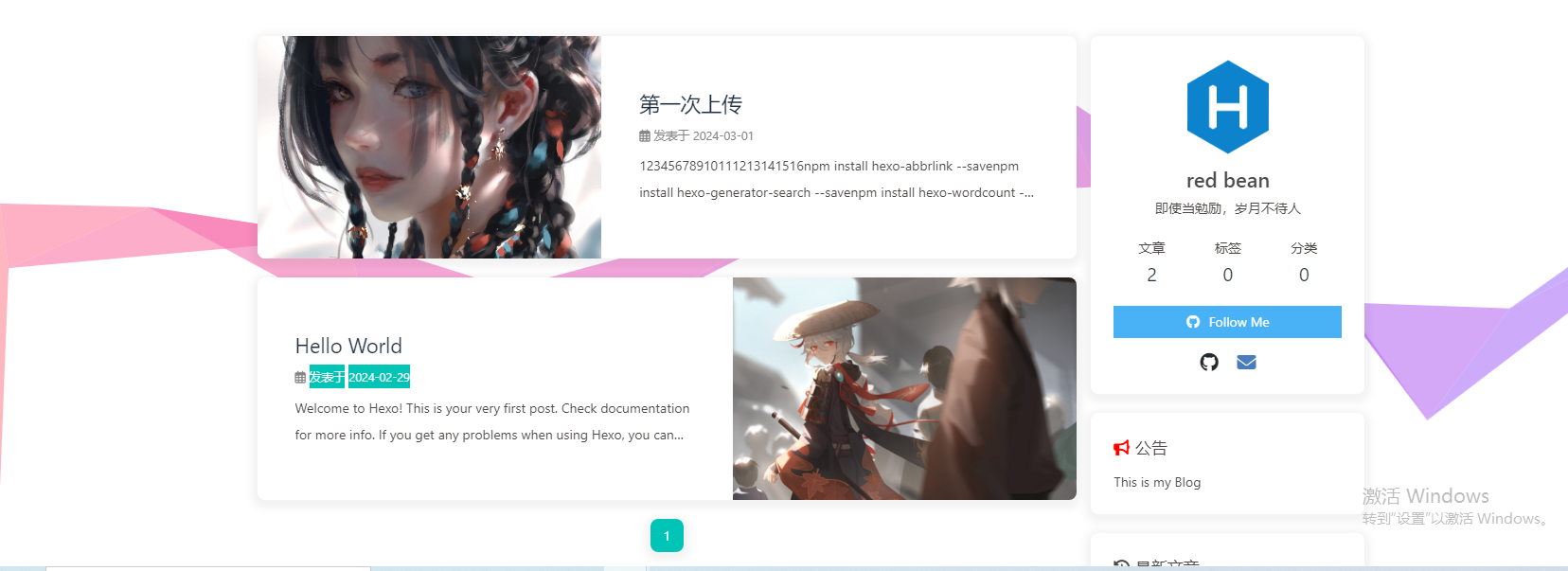
{% tabs canvas %}
可设置每次刷新更换彩带,或者每次点击更换彩带。详细配置可查看canvas_ribbon
修改主题配置文件_config.butterfly.yml
canvas_ribbon:
  enable: false
  size: 150
  alpha: 0.6
  zIndex: -1
  click_to_change: false  #設置是否每次點擊都更換彩带
  mobile: false # false 手機端不顯示 true 手機端顯示
{% hideBlock 预览效果 %}
{% endhideBlock %}
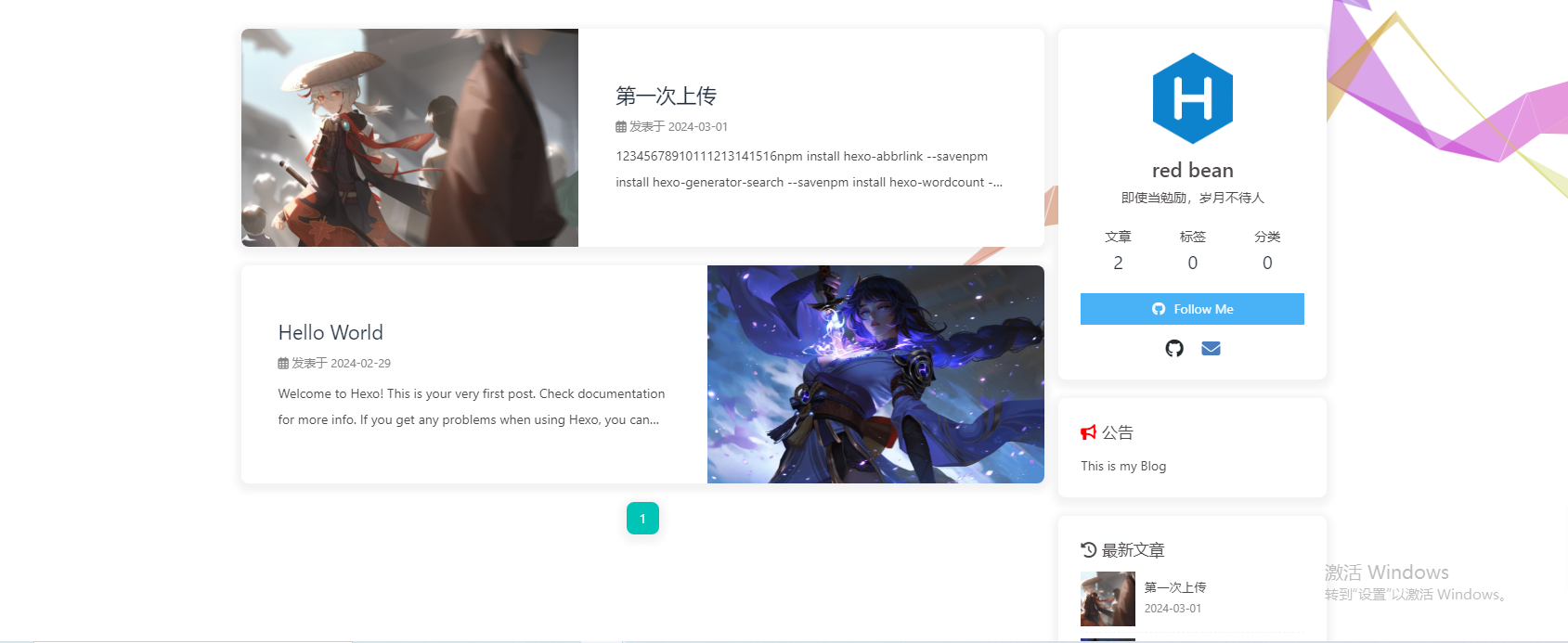
好看的彩带背景,会飘动。
修改主题配置文件_config.butterfly.yml
canvas_fluttering_ribbon:
  enable: true
  mobile: true # false 手机端不显示 true 手机端显示
{% hideBlock 预览效果 %}
{% endhideBlock %}
修改主题配置文件_config.butterfly.yml
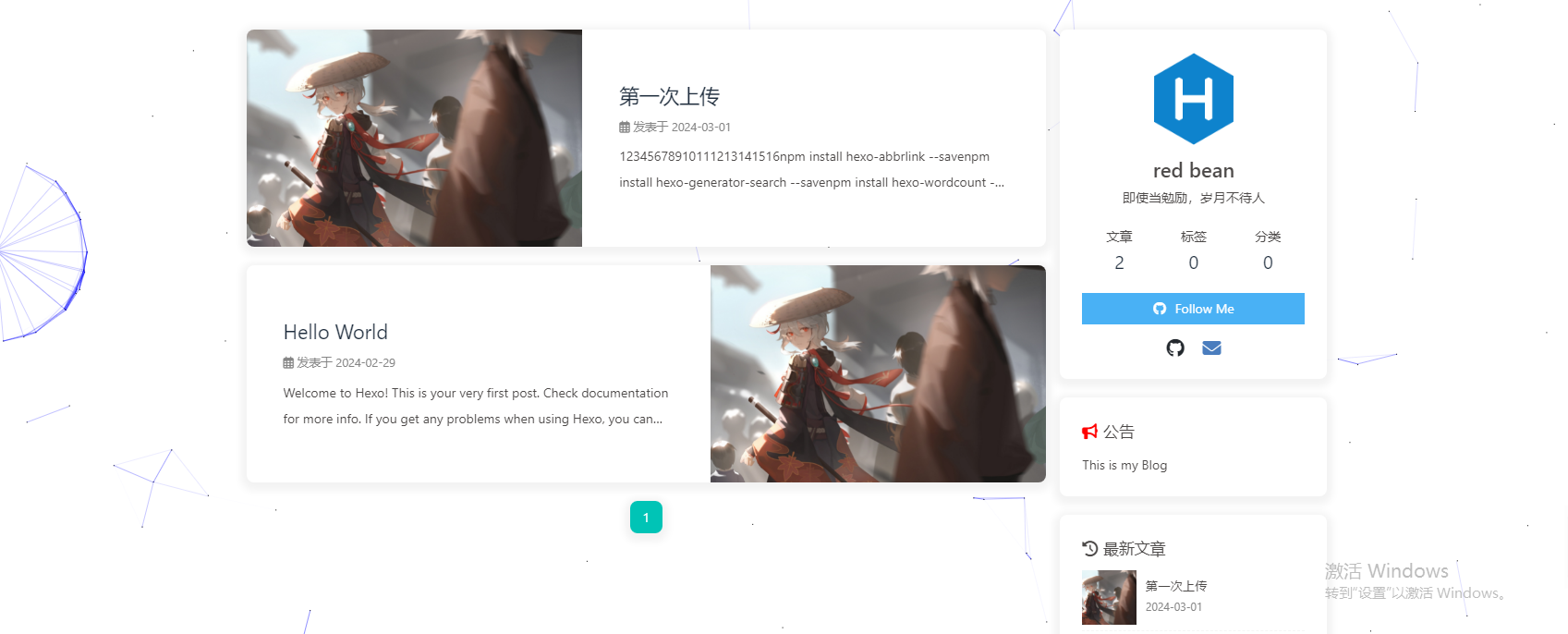
canvas_nest:
  enable: true
  color: '255,254,250' #color of lines, default: '0,0,0'; RGB values: (R,G,B).(note: use ',' to separate.)
  opacity: 1 # the opacity of line (0~1), default: 0.5.
  zIndex: -1 # z-index property of the background, default: -1.
  count: 88 # the number of lines, default: 99.
  mobile: false # false 手機端不顯示 true 手機端顯示
{% hideBlock 预览效果 %}
{% endhideBlock %}
{% endtabs %}
5.16 鼠标点击效果
{% tabs mouseClick %}
zIndex建议只在-1和9999上选。
-1 代表烟火效果在底部。
9999 代表烟火效果在前面。
修改主题配置文件_config.butterfly.yml
fireworks:
  enable: true
  zIndex: 9999 # -1 or 9999
  mobile: false
修改主题配置文件_config.butterfly.yml
# 点击出現爱心
click_heart:
  enable: true
  mobile: false
修改主题配置文件_config.butterfly.yml
# 点击出现文字,文字可自行修改
# Mouse click effects: words (鼠標點擊效果: 文字)
clickShowText:
  enable: true
  text:
    - 富强
    - 民主
    - 文明
    - 和谐
    - 自由
    - 平等
    - 公正
    - 法治
    - 爱国
    - 敬业
    - 诚信
    - 友善
  fontSize: 15px
  random: false
  mobile: false
{% endtabs %}
5.17 自定义字体和字体大小
5.17.1 全局字体
修改主题配置文件_config.butterfly.yml中的font-family属性即可,如不需要配置,请留空。
# Global font settings
# Don't modify the following settings unless you know how they work (非必要不要修改)
font:
  global-font-size: '15px'
  code-font-size: '14px'
  # -apple-system, BlinkMacSystemFont, "Segoe UI" , "Helvetica Neue" , Lato, Roboto, "PingFang SC" , "Microsoft JhengHei" , "Microsoft YaHei" , sans-serif
  # Wenkai, consolas, -apple-system, 'Quicksand', 'Nimbus Roman No9 L', 'PingFang SC', 'Hiragino Sans GB', 'Noto Serif SC', 'Microsoft Yahei', 'WenQuanYi Micro Hei', 'ST Heiti', sans-serif;
  font-family: var(--global-font), Consolas_1, -apple-system, 'Quicksand', 'Nimbus Roman No9 L', 'PingFang SC', 'Hiragino Sans GB', 'Noto Serif SC', 'Microsoft Yahei', 'WenQuanYi Micro Hei', 'ST Heiti', sans-serif;
  # consolas, ZhuZiAWan_light, "Microsoft YaHei", Menlo, "PingFang SC", "Microsoft JhengHei", sans-serif
  # Consolas_1, ZhuZiAWan_light, "Microsoft YaHei", Menlo, "PingFang SC", "Microsoft JhengHei", sans-serif
  code-font-family: Consolas_1, var(--global-font), "Microsoft YaHei", Menlo, "PingFang SC", "Microsoft JhengHei", sans-serif
5.17.2 Blog 标题字体
修改主题配置文件_config.butterfly.yml中的blog_title_font属性即可,如不需要配置,请留空。
如不需要使用网络字体,只需要把font_link留空就行。
# Font settings for the site title and site subtitle
# https://fonts.googleapis.com/css?family=Titillium+Web&display=swap
# Titillium Web, 'PingFang SC' , 'Hiragino Sans GB' , 'Microsoft JhengHei' , 'Microsoft YaHei' , sans-serif
# 左上角網站名字 主頁居中網站名字
blog_title_font:
  font_link:
  font-family: var(--global-font)
5.18 网站副标题
可设置主页中显示的网站副标题或者喜欢的座右铭。
修改主题配置文件_config.butterfly.yml中的subtitle
# the subtitle on homepage (主頁subtitle)
subtitle:
  enable: true
  # Typewriter Effect (打字效果)
  effect: true
  # loop (循環打字)
  loop: true
  # source 調用第三方服務
  # source: false 關閉調用
  # source: 1  調用一言網的一句話(簡體) https://hitokoto.cn/
  # source: 2  調用一句網(簡體) http://yijuzhan.com/
  # source: 3  調用今日詩詞(簡體) https://www.jinrishici.com/
  # subtitle 會先顯示 source , 再顯示 sub 的內容
  source: false
  # 如果關閉打字效果,subtitle 只會顯示 sub 的第一行文字
  sub:
	- "及时当勉励 ,岁月不待人。"
预览效果见本站主页:RedBean🌺🌺
5.19 页面加载动画preloader
当进入网页时,因为加载速度的问题,可能会导致top_img图片出现断层显示,或者网页加载不全而出现等待时间,开启preloader后,会显示加载动画,等页面加载完,加载动画会消失。
# 加载动画 Loading Animation
preloader: true
5.20 字数统计
注意必须要安装依赖才能设置为true,否则会报错!
- 安装插件:在你的博客根目录,打开cmd命令窗口执行
npm install hexo-wordcount --save。 - 开启配置:修改主题配置文件
_config.butterfly.yml中的wordcount。
wordcount:
  enable: true
  post_wordcount: true
  min2read: true
  total_wordcount: true
5.21 图片放大查看
修改主题配置文件_config.butterfly.yml中fancybox属性
# fancybox http://fancyapps.com/fancybox/3/
fancybox: true
5.22 Pjax
当用户点击链接,通过 ajax 更新页面需要变化的部分,然后使用 HTML5 的 pushState 修改浏览器的 URL 地址。这样可以不用重复加载相同的资源(css/js), 从而提升网页的加载速度。
# Pjax [Beta]
# It may contain bugs and unstable, give feedback when you find the bugs.
# https://github.com/MoOx/pjax
pjax:
  enable: true
  # 对于一些第三方插件,有些并不支持 pjax 。
  # 你可以把网页加入到 exclude 里,这个网页会被 pjax 排除在外。
  # 点击该网页会重新加载网站。
  exclude:
    - /music/
    - /no-pjax/
注意:使用 pjax 后,一些自己DIY的js可能会无效,跳转页面时需要重新调用(例如朋友圈、说说等),具体请参考Pjax文档。
5.23 Inject
如想添加额外的 js/css/meta 等等东西,可以在 Inject 里添加,head(</body>标签之前), bottom(</html>标签之前)。
# Inject
# Insert the code to head (before '</head>' tag) and the bottom (before '</body>' tag)
# 插入代码到头部 </head> 之前 和 底部 </body> 之前
inject:
  head:
    - <link rel="stylesheet" href="/xxx.css">
  bottom:
    - <script src="xxxx"></script>
5.24 本地搜索系统
-
安装依赖:前往博客根目录,打开cmd命令窗口执行
npm install hexo-generator-search --save。npm install hexo-generator-search --save -
注入配置:修改站点配置文件
_config.yml,添加如下代码:# 本地搜索 search: path: search.xml field: post content: true -
主题中开启搜索:在主题配置文件
_config.butterfly.yml中修改以下内容:local_search: - enable: false + enable: true -
重新编译运行,即可看到效果:前往博客根目录,打开cmd命令窗口依次执行如下命令:
hexo cl && hexo generate
hexo s -p 8000
详情可参考 hexo-generator-search
{% hideBlock 预览效果 %}

{% endhideBlock %}
5.25 主题颜色
在_config.butterfly.yml中,开启美化,将网站主题颜色修改
# Beautify/Effect (美化/效果)
# --------------------------------------

# Theme color for customize
# Notice: color value must in double quotes like "#000" or may cause error!

theme_color:
  enable: true
  main: "#64d1c9"
#   paginator: "#00c4b6"
#   button_hover: "#FF7242"
#   text_selection: "#00c4b6"
#   link_color: "#99a9bf"
#   meta_color: "#858585"
  hr_color: "#64d1c9"
#   code_foreground: "#F47466"
#   code_background: "rgba(27, 31, 35, .05)"
#   toc_color: "#00c4b6"
#   blockquote_padding_color: "#49b1f5"
#   blockquote_background_color: "#49b1f5"
#   scrollbar_color: "#49b1f5"
#   meta_theme_color_light: "ffffff"
#   meta_theme_color_dark: "#0d0d0d"
这里也可以修改颜色,比如按钮、切割线等。
{% note warning flat %}
基础介绍已完成,下面将是 butterfly 主题魔改部分!
{% endnote %}





 扫一扫
扫一扫


 1343
1343


 到【灌水乐园】发言



