



效果预览:
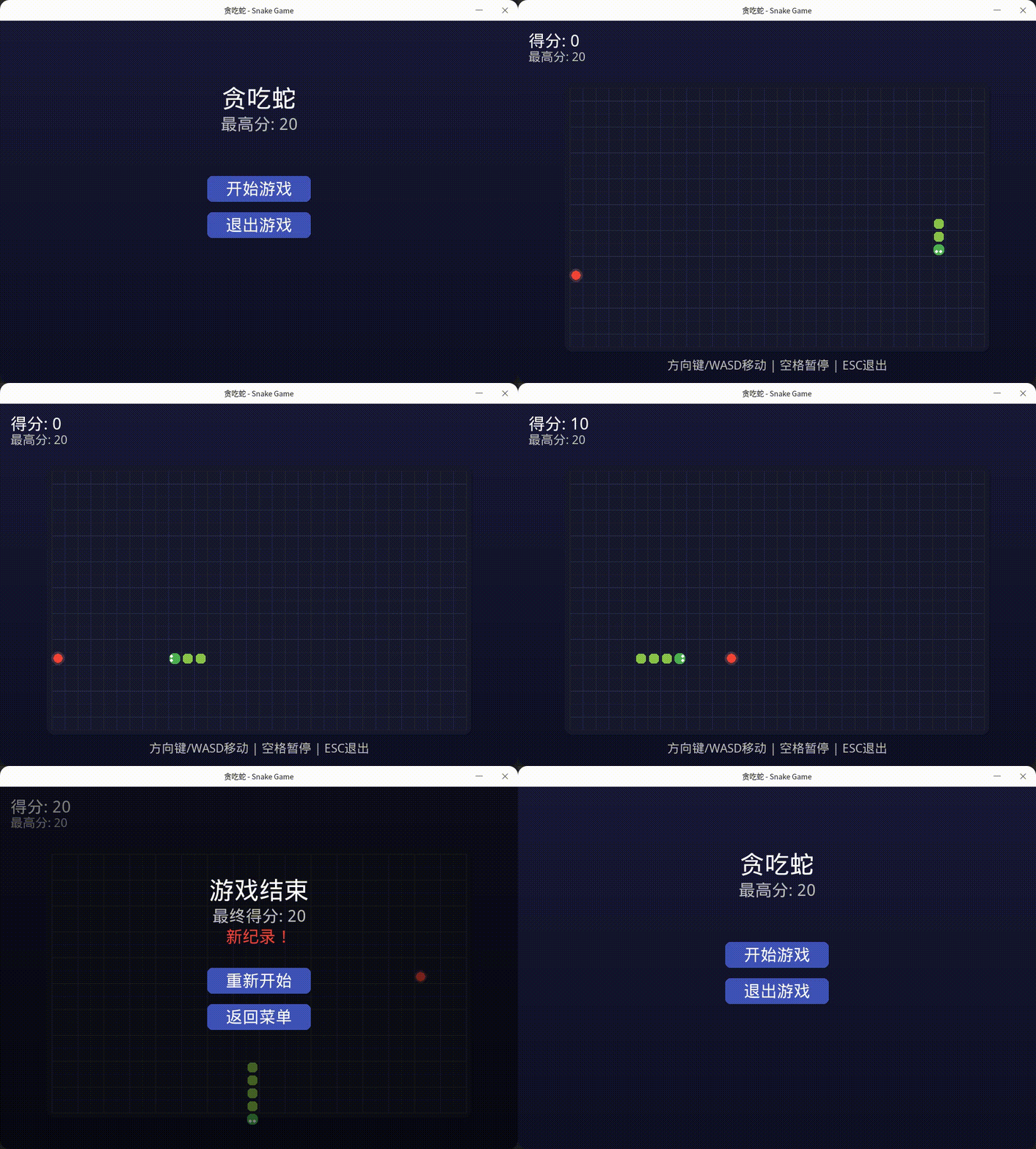
单机版
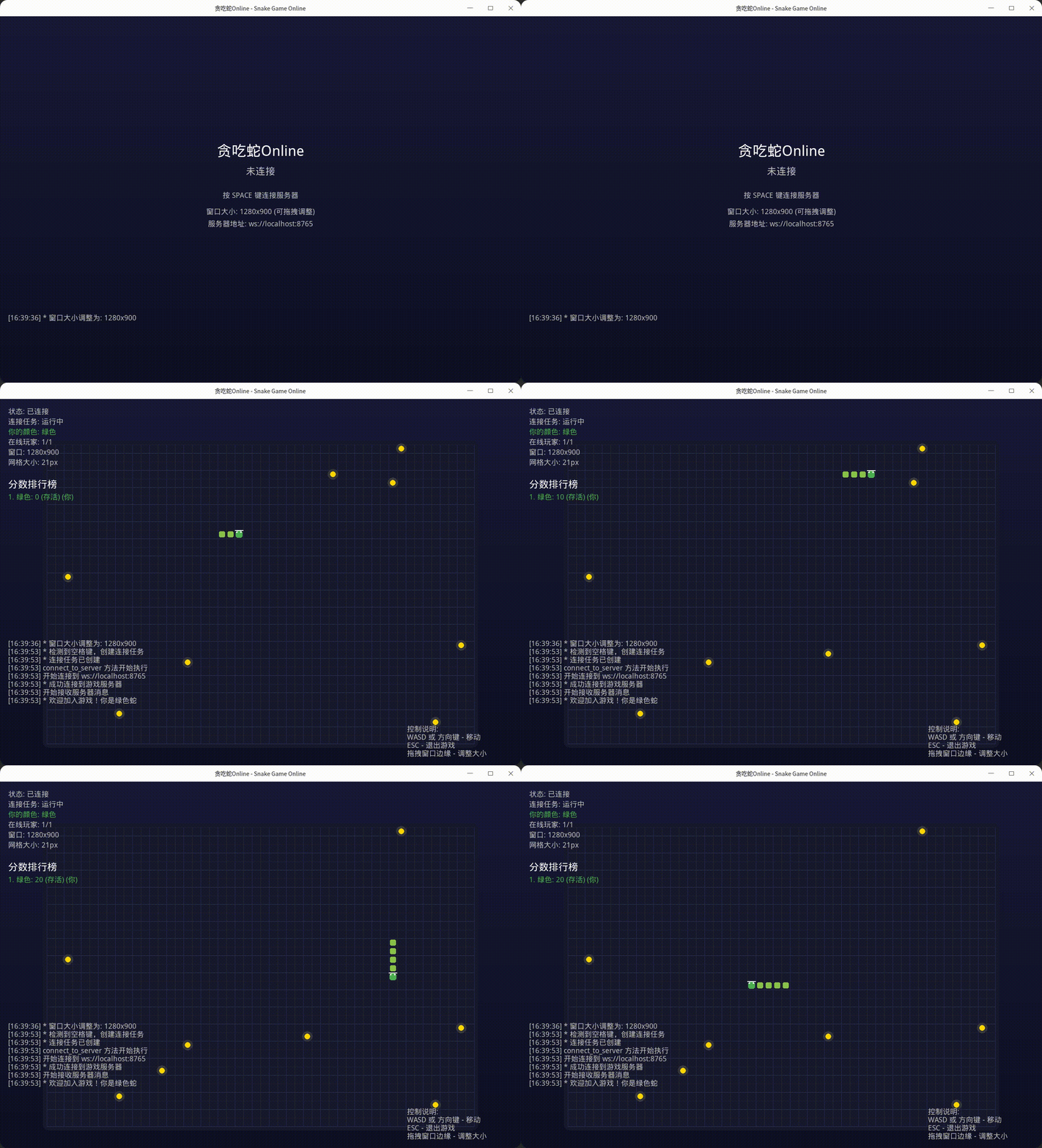
联机版本
简介
该项目是一个基于Python和Pygame库开发的经典贪吃蛇游戏(SnakeGame)。游戏遵循传统贪吃蛇的玩法规则,玩家控制一条蛇在屏幕上移动,通过吃食物增长身体长度,同时避免撞到墙壁或自身。
技术实现
项目采用Python编程语言结合Pygame游戏开发库实现。Pygame提供了处理图形渲染、用户输入和游戏循环等功能的接口。游戏逻辑通过面向对象的方式组织,主要包含蛇类、食物类和游戏主循环等组件。
运行环境
安装依赖库
pip install -r requirements.txt单机版运行
python snake_game.py多人在线版本运行
首先要启动服务端:python ol_server.py
再启动客户端(游戏端): python snake_game_ol.py
注意如果要和其他玩家一起玩,需要修改代码里面的服务器地址。
学习价值
该项目非常适合初学者学习以下内容:
- Python面向对象编程
- Pygame基础使用
- 游戏循环原理
- 碰撞检测算法
- 用户输入处理
设计思路:
设计思路:
要做一个贪吃蛇游戏,首先要考虑的三个大板块:
蛇,食物,运行窗口
其次我们还要考虑要有一些逻辑:
蛇可以吃食物,吃掉食物后蛇变长,食物消失,蛇移动速度变快 (基本游戏逻辑)
蛇不能自己吃自己,并且不能吃墙 (碰撞检测,游戏结束逻辑)
积分逻辑,吃掉食物后要累计计分。
再其次,考虑界面按钮:
开始游戏、结束游戏、返回菜单、退出游戏
有了大概设计思路后,就可以完成我们的游戏了!!
代码实现:
首先实现蛇类
class Snake:
    def __init__(self, start_pos: Tuple[int, int]):
        self.body = [start_pos, (start_pos[0] - 1, start_pos[1]), (start_pos[0] - 2, start_pos[1])]
        self.direction = Direction.RIGHT
        self.grow_pending = False

    def move(self):
        head = self.body[0]
        new_head = (
            head[0] + self.direction.value[0],
            head[1] + self.direction.value[1]
        )
        self.body.insert(0, new_head)

        if not self.grow_pending:
            self.body.pop()
        else:
            self.grow_pending = False

    def change_direction(self, new_direction: Direction):
        # 防止反向移动
        opposite_directions = {
            Direction.UP: Direction.DOWN,
            Direction.DOWN: Direction.UP,
            Direction.LEFT: Direction.RIGHT,
            Direction.RIGHT: Direction.LEFT
        }
        if new_direction != opposite_directions.get(self.direction):
            self.direction = new_direction

    def grow(self):
        self.grow_pending = True

    def check_collision(self, grid_width: int, grid_height: int) -> bool:
        head = self.body[0]
        # 检查墙壁碰撞
        if (head[0] < 0 or head[0] >= grid_width or
                head[1] < 0 or head[1] >= grid_height):
            return True
        # 检查自身碰撞
        return head in self.body[1:]
再实现食物类
class Food:
    def __init__(self, grid_width: int, grid_height: int, snake_body: List[Tuple[int, int]]):
        self.position = self.generate_position(grid_width, grid_height, snake_body)
        self.pulse_offset = 0

    def generate_position(self, grid_width: int, grid_height: int, snake_body: List[Tuple[int, int]]) -> Tuple[int, int]:
        while True:
            pos = (random.randint(0, grid_width - 1), random.randint(0, grid_height - 1))
            if pos not in snake_body:
                return pos

    def update_pulse(self):
        self.pulse_offset += 0.2
最后完整代码在这里(包含单机版和联机版本代码),有详细注释:






 扫一扫
扫一扫


 1475
1475

 被折叠的 条评论
为什么被折叠?
被折叠的 条评论
为什么被折叠?
 到【灌水乐园】发言





