


问题描述
我们下载断言需要的包responses_validator时候,报错:
ERROR: Could not find a version that satisfies the requirement responses_validator (from versions: none)ERROR: No matching distribution found for responses_validator
这个错误非常明确:responses_validator 这个包在 Python 包索引(PyPI)中不存在。
ERROR: Could not find a version that satisfies the requirement 和 No matching distribution found 是 pip 在告诉你:“我搜遍了整个互联网(PyPI),都没找到你要的这个东西。”
排查问题
请按照以下步骤一步步来排查:
步骤 1: 检查包名拼写(首要操作)
首先,百分之百确认包的名字是正确的。Python 包的名字对大小写不敏感,但必须完全匹配。
去 PyPI 官网手动搜索:这是最可靠的方法。
打开浏览器,访问 https://pypi.org
在搜索框里输入 responses_validator 然后搜索。
如果搜索结果显示 “We couldn’t find any results for ‘responses_validator’”,那就证实了这个包确实不存在。
步骤 2: 检查是否是私有包
如果是在公司项目或特定课程中,你需要:
询问同事或导师:确认正确的包名和安装方式。
检查内部索引源:如果包是内部的,你可能需要从公司的私有 PyPI 服务器安装。这通常需要额外的配置,例如使用 --index-url 参数:
pip3 install --index-url https://your.company.com/pypi/simple/ some_internal_package
从代码库直接安装:有时包可能在一个 Git 仓库里(如 GitHub, GitLab)。
# 如果仓库里有 setup.py
pip3 install git+https://github.com/username/repository_name.git

# 或者指向某个分支、标签或提交
pip3 install git+https://github.com/username/repository_name.git@branch_name
步骤 3: 从本地安装
如果这个包是你自己或你的团队开发的,并且代码就在你的电脑上,你可以直接从本地路径安装。
# 进入包含 setup.py 的目录
cd /path/to/your/package_directory
pip3 install .
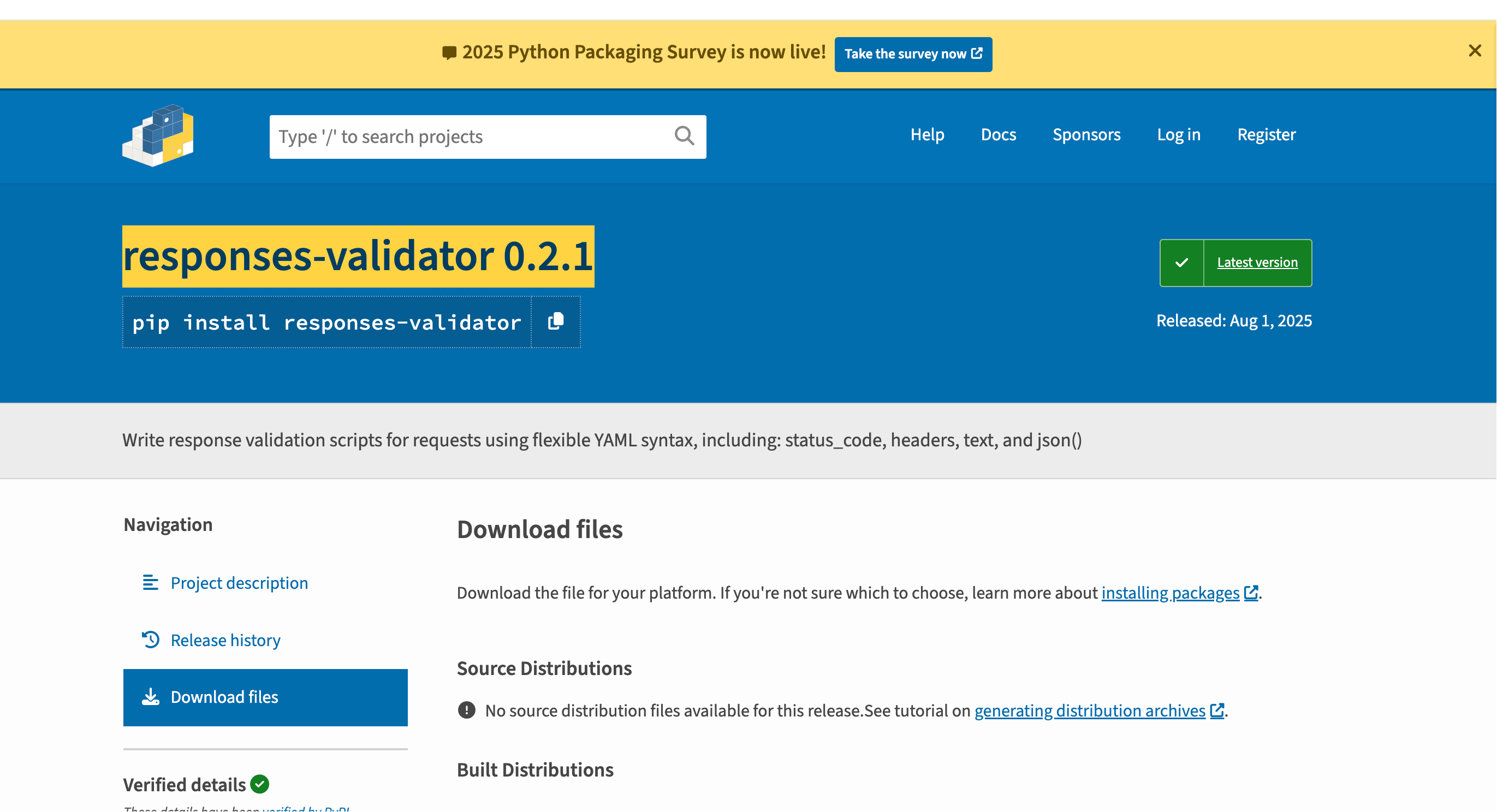
如果包确实在官网中存在却下载不下来
可能原因 解决措施
Python版本不兼容访问PyPI上responses-validator的项目页面,查看 “Meta” 下的 Requires Python 字段,确认其支持的Python版本。检查你的Python版本:python --version。
操作系统或架构不兼容在PyPI项目页面的 “Download files” 区域,查看该包是否有兼容你系统(如 macOS/arm64)的发行版(通常是 .whl 文件)。
**镜像源不同步或网络问题 **使用PyPI官方源并增加超时:pip install --index-url https://pypi.org/simple/ --default-timeout=100 responses-validator0.2.1。或换一个国内镜像源:pip install -i https://pypi.tuna.tsinghua.edu.cn/simple/ responses-validator0.2.1。
**包已被移除或严重损坏 **这是较小概率事件。如果官方源和多个镜像源均无法安装,且没有任何兼容文件,则可能是包已被维护者移除或文件损坏。
pip版本或缓存问题升级你的pip版本:pip install --upgrade pip。清除pip缓存后重试:pip cache purge。
我最终的解决方案
我在 PyPI官网 输入responses-validator找到了这个库,说明有这个库,然后我观察页面介绍的meta中要求python>=3.12
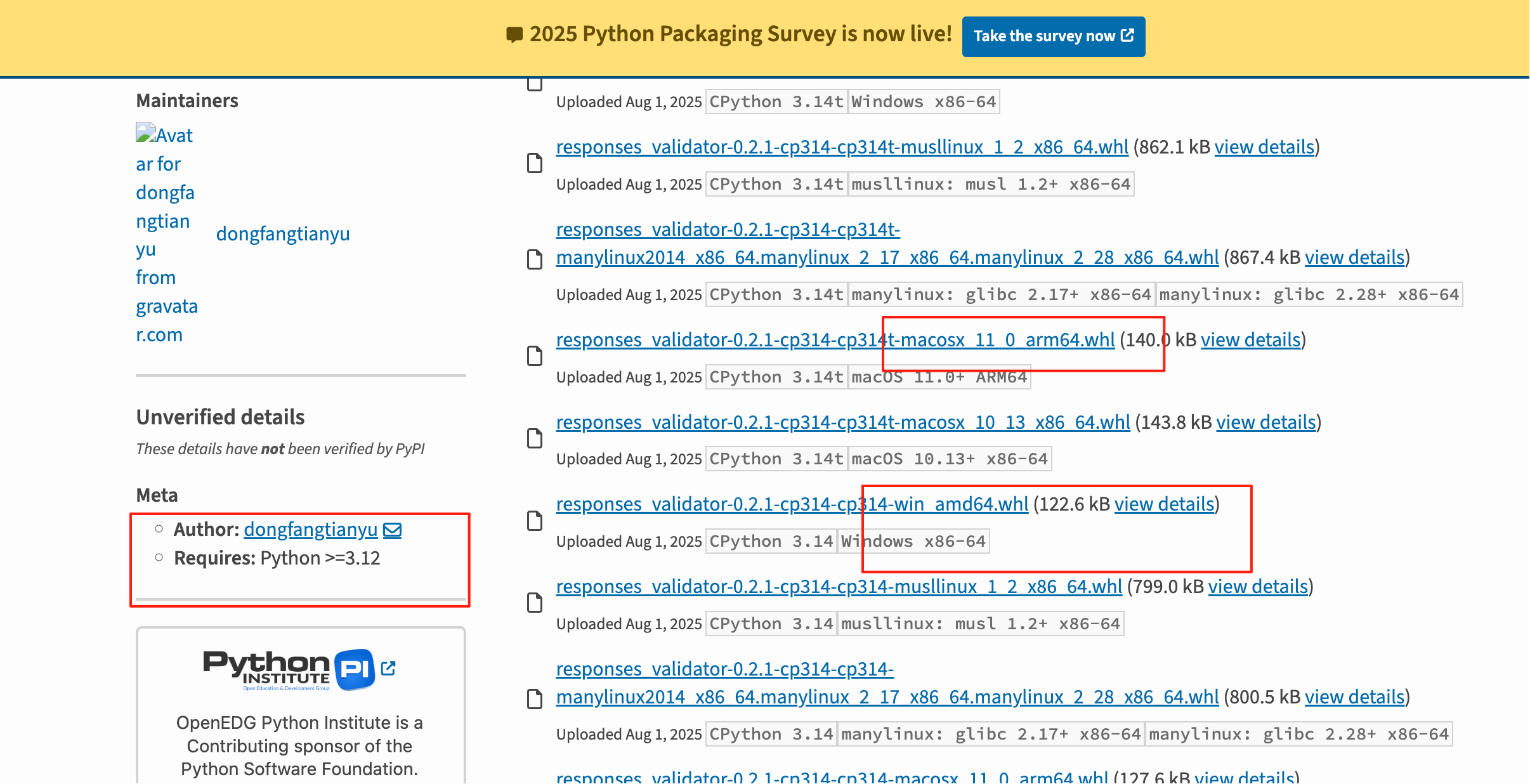
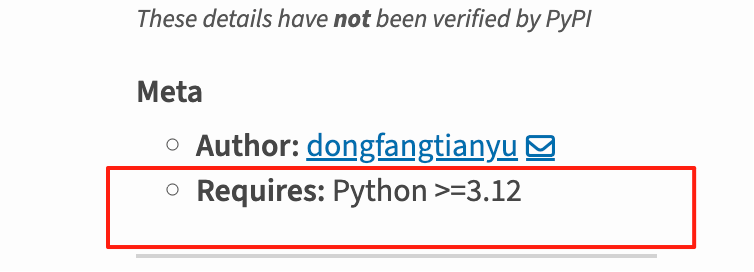
而我本地的python=3.10,升级了解释器之后(或者下载3.12)重新安装就成功了
pip install responses-validator==0.2.1





 扫一扫
扫一扫


 8万+
8万+


 到【灌水乐园】发言




