


 本文详细介绍了如何解决MySQL连接时出现的‘caching_sha2_password’插件加载失败错误,以及在MacOS环境下通过初始化数据库、更改密码策略和服务器重启等步骤来修复。同时,提供了Navicat连接MySQL时遇到‘Connection refused’问题的解决方案,包括使用临时密码更新、设置Navicat的密码及使用套接字文件。
Authentication plugin ‘caching_sha2_password’ cannot be loaded
I am connecting MySQL - 8.0 with MySQL Workbench and getting the below error:
Authentication plugin 'caching_sha2_password' cannot be loaded: dlopen(/usr/local/mysql/lib/plugin/caching_sha2_password.so, 2)
Note: For MAC OS
Open MySQL from System: Preferences > Initialize Database >
Type your new password.
Choose ‘Use legacy password’
Start the Server again.
Now connect the MySQL Workbench
https://stackoverflow.com/questions/49194719/authentication-plugin-caching-sha2-password-cannot-be-loaded
ERROR 1290 (HY000): The MySQL server is running with the --skip-grant-tables option so it cannot execute this statement
mysql> alter user 'root'@'%' identified with mysql_native_password by 'root';
ERROR 1290 (HY000): The MySQL server is running with the --skip-grant-tables option so it cannot execute this statement
mysql> flush privileges;
Query OK, 0 rows affected (0.01 sec)
ERROR 1396 (HY000): Operation ALTER USER failed for ‘root’@’%’
mysql> alter user 'root'@'%' identified with mysql_native_password by 'root';
ERROR 1396 (HY000): Operation ALTER USER failed for 'root'@'%'
解决办法
mysql> use mysql;
Reading table information for completion of table and column names
You can turn off this feature to get a quicker startup with -A

Database changed
mysql> select user,host from user;
+------------------+-----------+
| user             | host      |
+------------------+-----------+
| mysql.infoschema | localhost |
| mysql.session    | localhost |
| mysql.sys        | localhost |
| root             | localhost |
+------------------+-----------+
4 rows in set (0.00 sec)

mysql> alter user 'root'@'localhost' identified with mysql_native_password by 'root';
Query OK, 0 rows affected (0.00 sec)

mysql> update user set host='%' where user = 'root';
Query OK, 1 row affected (0.00 sec)
Rows matched: 1  Changed: 1  Warnings: 0
Navicat 连不上: 2003 - Can’t connect to MySQL server on ‘127.0.0.1’ (61 “Connection refused”)
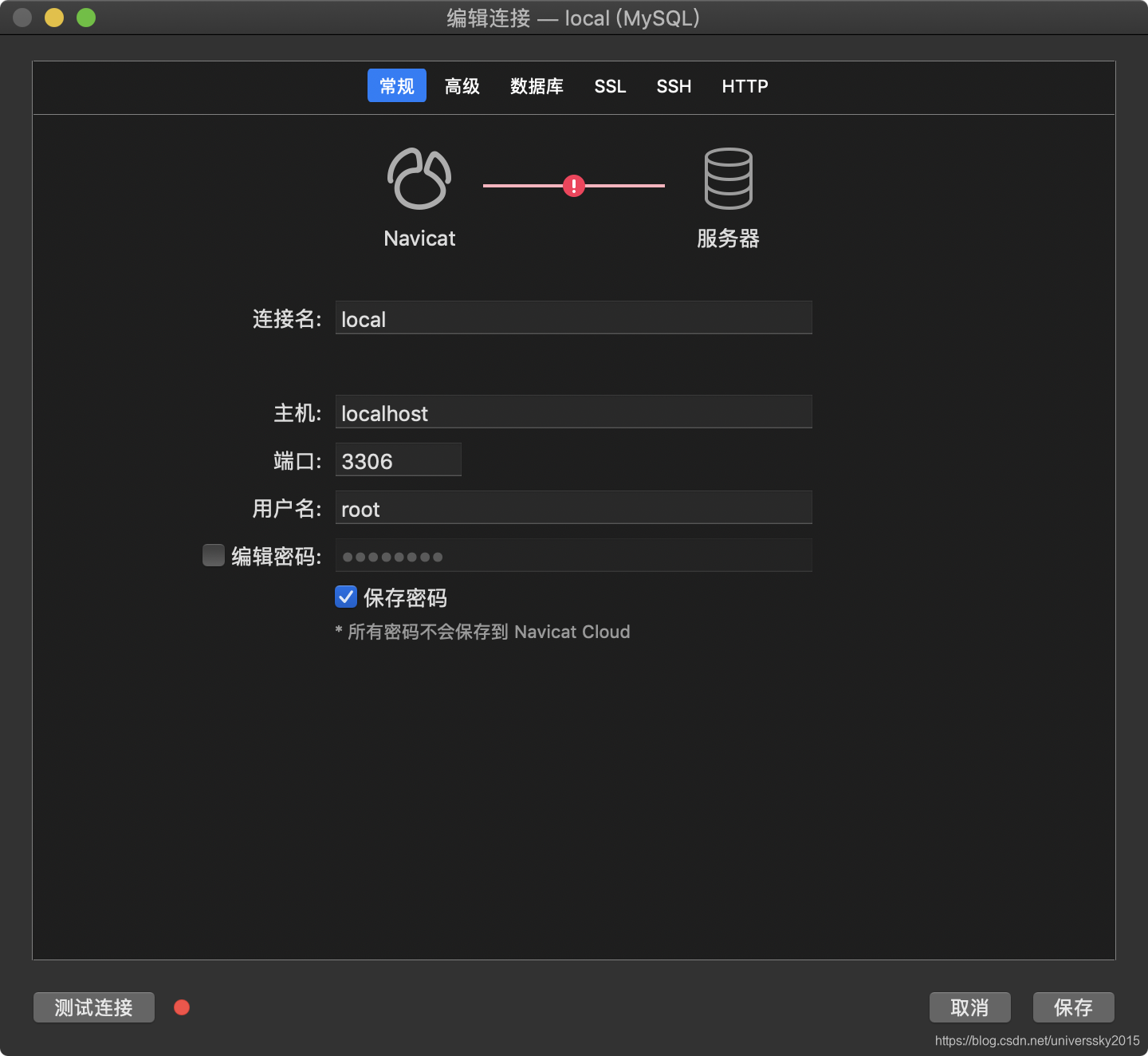
解决方案1:
$ /usr/local/mysql/bin/mysqladmin -u root -p password
Enter password:
New password:
Confirm new password:
Warning: Since password will be sent to server in plain text, use ssl connection to ensure password safety.
打开终端输入:/usr/local/mysql/bin/mysqladmin -u root -p password
Enter password: 输入上面的临时密码
New password: 新密码
Confirm new password: 确认新密码
设置navicat for mysql
设置password为上面的mysql新密码
设置好之后问题解决.
mysql> select user,host,authentication_string from user;
+------------------+-----------+------------------------------------------------------------------------+
| user             | host      | authentication_string                                                  |
+------------------+-----------+------------------------------------------------------------------------+
| root             | %         | *6C362347EBEAA7DF44F6D34884615A35095E80EB                              |
| mysql.infoschema | localhost | $A$005$THISISACOMBINATIONOFINVALIDSALTANDPASSWORDTHATMUSTNEVERBRBEUSED |
| mysql.session    | localhost | $A$005$THISISACOMBINATIONOFINVALIDSALTANDPASSWORDTHATMUSTNEVERBRBEUSED |
| mysql.sys        | localhost | $A$005$THISISACOMBINATIONOFINVALIDSALTANDPASSWORDTHATMUSTNEVERBRBEUSED |
+------------------+-----------+------------------------------------------------------------------------+
4 rows in set (0.00 sec)
另外一种原因:
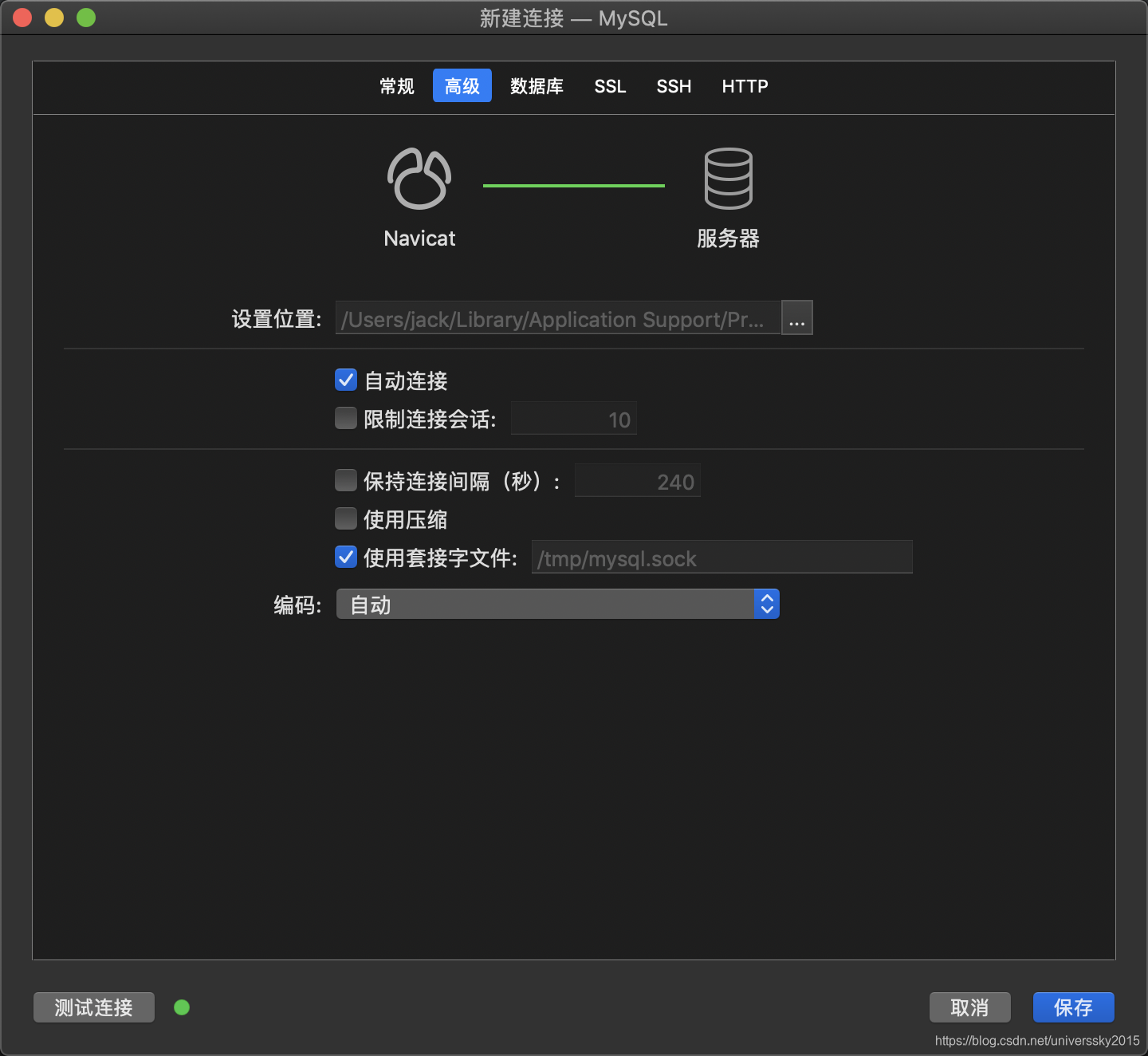
勾选: 使用套接字文件。






 扫一扫
扫一扫


 1万+
1万+

 被折叠的 条评论
为什么被折叠?
被折叠的 条评论
为什么被折叠?
 到【灌水乐园】发言





