


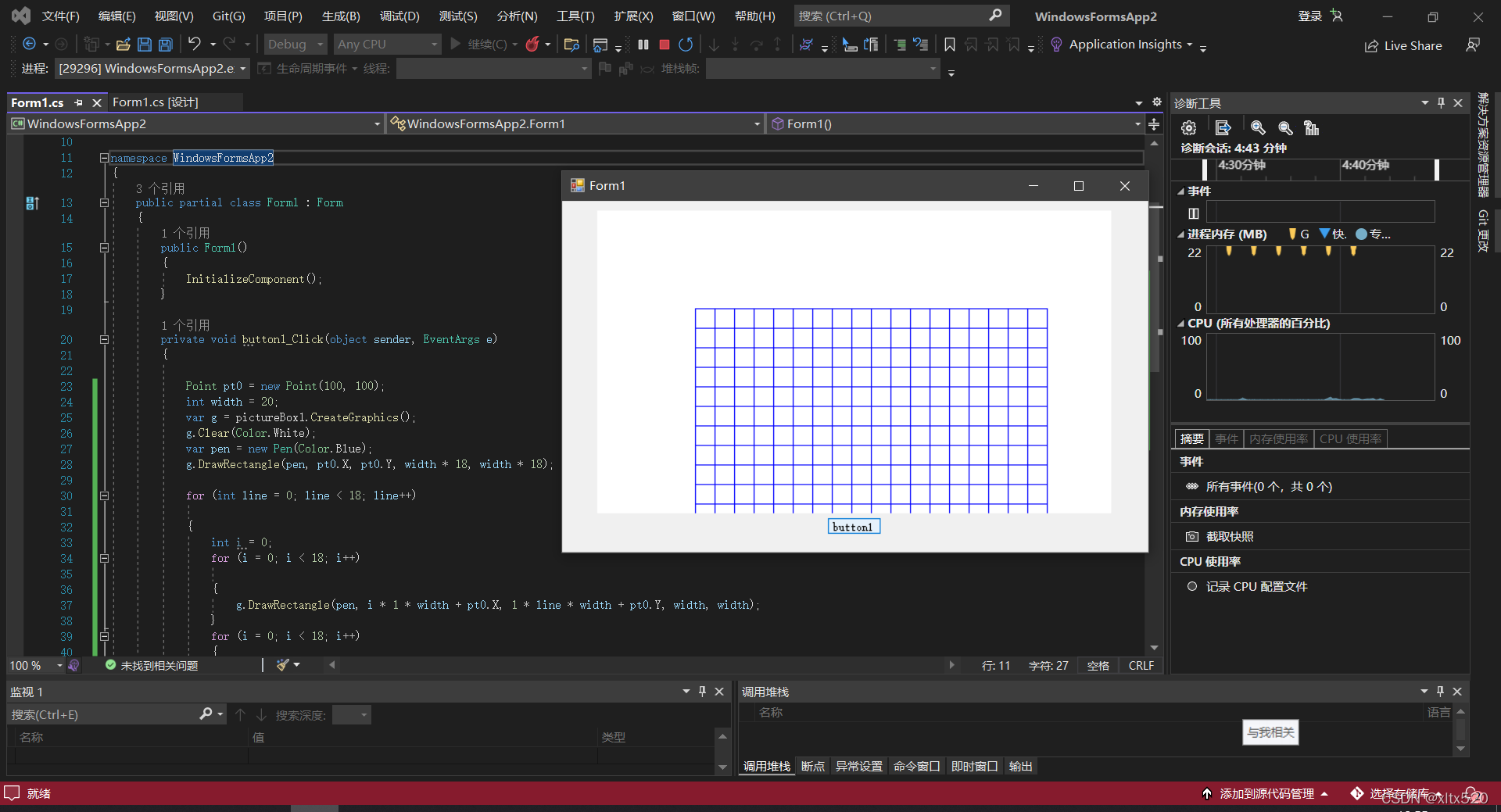
 这篇博客展示了如何使用C#的Windows Forms应用程序创建围棋棋盘和马来西亚国旗的图形。通过代码示例解释了如何利用Graphics对象和Pen类进行画布操作,包括填充颜色、绘制矩形和线条,以此实现棋盘和国旗图案的绘制。
棋盘代码:
namespace WindowsFormsApp2
{
public partial class Form1 : Form
{
public Form1()
{
InitializeComponent();
}
private void button1_Click(object sender, EventArgs e)
{
Point pt0 = new Point(100, 100);
int width = 20;
var g = pictureBox1.CreateGraphics();
g.Clear(Color.White);
var pen = new Pen(Color.Blue);
g.DrawRectangle(pen, pt0.X, pt0.Y, width * 18, width * 18);
for (int line = 0; line < 18; line++)
{
int i = 0;
for (i = 0; i < 18; i++)
{
g.DrawRectangle(pen, i * 1 * width + pt0.X, 1 * line * width + pt0.Y, width, width);
}
for (i = 0; i < 18; i++)
{
}
}
}
private void Form1_Load(object sender, EventArgs e)
{
}
}
}
效果图:
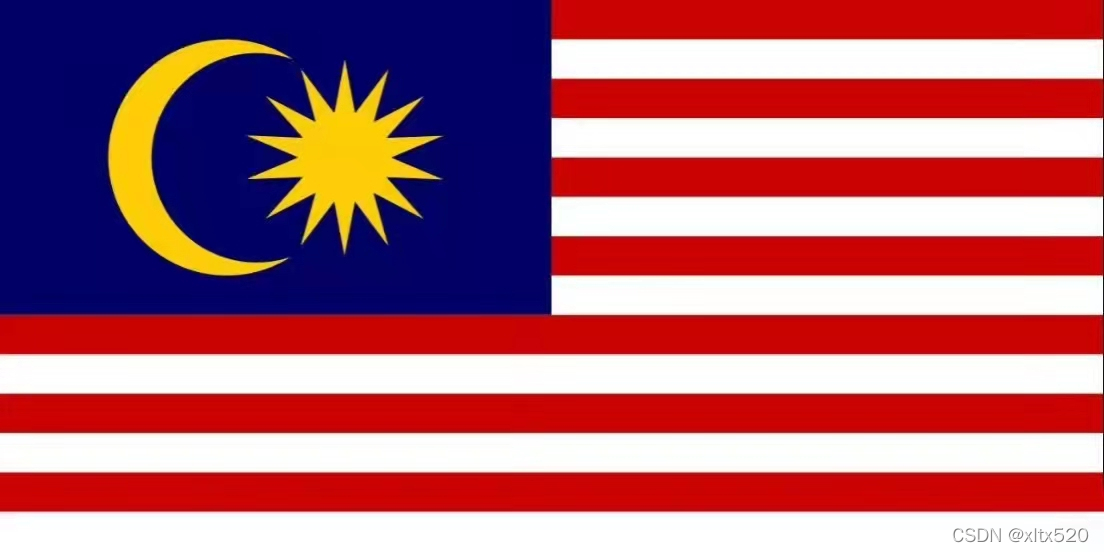
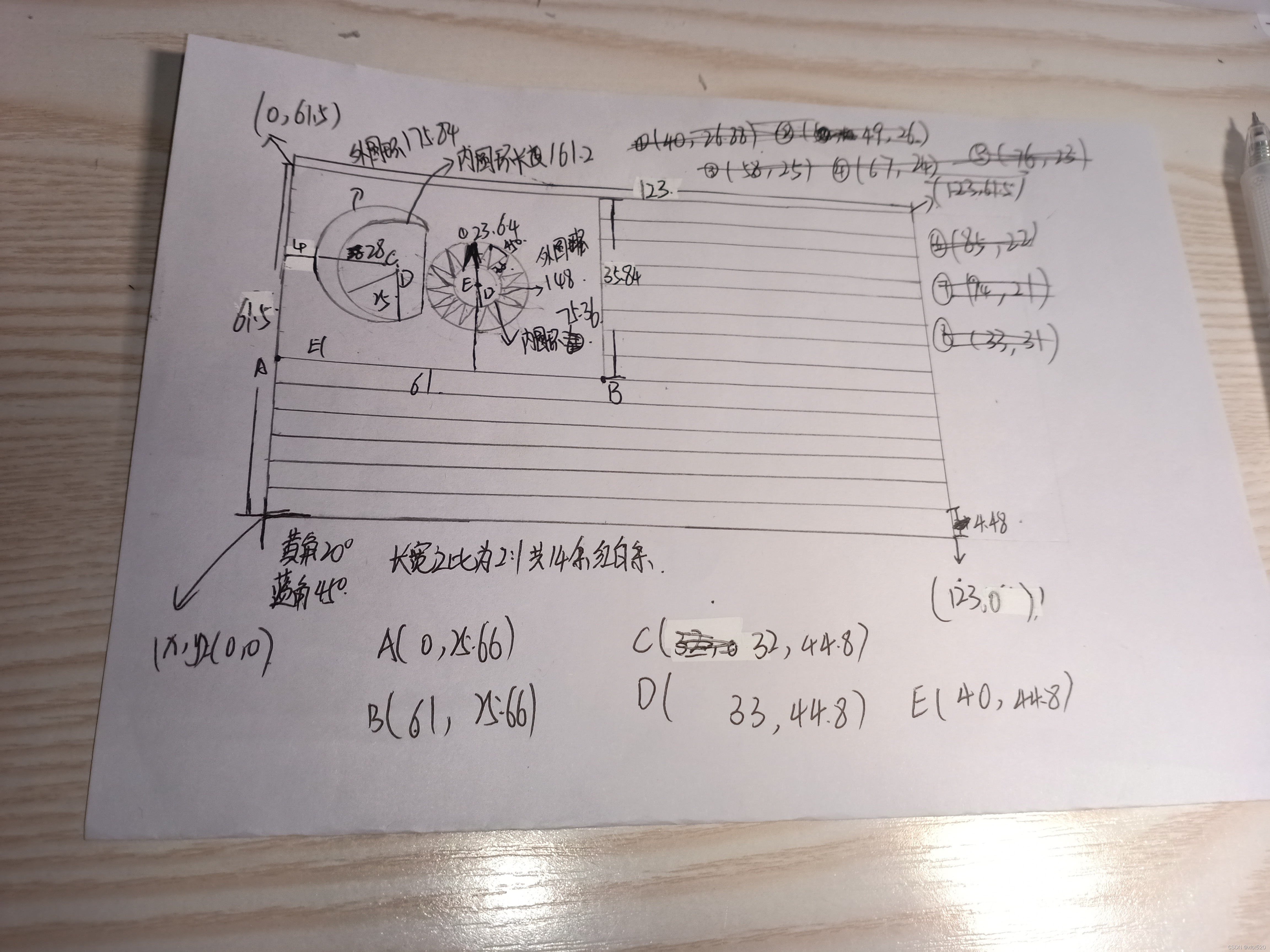
马来西亚国旗是 马来西亚 的 国旗 。 马来西亚国旗的旗地颜色是红白相间的十四道相等的横条。 靠旗杆一边的左上方为深蓝色长方形,上有一弯新月和颗十四个尖角的星 [1] 。 1957年8月31日,马来西亚国旗首次在吉隆坡正式升起。 1997年8月30日,时任总理马哈蒂尔将马国旗正式命名为“光辉条纹”旗 [3] 。 马来西亚的国旗呈横长方形,长与宽之比为2:1。 主体部分由14道红白相间、宽度相等的横条组成。 左上方有一深蓝色的长方形,上有一弯黄色新月和一颗14个尖角的黄色星 [4-5] 。 马来西亚国旗的14道红、白横条象征马来西亚的13个州和政府,新月象征马来西亚人民对伊斯兰教的信仰,14个尖角的太阳星象征马来西亚13个州和政府的团结。
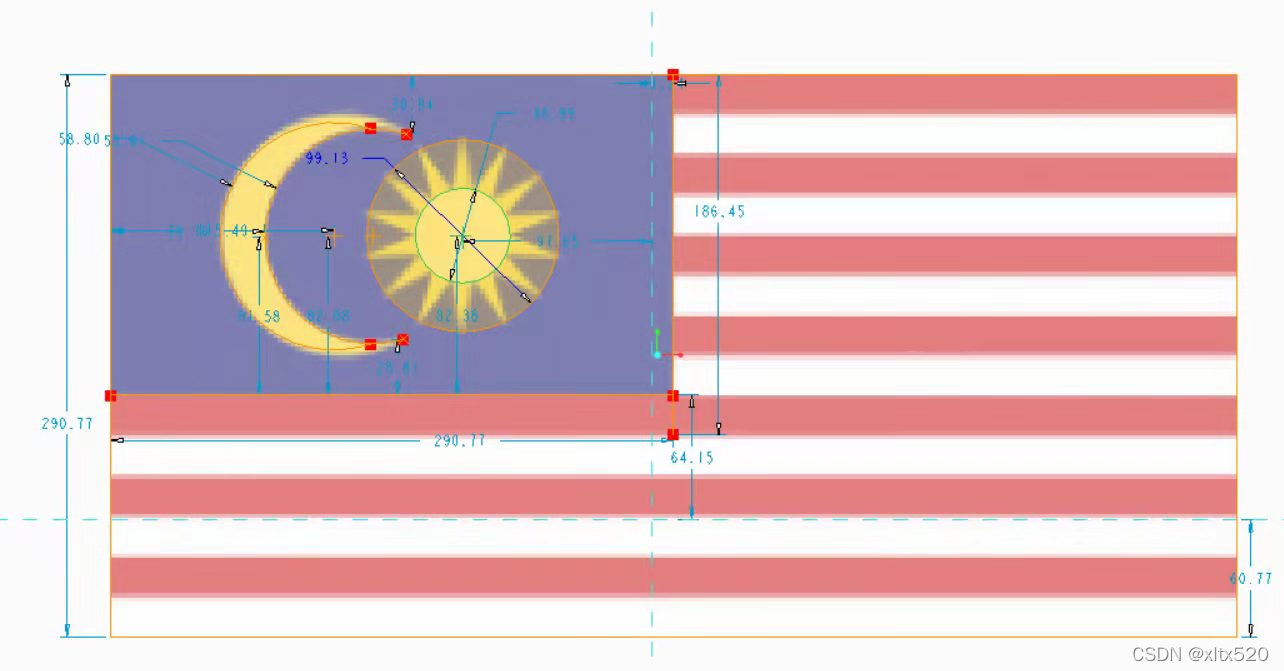
cad图:
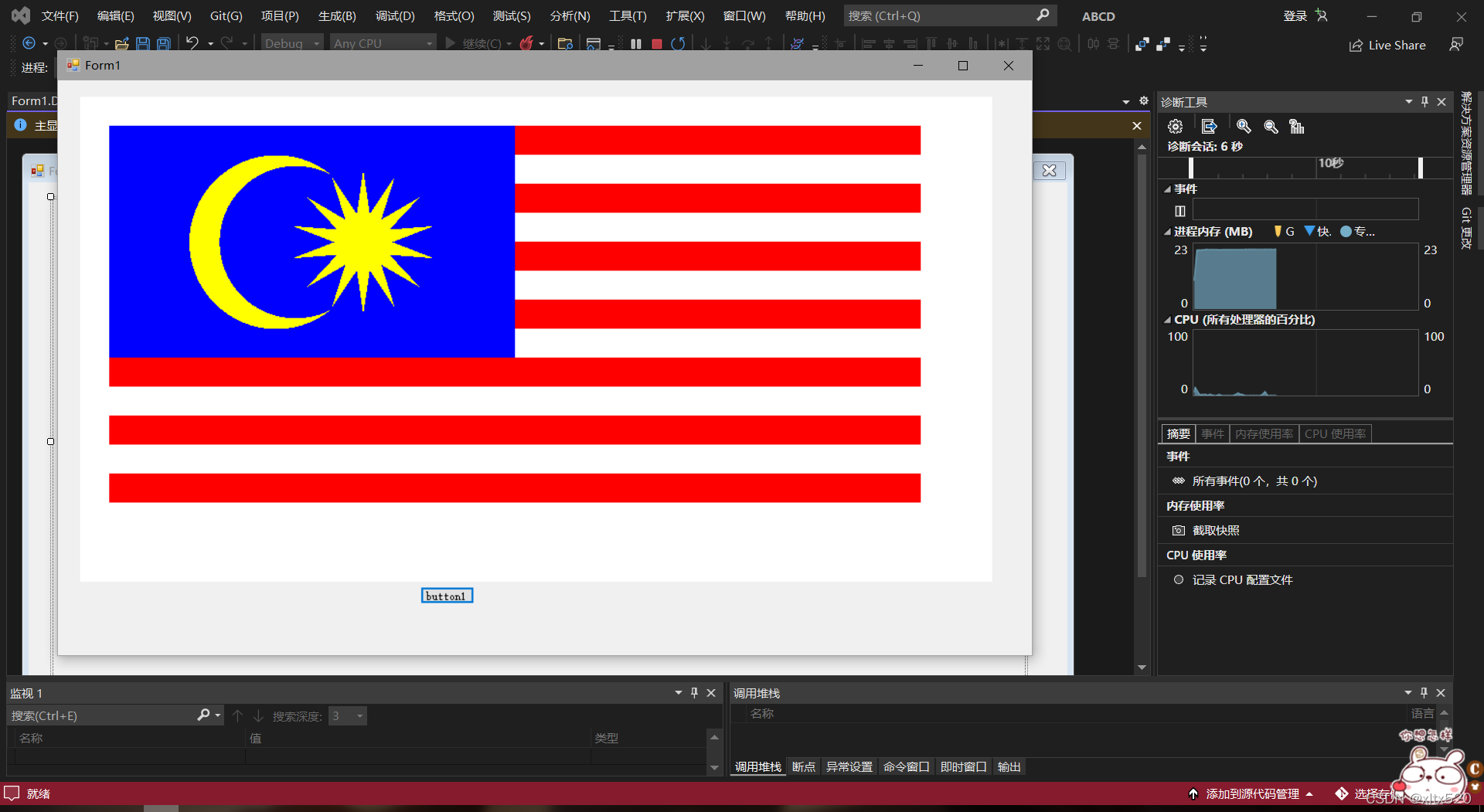
目前进度:
代码数据:
using System;
using System.Collections.Generic;
using System.ComponentModel;
using System.Data;
using System.Drawing;
using System.Linq;
using System.Text;
using System.Threading.Tasks;
using System.Windows.Forms;
namespace ABCD
{
public partial class Form1 : Form
{
Bitmap bitmap;
public Form1()
{
InitializeComponent();
}
private void Button1_Click(object sender, EventArgs e)
{
var g = pictureBox1.CreateGraphics();
var pen = new Pen(Color.White);
var red = new Pen(Color.Red);
Point pt0 = new Point(30, 30);
float width = 30;
float x3 = (float)(pt0.X + width * 8.75);
float y3 = (float)(pt0.Y + width * 4);
float r3, r4;
r3 = (float)(width);
r4 = (float)(2.5 * width);
float[,] Out = new float[14, 2];
float[,] In = new float[14, 2];
float x0, y0, x1, y1;
float r0, r1;
x0 = (float)(pt0.X + 5.75 * width);
y0 = (float)(pt0.Y + width * 4);
r0 = (float)(3 * width);
x1 = (float)(pt0.X + width * 6.42);
y1 = (float)(pt0.Y + width * 4);
r1 = (float)(2.63 * width);
g.Clear(Color.White);
var brush = new SolidBrush(Color.Red);
g.DrawRectangle(pen, pt0.X, pt0.Y, width * 28, width * 14);
for (int line = 0; line < 7; line++)
{
int i = 0;
for (; i < 14; i++)
{
g.FillRectangle(brush, i * 2 * width + width + pt0.X, 2 * line * width + pt0.Y, width, width);
}
for (i = 0; i < 14; i++)
{
g.FillRectangle(brush, i * 2 * width + pt0.X, 2 * line * width + pt0.Y, width, width);
}
}
brush.Color = Color.Blue;
g.FillRectangle(brush
测量数据:





 扫一扫
扫一扫


 2894
2894

 被折叠的 条评论
为什么被折叠?
被折叠的 条评论
为什么被折叠?
 到【灌水乐园】发言





