



2024.3.12
本篇环境完全基于 下面链接
下面链接
vscode的 c++ 环境搭建 https://blog.csdn.net/ymy13326056686/article/details/136541492
一、crypto++的下载
cryptopphttps://github.com/weidai11/cryptopp/releases1、下载 cryptopp890.zip 文件
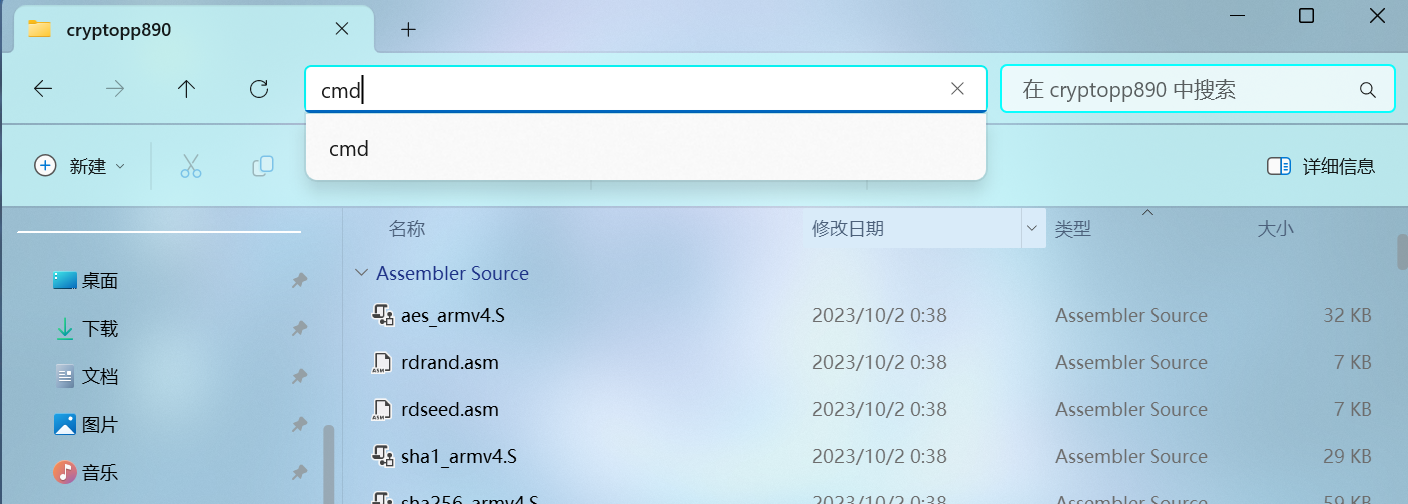
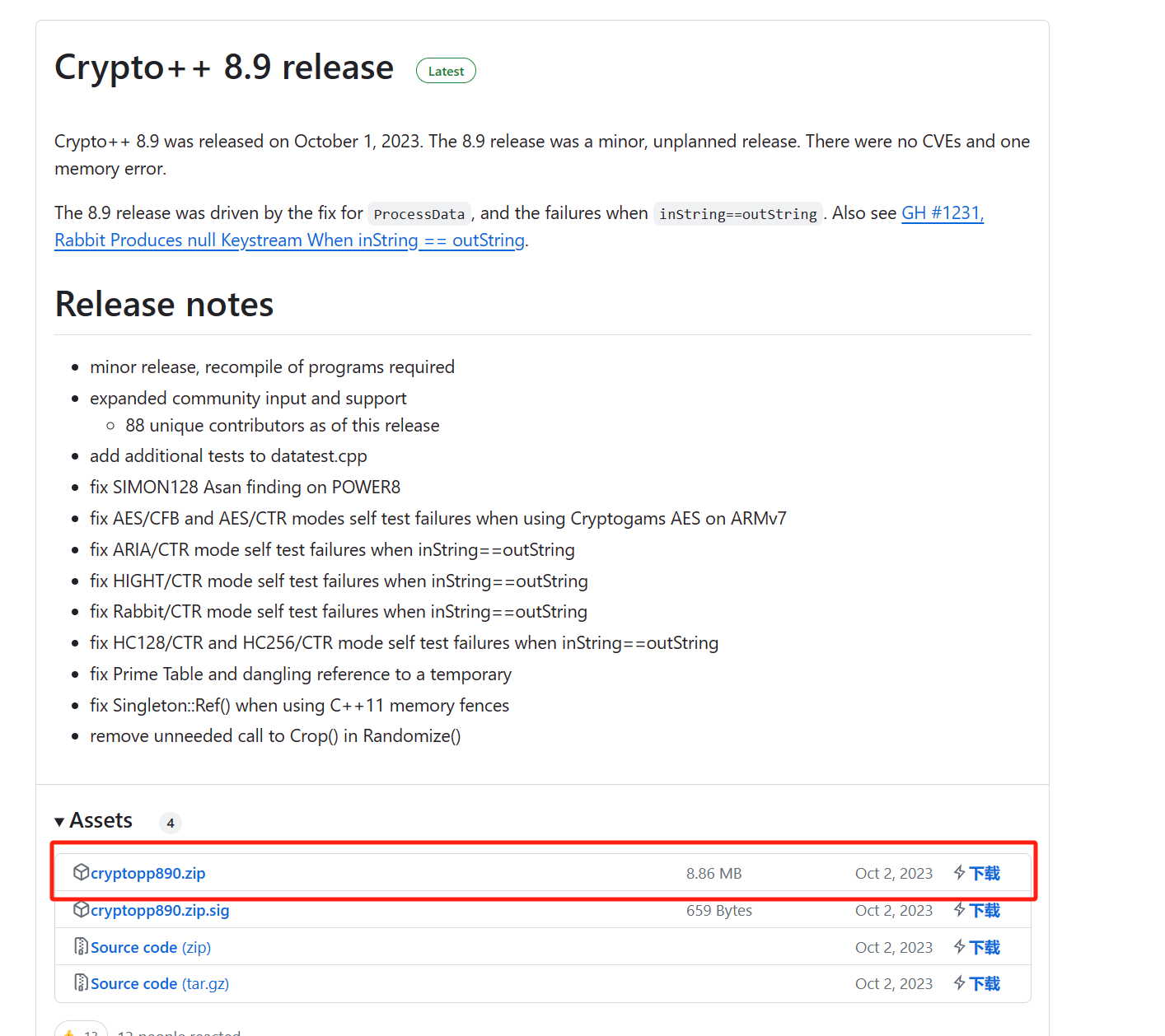 2、将文件解压出来,在解压出来的文件的地址栏中输入 cmd 并按回车进入命令行
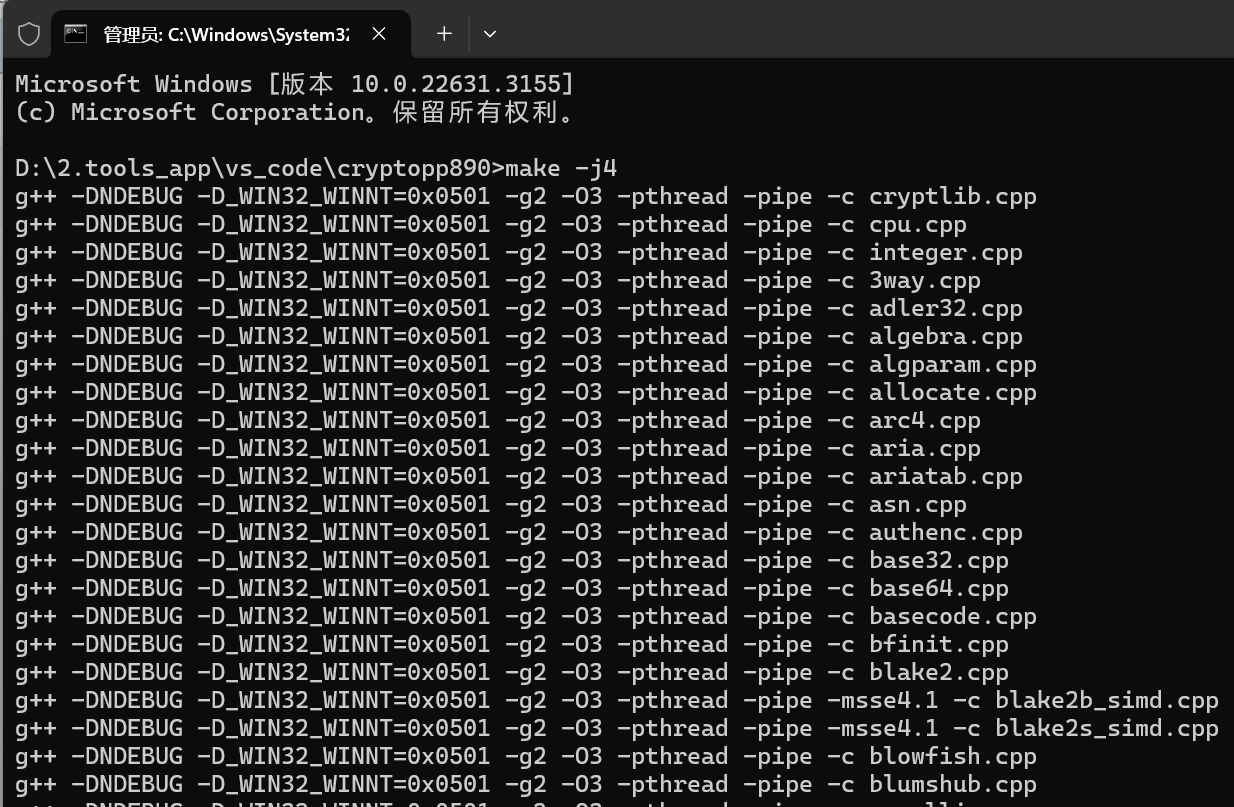
3、在命令行中输入 make -j4 ,使程序开始自动编译
4、下载 pem 包
Releases · noloader/cryptopp-pem · GitHubhttps://github.com/noloader/cryptopp-pem/releases下载 Source code(zip)
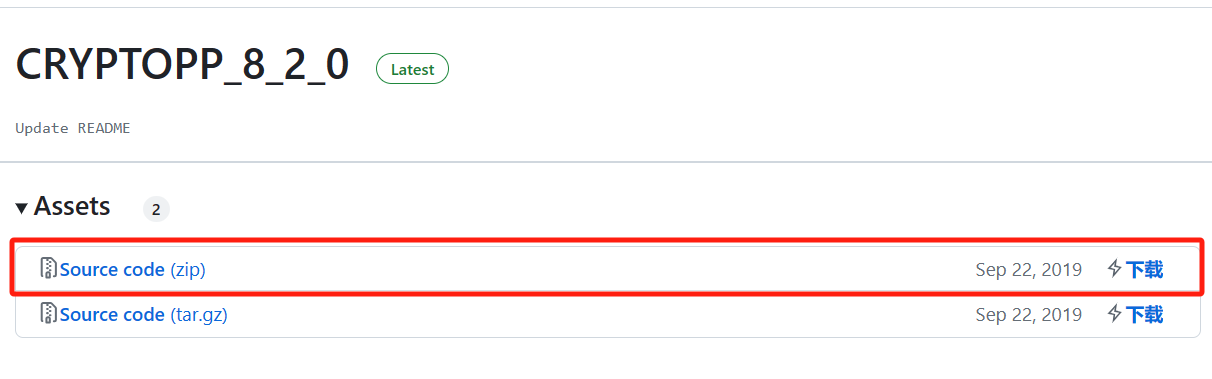
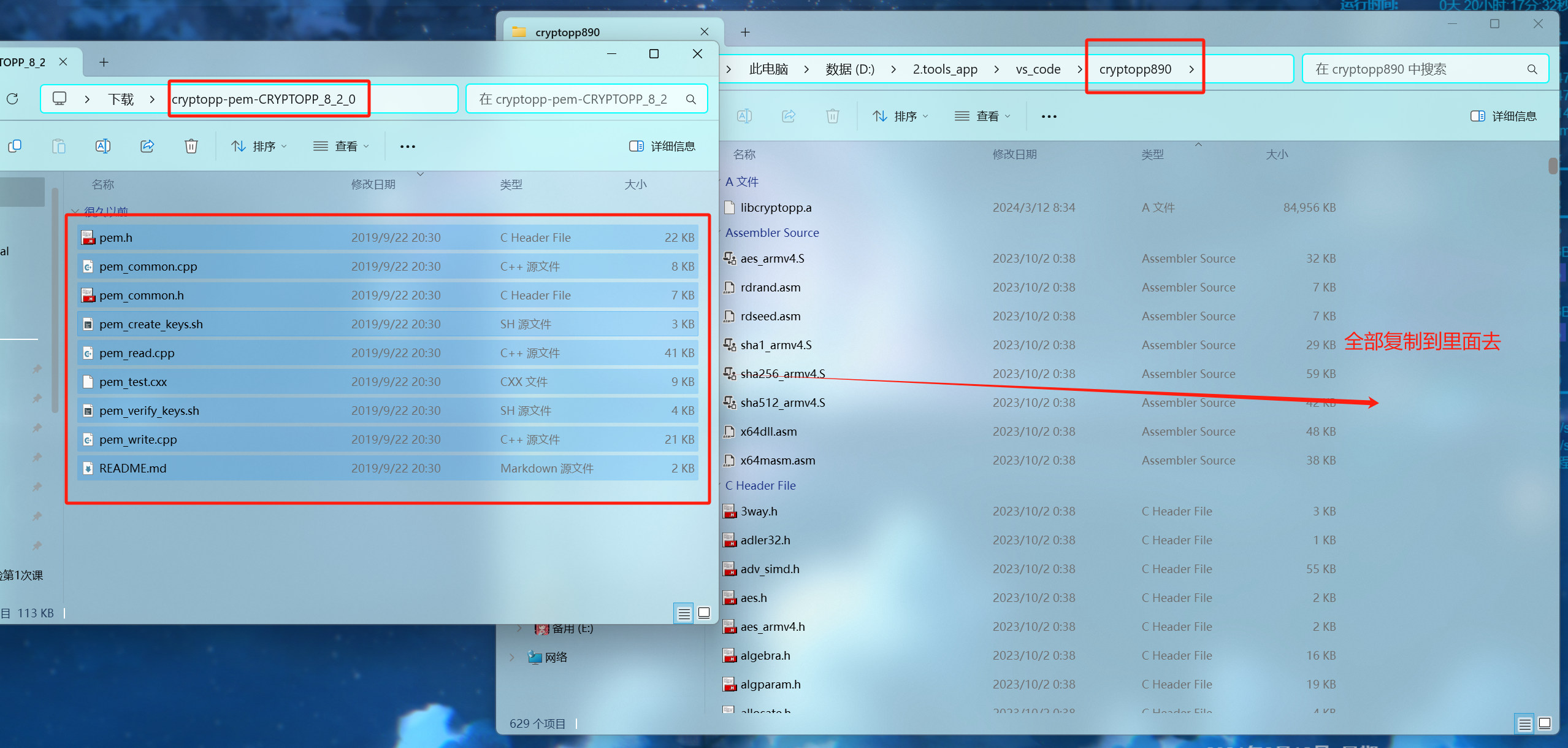
5、解压缩后将里面的文件全部复制到 cryptopp890 的文件夹中
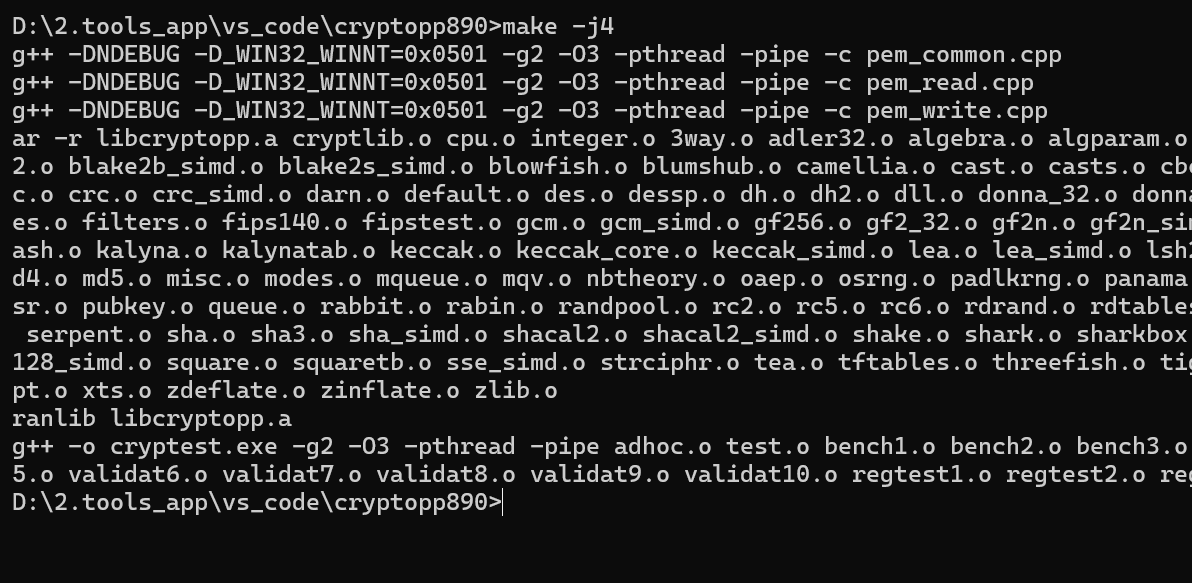
6、在命令行中再次输入 make -j4 进行编译
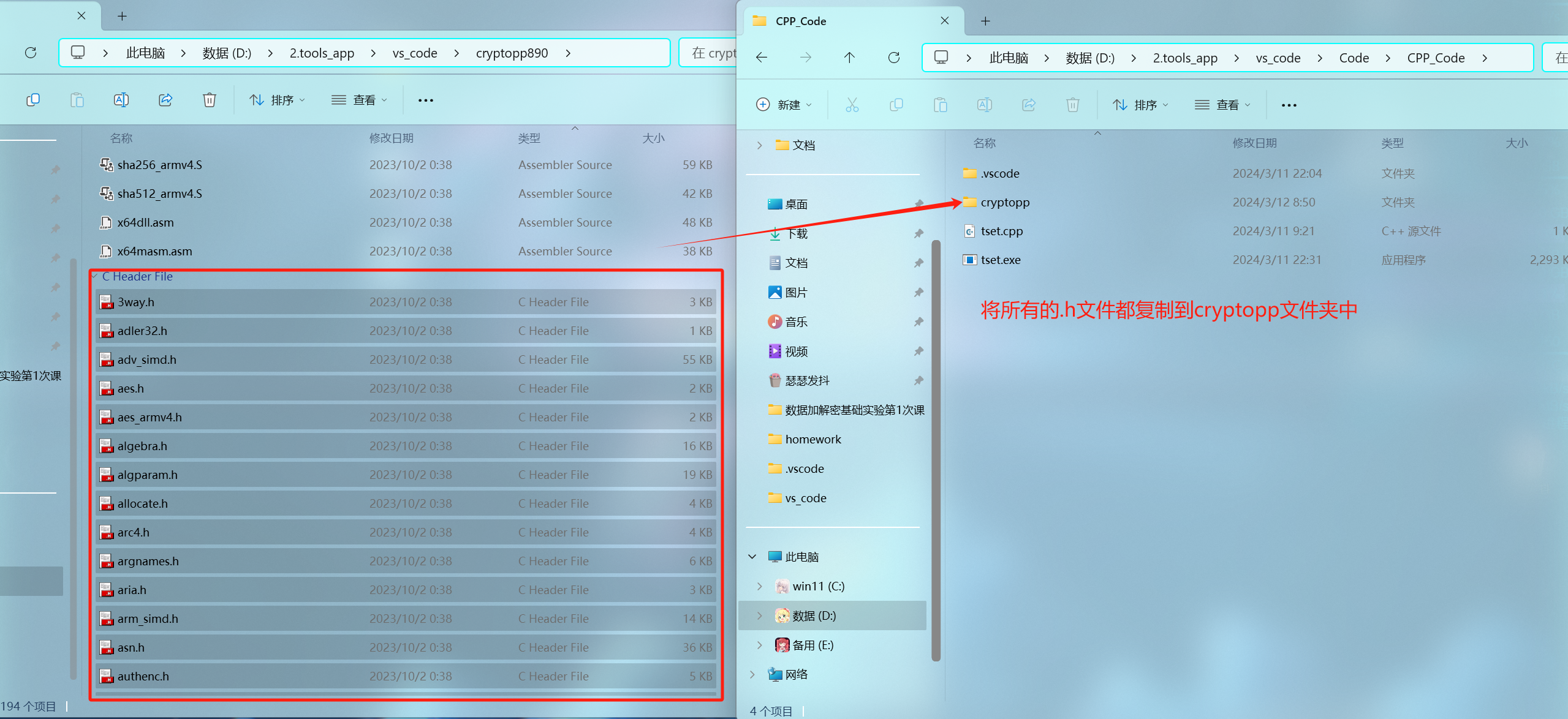
7、在之前环境搭建时所建立的 CPP_Code 文件夹下建立一个名为 cryptopp 的文件夹,在挑出 cryptopp890 文件夹中所有 .h 文件后缀的文件到 cryptopp 文件夹中(可以利用右键的分类来快速筛选出所有.h 文件)
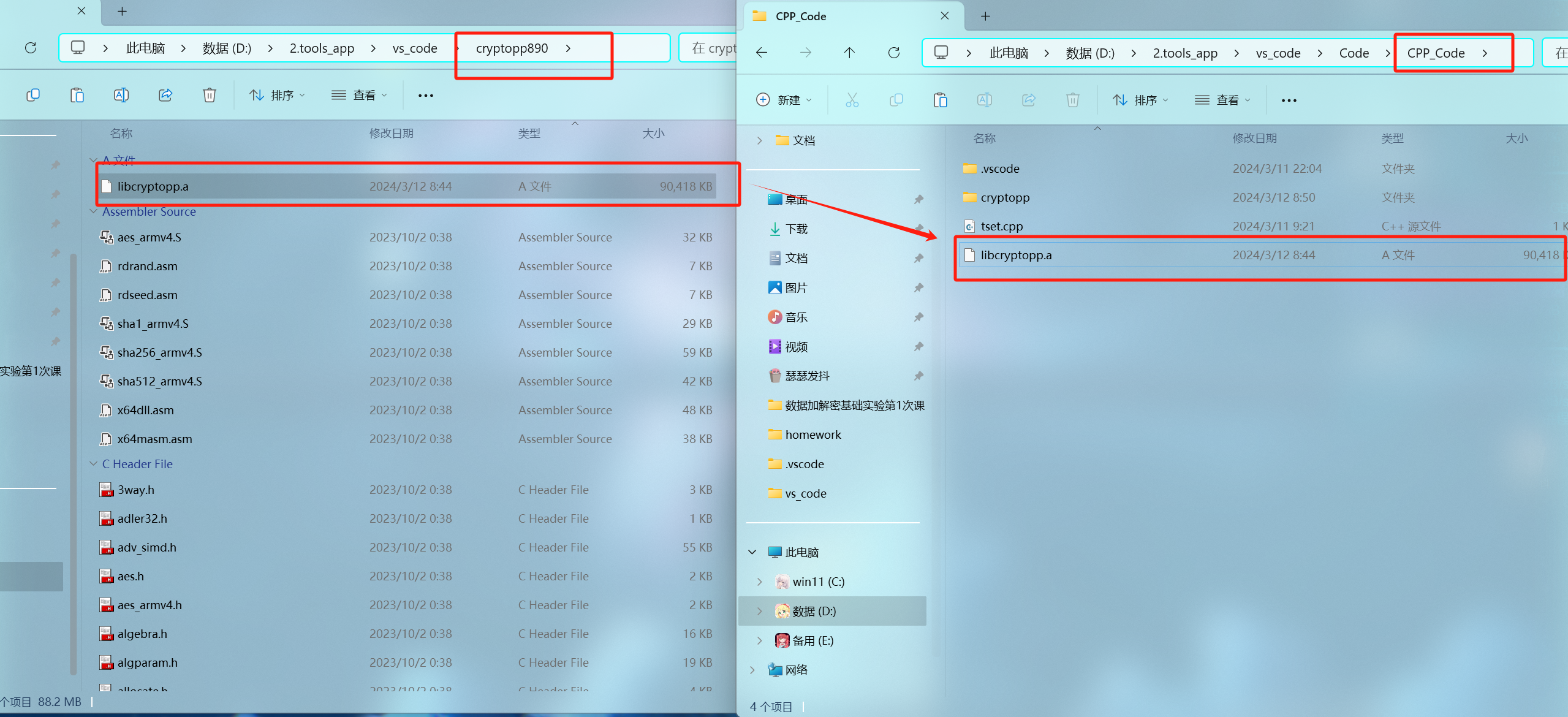
8、把 cryptopp890 文件夹中的 libcryptopp.a 文件复制到 CPP_Code 文件夹中
9、在 vs_code 中打开Code 文件夹,并在 task.json 文件中添加"${fileDirname}\\libcryptopp.a"的代码
"${fileDirname}\\libcryptopp.a"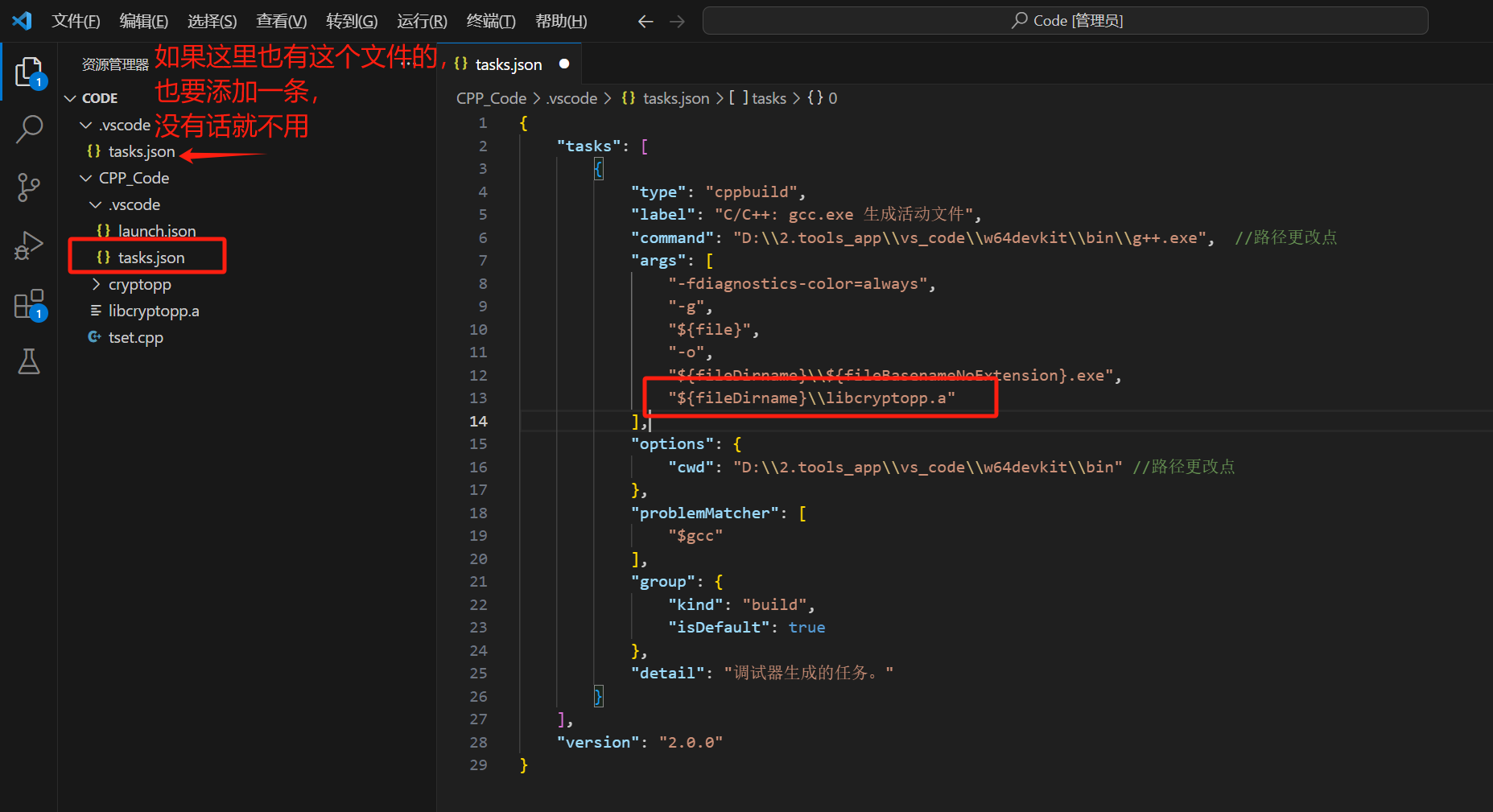
10、在CPP_Code文件夹中新建一个.cpp的文件,在里面写入RSA的代码
(代码是copy其他大佬的,原链接:C++ CryptoPP使用RSA加解密-腾讯云开发者社区-腾讯云)
#include <Windows.h>
#include <iostream>

#include "cryptopp/rsa.h"
#include "cryptopp/files.h"
#include "cryptopp/osrng.h"
#include "cryptopp/base64.h"
#include "cryptopp/hex.h"
#include "cryptopp/randpool.h"

using namespace std;
using namespace CryptoPP;

//#pragma comment(lib,"cryptlib.lib")

// 生成RSA密钥对
void GenerateRSAKeyPair(RSA::PrivateKey& privateKey, RSA::PublicKey& publicKey)
{
	AutoSeededRandomPool rng;

	InvertibleRSAFunction parameters;
	parameters.GenerateRandomWithKeySize(rng, 2048);

	privateKey = RSA::PrivateKey(parameters);
	publicKey = RSA::PublicKey(parameters);
}

// RSA加密
std::string RSAEncrypt(const RSA::PublicKey& publicKey, const std::string& plainText)
{
	AutoSeededRandomPool rng;
	RSAES_OAEP_SHA_Encryptor encryptor(publicKey);

	std::string cipherText;

	StringSource(plainText, true,
		new PK_EncryptorFilter(rng, encryptor,
		new StringSink(cipherText)
		)
		);

	return cipherText;
}

// RSA解密
std::string RSADecrypt(const RSA::PrivateKey& privateKey, const std::string& cipherText)
{
	AutoSeededRandomPool rng;
	RSAES_OAEP_SHA_Decryptor decryptor(privateKey);

	std::string recoveredText;

	StringSource(cipherText, true,
		new PK_DecryptorFilter(rng, decryptor,
		new StringSink(recoveredText)
		)
		);

	return recoveredText;
}

int main(int argc, char* argv[])
{
	try
	{
		RSA::PrivateKey privateKey;
		RSA::PublicKey publicKey;

		// 生成RSA密钥对
		GenerateRSAKeyPair(privateKey, publicKey);

		// 待加密的文本
		std::string plainText = "Hello, LyShark !";

		// RSA加密
		std::string cipherText = RSAEncrypt(publicKey, plainText);
		std::cout << "Cipher Text: " << cipherText << std::endl;

		// RSA解密
		std::string recoveredText = RSADecrypt(privateKey, cipherText);
		std::cout << "Recovered Text: " << recoveredText << std::endl;
	}
	catch (CryptoPP::Exception& e)
	{
		std::cerr << "Crypto++ Exception: " << e.what() << std::endl;
		return 1;
	}

	system("pause");
	return 0;
}
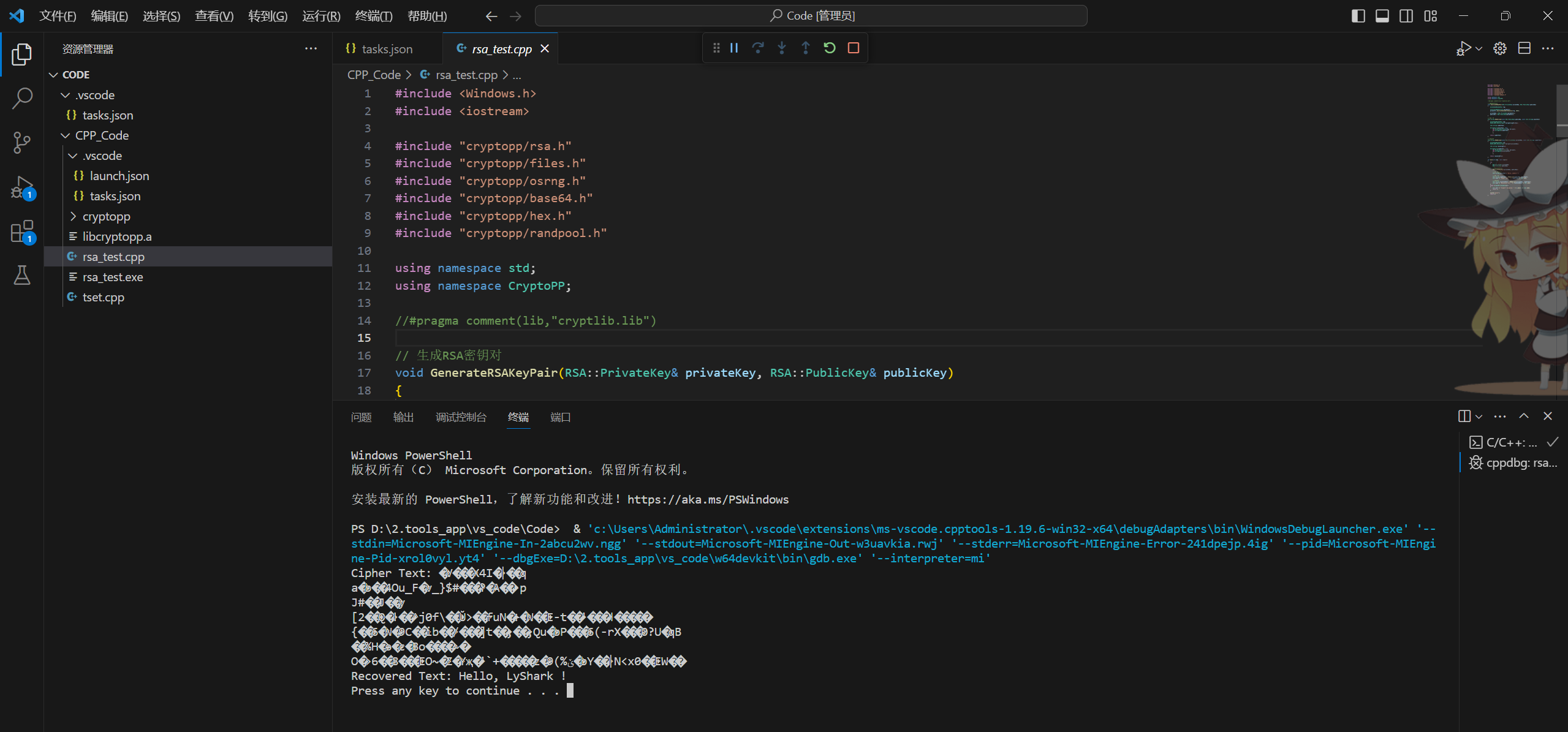
11、运行测试,若跑出来是类似图片这样的就是成功了






 扫一扫
扫一扫


 1万+
1万+

 被折叠的 条评论
为什么被折叠?
被折叠的 条评论
为什么被折叠?
 到【灌水乐园】发言





