


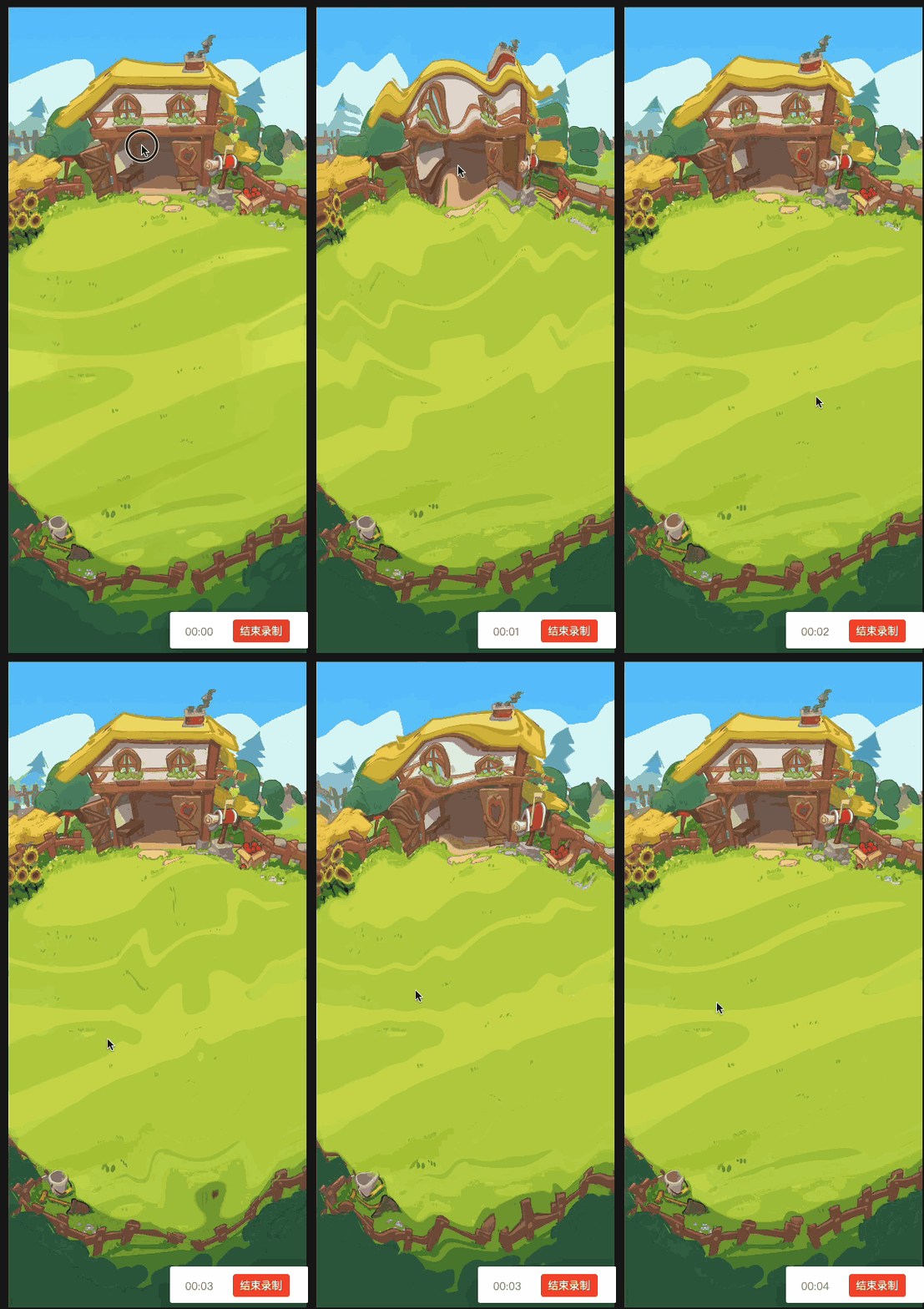
实现原理:修改shader片元着色器,通过正弦函数实现周期性的uv坐标偏移,具体看代码注释
片元着色器修改:
vec4 frag () {
    //计算中心点到当前位置的向量
    vec2 dir = uv0 - u_center;

    // 计算距离
    float dist = length(dir);

    float ripple=0.0;
    //判断当前点是否在波纹范围内
    if(dist * u_frequency <= u_time * u_speed){

      // 计算uv偏移量,u_frequency是波纹频率,u_speed是扩散速度,u_amplitude是波纹拉伸度
      // 显然 u_frequency 越大,sin的一个周期对应的dist变化越小,波纹越密集
      // u_amplitude 越大,uv坐标偏移量越大,拉伸度越大

      ripple = sin(dist * u_frequency - u_time * u_speed) * u_amplitude;
    }

    //沿向量方向偏移uv
    vec2 uv = uv0 + normalize(dir) * ripple;

    vec4 o = vec4(1, 1, 1, 1);
    #if USE_TEXTURE
      o *= CCSampleWithAlphaSeparated(cc_spriteTexture, uv);
      #if IS_GRAY
        float gray  = 0.2126 * o.r + 0.7152 * o.g + 0.0722 * o.b;
        o.r = o.g = o.b = gray;
      #endif
    #endif

    o *= color;
    ALPHA_TEST(o);
    return o;
  }
外部传参脚本:
onTouchEnd(event: EventTouch) {
    // 获取屏幕坐标
      let screenPos = event.getLocation();
      let cocosScreenPos = new Vec3(
          screenPos.x,
          screenPos.y, // 翻转 Y 轴
          0
      );
      let xj=find("Canvas/Camera").getComponent(Camera)
      let worldPos=new Vec3()
      xj.screenToWorld(cocosScreenPos,worldPos)
      let uiTransform = this.sprite.node.getComponent(UITransform);
      // 将屏幕坐标转换为Vec3类型,因为convertToNodeSpaceAR需要Vec3类型的参数
      let pos=this.sprite.node.getComponent(UITransform).convertToNodeSpaceAR(worldPos)

      // 将本地坐标转换为纹理的 UV 坐标(归一化到 [0, 1])
      const width = uiTransform.width;
      const height = uiTransform.height;
      const anchor = uiTransform.anchorPoint;

      // 计算 UV 坐标(考虑锚点)
      const u = ((pos.x) / width) + anchor.x;
      const v = ((pos.y) / height) + anchor.y;
    this.mat.setProperty('u_center', new Vec2(u, 1-v));

    this.time = 0; // 重置溶解时间
  }

  update(dt: number) {
    if (!this.mat|| this.time >= 1) return;
    this.time += dt * 0.5; // 控制溶解速度

    this.mat.setProperty('u_time', this.time);
    this.mat.setProperty('u_amplitude', 0.04-this.time*0.04);
    this.mat.setProperty('u_frequency', 40+this.time*20);
  }
效果





 扫一扫
扫一扫


 1124
1124

 被折叠的 条评论
为什么被折叠?
被折叠的 条评论
为什么被折叠?
 到【灌水乐园】发言





