



开源共享原则
此文章参考至OSG程序设计-杨石兴。转载请附带出处
一 原理
对模型最常用的操作莫过于移动了,有很多人不知道如何操作来移动一个模型。现在我们要明确一个事例,也就是说 OSG 把加入的模型默认都放在中点了,这非常的不好受。其实有些时候并不建议在场景中移动模
型,替代的是模型在未加入场景之前位置就是完好的。
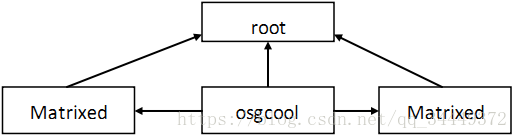
移动/旋转/缩放其实都是对矩阵进行操作,在 OSG 当中,矩阵可以当作一个特殊的结点加入到 root 当中,
而矩阵下也可以另入结点,而加入的结点就会被这个矩阵处理过,比如移动过/旋转过/缩放过。在 OSG 中
控制矩阵的类可以为 osg::MatrixTransform。
二 示例
#include <osgDB/ReadFile>
#include <osgViewer/Viewer>
#include <osg/Node>
#include <osg/MatrixTransform>

void main()
{
	//观察器
	osgViewer::Viewer viewer;
	//元素根节点
	osg::ref_ptr < osg::Group> root = new osg::Group() ;
	//元素节点 加载一个osgcool
	osg::ref_ptr < osg::Node> osgcool = osgDB::readNodeFile("osgcool.osgt") ;
	//矩阵节点trans向上移动2像素
	osg::ref_ptr < osg::MatrixTransform> trans = new osg::MatrixTransform ;

	trans ->setMatrix(osg::Matrix::translate(0, 0, 2)) ;
	trans ->addChild(osgcool .get()) ;

	//矩阵节点trans向下移动2像素 并且缩放0.5倍
	osg::ref_ptr < osg::MatrixTransform> scale = new osg::MatrixTransform ;
	scale ->setMatrix(osg::Matrix::scale(0.5, 0.5, 0.5)*osg::Matrix::translate(0, 0, -2)) ;
	scale ->addChild(osgcool.get()) ;

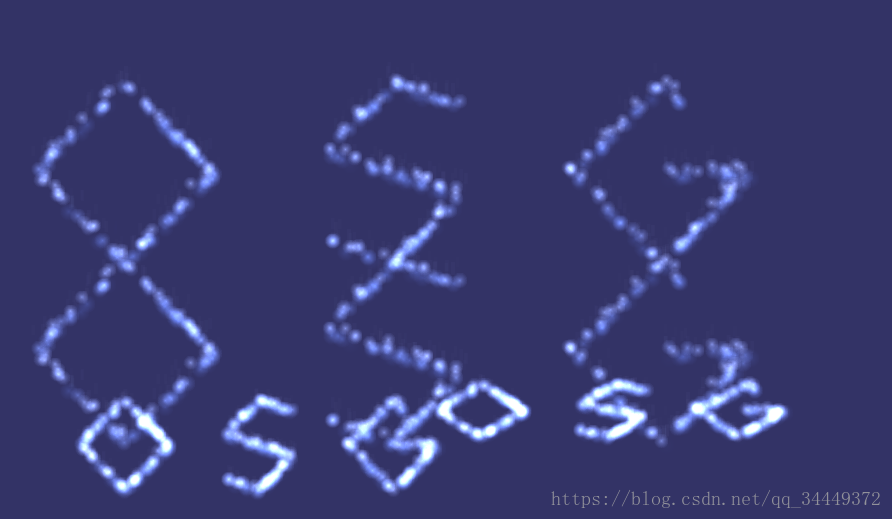
	//矩阵节点rot向右移动4像素 并且缩放0.5倍,平躺45度
	osg::ref_ptr < osg::MatrixTransform > rot = new osg::MatrixTransform ;
	rot ->setMatrix(osg::Matrix::rotate(osg::DegreesToRadians(45.0), 1, 0, 0)*osg::Matrix::scale(0.5, 0.5,
		0.5)*osg::Matrix::translate(4, 0, -2)) ;
	rot ->addChild(osgcool .get()) ;

	//默认节点挂载到根节点哈桑
	root ->addChild(osgcool .get()) ;
	//三个矩阵节点依次挂载到根节点上
	root ->addChild(trans .get()) ;
	root ->addChild(scale.get()) ;
	root ->addChild(rot.get()) ;

	//view加载根节点
	viewer.setSceneData(root.get());
	viewer.realize();
	viewer.run();
} 





 扫一扫
扫一扫


 2989
2989

 被折叠的 条评论
为什么被折叠?
被折叠的 条评论
为什么被折叠?
 到【灌水乐园】发言





